1-1 of 1 Answer
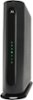
log in to router using your browser, go to Advanced, Advanced Router, Options, Router Selections, check Remote Config Management, then Save. The go to Status, Connection, scroll down to Network WAN Connection, and jot down your location's current IPv4 address. To remotely log in, type in browser the IPv4 address, colon, 8080. For example, 12.34.567.89:8080 if your address was 12.34.567.89. You should see the MG7550 login screen. You cannot do this from the network where the MG7550 is located. You can use a cell phone's browser, as long as you are not on the wifi of the MG7550. Use a cellular connection to test, instead.
Sorry, there was a problem. Please try again later.
