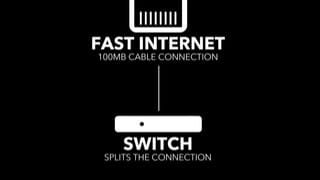
A:AnswerYes, but a modem that connects the optic/firmware as inbound must be placed in front of the router and connected via cat6 or cat 7 ethetnet between modem (outbound) and router (imbound). Modem must be activated with ISP Carrier first then router configured.
A:AnswerFor Windows and other non mobile applications there is no download needed. All settings are accessible via your favorite web browser, just connect to the router's wifi or wired network and then navigate to routerlogin.net. You could even use the browser on your phone instead of an app.
A:AnswerI would check with your internet provider for compatibility. As for the product, I would not recommend Netgear. I have nothing but issues with it disconnecting wifi all the time. Called support, looked online, and no help. Everyone has issues online with wifi. I would return it but Im slightly outside of Best Buys return date by a few days, so Im screwed. Will just have to go buy from another store besides Best Buy for another brand.
A:AnswerI recently installed a NetgearAC1750 router and two Netgear 1750 Mesh Extenders on my system and it seems to be working much better. However, I don’t live in a rural area and have Comcast/xXfinity serving my modern, not AT&T, so our situations differ in that regard. I just wanted to you know that the issue may not be with your system, but with your server. I would inquire around to see if others in your vicinity having a different server may be having experiences with their system different from yours. But to reiterate, so far I have found the new Netgear equipment to serve satisfactory.