“Purchased a HP omen and I have a couple questions. 1. Where do I get the factory disks/factory software with windows 10? I purchased a separate SSD drive and want to reformat my computer and put all the operating software onto the SSD drive.”
Answer This Question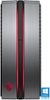
1-1 of 1 Answer
Windows 10 made a few changes to how you can recover your computer and it is now easier than ever. Simply search for the Windows Media Creation Tool and you will see the Microsoft site that is the top result. From there download and run the program which will convert a spare USB drive into a full Windows 10 restore device. With that you can insert your new SSD and boot from the USB to begin a clean install of Windows 10. After that simply reformat your old drive and the computer should automatically boot from the SSD Windows 10 install.
Sorry, there was a problem. Please try again later.
