“Is there a way to plug in a HDMI monitor and plug in the Oculus HDMI at same time? for some reason when I plug in the monitor to HDMI 1 it will not work. it only works when I plug it into the Game card HDMI which I cannot do since the Oculus is in it.”
Answer This Question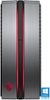
1-5 of 5 Answers
You have to buy an adapter, it happen the same to me, it look like there is only 1 hdmi connection and the other are display ports so, for you to be able to connect the oculus you need an adapter... Idk why Best Buy sell this bundle if at the end you have to buy an adapter, thes worst part they do not tell that... :(
Sorry, there was a problem. Please try again later.The 2 HDMI slots with the "plastic corks" are not operational. They are part of the integrated graphics of the motherboard, which is overridden when the graphics card is installed. This PC only has ONE working HDMI port. It's kind of shady that they advertise it with 3, but only one works. Also makes me wonder if all of these "user reviews" are legit because they all say they use the 3 HDMI ports, when they are actually disconnected...
Sorry, there was a problem. Please try again later.You need a display port adapter they are like 15 dollars you can probably get one cheaper. Your going to want to plug your HD monitor/TV into the adapter and run the headset threw the video card, this bothered me because this tower is advertised as having 3 HDMI ports but they won't work with the video card installed
Sorry, there was a problem. Please try again later.I had the same issue I bought it just for my Oculus rift. If you buy a displayport adapter to HDMI you'll be good to go. Oculus rift still looks good also.
Sorry, there was a problem. Please try again later.I don't have oculous hardware, but the graphics card should have 2 or more HDMI sockets in it - just the others have plastic "corks" stuck in them to protect from dust and contaminants. Just remove one of those and try your monitor and VR headset in 2 compatible sockets of your choice.
Sorry, there was a problem. Please try again later.
