A:AnswerCheck your speaker wires for frays and or breaks. Also if any wires are exposed. Make sure speakers are not defective. Also make sure speaker wires properly connected to receiver and properly tightened.
A:AnswerYour headphones receive a Bluetooth signal. The CD changer does not have Bluetooth capability.
You can add a device to the changer to provide Bluetooth.
Aluratek - Bluetooth Audio Transmitter - Black
Model: ABT05F SKU: 6332920
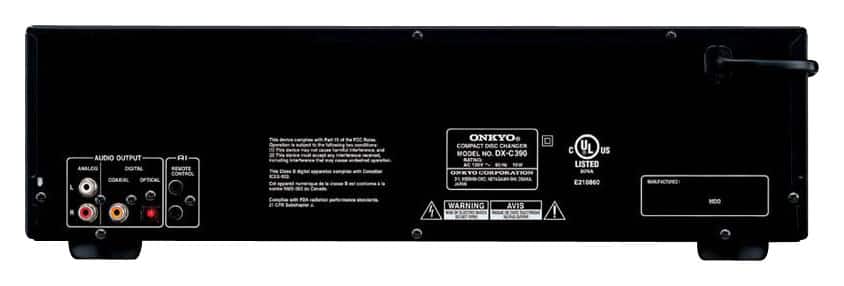
Connect the Red and White adapter cable from the Bluetooth transmitter to the CD changer analog output.
Charge the Bluetooth transmitter as you would the Beats headphones or other mobile devices.
Connect the Transmitter to the CD changer's adapter cable.
When you turn on the transmitter it should be able to pair with the Beats headphones.
A:AnswerYou can connect this CD player to anything that has RCA audio inputs. If your radio has an aux input that is a 3.5 mini plug input you will need a cable with male RCA jacks on one end and male 3.5 mini plug on the other end.
A:AnswerIf your smart TV has an audio INPUT plug, yes. This changer has a variety of output formats (RCA, coax, optical). If you are asking about using Bluetooth to play the audio through your TV, then the answer is no, you cannot play the audio directly from the player to the TV via BT.
A:AnswerYou need a "middle man", an amplifier. The changer will not play the cds directly through your speakers. Your cd changer and speakers need to be connected to an amplifier, which drives the system... (the amplifier is like the car engine). I added an example of an amplifier (not as an endorsement but for illustration purposes only. I am not familiar with the specific product attached).
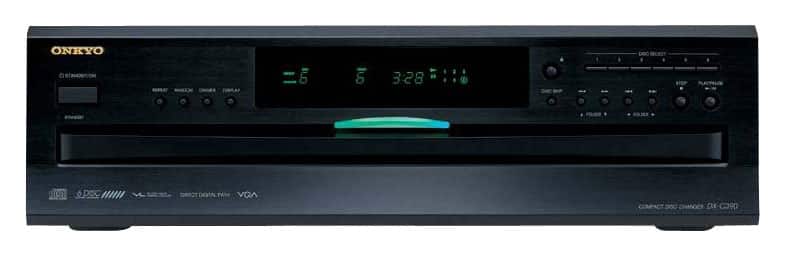
A:AnswerHi Anonymous, When you push the door button the whole tray will open and you can rotate it to which ever disc number you want to assign it to and just set your CD in the tray and close the door if only one CD is inserted then it will only go to that CD if more than one it will start at the Disc #1 position, simple. Allen