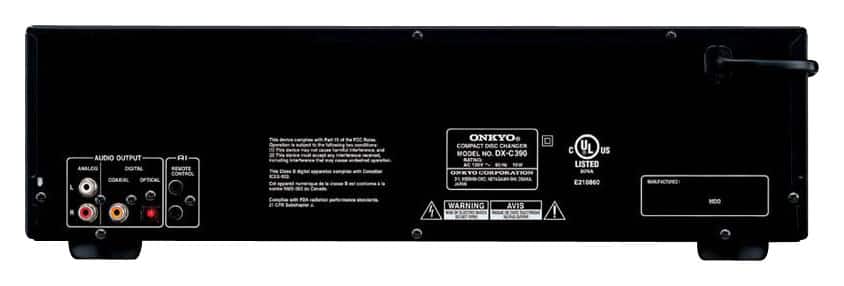
A:AnswerThe optical cable outlet is usually used for the center speaker or sound bar for a surround sound system. I myself use a sound bar for my Toshiba 42" tv., and I have an optical input on my television. If you have a similar input on a receiver or surround sound system you may be able to use that port in your signal path. Hope this assists you in your installation process.
A:AnswerThird outlet is for digital audio. Two RCA jacks for analog audio, left and right. And one for digital audio. Would use this output to connect to a digital input on a A/V receiver.
A:AnswerIf any audio amp has 2 RCA type connector jacks on the back panel labeled "CD" or "TAPE" or "VIDEO" or "VCR" or "AUX," then, yes, this player will hook right in with the red and black audio wires that come with it. Looks like the Bose unit uses a smaller-type AUX input, so, you will need to get an adapter cable. They cost around $5 and Best Buy should have them. Just tell them you need a stereo RCA to stereo 3.5mm "mini-jack" converter audio cable.
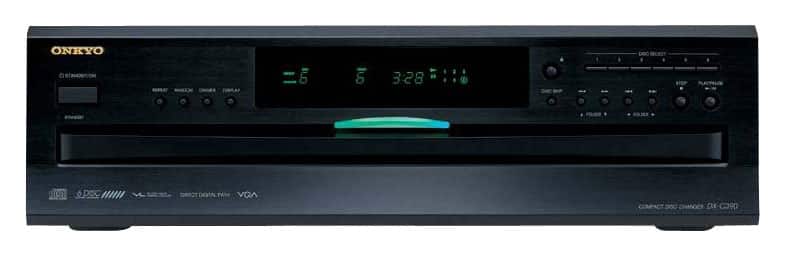
A:AnswerThe tray which holds the CDs slides out the front, enough to load a CD. You then use the disc skip button to cycle through the 6 slots for CDs. I have owned a 5cd changer which uses the same system, and it has worked flawlessly for me for 20+ years. The other nice touch is that you can change out the other CDs while the current one is playing (except for of course, the one that is playing).
A:AnswerI'm not surely how long it will hold in the pause position.
I have gone up for dinner and come back hours later and started off where I left off.
I suppose it would hold forever but I've never tested it.
Actually if I'm gone too long I'd just start the disc over.
A:AnswerHello ---
If your amplifier has the RCA input connections and a volume control, then you can hook up the DXC390 to it to play sound.
Thank you
Onkyo
A:AnswerHello Chubbs
No, you will need a receiver or amplifier with speakers in order to play CDs through the player for audio playback.
Thank you
Onkyo