A:AnswerHi! The KX-TG9542B (2-line model) has a backup battery in the base unit. Also, we have models with amplified volume that have this feature: KX-TGM420, KX-TGM450, KX-TGM430. Our models usually use another method for backup operation. -M
A:AnswerHi, Chris! This model does have a Power Backup operation. When a power failure occurs, the charged handset temporarily supplies power to the base unit. This allows you to make and receive landline calls using a handset during a power failure. The base unit will not perform any other functions. -M
A:AnswerHello! It's possible that the ringer on your handset is turned off. To verify, check for a symbol resembling a bell with a line through it on the handset's screen. To deactivate it, press and hold the 0 (zero) key and observe if the symbol disappears. Alternatively, you can adjust the ringer volume to reactivate it. Begin by pressing MENU, then the # key, followed by 160. Next, repeatedly press the arrow up until you reach the desired volume level, and finally, press SAVE. -M
A:AnswerHi! Thank you for reaching out to us. We do not recommend using two base units on the same line, due to issues caused by interference between the two units. Kindly be informed that KX-TGF882 is compatible with the KX-TGFA88 handset. For more compatible handsets with this base unit, please check our compatibility website at the following link: https://help.na.panasonic.com/answers/parts-and-accessories-cordless-telephone-handset-guide-use-this-guide-to-look-up-handsets-compatible-to-your-telephone-and-where-to-purchase . Hope this helps! -C
A:AnswerThe range from the base to the handsets of Panasonic phones can vary depending on the environmental conditions in which they are used. Keep in mind that walls, interference, and other factors can affect the range and signal quality. Factors such as the construction materials of your home or office, the presence of other electronic devices, and interference from nearby wireless networks can all impact the effective range of a cordless phone. -M
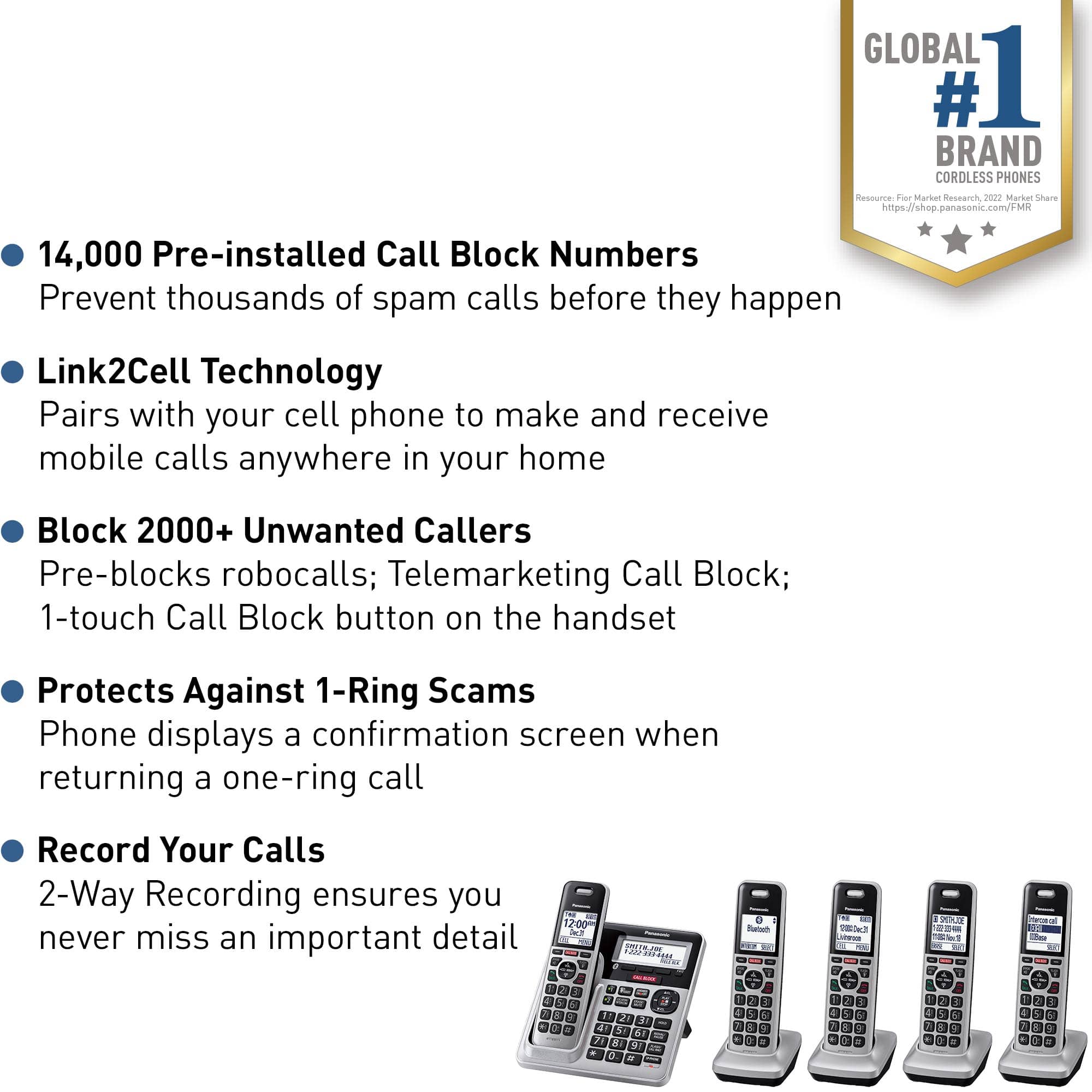
A:AnswerThis is my second, set of five, of the Panasonic 6.0 Expandable Cordless Phone. All features were satisfactory. The only complaint was that the battery life was, in my opinion, too short, i.e. approximately only three years.
![Panasonic Panasonic Panasonic Panasonic Bluetooth INTERCOM SELECT T 83 12:00A Dec.31 Livingroom CELL MENU C1 SMITH.JOE 1-222-333-4444 11:08A Nov 18 ERASE SELECT Intercom call [*]ALL [O]Base SELECT CALL BLOCK CALL BLOCK I CALL BLOCK FLASH POE FLASH w VOL COML 4 REDU CD OFF TALK OFF Panasonic AFC 3 i 1 2 E 3 I TD 820 12:00AM AM Panasonic Dec.31 SMITH.JOE CELL MENU 1-222-333-4444 TELE.BLK. CALL BLOCK OE FLASH DE VOL RCAL OD TALK OFF 1 2 3 4 5 6 7 8 9 0: # OE FLASH VOL. SO CD TALK OFF 1 2 3 - 4 5 6 D 7i 8 9 N *: 0t SAPHONE FLASH VOL. REDIAL CID TALK OFF 1 2 3 - 4 5 6 D 7i 8 9 N *: 0t SAPHONE FLASH VOL. REDIAL CID TALK OFF 1 2 3 - 4 5 6 D 7i 8 9 N *: 0t SAPHONE FLASH VOL. REDIAL CID TALK OFF 1 2 3 - 4 5 6 D 7i 8 9 N *: 0t SAPHONE FLASH VOL. REDIAL CID TALK OFF 1 2 3 - 4 5 6 D 7i 8 9 N *: 0t SAPHONE FLASH VOL. REDIAL CID TALK OFF 1 2 3 - 4 5 6 D](https://pisces.bbystatic.com/image2/BestBuy_US/images/products/2d118562-e82a-4042-8cd0-3582f37dba3f.jpg)