A:AnswerBe sure the HDMI cables are rated for 4K video or higher and that they are snugly fitted. If using 4K cables doesn't fix the issue, and other 4K sources play properly through the same TV input, then a return may be in order.
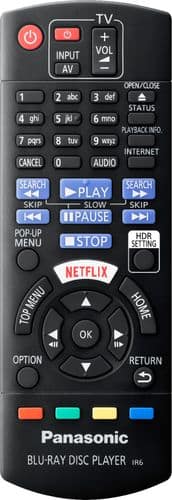
A:AnswerYes, you can, but you must purchase a remote extender. I have my Panasonic hidden in a cabinet above the television. The doors of the cabinet block the infra-red signal from the remote reaching the player. So I purchased a remote extender from Amazon for less than $20 dollars. The extender does need to plug into a power outlet, so you may need to add a third or fourth outlet if you are using a soundbar. The extender consists of a receiver that is placed somewhere near the televison, outside of the cabinet. And the transmitter which repeats the signal that the receiver receives, and re-transmits it from the transmitter that is placed inside the cabinet with the blu-ray player. Mine works flawlessly without a hitch. Whereas, without the extender, my player wouldn't receive the commands from the remote at all. Hope this helps.
A:AnswerHi! It seems that the FibreTV connects directly to the TV, not the player. We would recommend checking with the manufacturer directly in regards to this question. -A
A:AnswerI don't know if it supports all picture formats as I haven't tested this function myself
But I do know that it supports the most common picture formats.
A:AnswerNo, unfortunately it doesn't. It doesn't play SACD and it also doesn't play DVD-Audio format. Some previous Panasonics did have DVD-Audio capabilities, but this one doesn't. DVD-Audio was the Non-Sony format that offered the same sound quality and specifications as SACD, but the two weren't compatible.