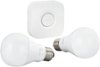
“So am I able to turn my lights off and on right from my phone?”
Answer This Question
1-10 of 10 Answers
Yes, using the hue app, or if your smart phone has smart home built in (like HomeKit for iPhone) you can use your smartphone to say a command like "turn on the living room lights."
Sorry, there was a problem. Please try again later.Kind of... You need to first have a Phillips Hue hub to control them all. Once you hook up the hub you sync all the lights to the hub and that allows you to control your lights from your phone.
I would recommend:
Sorry, there was a problem. Please try again later.Yes
Sorry, there was a problem. Please try again later.Yes, I use my phone in conjunction with my Hue bridge and dimmer switch to turn these bulbs off and on with my phone.
Sorry, there was a problem. Please try again later.Yes. Wifi is required though.
Sorry, there was a problem. Please try again later.Yes. All you have to do is setup the app and make sure you have the hue bridge, or it won't work.
I would recommend:
Sorry, there was a problem. Please try again later.Yes. You can dim and brighten also. You do need the hub though. So I'd suggest getting the starter kit then extra bulbs as needed. Works great.
Sorry, there was a problem. Please try again later.Yes. I have an iPhone and can tell Siri to turn certain lights on and off. You can also access your lights no matter where you are.
Sorry, there was a problem. Please try again later.This bulb uses timers, alarms, geofencing and soft security.
Sorry, there was a problem. Please try again later.Yes. You need to pair each bulb through the app and 1 physical button on the hub. Its very easy and the app will walk you through it. I even turn my lights on and off from work.
Sorry, there was a problem. Please try again later.