A:AnswerGood question I have noticed its really not so much the sunlight that it needs but more just daylight it charges just fine on days when its cloudy!
A:AnswerAs long as it's a 2.4 GHz WiFi connection, you should be fine. You may run into issues with using a public hotspot if you are required to sign in, however.
A:AnswerYou can view steaming video from the cameras using the Ring App.
I have used WiFi and or Cellular Data to receive video on my I Phone 12.
I was able to speak and listen to someone in front of the camera .
In a hotel 300 miles away!
The quality of the video and audio that is received or transmitted to your phone will depend a lot on the strength and quality of the Wi-Fi signal that is used to send it over the internet.
It would be a good idea to make sure the Wi-Fi in the house where the cameras are located is up to the job.
A:AnswerHello Abe,
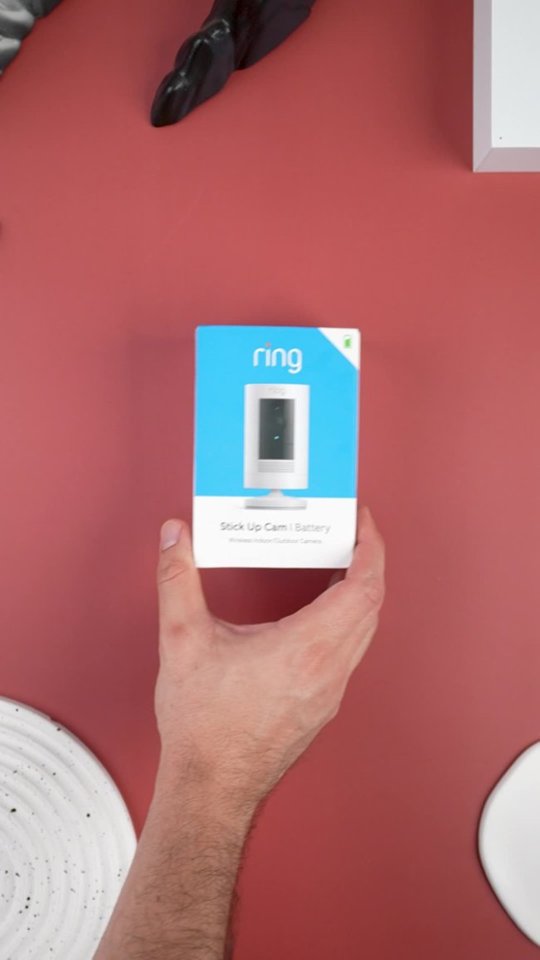
Great question! Yes, there is a spare parts kit available for the Ring Stick Up Camera Battery here: https://ring.com/products/stick-up-security-camera-mount?_pos=4&_sid=f1598379f&_ss=r. We are not positive which “adaptor” you are referring to, so here is a list of what’s included in the box with your initial purchase:
What comes in the box?
Ring Stick Up Cam Battery Unit
Base Cover
Base Pad
Stand and wall mount accessories
Installation tools and hardware
Ring rechargeable battery and micro-USB cable for charging
User manual & quick-start guide with QR code
Security Sticker
If you are missing the orange charging cable for your Ring Rechargeable Battery then we’d suggest purchasing this kit, that has the Ring micro USB charging cable included: https://ring.com/products/spare-parts-for-video-doorbell-v2?_pos=1&_sid=51fd1fb08&_ss=r.
We invite you to reach out at https://community.ring.com/ if any additional information is needed regarding your lost Stick Up Camera adaptor. Ring Community is our first peer-to-peer community forum, giving our customers the ability to help one another and share their experiences directly with Ring.
Thank you, Jamila, with Ring.
A:AnswerYes the camera's will record video and sound. You can also speak remotely through the camera. I've 6 of them. You can link all camera's to record when one of the senses motion or alerts. They also have a decent siren you can set of too.
A:AnswerThe doorbell is the only one I've linked to Alexa. My six camera's alert to my phone via ring app. I honestly haven't attempted to have them alert through Alexa.