A:AnswerHello,
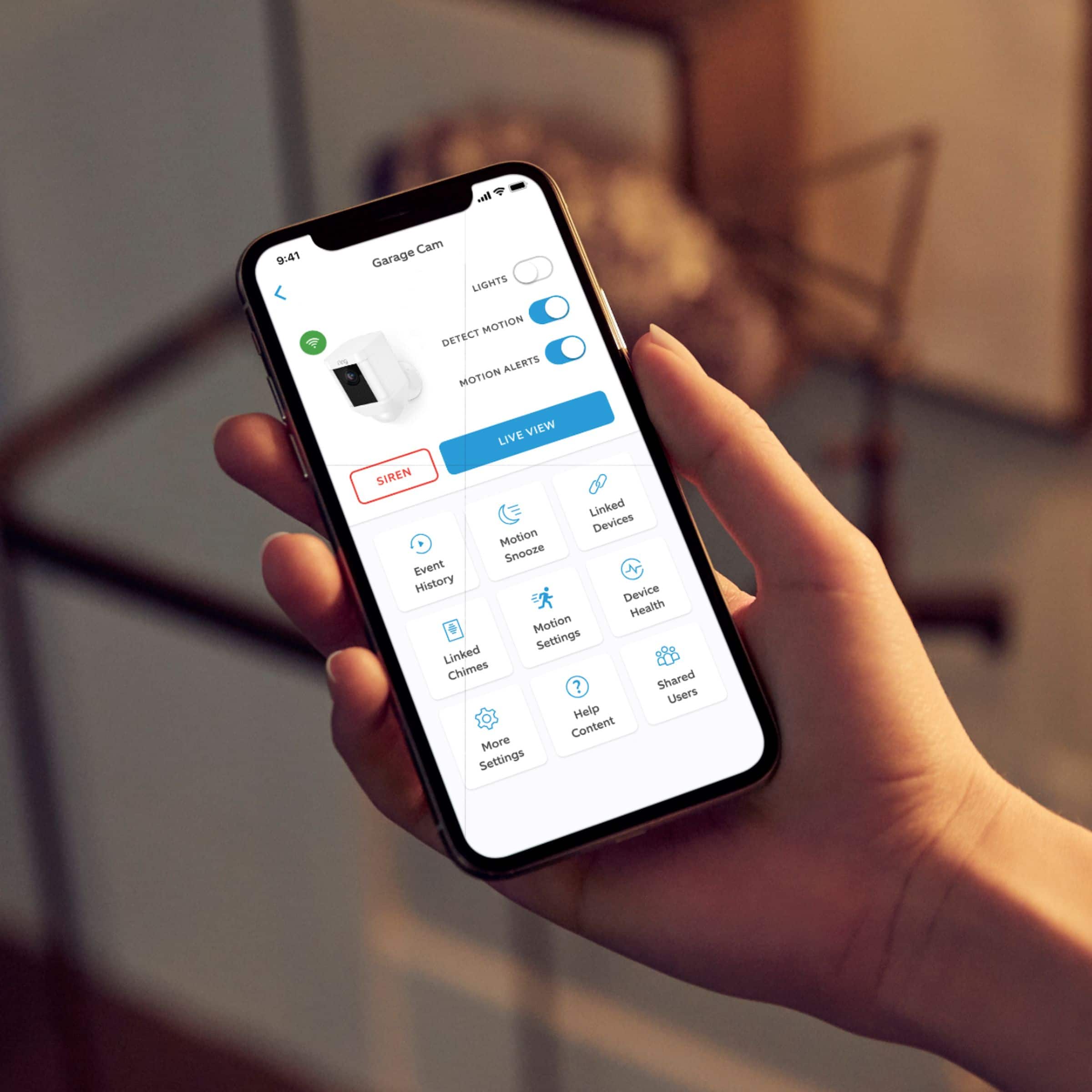
Yes, Ring allows you to fully customize your home security to your needs. Adding a new Ring device is easy, simply open the Ring app, select Setup a Device, and follow to on screen instruction to complete the setup. For details for setup and usage for Ring Spotlight Cam: https://support.ring.com/hc/en-us/articles/115003802183-Ring-Spotlight-Cam-Information
Also, Ring Community was launched to help deliver the most current news and educational information to our neighbors. This online forum is divided into four categories: Product Boards, Ring Updates, Tips + Tricks, and a Moderators’ Corner. The Product Boards are where you can begin new topics with your questions or feedback; there is also a search option that helps you find topics that have already been posted by other neighbors. We invite you to visit our site at https://community.ring.com/ today!
Thank you,
Antonio from Ring
A:AnswerHello Keith,
Yes, all Ring devices are setup and controlled using the Ring app. Simply ope the app, tap the menu button, select Setup a Device and follow the on screen instructions. For more information on using the Ring app, please visit our website: https://support.ring.com/hc/en-us/categories/115001265666-App-Support
Also, Ring Community was launched to help deliver the most current news and educational information to our neighbors. This online forum is divided into four categories: Product Boards, Ring Updates, Tips + Tricks, and a Moderators’ Corner. The Product Boards are where you can begin new topics with your questions or feedback; there is also a search option that helps you find topics that have already been posted by other neighbors. We invite you to visit our site at https://community.ring.com/ today!
Thank you,
Antonio from Ring
A:AnswerHello B,
Great question! Here is a helpful breakdown of each of our camera devices and their individual features: https://support.ring.com/hc/en-us/articles/115004687606-Ring-Security-Camera-Product-Comparison. Pay close attention to how each is powered; some require electrical outlets or hardwired connections.
We invite you to reach out at https://community.ring.com/ if any additional information is needed regarding your Ring pre-purchase question.
Thank you,
Alexis with Ring
A:AnswerHello RoyaleGrande,
The lights on the Spotlight Cam Battery will stay on for 30 seconds after each motion is detected. For the most up to date information on the Spotlight Cam Battery, visit our website here: https://support.ring.com/hc/en-us/articles/360000311583-Controlling-the-Lights-on-the-Spotlight-Cam-Battery
Also, Ring Community was launched to help deliver the most current news and educational information to our neighbors. This online forum is divided into four categories: Product Boards, Ring Updates, Tips + Tricks, and a Moderators’ Corner. The Product Boards are where you can begin new topics with your questions or feedback; there is also a search option that helps you find topics that have already been posted by other neighbors. We invite you to visit our site at https://community.ring.com/ today!
All the best,
Antonio from Ring
A:AnswerIt’s a stationary camera as you’re allowed to adjust by tilting up/down and left/right before tightening down the set screw. You can’t move it remotely.
A:AnswerHello Alex,
Spotlight Cam works great at about 9-12 feet from the ground, your Spotlight Cam can cover a wide visual area, as well as capture HD video of visitors' faces. When Spotlight Cam is mounted too high, it often gets angled sharply downwards. This can work if you're only looking to detect motion in a very small area, but more often than not results in not detecting approaching visitors or capturing the top of heads when the motion sensors are triggered: https://support.ring.com/hc/en-us/articles/115003821023-Proper-Positioning-for-Your-Spotlight-Cam-Battery.
Ring Community launched in March 2019 to help deliver the most current news and educational information to our customers. You can find tips and tricks from other Ring users at https://community.ring.com/. This peer-to-peer forum allows our neighbors to share their feedback and experiences to assist each other in resolving their concerns.
All the best,
Antonio from Ring
A:AnswerYes. It can. I have one on my Pergola in the backyard with a solar panel and it works great. Nice thing is I don't have to change the batteries. LOL!
A:AnswerHello,
Great question. Yes, the Ring Spotlight Camera will record with motion is detected. Please see our help center article for more information: https://support.ring.com/hc/en-us/articles/360022462472-Utilizing-Motion-Detection-with-your-Ring-Battery-Devices.
For any additional questions or concerns, please feel free to reach out on our community forum at https://community.ring.com/. We look forward to hearing from you soon!
Thank you, Jamila with Ring.
A:AnswerLights can be turned on/off manually and through settings. Also recommend checking your sensitivity settings to resolve the issues of cars activating your device.
A:AnswerHello Tasha,
Great question! Yes, you are able to split up the two Spotlight Camera devices and have two separate "owners" for each of the devices. One of the ways Ring devices keep you secure is through the concept of “ownership.” Ownership has a specific meaning and refers to the Ring account that was initially used to set up a device. It keeps your devices from being reset or reassigned in cases of theft, and allows you to safely and securely transfer the physical control of a Ring device as the result of a sale or a move.
We invite you to reach out at https://community.ring.com/ if you have any further questions regarding Ring device ownership. Ring Community is our first peer-to-peer community forum, giving our customers the ability to help one another and share their feedback/experiences with Ring.
Thank you,
Alexis with Ring
A:AnswerHello,
Great question. The Ring Spotlight Camera has the option to store recorded videos with our Ring Protect Plan. A Ring Protect Plan is not necessary to view real time notifications on your Ring cameras. Without the Ring Protect Plan you can still use the live view and two-way audio feature, you are still able to see who is at your door and answer motion notifications. In order to see past recorded videos from your ring device, you will need the optional Ring Protect Plan, which starts at $3/month per device or $30/year per device. Please see the following link for more information regarding the Ring Protect Plan and the benefits it offers: https://ring.com/protect-plans?undefined.
For any additional questions or concerns, please feel free to reach out on our community forum at https://community.ring.com/. We look forward to hearing from you soon!
Thank you, Jamila, with Ring.