“Re model 8VRASZ-SEN0: Trying to set up--no orange button on back to press as per instructions. How to access? Is this model known as a gen 2, 2020 release?”
Answer This Question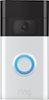
1-3 of 3 Answers
Hello cmwk, The Ring Doorbell (2020 Release) should have the orange setup button on the back of the unit. Have you removed the mounting plate off the back? Do you possibly own another model number? It’s important to find out which model you have so that you get compatible products and successfully set up your unit. Here is a helpful article which aids in determining which Ring doorbell model you own: https://support.ring.com/hc/en-us/articles/360057317451-How-to-Find-Out-What-Ring-Doorbell-or-Security-Camera-You-Have-and-Get-the-Right-Accessories-. If you have already set up your doorbell or security camera in the Ring app, you can find the doorbell or security camera model by going to Device Health page of your app: Tap the three lines on the top left of the screen Tap Devices Select the doorbell or camera you want to learn about Tap Device Health Look for Device Details Your Product Name is under Device Details For any additional questions or concerns, please feel free to reach out on our community forum at https://community.ring.com/. Thank you, Alexis with Ring
Sorry, there was a problem. Please try again later.You need to remove front cover The orange button is under it when u remove
Sorry, there was a problem. Please try again later.Did you remove the mounting cover? It’s behind the cover.
Sorry, there was a problem. Please try again later.
