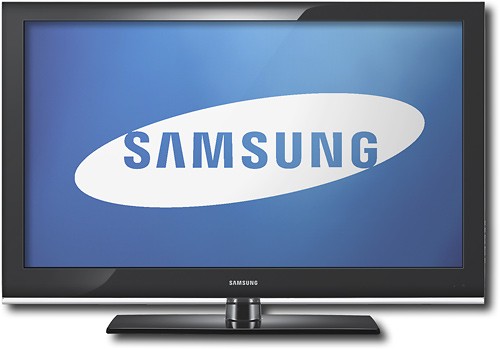
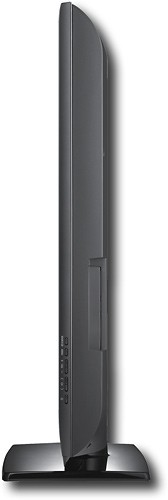
A:AnswerThanks for the question. As a matter of fact, the method you mentioned is one of 2 different ways you can connect your TV to the receiver. Another way, and probably the easiest way, is to keep all of your devices connected to the TV, then run either an RCA red/white cable or optical cable from the rear of the TV (where the audio outputs are located) to the receiver. This will allow your devices to be viewed from your TV and have the audio sent to the receiver with minimal hook ups.
-MrSamsung
A:AnswerThanks for the question. All Samsung TVs include a remote control in the box. There is no need to purchase a separate remote for this unit.
-MrSamsung
A:AnswerThanks for the question. Although a universal remote should work just fine with the LN40B530, I would suggest that you review the manual for the remotes to make sure that Samsung TV codes are available to be inputted. Also, check the remote manufacturer's online site for updates on codes. Due to some manufacturers using different codes for their IR remotes, Samsung does not have access to the universal codes for the remotes.
-MrSamsung
A:AnswerThanks for the question! Although the B650 units and higher can perform internet media streaming from sources such as BlockBuster on-demand, the B530 units are not capable of internet connectivity.
-MrSamsung
A:AnswerA common question among consumers is how Plasma Technology differs from LCD Technology.
Both provide an excellent HD picture, offer stunning arrays of colors, and of course, Samsung’s exclusive technologies which allow you to get the most out of either panel.
LCD traditionally uses a CCFL (Cold Cathode Fluorescent Lamp) backlighting system that runs across the rear internal portion of the unit to illuminate the LCD panel from behind (however, the Samsung LED Televisions use LEDs for its backlighting unit). The lamp life is estimated up to 100 thousand hours, enjoys a tremendous following of enthusiasts, and translates into years of enjoyment of an affirmed, reliable and trusted technology.
Plasma Televisions operate using a combination of gas and glass to illuminate the individual pixels, or light sections, within the screen. The life of a plasma panel is up to 100 thousand hours, allows an expanded viewing angle over LCD, and has a response time as fast as .001ms. Some models are also capable of 3-D video. All of the Samsung Plasma units have a feature called Screen Burn Protection, which helps reduce the effects of static images and provide a quality image for the life of the panel.
Conventional LCD Televisions offer a great picture without image-retention and smooth image motion using the Auto Motion Plus processing. Plasma Televisions offer faster response times, future abilities for 3-D experiences, as well as appeals to customers replacing a tube television with a glass screen they are familiar and comfortable with. And, due to advances in technology, both plasma and LCD screens can work well even in the brightest rooms.
-MrSamsung
A:AnswerThe difference my friend is that the LN40B500P3FXZA is cheaper (not by a lot) partly because it has a less of a contrast ratio, 40,000:1 while the LN40B530P7FXZA has a 60,000:1 which will make the images more sharp and brighter. Also, the LN40B500P3FXZA has less inputs, only 2 HDMI ports, 1 component, 1 composite, 1 digital optical out, and 1 PC input. That's compared to the LN40B530P7FXZA which has 3 HDMI ports, 1 component, 2 composite, 1 digital optical out,and 1 PC input. Plus, the LN40B530P7FXZA has a 5ms response time compared to 6 ms which will cause less blurr to your picture ending up in a better picture quality. Other those specs, the TV's are identical basically, just one is the newer version of the other. Hope this helped. Enjoy your day!
A:AnswerThe contrast ratio and number of hdmi ports are completely independant of one another. The reason you usually see a 40,000:1 specd tv with 3 or more hdmi ports is simply because that is a "higher end" tv. Think of it like a car, if you're looking for cars with built-in GPS systems, those same cars will most likely also come with CD-players. That does not mean that the two features are related at all, though.
A:AnswerGreat question! HDMI is a compact audio/video connection that transmits uncompressed digital data. It represents an all-in-one solution to other consumer analog standards, such as coaxial cable, composite video, component video, and PC VGA connection. One HDMI cable can connect digital audio and video from set-top boxes, Blu-ray players, PCs, video game consoles, and receivers; to compatible digital audio devices, computer monitors, and TVs.
-MrSamsung
A:AnswerIt is a smooth finish, I only saw glare when there was direct light shinning in front of the TV. Move the light or slightly tilt or swivel the TV.
A:AnswerThanks for the question. Although the screws may require a little more tightening before they become completely seated, if your panel is secure on the stand (does not wobble or tilt, and you have consulted and followed the manual's directions), then you have correctly inserted the screws. If you feel that this maybe an issue, please feel free to contact your local Best Buy's Geek Squad for further assistance.
-MrSamsung
A:AnswerTake a look at the more images link provided on the product page (http://www.bestbuy.com/site/Samsung+-+40%22+Class+/+1080p+/+60Hz+/+LCD+HDTV/9230691.p?skuId=9230691&id=1218063829730). You'll see that it has a full array, including 2 HDMI in on the back.
A:AnswerBest Buy currently offers the Geek Squad Black Tie Protection Plan for this product. If you add the product to your cart of BestBuy.com you will be asked if you want to purchase it and will be shown the price. Only the Basic plan is available for purchase on BestBuy.com
If you purchase the product in your local store you will be given the option to purchase the premium version of the plan with has increased coverage.
For more information about the Geek Squad Black Tie Protection Plan please visit: http://bit.ly/GSBTP
A:AnswerIf you purchase the unit within the North American Territories, it will only have support for NTSC/ATSC/QAM broadcasting systems and only 100v-127v 60Hz power. Outside of the NA territories you will not only need a converter for the broadcast, but also for the power.
-MrSamsung
A:AnswerActually, these terms refer to 2 different aspects of the same TV. Widescreen just refers to the aspect ratio of the TV (widescreen usually equals 16:9). Diagonal refers to the measurement of the TV or how the measurement is taken; diagonally.
-MrSamsung
A:AnswerThanks for the question! Some of the differences between the B530 and the B540 are: 1) the B540 is a Warehouse Club exclusive. 2) The B540 offers USB2.0 for photo and MP3 playback from a USB device. 3) The B540 offers an extra HDMI and component on the rear of the TV.
-MrSamsung
A:AnswerIf you purchase the unit within the North American Territories, it will only have support for NTSC/ATSC/QAM broadcasting systems and only 100v-127v 60Hz power. Outside of the NA territories you will not only need a converter for the broadcast, but also for the power.
-MrSamsung