A:AnswerMissy,
So that we can better understand and assist with your question, please reach out to Samsung Support at 1-800-SAMSUNG, 8 AM – 12 AM EST, 7 days a week, or Chat with us on Samsung.com: https://www.samsung.com/us/support/contact/
~ Samsung Pro
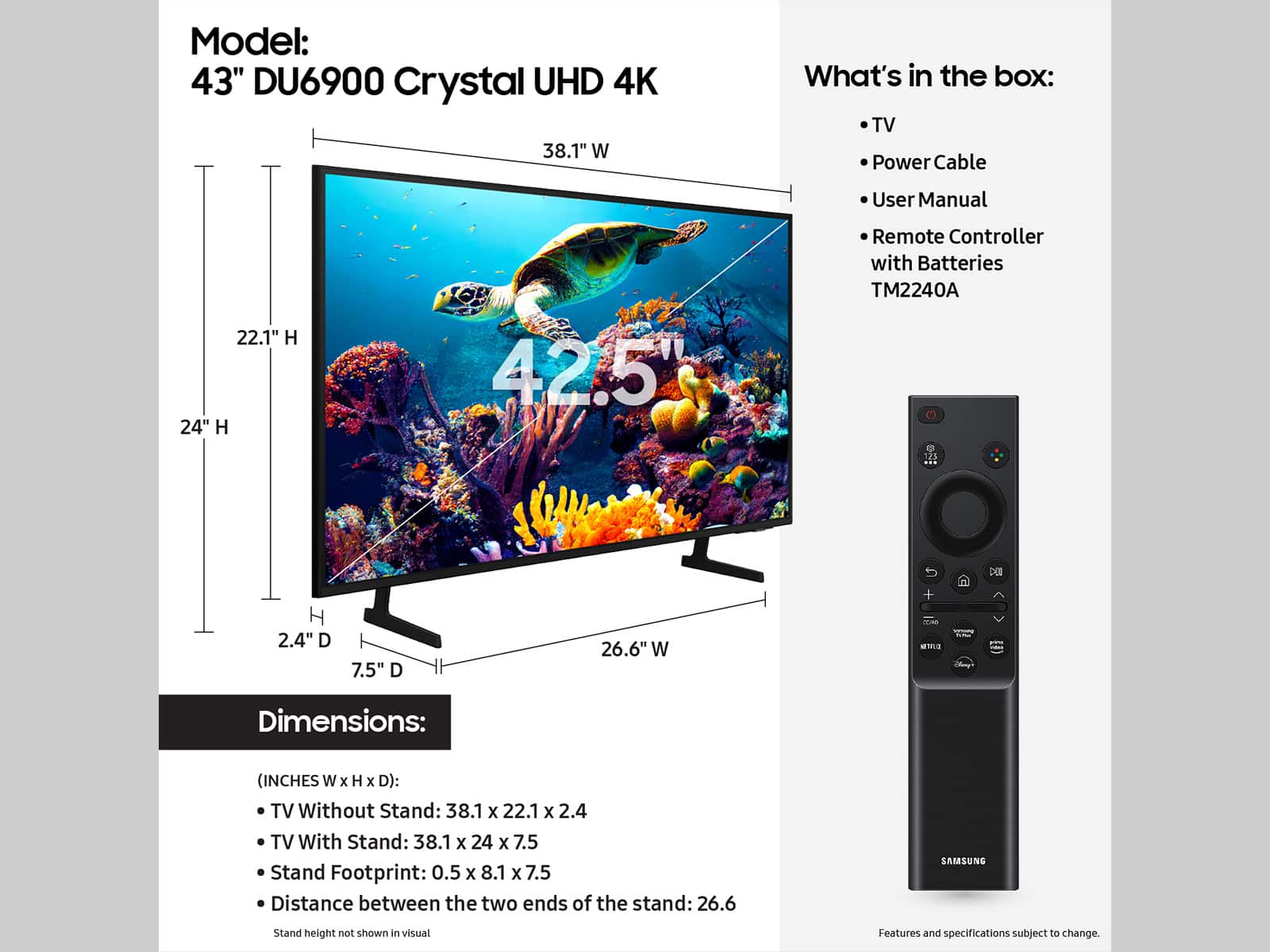
A:AnswerAccording to the specs on Samsung.com for this model, it has the TM2240A remote, I have attached a picture of this remote.
I am not sure what you define as the small simple-to-use versus the large cumbersome one, but this remote is about 6.5" long by 3" wide by 0.4" thick. It has a 'thumb wheel' near top center and about 12 other buttons.
A:AnswerMarvin,
Weverse is available on Samsung Smart TVs, but certain apps may not be launched at the same time as Smart TV and availability may vary by region.
~Samsung Pro
A:Answerwrandyh,
Yes, the DU6900 is Bluetooth enabled. Many common apps are readily available with your TV, but others may require download. This is a 2024 TV.
~Samsung Pro
A:AnswerTSmith,
The DU6900 TV is a 4K tv. The TV will upscale any content sent to it as best as possible. The closer your content is to 4K, the better the image will look on the screen.
~Samsung Pro
A:Answerkathy,
The DU6900 does have a sleep timer setting. To access the sleep timer, go to: Settings > All Settings> General > System Manager > Time > Sleep Timer. Additionally, you can enable Auto Power Off to have the TV turn itself off if there has been no activity for a set period of time. This is one of your TV’s energy-efficiency functions.
~Samsung Pro
A:AnswerHello,
You can use your existing television provider, whether cable, antenna, or other, with the DU6900 to access channels like ION. ION does not currently have a streaming app available on Samsung Smart TVs.
~Samsung Pro