A:AnswerYes, the Samsung 43" Class U7900 Series UHD 4K Smart Tizen TV (2025) supports downloading the Spectrum TV app directly from the Samsung Smart Hub.
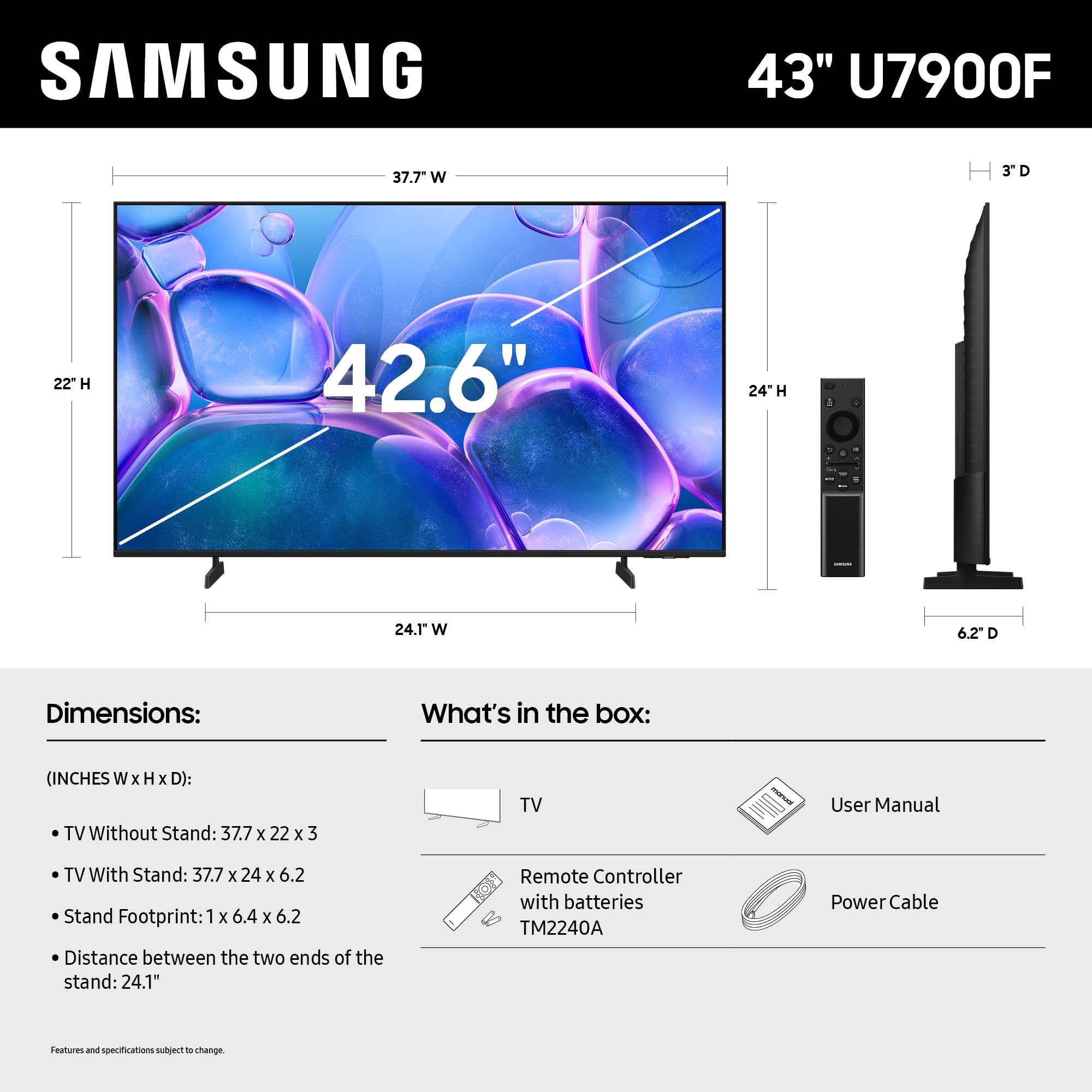
A:AnswerYes, the Samsung 43" Class U7900 Series UHD 4K Smart Tizen TV (2025) can be wall-mounted, and it typically requires M8 screws for secure installation.
A:AnswerYes, Samsung TVs do offer a “Filmmaker Mode,” and several models under 50" support it—including select 43" and 50" QLED and Crystal UHD models from the 2025 lineup.
A:AnswerYes, you can use the Samsung 43" Class U7900 Series UHD 4K Smart Tizen TV (2025) to display a restaurant menu — and it can work quite well for that purpose with the right setup.
A:AnswerYes, the Samsung 43" Class U7900 Series UHD 4K Smart Tizen TV (2025) includes a basic external control button located on the TV itself, typically beneath the screen or on the back panel.
A:AnswerI read on here , that it does Not(?). That you have to have an Internet Connection (?).
I ONLY HAVE AN ANTENNA, so I really need to know if I can hook up my antenna, & also movie disc player too?
A:AnswerNo, the Samsung 43" Class U7900 Series UHD 4K Smart Tizen TV (2025) is not recommended for use in an unheated garage where temperatures fall below freezing.
A:AnswerYes, Logitech Harmony universal remotes work with the Samsung 43" Class U7900 Series UHD 4K Smart Tizen TV (2025), along with several other third-party remotes.
A:AnswerYes, the Samsung 43" Class U7900 Series UHD 4K Smart Tizen TV (2025) works with Bose soundbars, and you have several connection options depending on your soundbar model.
A:AnswerYes, the Samsung 43" Class U7900 Series UHD 4K Smart Tizen TV (2025) includes an optical audio output port, just like the UN43DU8000FXZA model.
Optical Audio Port Details
• Type: Digital Optical (TOSLINK) output
• Location: Typically found on the back panel of the TV, labeled “Optical” or “Digital Audio Out”
• Use Case: Ideal for connecting external speakers or soundbars that support optical input, including many Bose, Sony, and LG models