A:AnswerHi Kconthecouch,
Yes! To disable Smart Hub follow the below instructions:
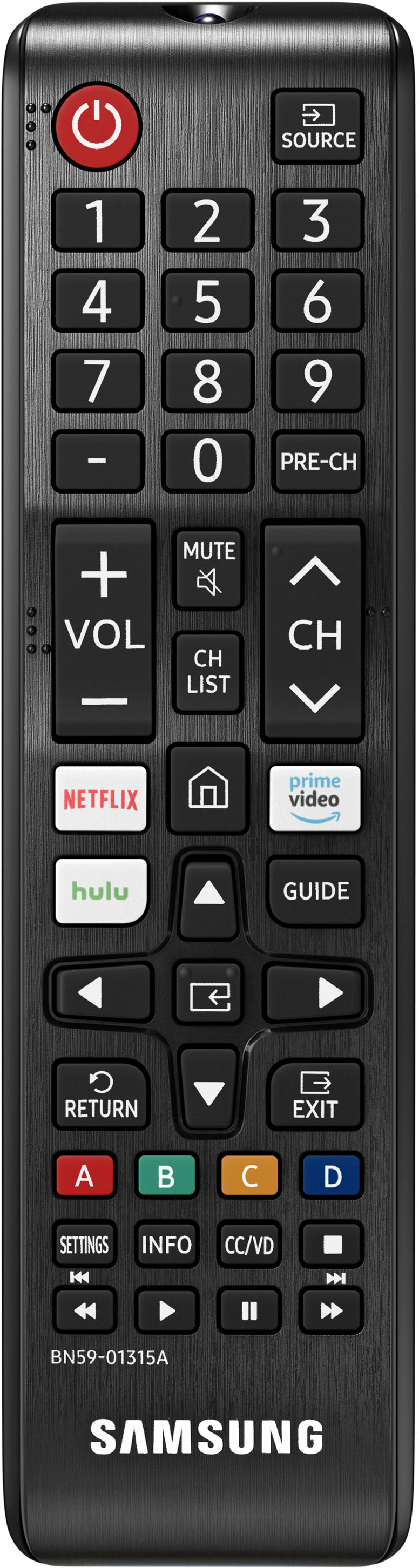
Step 1. On the remote control, press the Home button and use the Directional pad to navigate to Settings.
Step 2. Select General > Smart Features.
Step 3. Disable the Autorun Smart Hub function.
Step 4. Try turning the TV off and on again, and the Smart Hub menu should be disabled, with the current Input Source banner displayed in its place.
~Samsung Advisor
A:AnswerHi Cheli,
Yes, we back this Samsung TV with a 1-year limited manufacturer's warranty, including authorized repair for manufacturer defect, if purchased brand-new directly from an authorized seller.
~Samsung Advisor
A:Answerhi Andres4,
Yes, the TU690T is a great option for PlayStation 5 as it has 2 HDMI ports that each support HDR10+ and Auto Low Latency Mode (ALLM/Auto Game Mode). The “HDMI In 2” port further supports eARC.
However, if you are looking to game at 4K@120fps (FRL), take a look at our 85” CU8000 Series and above.
~Samsung Advisor
~Samsung Advisor
A:AnswerHi GeoM,
The TU690T has a built-in digital tuner (ATSC/ClearQAM) for receiving digital broadcasts. You can connect an antenna via the RF input.
~Samsung Advisor
A:AnswerHi Larry,
The TU690T is not a NextGen TV. If you are looking for NextGen TV, I recommend the Samsung S90C Series and above. See the 50" S90C here: https://www.bestbuy.com/site/reviews/samsung-50-class-qn90c-neo-qled-4k-smart-tv/6533839?variant=A&skuId=6533839&sort=MOST_RECENT
~Samsung Advisor
A:Answeryou can download the app to your TV via Wifi.
Some TVs come preloaded with common streaming services. You can always add more apps to your tv by downloading the app direct to the TV.
A:AnswerHi Flyboy,
This would all depend on the specific apps and programs you are trying to run. The TU690T features built-in 802.11ac Wi-Fi, allowing you to connect to both 2.5GHz and 5GHz Wi-Fi bands.
~Samsung Advisor
A:AnswerHi MC,
The TU690T TV has a built-in app store with hundreds of apps available for download so you do not need a Roku device. However, you can access the RokuTV app or connect a Roku device.
~Samsung Advisor