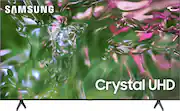
Rating 4.7 out of 5 stars with 2343 reviews
4.7- Picture Quality (1316)
- Ease of use (246)
- Price (146)
- TV Quality (101)
- Color (63)
- Remote Control (40)
- Speed (9)
- Operating System (8)
- Response Time (6)
- Sleep Timer (4)
Customer Images
The vast majority of our reviews come from verified purchases. Reviews from customers may include My Best Buy members, employees, and Tech Insider Network members (as tagged). Select reviewers may receive discounted products, promotional considerations or entries into drawings for honest, helpful reviews.
- Rated 5 out of 5 stars
Best bang for the buck
Understand what your buying. This is Samsungs entry level tv. That being said the picture is beautiful. For most people no one will notice any difference. I bought two of these for a game room and the do the job. Game mode has very low input lag. Very good for casual gaming. Now that being said “if” you are looking for the ultimate picture and processing power this tv is not it. But don’t get it twisted this tv is only 300$ and I would say best bang for the buck. Samsung tv is free lots of channels Remote and functions are great Games and tv super clear Small frame around tv Phone screen sharing works flawless I hate to use the word cons for a tv like this because for the price in mind there isn’t anything. There are difference is tv models. Under call of duty and very fast moving games with a lot going on the tv will struggle every once in a while for a split second. It’s not just one tv because remember I bought 2 and play on both. Now that’s not a complaint because it’s literally the cheapest model Samsung has to offer. Would I recommend to people 100% the tv does a beautiful job. Just don’t be cheap and expect the best tv known to man. And I say that not trying to make the tv sound bad because I think you will be surprised with how well this thing runs and looks.
Posted by Matchu
- Rated 5 out of 5 stars
Great upgrade and quality
Upgraded my tv that was about 12 years old. This one is great. Quick setup. Easy use. Love the features for smart channels and guides for live tv and streaming and airplay works great. I don’t even need a sound bar too. The amplify sound setting is awesome. (Phone photo quality doesn’t do justice lol)
Posted by NinaP
- Rated 5 out of 5 stars
THE BEST QUALITY!
I recently purchased it and I couldn't be happier with my decision. The picture quality is absolutely stunning, providing vivid and sharp images. The sound system delivers an immersive audio experience, enhancing the overall viewing pleasure. Setting up the TV was a breeze, and the user interface is intuitive and easy to navigate. The sleek design adds a touch of elegance to my living room. I highly recommend it for anyone in search of a high-quality television that exceeds expectations. It's truly a fantastic purchase!
Posted by MagalyV
- Rated 5 out of 5 stars
Love love this TV!!!
Great purchase! This is my first 4K TV and wow!!!!! The picture is so clear and beautiful. Samsung is still my favorite and they always put out the best TVs. This is my 7th!!!! Would highly recommend. Easy set up, light, just perfect!
Posted by JMK3
- Rated 5 out of 5 stars
Love this TV!
We love this tv! It has a great picture, easy to use and the price was unbeatable! We just received our wall mount today. Plan on hanging it this weekend
Posted by ErinM