“My fridge delivered today. On main panel I see the Auto Fill Pitcher on/off is not lit up like the other modes. Held button down 3 sec.Nothing. pitcher is not auto refilling. Is there something special that needs to be done to turn on?”
Answer This Question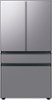
1-3 of 3 Answers
Where is the unlock button??
Sorry, there was a problem. Please try again later.I held the unlock bottom for 3 seconds(until it unlocked) then push the auto fill pitcher button and it should light up. Then hit the lock button for 3 seconds again once more the lock it back.
Sorry, there was a problem. Please try again later.Thank you for asking, Kk. Let's go ahead and check the settings of your refrigerator. Pour yourself some refreshing, cold water or add a splash of flavor to your water using your BESPOKE refrigerator's Beverage Center. Please see these links for details. Use the Samsung BESPOKE refrigerator Beverage Center https://www.samsung.com/us/support/answer/ANS00088582/ Using the AutoFill Pitcher and ice features on your Samsung Bespoke refrigerator | Samsung US https://www.youtube.com/watch?v=7eznh77_8Ew Autofill water pitcher doesn't fill - Samsung https://www.samsung.com/us/support/troubleshooting/TSG01201488/ Should you ever need more assistance, please feel free to get back to us via the following options: 1. Facebook Messenger: http://m.me/samsungsupport 2. Twitter: https://twitter.com/messages/compose?recipient_id=18768513 3. Samsung Community: https://us.community.samsung.com/t5/Samsung-Community/ct-p/us When you message us, please provide us with this reference number (1145059616) to help our team pull up your information. Thank you for being a valued customer of Samsung. Have a great day. ^Camille
Sorry, there was a problem. Please try again later.

