A:AnswerI do not think this MP3 player can download any apps, at all. It is not a touch screen and does not have internet access. All the music is stored on the device itself, or on a micro-disc card that can be sideloaded. You could likely load audio book files on the device, if you have permanent files, but I do not think borrowing books from the library app will work since it cannot connect to the internet...but check with your local library first; I only have music files on my device, no audiobooks.
A:AnswerWatch YouTube videos about this topic to see if someone has done and how they did it. If you can download the music in a format the .MP3 player recognizes, then you can copy it to the player. If you cannot download from an online streaming service, you can always use a physical recorder connected to your computer's 3.5 mm headphones jack to record the audio coming out of it. Then, once that recording is completed, you can import it back into your computer using a variety of free programs. It really depends on the method used to capture that audio from the Internet.
A:AnswerIf the speaker can be connected via 3.5 mm stereo male plug, then yes. The .MP3 player does have volume control. However, it does limit how loudly it plays sound. This is meant to keep people from permanently deafening themselves.
A:AnswerIf your car's stereo has a USB port for connecting USB Flash Drives to, then yes. If your FM transmitter can broadcast to an empty frequency, then you certainly can.
A:AnswerThe user's manual can be downloaded, which has some answers to your questions. Like, the battery can't be user replaced when it stop holding a charge. I suppose you could try ripping your player apart to see if you can replace it. Maybe make a YouTube video about it? I've had my player for 9 years without any issue from the battery so far.
Many new PCs still ship with USB 2 ports for use with mice, keyboards, printers, scanners, barcode readers, other slower speed technologies that don't need a faster USB 3.x connection. You can still plug this into any USB port with the right type of connection. But the transfer speed will by limited to whatever the best speed the player can achieve for that type of USB port used.
USB 1 and 1.1 drives are much slower than USB 2. So a transfer over that will take much longer. USB 2 transfers data at up to 480 Mbps. Whereas USB 3.0 is ten times faster at up to 4,800 Mbps (improperly called 5 Gbps by virtually everyone in marketing these days). But the .MP3 player will still be restricted to USB 2 transfer speeds.
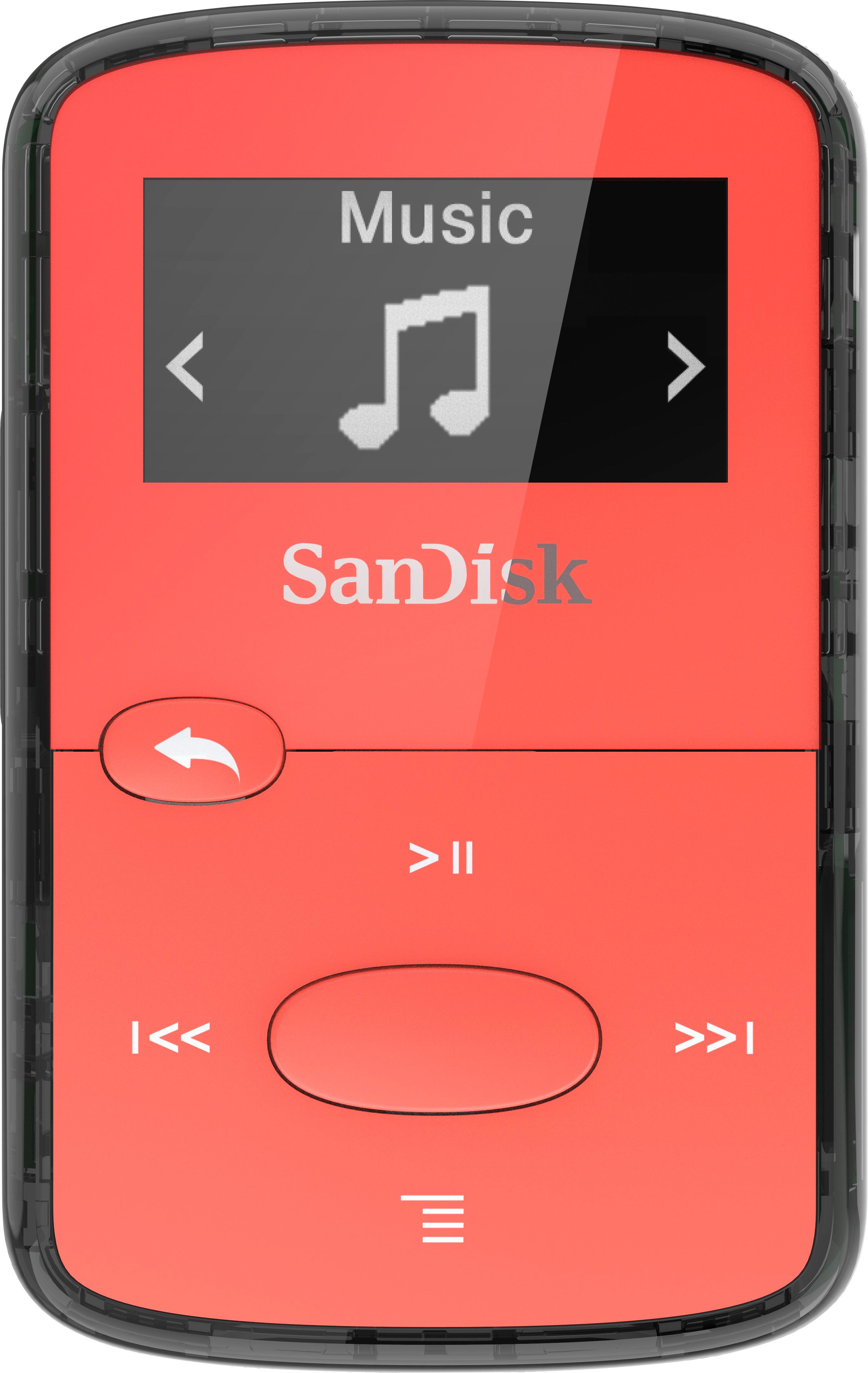
A:AnswerDownload the user manual. It has the answer for you. What I did for mine was use the navigation buttons on the front of the player to select the source to play my music from. You can choose internal or external. You won't have access to both at the same time.
A:AnswerTo get sound, you have to use the 3.5 mm stereo audio jack. However, you can charge the player while it is in use. But that doesn't mean you can't use a USB-to-3.5 mm stereo male connector or adapter. Certainly worth trying, and it won't damage anything if it doesn't work.
A:AnswerIf you're asking can you play the music from the .MP3 player over the 3.5 mm audio port labelled "AUX" then yes, you can do that with a male-to-male 3.5 mm cable.
A:AnswerMusic on a CD is encoded in a certain manner, The music must be in a MP3, WAV,WMA, or AAC format. If you have a computer, it is likely that you can convert the music to one of these formats.
A:AnswerMusic needs to be in MP3, WAV,WMA, or AAC format. This is not typical of CD's. You would need to convert the CD formatted music into one of the above file types above. This would require a computer.
A:AnswerHad absolutely no problem connecting it to my PC, Windows 10. It will connect to older and newer Windows versions also. Maybe you're doing something wrong. The PC should immediately recognize it. If you have a problem download the instruction manual online.