“Ultra SanDisk 128GB MicroSDXC question does any one know if the Ultra SanDisk 128GB MicroSDXC card will work on a Samsung Galaxy s 3 ?”
Answer This Question
1-10 of 10 Answers
No. The S3 only supports up to 64gb
Sorry, there was a problem. Please try again later.Yes it does.
Sorry, there was a problem. Please try again later.I would suggest checking out the technical specs for your device
Sorry, there was a problem. Please try again later.The manufacturer of the Galaxy 3 states it can not handle a 128 gb card. See the information on the internet for maximum data card size.
Sorry, there was a problem. Please try again later.I have a galaxy s5, and it works fine in mine. I believe all the galaxies take the same type of card, so I'm sure it would. However, I went to Best Buy, and there was a man there who was selling galaxies, and he helped me to purchase this card for my phone. I have had no problems and absolutely love it. Hope this helps.
Sorry, there was a problem. Please try again later.The only way to make this SD card work on an s3 is to root it and also find a driver that is compatible with the SD port reader (where your SD card goes). However I have heard that the latest update android 4.5.5 sometimes reads this card with minimal errors. *Note rooting your phone voids warranty of the manufacturer, and carrier... Also, may cause internal issue with phone. I still have my S3, and was not able to make a 128gb SD card work.
Sorry, there was a problem. Please try again later.It should, yes. It works on my Note 3.
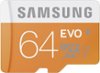
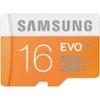
Sorry, there was a problem. Please try again later.SanDiskare great for use like home computers and laptops but have a tendency to freeze up a lot and uses like phones and tablets. for the results that you're looking for out of your product I would go what a Samsung Evo or any Samsung memory card to work best in your Galaxy and they actually give you your full amount of gigs instead of cutting you shy by two or three gigs like most memory cards
I would recommend:
Sorry, there was a problem. Please try again later.It does work!
Sorry, there was a problem. Please try again later.Yes...Yes.. it is compatible with the Samsung S3 device. Power off the device insert the card, the power back on the device and enjoy instant space. Guaranteed!!!
Sorry, there was a problem. Please try again later.