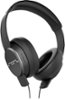
“bluetooth security i'm using these at work, my question is "what's preventing someone else from connecting to my shadow?" There is no pin, and i can't find a way to make one for the device.”
Answer This Question
1-10 of 11 Answers
typically you have to turn on the pairing before someone can pair to it
Sorry, there was a problem. Please try again later.I have never had any problems with this my friends have tried to connect while im listening to music but they always fail, it is because these are not an easy Bluetooth connect and steal you have to activate and it recognizes the device forever unless changed
Sorry, there was a problem. Please try again later.After the initial pairing, you have to tap the middle button and the volume down button at the same time for them to be able to pair with a new device.
Sorry, there was a problem. Please try again later.You can't pair to these unless you are searching for a device. The first time you pair, you have to push the pairing button, after that, your phone or device will be remembered. Unless someone has physical access to your buds, they won't be able to pair to them. If someone gets a hold of your headphones, there isn't anything you can do, but unless that happens, you should be fine.
Sorry, there was a problem. Please try again later.Yes there is a way to keep it connected to just one device..when you read the starting guide it explains how to do this..you just hold down the pause/play button and the volume down button at the same time..
Sorry, there was a problem. Please try again later.To answer your question you must take them out of dual pair mode. By holding down the multi-function button and the volume down button for 5 seconds. As long as it's paired to a device and as long as it's paired to a device for off no one will be able to pair to it.
I would recommend:
Sorry, there was a problem. Please try again later.You need to unapir your device
Sorry, there was a problem. Please try again later.What is preventing them from connecting is that you must be in discovery mode for them to even be able to connect. Once you are connected discovery mode turns off. There is no need to have a pin code on a wireless headset that just produces sound for you. What are they going to do, hear what you are listening to? No sense on intensifying security.
Sorry, there was a problem. Please try again later.This should only be a concern if the headphones are put into pairing mode. When you initially pair your device to these, you will put them in pairing mode, and then you will pair to your device manually. This takes them out of pairing mode. If you want to add a device, you would need to re-engage pairing mode. That is the only time they are "vulnerable"
Sorry, there was a problem. Please try again later.It's in the book for your pin to connect
Sorry, there was a problem. Please try again later.