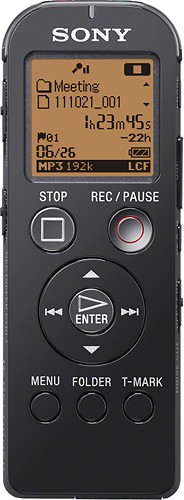
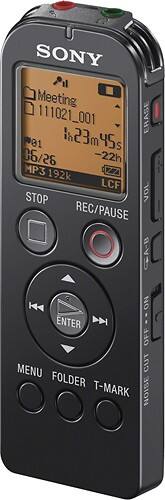
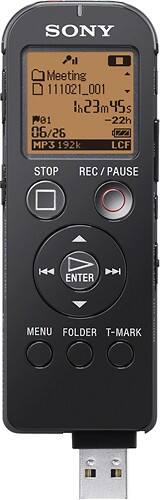
A:AnswerThe Software supplied with the Sony ICDUX523BLK IC Recorder is for Windows Computer and cannot be used on a Macintosh Operating System. However, you can directly drag and drop the files from the IC Recorder to a Macintosh Computer.
A:AnswerThe Sony ICDUX523 Digital Voice Recorder does not have an option to correct the dictation. However, you can erase the part that requires correction by dividing the Voice file at that point and then erasing it.
A:Answer3-in-1 indicates the 3 features of the Sony ICDUX523 Digital Voice Recorder which are: Voice recorder, music player, and USB flash memory.
The Sony ICDUX523 Digital Voice Recorder has 5 Modes of recording while the Sony ICDPX312 and ICDAX412 Recorders have only 4 recording mode. It also has the Track Mark feature which the other 2 Sony Models do not have. It has a Built-In Flash Memory of 4 GB while the other 2 Models have 2 GB. Refer to the Marketing Specifications of all the three Sony Digital Voice Recorders provided below to check all their differences.
http://www.docs.sony.com/release/specs/ICDUX523_mksp.pdf
http://www.docs.sony.com/release/specs/ICDPX312D_mksp.pdf
http://www.docs.sony.com/release/specs/ICDAX412_mksp.pdf
A:AnswerThe Voice Recorder (ICDUX523BLK) has “Mic Sensitivity” option for clear recording from close distance. However, the recorder may not record anything when kept in a pocket as the Mic will be covered.
A:AnswerThe dictation that is recorded in the Sony ICDUX523BLK Digital Voice Recorder can be rewound to a specific point. If the Rewind button (<<) is pressed and held during recording, the recording stops and you can search backwards while listening to fast playback sound. After the Rewind button is released, playback starts from that specific point. If the Play/Enter button is pressed during recording, then the recording stops and the playback will start from the beginning of the recorded file.
A:AnswerThere is a speaker on the back of the unit, near the top, basically opposite of the LCD on the front. It's only about 5/8" across, but it's not bad. Way better than the speaker on an average mobile phone.
A:AnswerYes. It gets 5/6 "dragons" from Nuance. But be aware that this unit does not let you add/overwrite a recording. That is, once you say something, or hit stop, that's it. You can't rewind and record over, or append to a file. I found this especially frustrating during the training phase with dragon, because you are supposed to read the training material verbatim. I was interrupted on page 2, and I hit stop instead of pause, so I had to start over. I decided to spend the extra $5 and get the Sony ICD-SX712.
A:AnswerPlease confirm, what kind of adapter and for what purpose you want to use with the Sony ICDUX523BLK Digital Voice Recorder. If you are referring to USB AC Adapter to charge it, then you can opt for the Sony AC-U501AD USB AC Adapter.
A:AnswerThere will be no sound from the Earphones when a recording is on-going in the Sony ICDUX523BLK Digital Voice Recorder. When the recorded voice files are played back, sound will be output from the Earphones.
A:AnswerYes, the Sony ICDUX523BLK Digital Voice Recorder can record live music. Set the Mic sensitivity in the menu to High if the source is at a distant.
The Frequency range of the Sony Recorder are as follows:
LPCM 44.1kHz/16bit 50 Hz - 20,000 Hz
MP3 192kbps 50 Hz - 20,000 Hz
MP3 128kbps 50 Hz - 16,000 Hz
MP3 160kbps(MONO) 50 Hz - 20,000 Hz
MP3 48kbps(MONO) 50 Hz - 14,000 Hz
MP3 8kbps(MONO) 60 Hz - 3,400 Hz
A:AnswerThe available Recording time would vary according to the Recording mode set in the Sony ICDUX523BLK Digital Voice Recorder. Refer to the chart mentioned on page # 120 in the Manual provided below:
http://www.docs.sony.com/release/ICDUX522_UX522F_UX523_UX523F.pdf
A:AnswerYou can recharge the battery of the IC Recorder ICDUX523BLK by connecting it to the Computer or by connecting the IC recorder to an AC outlet using a USB AC adapter (not supplied). You can refer to manual page # 18, and 111 to confirm the information.
http://www.docs.sony.com/release/ICDUX522_UX522F_UX523_UX523F.pdf
A:AnswerThere are no much differences between the IC Recorders ICD-TX50 (Marketing Date: 3/9/2012) and ICD-UX523BLK (Marketing Date: 2/27/2012) on voice clarity. However, the Digital Voice Recorder ICD-TX50 is better that provides Quick Charge feature. You will get up to 60 minutes of recording time in just 3 minutes of charge.
Please review the Marketing Specifications for more detailed information:
IC Recorder ICD-TX50:
http://www.docs.sony.com/release/specs/ICDTX50_mksp.pdf
IC Recorder ICD-UX523BLK:
http://www.docs.sony.com/release/specs/ICDUX523BLK_mksp.pdf
A:AnswerYes, the files recorded in the IC recorder can be divided. Both the IC recorder and the Supplied Software (Sound Organizer) have an option to divide the recorded file.