Black Friday is hereShop new DoorbustersShop now

Main Content

Questions & Answers

Your price for this item is $419.99
The comparable value price is $499.99
Page Showing 61-80 of 102 questions
  • QuestionWhat are the physical measurements of the tv? Length and height with supports attached?

    Asked by Jay.

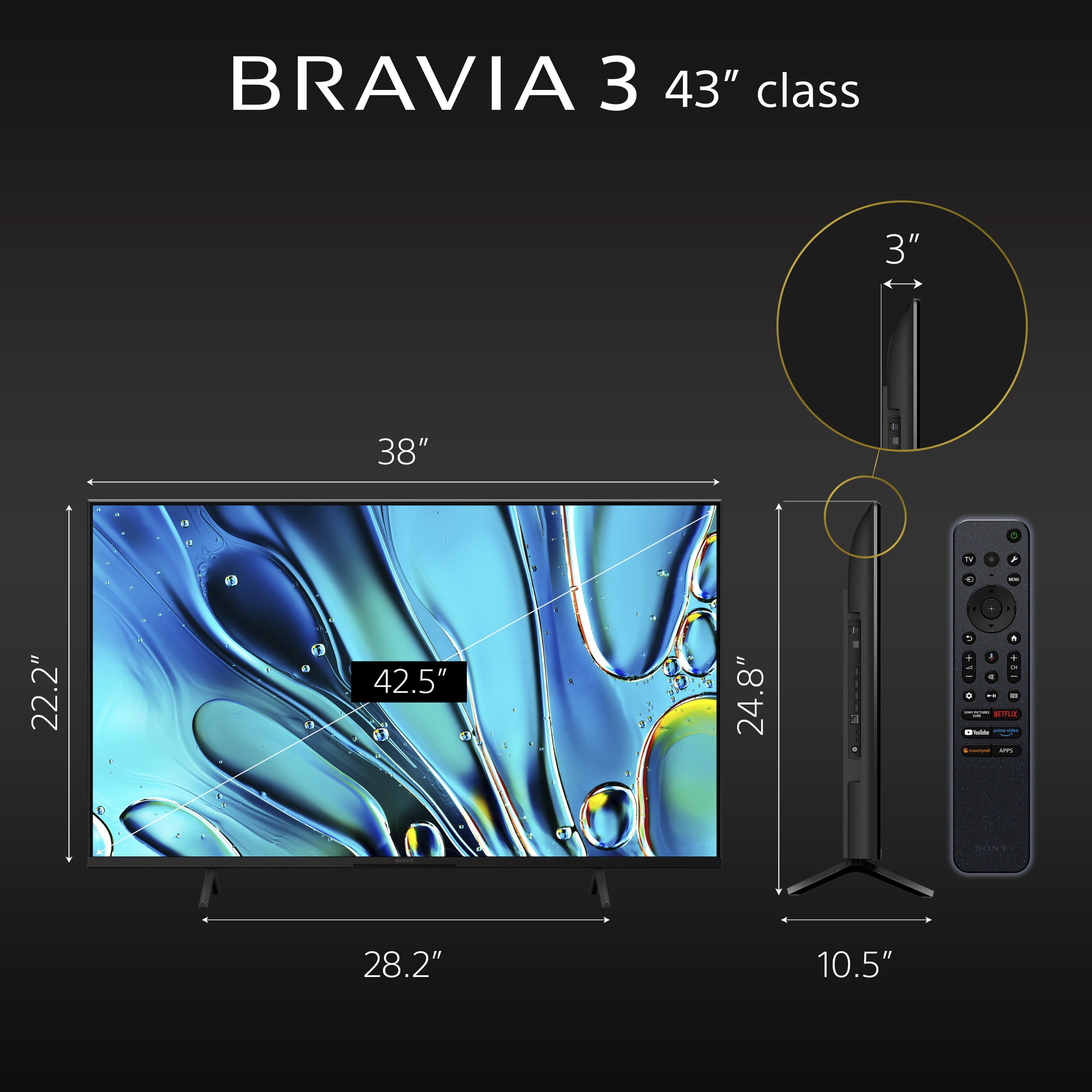
    • Answer From the TV's Specifications document: DIMENSION OF TV WITH STAND (STANDARD POSITION) (W X H X D) 38 x 24.88 x 10.5" (964 x 629 x 266 mm)

      Answered by AnotherFineMess

  • QuestionDoes this TV and operating system support Apple AirPlay? Does this TV and operating system support Apple Music app?

    Asked by John.

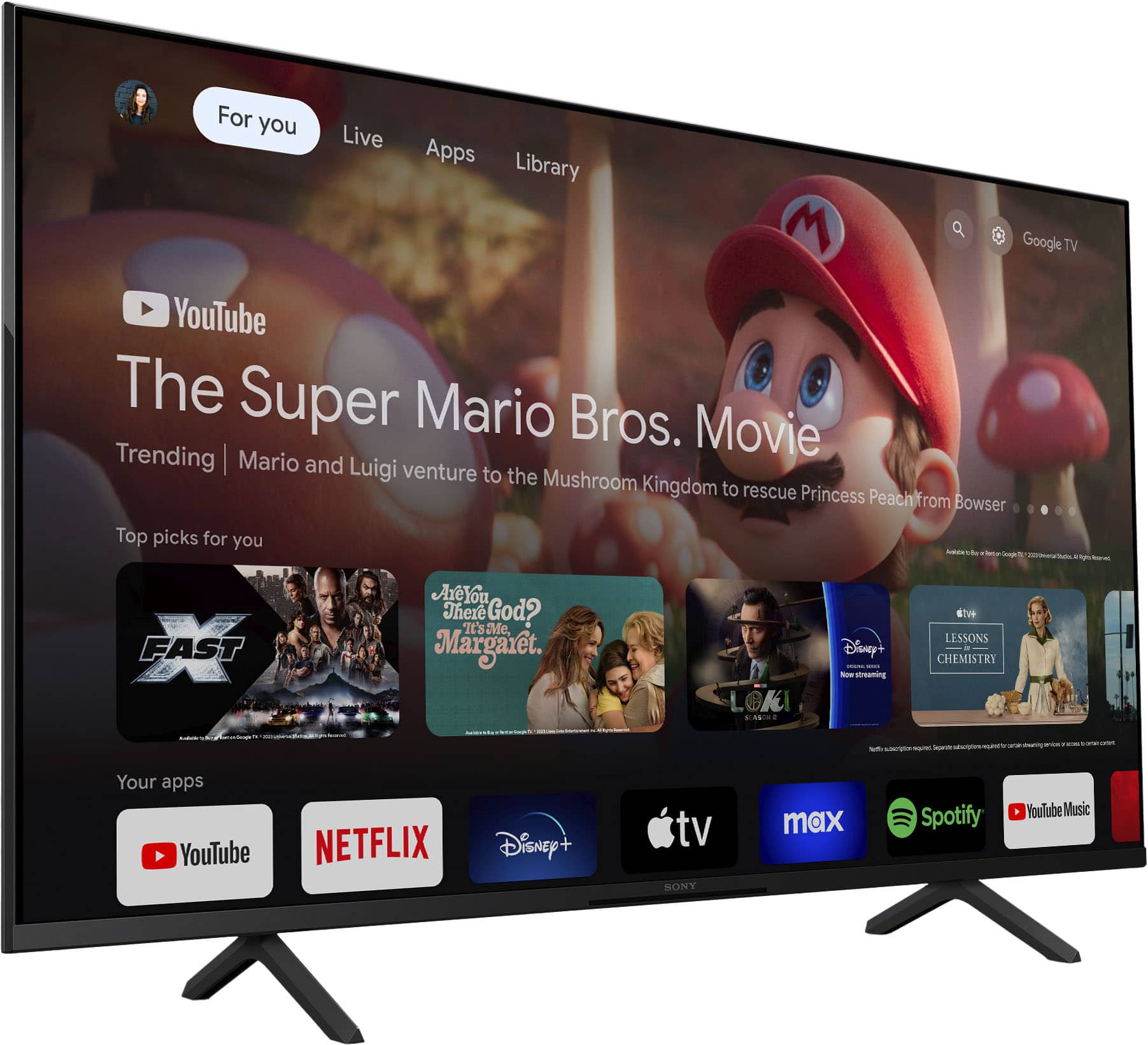
    • Answer From the TV's Help Guide: This TV supports AirPlay 2.

      Answered by AnotherFineMess

  • QuestionCan this TV run on DC or is an inverter needed to do so?

    Asked by Doug.

    • Answer Hi Doug, Thank you for reaching out with your inquiry. To address your question, the BRAVIA 3 TV operates on an AC power source (120 V AC, 60 Hz) and cannot function on DC power alone. If you plan to use a DC power source, you will need an inverter to convert the DC to AC. Experience all your favorite content with the BRAVIA 3 Smart TV, designed for seamless use and featuring a wide array of smart functionalities for an enjoyable viewing experience. With its large screen, vibrant picture quality, and immersive sound, your preferred shows and movies will be even more captivating. I hope this information is helpful. Best regards, Romeo

      Answered by SonyListens

  • QuestionWhy won't my Sony Google TV connect to HULU?

    Asked by madeamistake.

    • Answer There is no reason why it shouldn't. It is fully compatible with Hulu. I would check your Wi-Fi & Internet settings and username/password credentials to make sure everything's set up and inputted correctly.

      Answered by DeannaA

  • Questionwhen turning on, a pop up shows cancel or restart. Called Sony twice & each time we were told it’s fixed. Will see if it happens again after tv is off several hours. We’re trying to use this tv same as our previous bravia of 12 years using our dish remote

    Asked by JD.

    • Answer Yes, your tv needs to be fixed. Mine doesn't work that way.

      Answered by ScottB

  • QuestionCan this tv be mounted as a portrait display? I was told the oled counterpart could not which surprised me. Can this one be mounted as portrait?

    Asked by PinballLover.

    • Answer Yes, on a Sony Bravia 3 TV, you can change the screen orientation to portrait mode. This allows you to view content vertically instead of horizontally. To do this, you'll need to access the settings menu on your remote and navigate to the "Screen" or "Display" settings, then select the desired orientation option.

      Answered by DeannaA

  • QuestionWhat is factory warranty on this tv

    Asked by JD.

    • Answer 1yr Factory Warranty on pretty much every TV regardless of brand or quality level. Best Buy offers 2yr and 5yr extended warranty protection plans you can purchase.

      Answered by DeannaA

  • QuestionDoes this TV receive Bluetooth signal from say a bicycle trainer?

    Asked by Jim.

    • Answer Hi Jim, Thank you for your interest in the Sony K43S30 (BRAVIA 3)! In response to your question, this television features Bluetooth version 5.3 and is compatible with the following Bluetooth profiles: HID, HOGP, SPP, A2DP, and AVRCP. We recommend checking the specifications provided by your device manufacturer to ensure compatibility. I hope this helps. The Sony BRAVIA 3 combines HDR color support with Sony's intelligent picture processing to analyze and enhance every scene with accurate, lifelike color. Connect HD and UHD devices via HDMI 2.1 inputs with advanced features like ALLM and eARC. For streaming, the built-in Google TV OS provides a plethora of apps and options, with your favorite and frequently watched shows brought together on one convenient home screen. Best regards, Romeo

      Answered by SonyListens

  • Questiondoes tv have a app for u tube tv

    Asked by tiger.

    • Answer Hi Tiger, Thank you for your interest in the Sony K43S30 (BRAVIA 3)! In response to your question, the YouTube TV app does not come pre-installed on this television. However, you can easily download it from the Google Play Store available on the TV. The BRAVIA 3 Smart TV is designed for an enhanced viewing experience, offering an intuitive interface and a range of all-in-one smart features for hassle-free entertainment. With its large screen, vibrant colors, and immersive sound, everything you enjoy watching becomes even more thrilling. I hope this information is helpful! Best regards, Romeo

      Answered by SonyListens

  • QuestionHow do you access the sleep timer? Looking for a tv that has a sleep timer button.

    Asked by Anonymous.

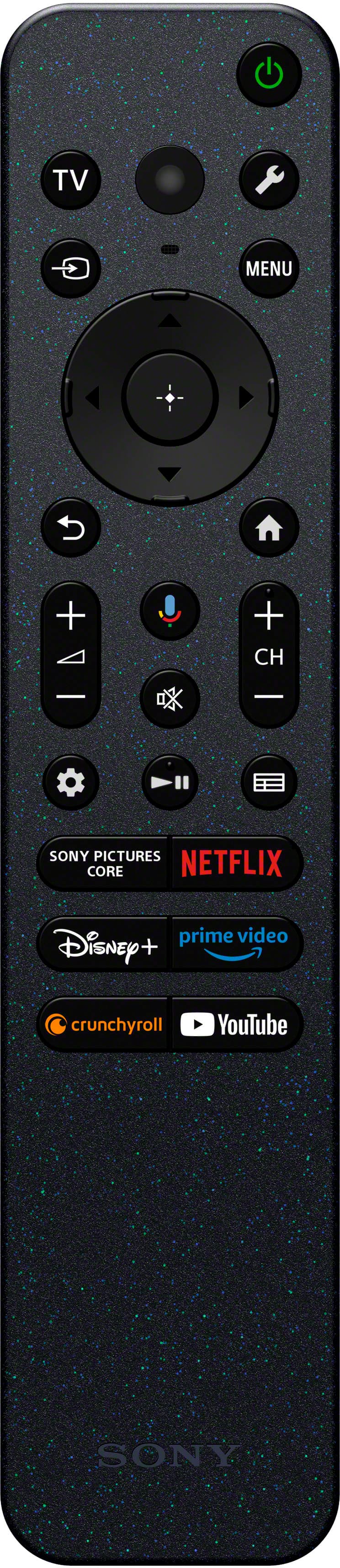
    • Answer Hi there, Thank you for your question. Unfortunately, the K43S30 (BRAVIA 3) does not have a dedicated sleep timer button on the remote. You will need to go through the menu to set the sleep timer. To do this, simply press the quick settings button, which is represented by a wrench icon, on the remote control. This will bring up the quick settings menu where you can find various options. From there, you will need to select the sleep timer option. Once you’ve done that, you can set your desired time for the TV to turn off automatically. Smart TV for everything you watch. The BRAVIA 3 Smart TV is exceptionally easy to use with a variety of all-in-one smart features for stress-free viewing. With a large screen, detailed pictures full of color and dynamic sound, everything you love feels so much more exciting. I hope this helps! Best regards, Romeo

      Answered by SonyListens

  • QuestionCan you use Direct TV on this tv including their unlimited show recorder?

    Asked by Happy.

    • Answer Hi Happy, Thank you so much for your question! Yes, the K-43S30 (BRAVIA 3) is compatible with the DirecTV Stream app. You can download and use the DirecTV Stream app from the Google Play Store. This allows you to access DirecTV services, including their unlimited show recorder feature, directly on the TV. Smart TV for everything you watch. The BRAVIA 3 Smart TV is exceptionally easy to use with a variety of all-in-one smart features for stress-free viewing. With a large screen, detailed pictures full of color and dynamic sound, everything you love feels so much more exciting. I hope this helps! Best regards, Romeo

      Answered by SonyListens

  • QuestionWhat Android/Google operating system does this model have? Android 10? 14?

    Asked by 808geek.

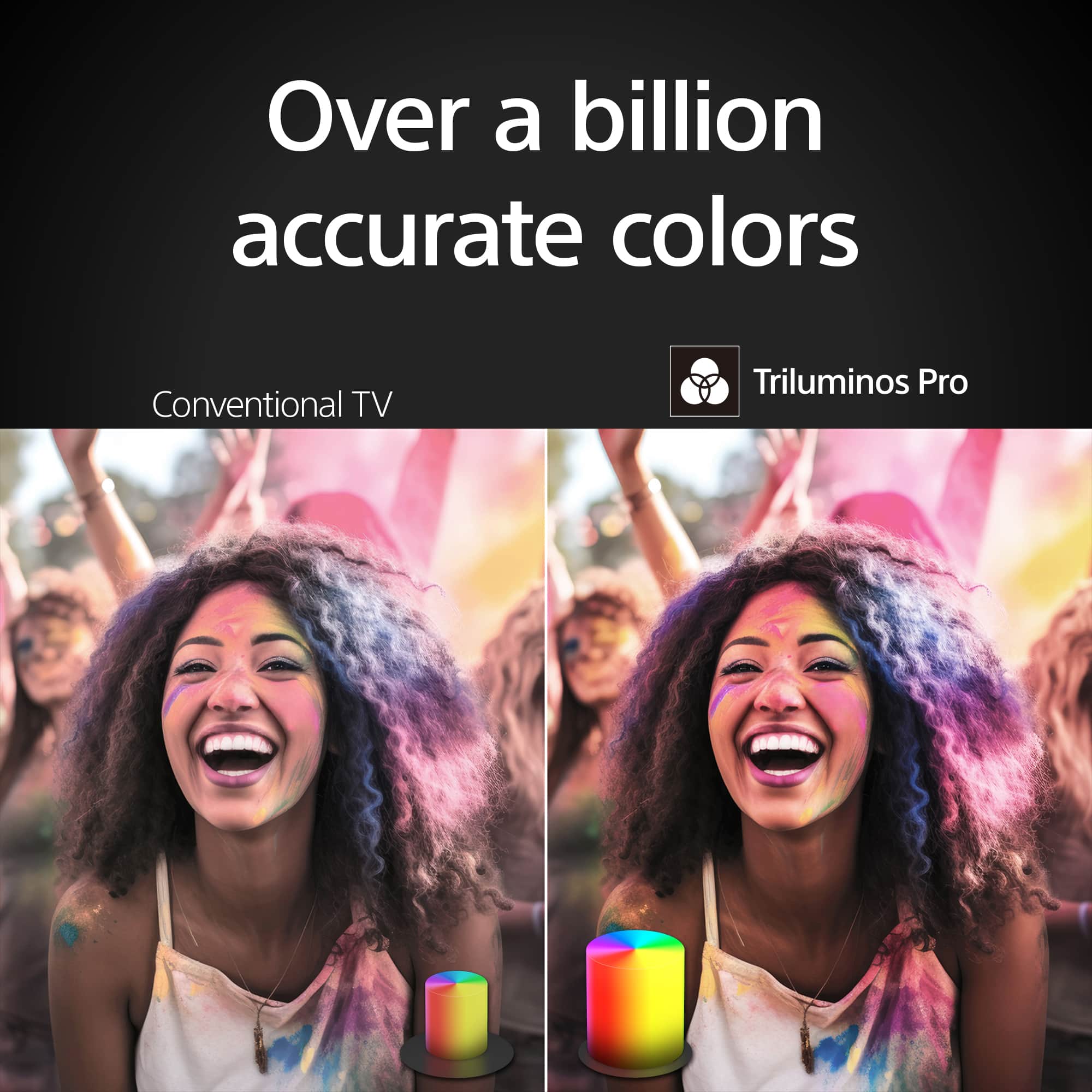
    • Answer Hi 808geek, Thank you for your question. The BRAVIA 3 has Android 12 operating system. See life’s true colors, vivid and bright. Triluminos Pro™ reproduces over a billion of them with enhanced saturation and hue for natural shades. Our 4K X-Reality™ PRO analyzes, cleans and refines images using our unique 4K database so you can indulge in stunning pictures from virtually any content. Hear everything with complete clarity. Our innovative X-Balanced Speaker™ brings distortion-free acoustics and powerful bass so you’ll miss nothing of your entertainment. Your eyes are focused on the picture, not what’s around it. We’ve designed this TV with a Flush Surface that makes the bezel almost invisible. -Ralph

      Answered by SonyListens

  • QuestionIs there a lower profile stand to lower the height of the tv?

    Asked by Janniper.

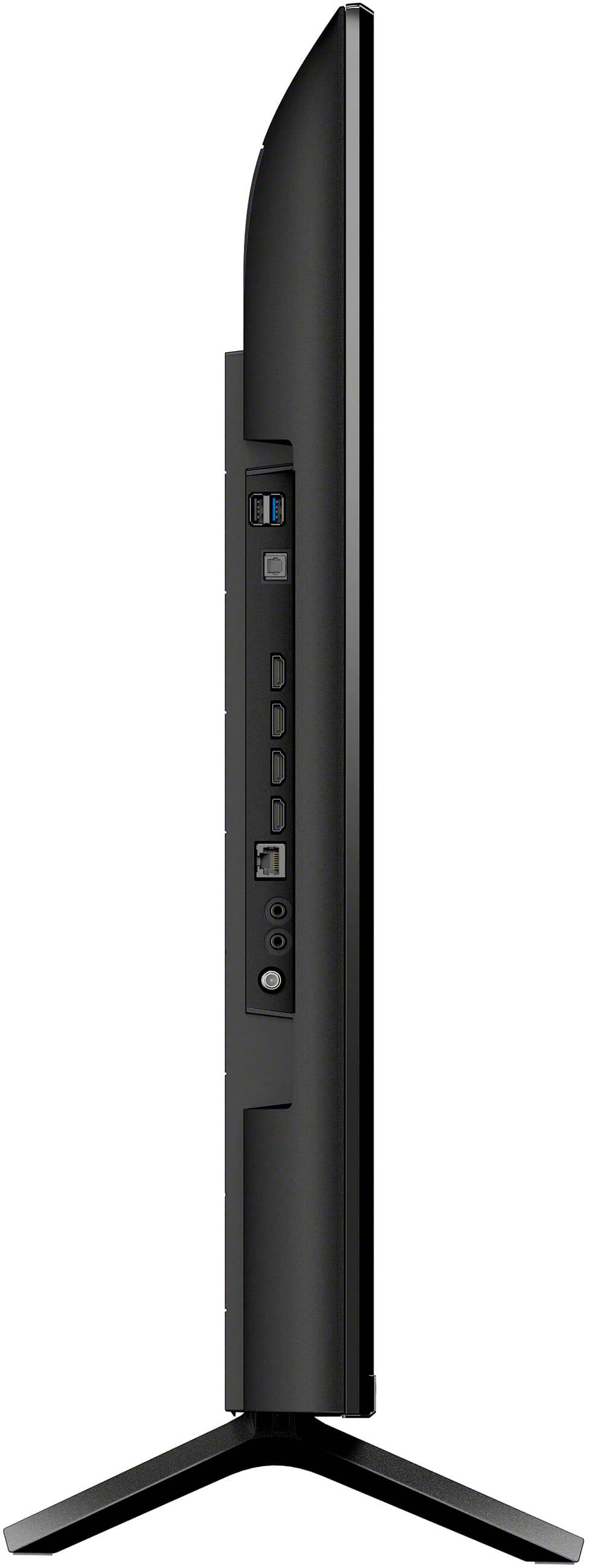
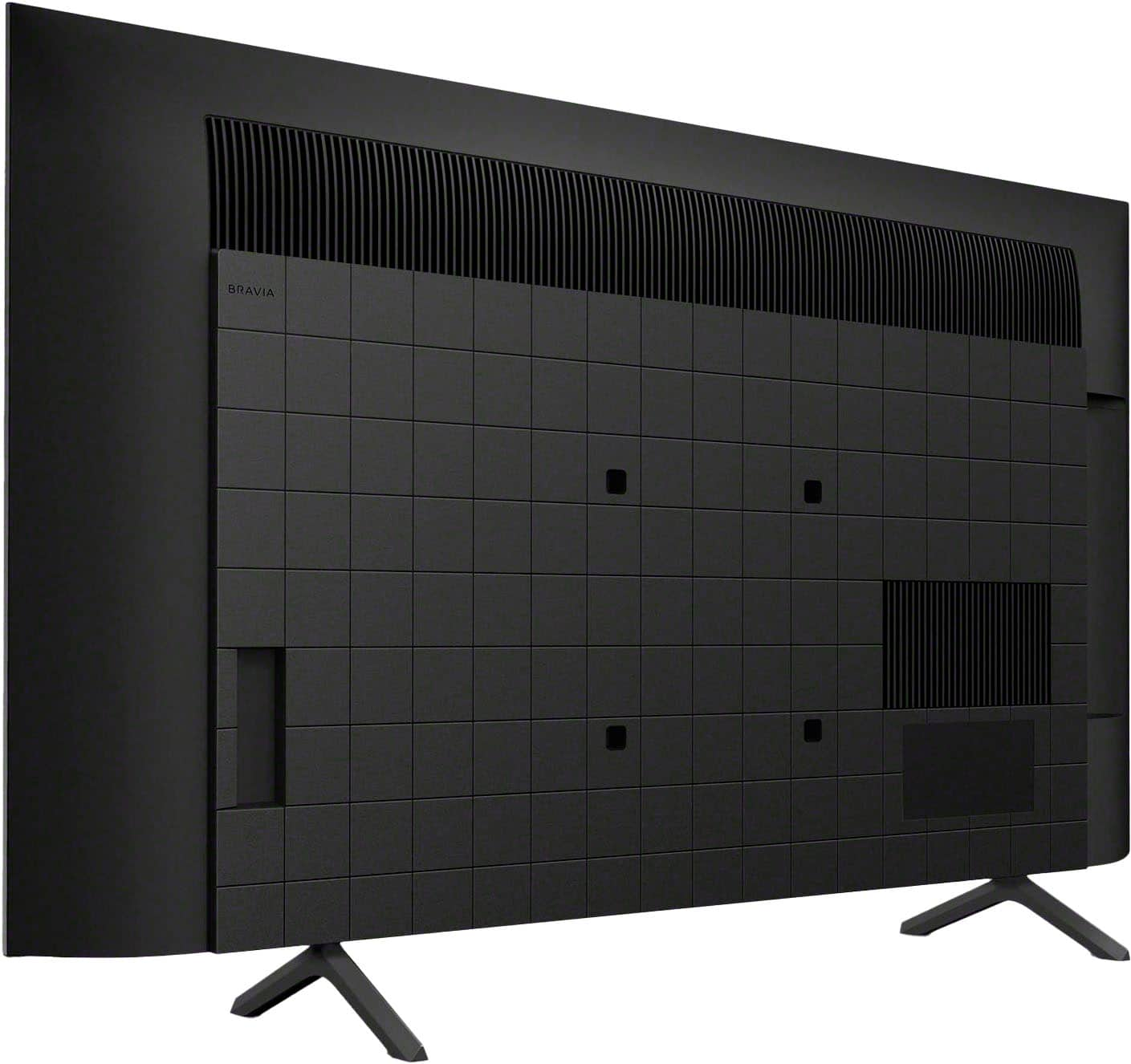
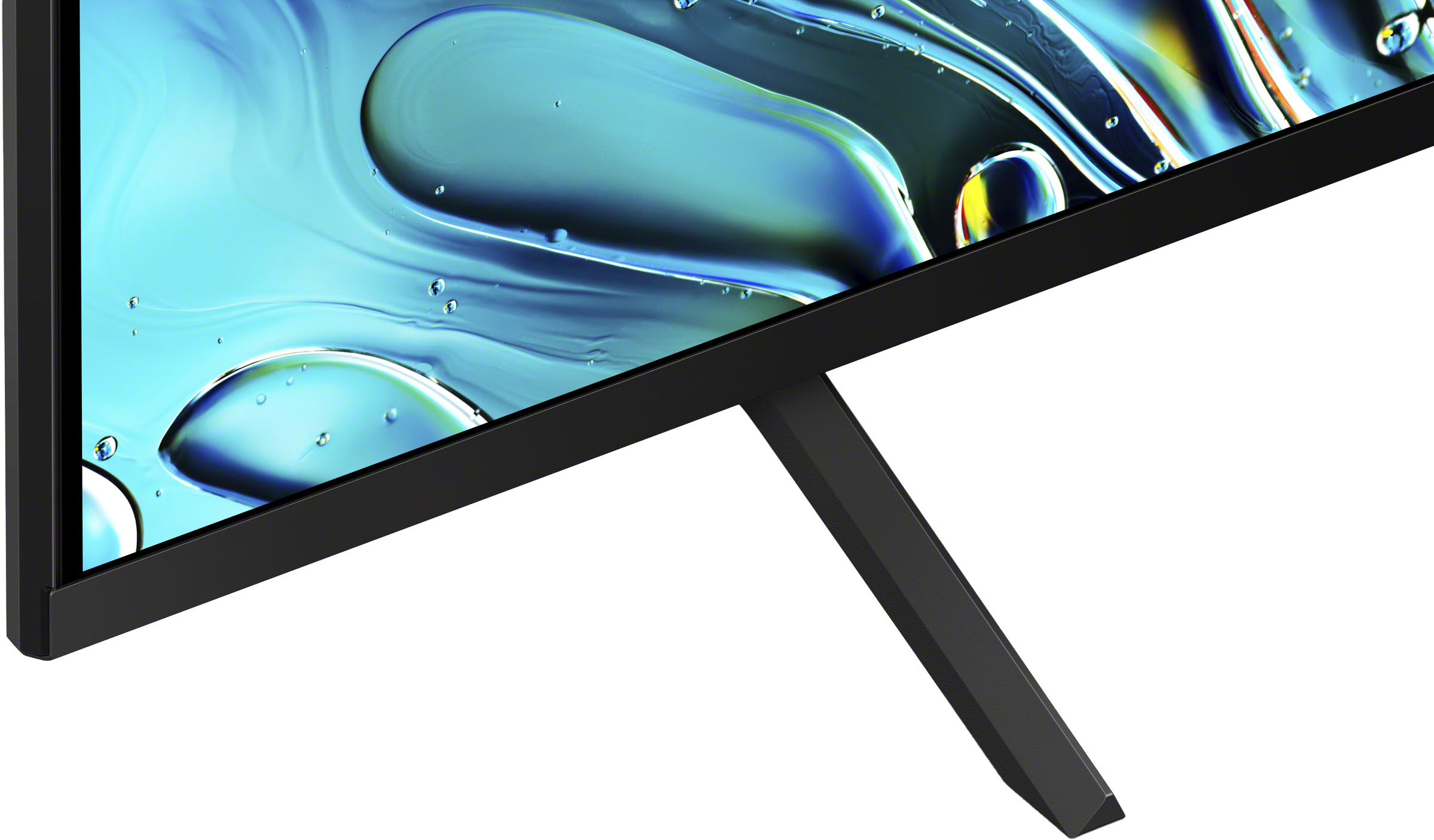
    • Answer Hi Janniper, Thank you very much for your question. The TV stand of our K-43S30 can only be set up in a standard position. The stand legs have an end-to-end distance of approximately 28 1/4 inches (715 mm) and approximately 10 1/2 inches (266 mm) deep when installed on the TV. The height from the bottom of the TV to the bottom of the TV stand is 2 5/8 inches (66 mm). Unfortunately, we do not recommend using a third-party TV stand as we cannot guarantee its stability and may cause the TV set to topple over, fall down, and cause personal injury or damage to the TV. We recommend using only the supplied TV stand of the TV. If you're looking for a Sony TV that supports multiple TV stand position, please visit our official website for more details. Smart TV for everything you watch. The BRAVIA 3 Smart TV is exceptionally easy to use with a variety of all-in-one smart features for stress-free viewing. With a large screen, detailed pictures full of color and dynamic sound, everything you love feels so much more exciting. I hope this helps! Best regards, Romeo

      Answered by SonyListens

  • QuestionCan you record tv programs with this tv

    Asked by Anonymous.

    • Answer Hi there, Thank you for your inquiry. Unfortunately, our TVs do not come with a built-in recorder for recording TV shows or programs. To record TV programs, you will need a separate Digital Video Recorder (DVR) or DVD recorder that connects to the TV's input. You can use an external DVR device, such as a satellite box or a cable box with DVR functionality, to record TV shows. Additionally, many streaming apps offer a DVR function, so please check with your TV service provider to see if they provide DVR functionality. I hope this information helps! Smart TV for everything you watch. The BRAVIA 3 Smart TV is exceptionally easy to use with a variety of all-in-one smart features for stress-free viewing. With a large screen, detailed pictures full of color and dynamic sound, everything you love feels so much more exciting. Best regards, Romeo

      Answered by SonyListens

  • QuestionDoes this tv have a power pack supply source?

    Asked by Chris.

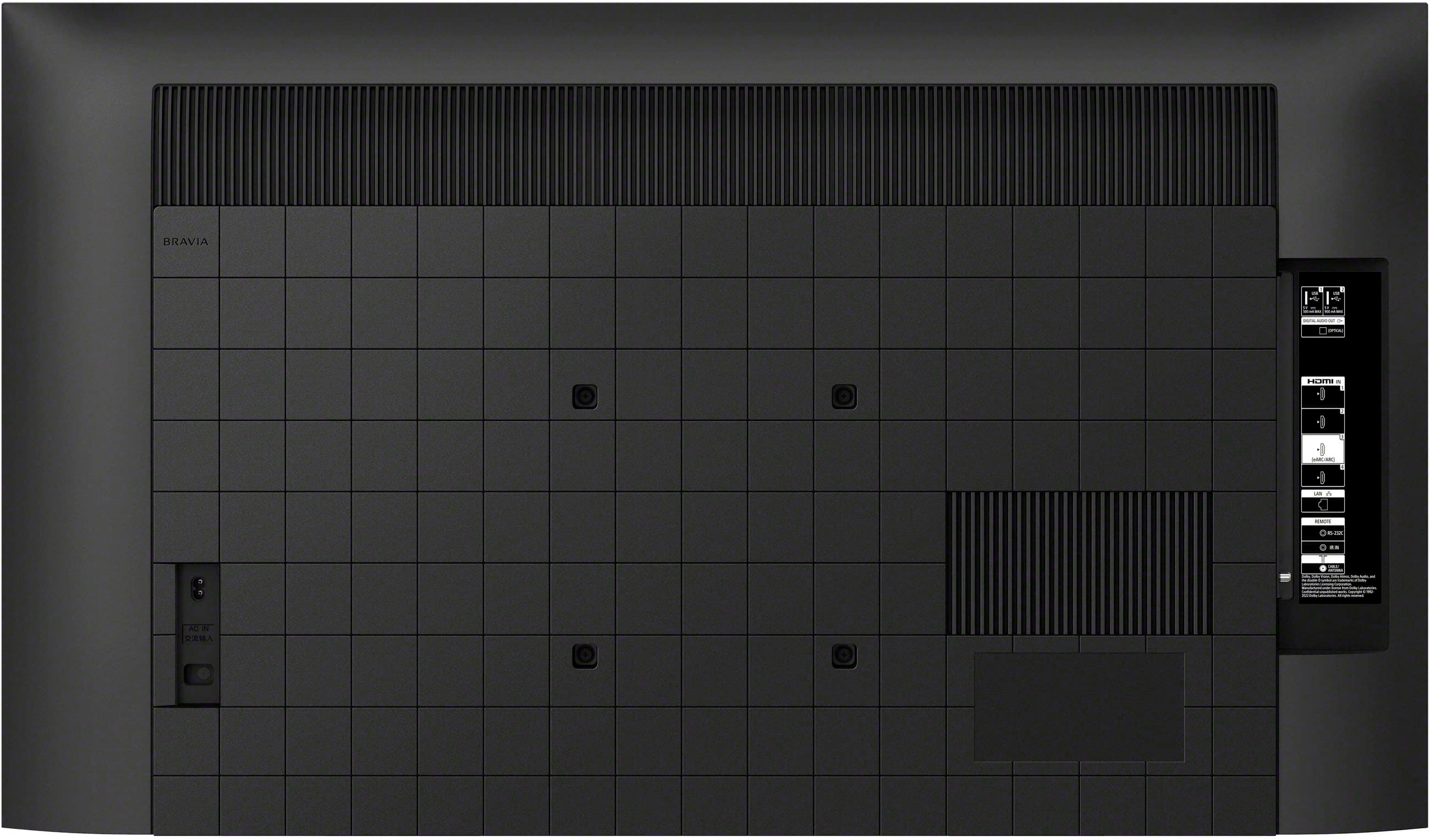
    • Answer Hi Chris, Thank you for your question. The BRAVIA 3 does not include a power pack supply as part of the power cable. Instead, it uses a single unpolarized cable. I hope this helps! Smart TV for everything you watch. The BRAVIA 3 Smart TV is exceptionally easy to use with a variety of all-in-one smart features for stress-free viewing. With a large screen, detailed pictures full of color and dynamic sound, everything you love feels so much more exciting. Best regards, Romeo

      Answered by SonyListens

  • QuestionI have an existing flat panel TV that fits my table. Your stands do not fit my table. I do not want to wall install it. Can I use my existing stand for your TV? I thought that was a standard VESA mounting? My current TV is 20 years old.

    Asked by Anonymous.

    • Answer Hi there, Thank you for your question. Full operation is not guaranteed when using a different stand for the K43S30 TV. For optimum performance and stability, it is recommended to use the supplied stand (legs) of the TV. We recommend using a base or table that is capable of supporting the dimensions of the TV stand ((width: 28.25" (715 mm); depth: 10.5" (266 mm)). The VESA dimensions is for wall-mounting purposes. Hope this helps! See life’s true colors, vivid and bright. Triluminos Pro™ reproduces over a billion of them with enhanced saturation and hue for natural shades. Our 4K X-Reality™ PRO analyzes, cleans and refines images using our unique 4K database so you can indulge in stunning pictures from virtually any content. Hear everything with complete clarity. Our innovative X-Balanced Speaker™ brings distortion-free acoustics and powerful bass so you’ll miss nothing of your entertainment. Your eyes are focused on the picture, not what’s around it. We’ve designed this TV with a Flush Surface that makes the bezel almost invisible. -Ralph

      Answered by SonyListens

  • QuestionWill this TV work well with a PlayStation 5? My son mainly plays sport games on it. Thank you.

    Asked by Eric.

    • Answer Hi there, Thank you for your interest in the Sony BRAVIA 3 TV! We're happy to confirm that this TV is compatible with PlayStation 5. The TV supports the exclusive features for PlayStation 5 such as Auto Genre Picture Mode and Auto HDR Tone Mapping which are automatically configured when using a PS5. Auto Genre Picture Mode - BRAVIA automatically switches into Game mode to minimize input lag and make the action more responsive. When watching movies on PlayStation5® consoles, it switches back to Standard Mode to focus on picture processing for more expressive scenes. This function works when Auto Picture Mode is ON. Auto HDR Tone Mapping - With Auto HDR Tone Mapping, the HDR settings will be optimized instantly during your PS5™ console’s initial setup. Your PS5™ automatically recognizes individual BRAVIA TV models and selects the best HDR setting for your TV accordingly. So even in high-contrast scenes, you’ll see the crucial details and color in the brightest and darkest parts of the screen. Hope this information helps, and feel free to reach out if you have any more questions! See life’s true colors, vivid and bright. Triluminos Pro™ reproduces over a billion of them with enhanced saturation and hue for natural shades. Our 4K X-Reality™ PRO analyzes, cleans and refines images using our unique 4K database so you can indulge in stunning pictures from virtually any content. Best Regards, Maria

      Answered by SonyListens

  • Questiondoes it have component input

    Asked by Anonymous.

    • Answer Hi there, Thank you so much for your question! Unfortunately, no. The K43S30 (BRAVIA 3) does not have a component input. If you have any other questions or need further assistance, please let us know by following the steps below: Unfortunately, due to the current Best Buy phishing protocol for your protection, we cannot provide a direct email or phone number for customer support as of now. Please find Sony Electronics' Support information: Go to our support website > click on “Support” > scroll down click on “Contact Support” > click on "(select your product type)" and from there you'll see different ways to contact us. Apologies if you disclosed some of this information in your review and to customer service, we just want to ensure that we have your accurate details at the time of communication. Name: BestBuy Username: Model Number: Question/concern: Telephone Number: Smart TV for everything you watch. The BRAVIA 3 Smart TV is exceptionally easy to use with a variety of all-in-one smart features for stress-free viewing. With a large screen, detailed pictures full of color and dynamic sound, everything you love feels so much more exciting. I hope this helps! Best regards, Romeo

      Answered by SonyListens

  • QuestionAre there options for leg placements?

    Asked by Lyn.

    • Answer Hi Lyn, Thank you very much for your question! Unfortunately, no. The TV stand of our K-43S30 can only be set up in a standard position. The stand legs have an end-to-end distance of approximately 28 1/4 inches (715 mm) and approximately 10 1/2 inches (266 mm) deep when installed on the TV. Additional information: If the TV stands will not fit your TV entertainment console, as an alternative option, you can mount the TV to a wall using a suitable Wall-Mount Bracket (not supplied). The Sony BRAVIA 3, 43" class LED 4K HDR conforms to the VESA Mount Standard and has a VESA hole pattern of 7.87 x 7.87 inch (200 x 200 mm). For product protection and safety reasons, we recommend that a qualified professional perform the installation of the TV on the Wall-Mount. You may visit your local retailer/Best Buy to find the best Vesa-compliant wall mount bracket that meets the size of the TV, your wall or environmental requirements, and your stylistic preferences. The BRAVIA 3 Smart TV is exceptionally easy to use with a variety of all-in-one smart features for stress-free viewing. With a large screen, detailed pictures full of color and dynamic sound, everything you love feels so much more exciting. I hope this helps, and thanks again for your inquiry! Best regards, Romeo

      Answered by SonyListens