A:AnswerThank you for contacting Sony.
The BDP-S1700U is designed primarily for high-quality disc playback. While it does have a wired network connection, it is intended for software updates and BD-Live™ services rather than a full suite of streaming apps like Disney+, Netflix, or Hulu.
If you are looking for a player with integrated streaming apps and Wi-Fi, we’d recommend checking out our UBP-X700 or UBP-X800M2 models, which are better suited for a "smart" home theater experience!
We appreciate your interest in Sony products. Should you require any further assistance, please don't hesitate to reach out for support here:
https://us.esupport.sony.com/support/s/support-contact?language=en_US&category=bd
Best regards,
Gus, Sony North America Customer Support
A:AnswerHi Sheryl,
The Sony BDP-S1700U does come with the power cord included in the box.
However, unlike some older players that use a standard 'plug-and-go' cable, this model uses an external AC Power Adapter (similar to a laptop charger). You won't need to buy anything extra, but you will need to use the specific Sony adapter that comes with it, as a standard power cable will not fit the small round port on the back of this unit.
We hope you find this information helpful, and thanks for considering Sony!
Regards,
Dominick
A:AnswerHi Jeff,
Yes, the Sony BDPS1700U is designed to support both of those formats when burned onto a recordable disc. According to the technical specifications, the player is compatible with DVD-R media containing both MPEG (.mpg) and MPEG4 (.mp4) video files.
To ensure smooth playback, please verify that the files are encoded within the supported parameters, such as AAC audio for your MP4 files. The player's internal software will recognize these folders and files much like a computer would, allowing you to select and play them directly from the disc menu.
For more details about other discs and compatible formats please visit: https://www.sony.com/electronics/support/res/manuals/4579/f2b13b14d596d6574a73a689b5d4b0dc/45796631M.pdf
Thank you for considering Sony.
Regards,
Dominick
A:AnswerHi Berkeley!
Thank you for your question; we're happy to assist you.
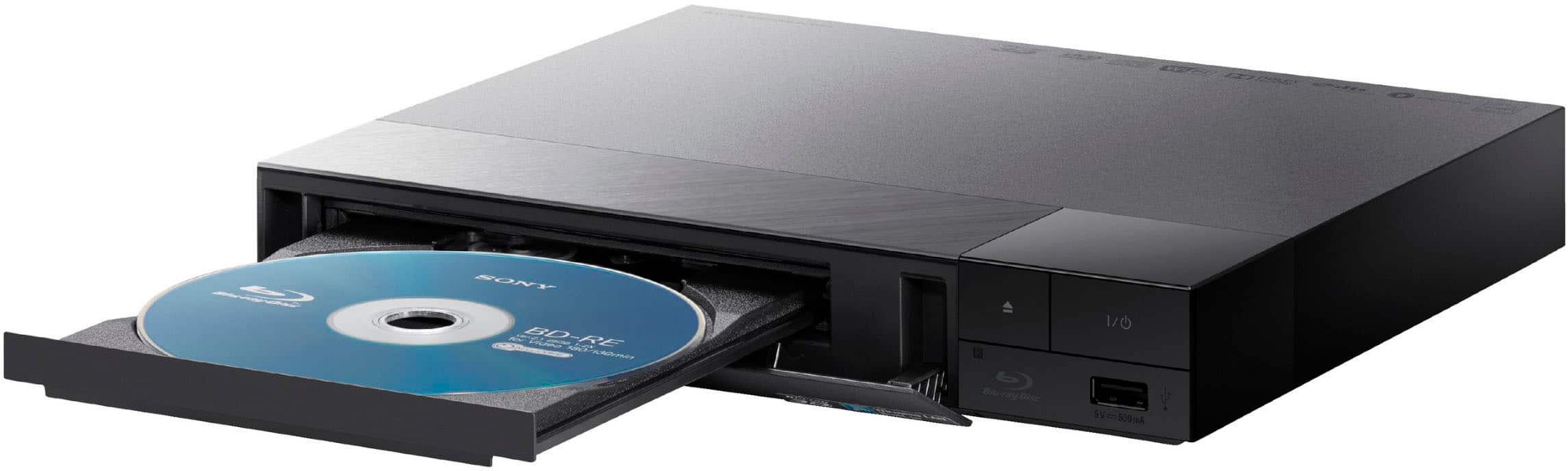
The IR sensor on the BDP-S1700U Blu-ray player is located on the front panel, to the right of the disc tray.
For more details, you can find the full manual at the link below. It's a great resource to keep handy if you have any other questions!
https://www.sony.com/electronics/support/res/manuals/5043/9bf387fdef45845189a891b85b87783b/50433041M.pdf
We really appreciate you thinking of Sony for your purchase!
Best regards,
Estefany
A:AnswerHi Mike,
The BDP-S1700U sold in the North American market is designed to support the NTSC broadcast system and is coded for Region 1 DVDs and Region A Blu-rays. Sony does not officially support the playback of PAL-formatted discs on this NTSC model, nor does the standard firmware include an internal PAL-to-NTSC signal converter for playback on standard U.S. televisions. For guaranteed compatibility, we recommend using discs that match the region and color system of your player and TV.
Thanks for choosing Sony.
Best regards,
Eliab
A:AnswerHi Vanfass
Thank you for reaching out to us with your question.
Regarding the BDP-S1700U, this model does not support SACD (Super Audio CD) playback. While it is a versatile player for high-definition Blu-ray Discs, DVDs, and standard Music CDs (CD-DA), it does not have the specific laser or decoding hardware required for the SACD format.
If SACD playback is a priority for your audio setup, we recommend taking a look at the Sony UBP-X700U which is designed to support high-resolution audio formats including SACD.
We hope you find this information helpful, and thanks for considering Sony!
Regards,
Dominick
A:AnswerThank you for contacting Sony, Buck.
The BDP-S1700U does not come with a protective carrying case, as it is designed primarily as a stationary home theater component. While Sony does not manufacture a specific travel case for this model, third-party dust covers may be available from various retailers if you are looking to protect the unit from dust while not in use.
In the box, you’ll find the Blu-ray player, a remote control (with batteries), and the AC power adapter. We hope this helps!
We appreciate your interest in Sony products. Should you require any further assistance, please don't hesitate to reach out for support here:
https://us.esupport.sony.com/support/s/support-contact?language=en_US&category=bd
Best regards,
Gus, Sony North America Customer Support
A:AnswerHi Elaine,
While we cannot confirm compatibility with third-party devices such as TCL Roku TVs, the remote for the BDP-S1700 is primarily designed to control the player and Sony brand televisions. We recommend using your original TCL remote to ensure full access to your TV's specific Roku features and navigation. Thanks for choosing Sony.
Best regards,
Eliab
A:AnswerThank you for contacting Sony, Roberto.
We appreciate your interest, but unfortunately, you cannot plug a standalone Sony Blu-ray player into a Mac to play movies.
Our players, like the BDP-S1700U, are designed to connect directly to a TV via HDMI. Additionally, the BDP-S1700U is a standard HD player and is not compatible with 4K Ultra HD discs. For the best 4K experience, we recommend using a player like our UBP-X700 connected directly to a 4K TV.
We appreciate your interest in Sony products. Should you require any further assistance, please don't hesitate to reach out for support here:
https://us.esupport.sony.com/support/s/support-contact?language=en_US&category=bd
Best regards,
Gus, Sony North America Customer Support
A:AnswerThank you for contacting Sony.
By default, Sony Blu-ray players sold in the United States are coded for Region A discs and Region 1 DVDs. This means the BDP-S1700U will not play standard Region B Blu-rays, which are typically intended for Europe, Africa, and the Middle East. However, it will play any "Region Free" or "All Region" discs regardless of where they were purchased. If your movies specifically have the Region B logo on the back, they unfortunately won't be compatible with this model.
We appreciate your interest in Sony products. Should you require any further assistance, please don't hesitate to reach out for support here:
https://us.esupport.sony.com/support/s/support-contact?language=en_US&category=bd
Best regards,
Gus, Sony North America Customer Support
A:AnswerHi GG,
Thank you for your question! No, the BDP-S1700U does not have Wi-Fi or wireless networking capabilities. This model is designed with a "Wired-Only" connection via the Ethernet port on the back of the device. This connection is used specifically for:
- Downloading necessary system firmware updates.
- Accessing BD-Live content (extra features found on certain Blu-ray discs).
If you require a Blu-ray player with built-in Wi-Fi for wireless streaming and updates, we recommend looking at our UBPX700M or UBPX800M2 models, which both support wireless connectivity.
Thank you for considering Sony!
Regards,
Dominick
A:AnswerHello Poppersgalore03,
Thank you for considering Sony products!
We appreciate your inquiry regarding the remote control for the BDPS1700U. The model number of the remote is 149350811 REMOTE COMMANDER (RMT-VB500U).
We would like to inform you that Sony does not manufacture or offer a silicone case specifically designed for this remote. However, you may consider using a third-party silicone case compatible with this model to help protect the remote and reduce the risk of misplacement.
For comprehensive information about the BDPS1700U unit, please refer to the following link: https://www.sony.com/electronics/support/res/manuals/5043/9bf387fdef45845189a891b85b87783b/50433041M.pdf
Best regards,
-Fred