A:AnswerYes, usually it works like this: the 1-year manufacturer warranty (Sony) comes first, and after that, the Geek Squad protection plan continues. So in total, it can cover up to around 3 years, depending on the plan details.
A:AnswerYes, it can work with the Nvidia Shield Pro via Bluetooth, but some features like haptic feedback and adaptive triggers may not be fully supported.
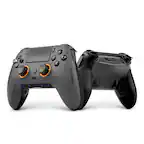
A:AnswerNo, there is no "v6" version of the DualSense controller. If you are referring to internal motherboard revisions, those are designated as BDM models (from BDM-010 up to BDM-040 or BDM-050). If you mean the physical model revision, it is commonly known as the V2 model.
A:AnswerIt could be not used at all , just someone opened it and didnt like the color, or could mean they used it up until the last day before they wouldnt take returns for that item. I think its 30 days. So you dont actually know.