A:AnswerHi dave,
You cannot use the speaker connected to your TV and use it on the AV receiver. If you need further assistance, we encourage you to make use of our many online resources to help with questions regarding your Sony product.
https://www.sony.com/electronics/support (Sony Support website)
https://us.esupport.sony.com/support/s/support-contact?language=en_US (Chat support)
Regards,
David
A:AnswerI have an iPhone and when I use Pandora or iHeartRadio I can see the songs that are playing on the Sony. Not sure it that answers your question ir not.
A:AnswerHi Cassie,
Unfortunately, you can only connect left and right speakers to this AV receiver. See page 14 from this link for details.
https://www.sony.com/electronics/support/res/manuals/4726/f63b8edb2b154409daa55875111f95e4/47269071M.pdf
Regards,
David
A:AnswerI had this same question, after I bought this unit a few weeks ago. I had purchased a pair of Insignia book shelf Bluetooth speakers at the same time. I ended up having to buy a Bluetooth transmitter, which cost me about $40. It works amazing!
A:AnswerHi Bluetooth,
We don't recommend that kind of connection. The ability to connect a surround sound receiver to a computer will depend on the available connections on the computer. Connect a stereo mini-pin cable from the speaker output on the computer sound card to an available input on the receiver. You may find this link helpful regarding your concern.
https://www.sony.com/electronics/support/audio-components-receivers-amplifiers/str-dh190/articles/00030647
Regards,
David
A:AnswerHi Dan,
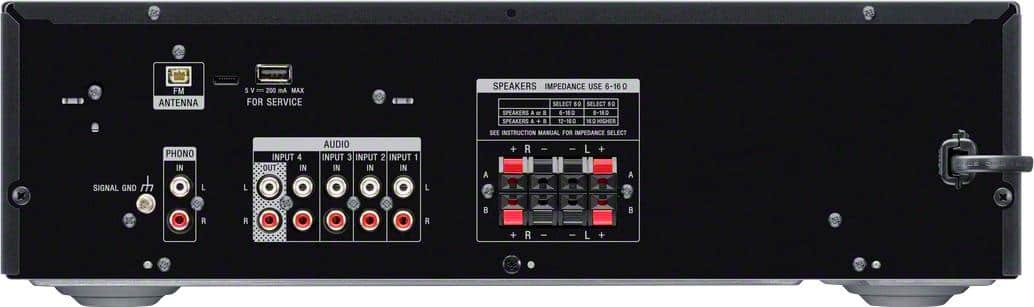
Thank you for the interest! We recommend connecting speakers with a nominal impedance of 6 ohms to 16 ohms. We also recommend using speaker wires that are anywhere between 12 to 16 gauge. These are most commonly used for connecting speakers to an amplifier or an Audio/Video (A/V) receiver.
Regards,
David
A:AnswerHi Mac,
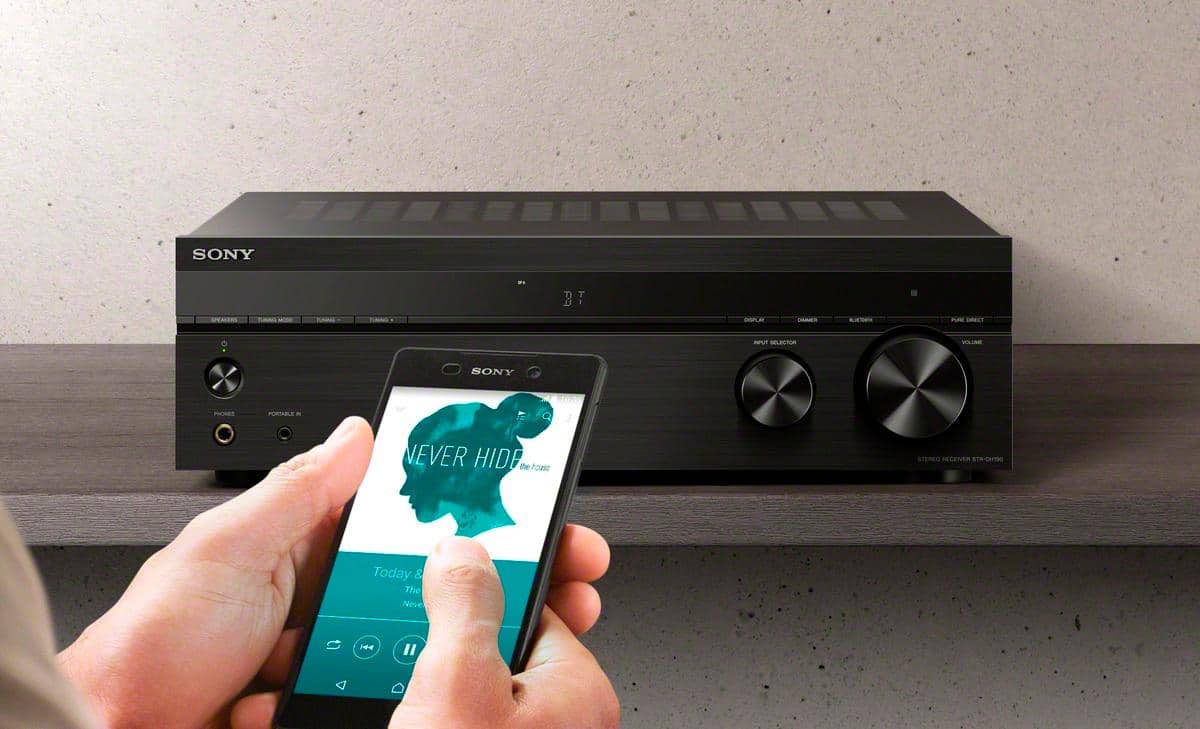
If you set “BT STBY” to “STBY ON”, this receiver turns on when you establish a BLUETOOTH connection from a BLUETOOTH device.
Regards,
Jess
A:AnswerHi ArtP, We recommend a speaker system that supports 6 to 16 ohms to be connected to this AV receiver. Please take note that matching speakers and subwoofer with lower impedance (ohms) and watts than what the A/V receiver is rated may cause damage to the receiver and is not recommended. Thanks! -Jess
A:AnswerHi Jim, Thank you for your inquiry. An external amplifier/equalizer needs to be connected to the tape monitor loop on an AV receiver in order to operate. The current line of Sony® receivers does not have a tape monitor loop. For this reason, it is not possible to connect an add-on equalizer to current Sony® AV receivers. Hope this helps! -Sam
A:AnswerHi there, Thank you for your inquiry. Unfortunately, no. This receiver is designed to receive a Bluetooth signal from a smartphone or tablet. It is not capable of transmitting one to a Bluetooth device such as wireless headphones or speakers. Hope this helps! -Sam
A:AnswerHi Mustak, Thank you for your inquiry! The STRDH190 has an impedance of 6-16 ohms. You may need to check the specifications of your speakers to match with this unit. Please take note that matching speakers and subwoofer with lower impedance (ohms) and watts than what the A/V receiver is rated may cause damage to the receiver and is not recommended. We recommend using your trusted brand that will match these impedance rating for best results.
Regards,
Carl
A:AnswerHi Vick, Thanks for your inquiry. An external amplifier/equalizer needs to be connected to the tape monitor loop on an AV receiver in order to operate. The current line of Sony® receivers does not have a tape monitor loop. For this reason, it is not possible to connect an add-on equalizer to current Sony® AV receivers. Hope this helps! -Sam
A:AnswerHi George, Thanks for your inquiry. Unfortunately, we do not recommend using a stereo speaker selector as we cannot guarantee its operation. However, this unit is equipped with multiple audio inputs for your audio devices, a phono input for turnable, and a Bluetooth function for mobile devices. Hope this helps! -Sam
A:AnswerHi Manuel, Thank you for your inquiry. Yes, you can use this receiver in your office. However, you can only connect up to 4 speakers. And also, make sure to connect speakers that are within the 6-16 ohms impedance rating. You also might want to check out our other models such as the STRDH790 and STRDN1080 models that can support up to a 7.2 speaker setup. Hope this helps! -Sam