A:AnswerHi Hurk,
Power reset the AV receiver, simply unplug the unit and wait 1-2 minutes then plug the device back in and power on. If that doesn't work, perform auto-calibration and try again. Here's the link on how to.
https://helpguide.sony.net/ha/strdh79/v1/en/contents/TP0001559209.html?search=calibration
Happy to help,
David
A:AnswerHi DJDoug,
Thank you for reaching out to us! You can only select this setting when [Surround Back Terminals] is set to [Front B Speakers] in the [Speaker Setting] menu.
We encourage you to make use of our many online resources to help with questions regarding your Sony product.
https://www.sony.com/electronics/support (Sony Support website)
https://us.esupport.sony.com/support/s/support-contact?language=en_US (Chat support)
Happy to help,
David
A:AnswerThank you for your assistance, David. At this time we are running the Directv thru the tv HDMI and then the arc HDMI between tv and receiver. We would like to run the tv and receiver audio seperatley so the AV is not on all the time. But the second we press the select or play button on DTV remote it triggers the AV to come on. Any assistance will be greatly appreciated!
A:AnswerHi Customer,
For you to playback Dolby Atmos content like movies and videos, Dolby Atmos enabled speakers are needed. See page 20 for sample diagram.
https://www.sony.com/electronics/support/res/manuals/4726/890436b47fd2ffcc4003f34dc5f2592c/47269051M.pdf
Happy to help,
David
A:AnswerHi Lanka,
You cannot connect a soundbar to the AV receiver. Dolby Atmos is achievable by installing Dolby Atmos speakers with surround set up. For details, see page 20 from this link below.
https://www.sony.com/electronics/support/res/manuals/4726/890436b47fd2ffcc4003f34dc5f2592c/47269051M.pdf
Happy to help,
David
A:AnswerHi Techguy,
Thank you for reaching out to us! For your reference, please see page 19 onwards for details regarding the 5.1.2 set up.
https://www.sony.com/electronics/support/res/manuals/4726/890436b47fd2ffcc4003f34dc5f2592c/47269051M.pdf
Happy to help,
David
A:AnswerHi Techguy,
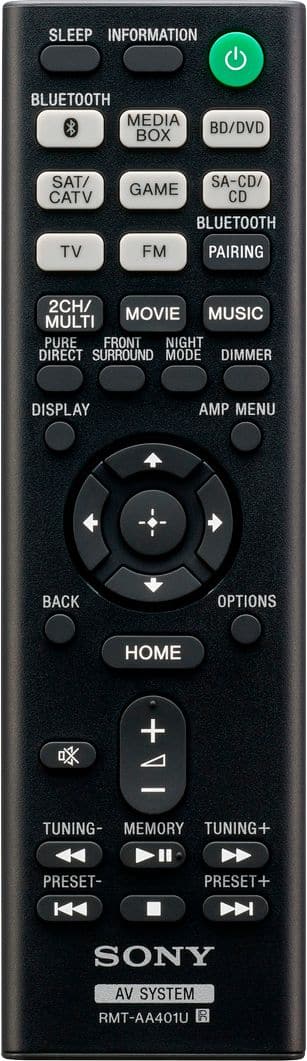
The sound quality and volume will still depend on the source that you're playing. Check the master volume on the receiver and press the +/– on the remote to adjust the volume. For more details, see the link below.
https://www.sony.com/electronics/support/audio-components-receivers-amplifiers/str-dh790/articles/00024901
Regards,
David
A:AnswerThe short answer is no since this new audio codec is not present in this receiver. Sony may offer it in a future system update. As of today the only way to get Sony 3D audio is through the Pulse 3D headset that will be sold with the PS5.
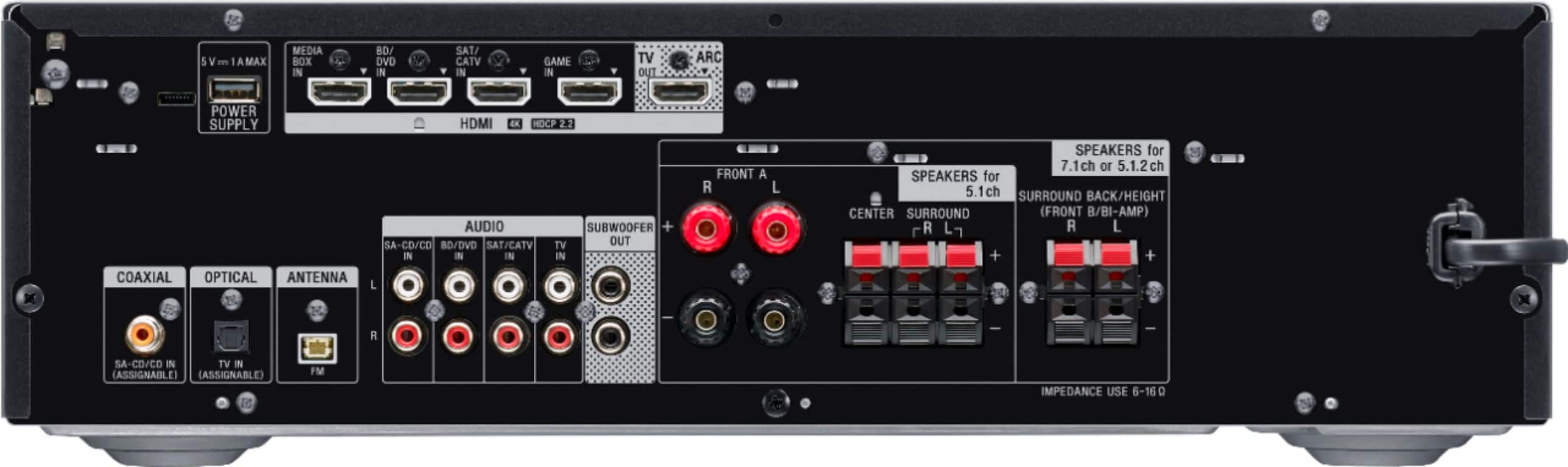
A:AnswerIn order to get sound from your TV to the STR-DH790 you have at least two choices: 1) Use the ARC enabled HDMI connection on the back of the TV (ARC=Audio Return Channel.) 2) If you don't have a TV with an ARC port, then use the optical audio output of your TV to connect to the optical audio input on the STR-DH790.
You can also do standard analog output from your TV (red and white RCA jacks corresponding to left and right audio channels) to the STR-DH790, but if that's all you're doing, you didn't need to spend the money on an audio receiver!
A:AnswerHi Badger,
Unfortunately, you cannot connect a Bluetooth turntable and speakers to the AV receiver. You can only connect your smartphone to it and play music.
https://helpguide.sony.net/ha/strdh79/v1/en/contents/TP0001612188.html?search=bluetooth
Happy to help,
David
A:AnswerHi Customer,
Yes, this AV receiver supports 5.1 and 7.1. To enjoy Dolby Atmos playback, speakers must be Dolby Atmos enabled speakers and the source must support Dolby Atmos. Visit the link below for more information regarding your concern.
https://helpguide.sony.net/ha/strdh79/v1/en/contents/TP0001628978.html
Happy to help,
Isaiah
A:AnswerHi Boobielish48,
Thank you for reaching out to us! We recommend getting a subwoofer to maximize the efficiency of your AV receiver. If you need further assistance, we encourage you to make use of our many online resources to help with questions regarding your Sony product.
https://www.sony.com/electronics/support (Sony Support website)
https://us.esupport.sony.com/support/s/support-contact?language=en_US (Chat support)
Regards,
David
A:AnswerHi Peachpie,
Thank you for the interest! We recommend connecting speakers with a nominal impedance of 6 ohms to 16 ohms. We also recommend using speaker wires that are anywhere between 12 to 16 gauge. These are most commonly used for connecting speakers to an amplifier or an Audio/Video (A/V) receiver
Regards,
David
A:AnswerHi Boobielish48,
Thank you for the interest! Yes, we recommend connecting speakers with a nominal impedance of 6 ohms to 16 ohms. We also recommend using speaker wires that are anywhere between 12 to 16 gauge. These are most commonly used for connecting speakers to an amplifier or an Audio/Video (A/V) receiver.
Regards,
David
A:AnswerHi Boobielish48,
Thank you for the interest! We recommend connecting speakers with a nominal impedance of 6 ohms to 16 ohms. We also recommend using speaker wires that are anywhere between 12 to 16 gauge. These are most commonly used for connecting speakers to an amplifier or an Audio/Video (A/V) receiver
Regards,
David