“my roku remote stopped controlling my up or down volume on my tv. all the other controls work ,what is wrong. les”
Answer This Question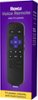
1-1 of 1 Answer
Hi, Les! Sorry to hear your experiencing issues with your Roku Remote volume. We released a software version that we believe will fix the TV control issue for customers who were affected by the previous update. Follow these instructions to manually update your software. Start by Navigating to Settings > Select System > Select System update > Select Check now. Confirm the dialogue box to proceed with download and and installation. Note that your Roku player will automatically download the latest software the next time when it checks for update. After the Roku player finishes restarting, if TV control has not been restored, setup your remote for TV control again by doing the following. Start by navigating to Settings > Select Remotes & devices > Select Remotes followed by your remote > Select Set up remote for TV control. For additional information on trouble shooting the Roku Remote visit the guide linked here https://support.roku.com/article/1500010864801
Sorry, there was a problem. Please try again later.