A:AnswerThank you for asking. For the most part 2-in-1 devices will require the Bluettooth connection for full functionality, this mean the pen will be paired/linked with one and so interacting with 2 units at the same time without having to disconnect and pair each time won't be possible. Hope that helps, best.
A:AnswerUnfortunately the one they sold me was a returned item and defective. I realized it once unboxed . It had a side sticker like it was repacked. Missing the battery and booklet. Wouldn’t even pair with laptop. Can’t return cause I am overseas. BB let me down this time. Sorry I can’t answer your question.
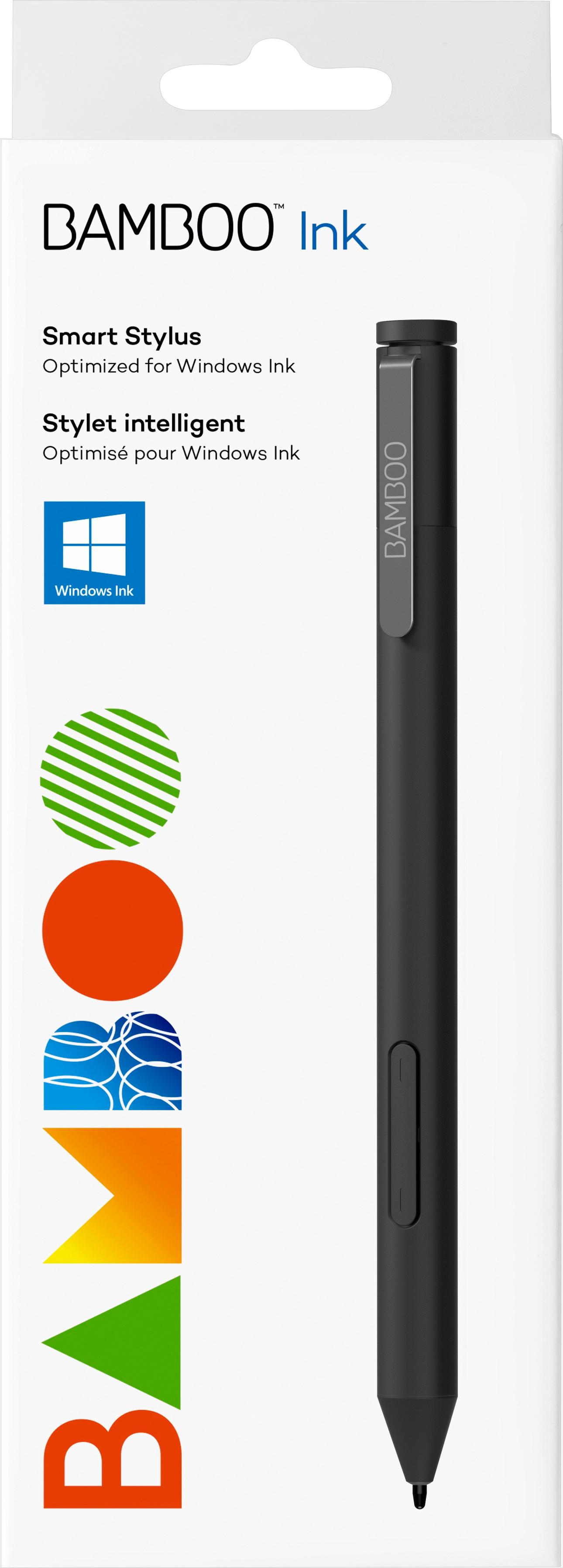
A:AnswerNo, the Bamboo Ink Smart Stylus requires a Windows 10 2-in-1 device that supports either Microsoft Pen Protocol or Wacom AES pen technology. The Bamboo Tip would be a product that could be useful on a Samsung Galaxy Tab A.
A:AnswerThank you for asking. This product works with 2-in-1 Windows devices that have built-in inside their hardware either Wacom Active ES protocol (AES) or Microsoft Pen Protocol (MPP). If you are not sure if yours has one of these technologies built-in, you can reach out to the manufacturer of your device to confirm this. Hope that helps! Best
A:AnswerI do not see that as having been tested with the Bamboo ink Plus. I so see the Dell™ Inspiron 13 7000 2-in-1 (7373) as having been tested and the is compatible with the Bamboo Ink Plus.
A:AnswerThank you for asking. This product works with 2-in-1 Windows devices that have built-in inside their hardware either Wacom Active ES protocol (AES) or Microsoft Pen Protocol (MPP). If you are not sure if yours has one of these technologies built-in, you can reach out to the manufacturer of your device to confirm this. Hope that helps! Best
A:AnswerI do not see that you have listed a model number for the Acer, there two Acer computer the Bamboo Ink pen has been tested to be compatible with, they are Acer Spin 5 (SP513-51N, SP513-52N) and the Acer Switch 3
A:AnswerI do not see that it is has been tested with the Dell Insparion 13 7391, it has been tested with the Dell™ Inspiron 13 7000 2-in-1 (7373) and is compatible with that.
A:AnswerYou can view a list of tested devices at www.wacom.com/comp. The Yoga A940 isn't listed, but that doesn't necessarily mean it isn't compatible. If the PC supports Wacom AES or Microsoft Pen Protocol for pen input then it will likely work with the Bamboo Ink.
A:AnswerA list of tested and compatible devices can be found at www.wacom.com/comp. There is not a specific listing for Square terminals, though it is possible some of these terminals may leverage a compatible device as their display.
A:AnswerThank you for asking. It does not. Depending on the generation of Intuos tablet you have, the options may vary. I suggest to contact support at 1-855-MYWACOM. Hope that helps. Best
A:AnswerThank you for asking. This product works with 2-in-1 Windows devices that have built in inside their hardware either Wacom Active ES protocol (AES) and Microsoft Pen Protocol (MPP). If you are not sure if yours has, you can reach out to the manufacturer of your device (in your case Dell) and ask if your model does. Hope that helps!. Best
A:AnswerThank you for asking. This product works with 2-in-1 devices that have built in inside their hardware either Wacom Active ES protocol (AES) and Microsoft Pen Protocol (MPP). If you are not sure if yours has, you can reach out to the manufacturer of your device (in your case HP) and ask if your model does. Hope that helps!. Best
A:AnswerThank you for asking. This product works with 2-in-1 devices that have built in inside their hardware either Wacom Active ES protocol (AES) and Microsoft Pen Protocol (MPP). If you are not sure if yours has, you can reach out to the manufacturer of your device (in your case Dell) and ask if your model does. Hope that helps!. Best