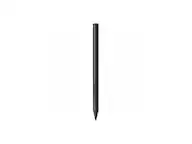
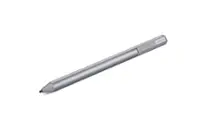
A:AnswerHi there, thank you for asking. While there are many HP based computers that do work and we are not able to test all of them, the Bamboo Ink Smart Stylus product works with 2-in-1 Windows devices that have built-in inside their hardware either Wacom Active ES protocol (AES) or Microsoft Pen Protocol (MPP). Hope that helps! Best
A:AnswerThank you for asking. This product works with 2-in-1 Windows devices that have built-in inside their hardware either Wacom Active ES protocol (AES) or Microsoft Pen Protocol (MPP). If you are not sure if yours has one of these technologies built-in, you can reach out to the manufacturer of your device to confirm this. Hope that helps! Best
A:AnswerHello and thank you for the question is the Bamboo Ink Smart Stylus USI Compliant. At this time, it is not certified with USI. However, the Bamboo Ink Smart Stylus works with non-Wacom based products for Windows, Android and IOS platforms. If you have any further questions I'd like to invite you to reach out to us on weekdays between 6 am and 6 pm PST to 855-MY-WACOM. Best
A:AnswerThank you for asking. This product works with 2-in-1 Windows devices that have built-in inside their hardware either Wacom Active ES protocol (AES) or Microsoft Pen Protocol (MPP). If you are not sure if yours has one of these technologies built-in, you can reach out to the manufacturer of your device to confirm this. Hope that helps! Best
A:AnswerHello and thank you for your question about the Bamboo Ink Smart Stylus being compatible with the HP Spectre X360 15-ap018ca. The Bamboo Ink Smart Stylus is compatible with several models of the HP Spectra X360. While not all models are tested, the HP Spectra X360 should be able to use the Bamboo Ink Smart Stylus.
A:AnswerThe following info is listed in the specifications for the device.
Model Compatibility
HP Pavilion x360, HP Spectre x2, HP Spectre x360, Lenovo Miix 2, Microsoft Surface 3, Microsoft Surface Book, Microsoft Surface Book 2, Microsoft Surface Go, Microsoft Surface Laptop, Microsoft Surface Pro 3, Microsoft Surface Pro 4, Microsoft Surface Pro 5, Microsoft Surface Pro 6, Microsoft Surface Pro 7, Microsoft Surface Studio, Universal
Operating System Compatibility
Windows

A:AnswerThank you for asking. This product works with 2-in-1 Windows devices that have built-in inside their hardware either Wacom Active ES protocol (AES) or Microsoft Pen Protocol (MPP). If you are not sure if yours has one of these technologies built-in, you can reach out to the manufacturer of your device to confirm this. Hope that helps! Best
A:AnswerHello and thank you for the question about compatibility with Bambook Ink Smart Stylus and the HP Spectre x360 Laptop. There are many laptops that so support the Bambook Ink Smart Stylus. If the OS supports Microsoft Pen Protocol, then it should be supported.
A:AnswerThank you for asking. This product works with 2-in-1 Windows devices that have built-in inside their hardware either Wacom Active ES protocol (AES) or Microsoft Pen Protocol (MPP). If you are not sure if yours has one of these technologies built-in, you can reach out to the manufacturer of your device to confirm this. Hope that helps! Best
A:AnswerIf your model has Wacom AES or Microsoft Pen Protocol pen technology then it may be compatible. Please see www.wacom.com/comp for a list of tested devices.
A:AnswerYou can view a list of tested devices at www.wacom.com/comp. If your model has Wacom AES or Microsoft Pen Protocol pen technology built in then it may be compatible.
A:AnswerHey Autumn, thank you for asking. This product works with 2-in-1 Windows devices that have built-in inside their hardware either Wacom Active ES protocol (AES) or Microsoft Pen Protocol (MPP). If you are not sure if yours has one of these technologies built-in, you can reach out to the manufacturer of your device to confirm this. Hope that helps! Best
A:AnswerYou can view a list of tested devices at www.wacom.com/comp. If your model contains Wacom AES or Microsoft Pen Protocol Pen Technology then it may be compatible.
A:AnswerYou can view a list of tested devices at www.wacom.com/comp. Most devices that have Wacom AES or Microsoft Pen Protocol pen technology built in will work with the Bamboo Ink.
A:AnswerYou can view a list of tested devices at www.wacom.com/comp. If the pen itself is compatible with your Lenovo then it will provide pressure data, assuming the applications being used support this.
A:AnswerYou will first want to verify compatibility at www.wacom.com/comp. If you continue to have trouble then please give our support team a call at 1-855-699-2266.
A:AnswerThis pen works great with my galaxy book flex alpha. I use it to write and draw on the laptop. I love the button eraser so that you do not even have to switch the mode on your laptop.