“I recently got an WD Easystore External Drive to put my family films in so that I can watched them on my WD TV Media Player but its not compatible. Does anyone know any media players that are compatible with Easystore?”
Answer This Question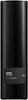
1-5 of 5 Answers
It seems the Roku will support 4TB's from an internet search I did however not sure if it'll support more than that. It can't be formatted as exFat. Needs to be formatted with the following: FAT16, FAT32, NTFS, EXT2, EXT3, and HFS+. Also to note, it seems you can't use a portable hard drive. The external hard drive needs to have a power supply because some of the Roku's only support up to certain milliamps.
Sorry, there was a problem. Please try again later.Any media player should work. I use an Nvidia shield and a Roku with no issues. I don't know anything about your media player but maybe try with a different app?
Sorry, there was a problem. Please try again later.I suspect that the WD TV Media Player may be so old that it doesn't recognize the very large partition on the 8 terabyte drive. Here are a couple of suggestions that might help: (1) Purchase a Roku Player at Best Buy (not the Roku Stick, but the full-sized Roku Ultra that has a USB 3.0 port for external storage). The Roku would be a great replacement for the WD TV Media Player. Plug the WD Easystore drive into the Roku and see if it recognizes and plays your films. I believe the Easystore uses the NTFS format by default, and the Roku should read this format. There are a number of media player apps that can be loaded onto the Roku to play the films. (Check the Roku channel store for free apps.) If this doesn't work, you could return the Roku to Best Buy within a few days and get a refund. (2) If the WD TV Media Player is in good shape and you want to keep it, check the documentation. (Look online for a manual if you don't have one.) It is possible to attach the WD EasyStore drive to a PC and reformat it to whatever format the WD TV Player requires. You may also need to divide the 8 TB drive into several smaller partitions. Each partition can be given a separate drive letter. Recent version of Windows have built-in disk management software that can handle the partitioning and formatting chores.
Sorry, there was a problem. Please try again later.Use plex or XBMC media server
Sorry, there was a problem. Please try again later.VLC media player...and you can downloaded free online (it is open source).. Just google VLC
Sorry, there was a problem. Please try again later.
