A:AnswerHi protection, Please be informed that the WD My Passport drive is a plug and play device tested and designed for Windows and Mac computers for seamless operation. We recommend you to contact your device manufacturer to get the information about the compatibility with your device. To know more about the drive please refer to the link: http://products.wdc.com/library/AAG/ENG/4078-705155.pdf -Need Help? Please see our "'Contact Us" page for information.
A:AnswerAccording to groovypost.com, “How to Clone or Move Your Windows 10 Installation to a Larger Hard Disk or SSD” and if your backup is a system image, “Boot from your Windows 10 install media, which will be used to facilitate the restoration of your system image created earlier. When you arrive at the Install Now screen, click the Repair computer link; this will load the Recovery Environment.” Their article gives all the information and preparation and steps so you must refer to their article. I have successfully cloned drives with a clone cable and Acronis but the groovypost.com article seems to be what you need here.
A:AnswerThis is a generic USB disk so if your operating system can initialize, format, and mount a generic USB disk, which I know at least Windows and VMS can do then it should work fine using the operating system standard USB drivers. I think it comes preformatted for Windows but you would use the operating system standard command for initializing and formatting for your operating system.
A:AnswerHi, Please be informed that the WD My Passport drive is a plug and play device tested and designed for Windows and Mac computers for seamless operation. To know more about the drive refer the below link- http://products.wdc.com/library/AAG/ENG/4078-705155.pdf Need Help? Please see our "'Contact Us" page for information.
A:AnswerHi Ricky55, Please be informed that the WD My Passport drive is a plug and play device tested and designed only for Windows and Mac computers for seamless operation. Moreover, you can reformat the drive in exFat format to use it with Windows and macOS like plug 'n' play. We have not tested the drive with thunderbolt ports because the drive supports USB 3.0. Please refer to the link to know more about the drive: http://products.wdc.com/library/AAG/ENG/4078-705155.pdf -Need Help? Please see our "'Contact Us" page for information
A:AnswerHi Robert, Please be informed that the WD My Passport drive is a plug and play device tested and designed for Windows and Mac computers for seamless operation. Need Help? Please see our "'Contact Us" page for information.
A:AnswerHi DD, Please be informed that the WD My Passport drive is a plug and play device tested and designed for both Windows and Mac computers for seamless operation. To know more about the drive refer to the link- http://products.wdc.com/library/AAG/ENG/4078-705155.pdf . Need Help? Please see our "'Contact Us" page for information.
A:AnswerHi, Please be informed that the WD My Passport drive is a plug and play device tested and designed for Windows and Mac computers for seamless operation. However, Western Digital drives are not tested with the vendor end of life operating systems and are optimized for more recent versions of OS.Need Help? Please see our "'Contact Us" page for information.
A:AnswerHi, Please be informed that the WD My Passport drive is a plug and play device tested and designed for Windows and Mac computers for seamless operation. However, Western Digital drives are not tested with the vendor end of life operating systems and are optimized for more recent versions of OS.Need Help? Please see our "'Contact Us" page for information.
A:AnswerHi,
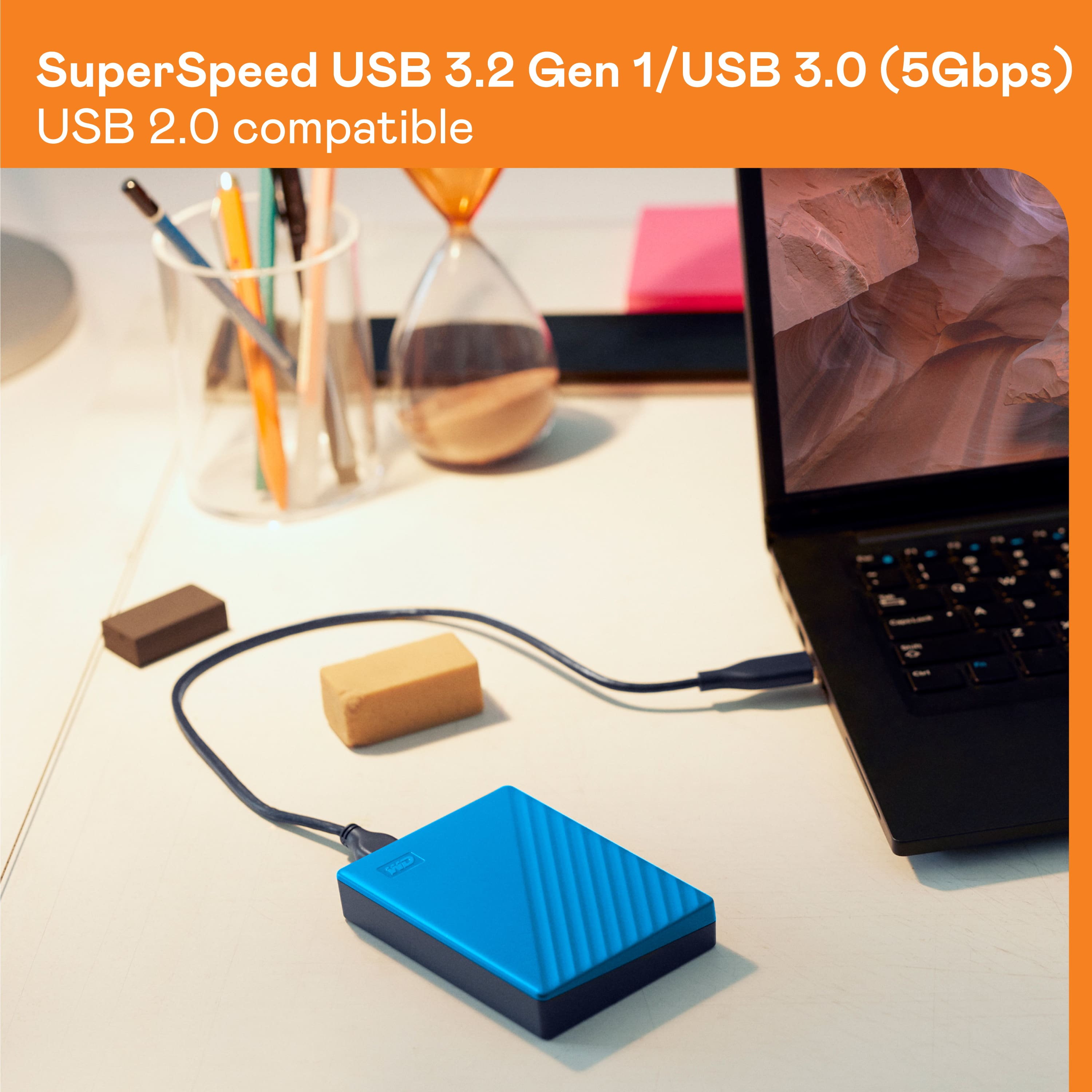
WD My Passport drive has a USB 3.2 Gen 1 interface backward compatible with USB 3.0 and USB 2.0. It comes with a SuperSpeed USB cable.
Need Help? Please see our "'Contact Us" page for information.
A:AnswerHi joy,
WD My Passport drive is a plug and play device. You can use two drives with your PC and both will be separately visible on the file explorer.
Need Help? Please see our "'Contact Us" page for information.
A:AnswerHi phed, My Passport to be compatible with exFAT to be read/write ready on both Windows and macOS. follow the link given below- https://support-en.wd.com/app/answers/detail/a_id/20821 Need Help? Please see our "'Contact Us" page for information.
A:AnswerHi,
Please be informed that the WD My Passport drive is a plug and play external storage having USB 3.0 interface. It is a DAS device tested and designed only for Windows and Mac computers for seamless operation.
Need Help? Please see our "'Contact Us" page for information.
A:Answerit sounds like the drive failed out of the box. Mine is totally silent and seems to work fine. I tested mine before I loaded anything important. can you not load the data back onto your computer. I have not had any luck with the Geek people , but go back to the store. Sorry I can not help but after spending three weeks trying to get back important data from Dropbox I am hating computers.
A:AnswerHi,
Please be informed that the WD My Passport drive is a plug and play device tested and designed only for Windows and Mac computers for seamless operation.
Need Help? Please see our "'Contact Us" page for information.
A:AnswerHi eha1,
Yes! you can use it on your 32 Bit architecture computer. For more information please refer to the link given below.
http://products.wdc.com/library/AAG/ENG/4078-705155.pdf
Need Help? Please see our "'Contact Us" page for information.