Customer Ratings & Reviews
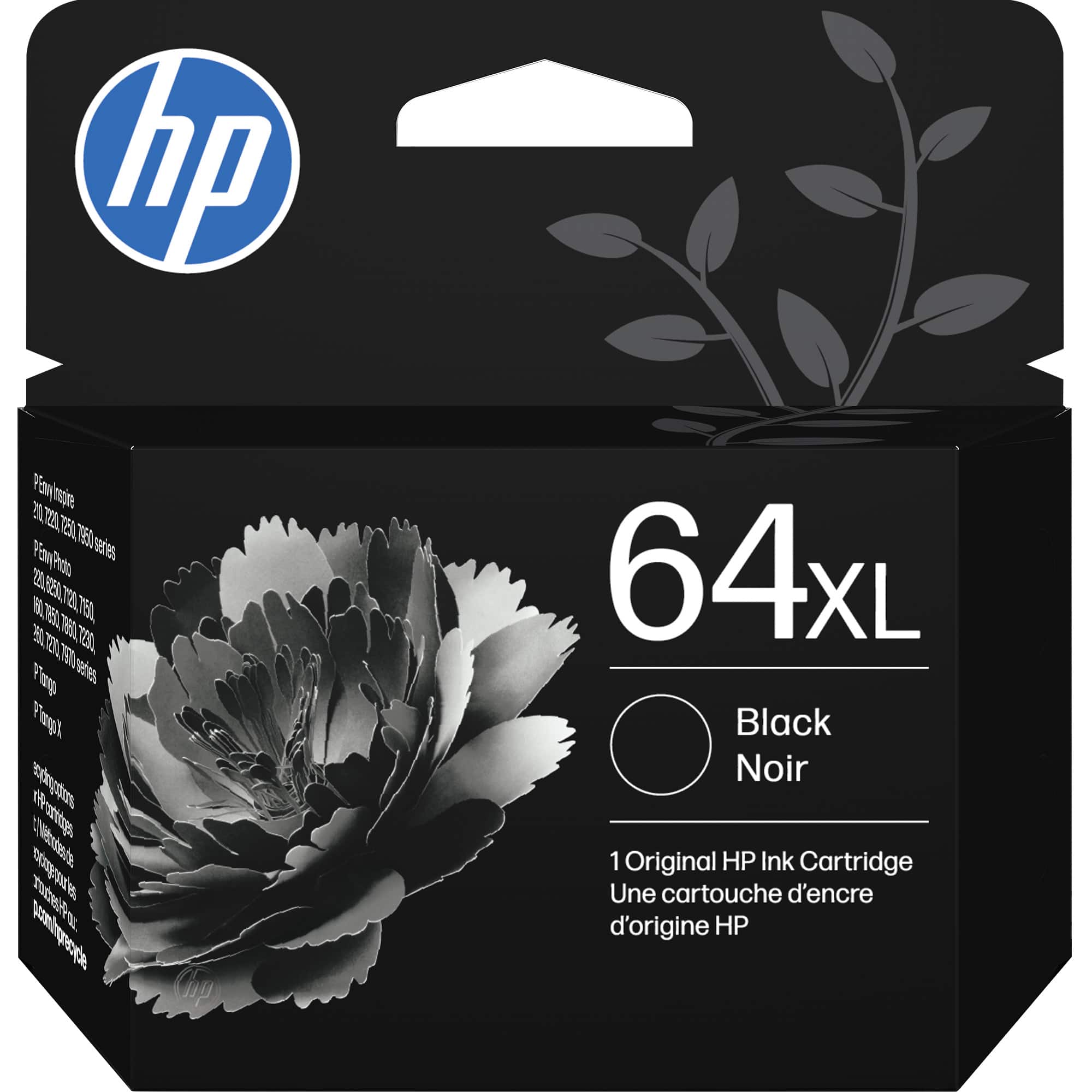



- Model:
- N9J92AN#140
- SKU:
- 5976503
Rating by feature
- Value
Rating 4.3 out of 5 stars
- Quality
Rating 4.8 out of 5 stars
- Ease of Use
Rating 4.8 out of 5 stars
Customers are saying
Customers are positive about the 64XL High-Yield Ink Cartridge's ink quality, ease of use, and overall performance. Many customers find that the ink quality meets their expectations and the product works as expected. However, some customers have expressed concerns regarding the price and availability of the ink cartridge.
This summary was generated by AI based on customer reviews.
64 XL Cartridge
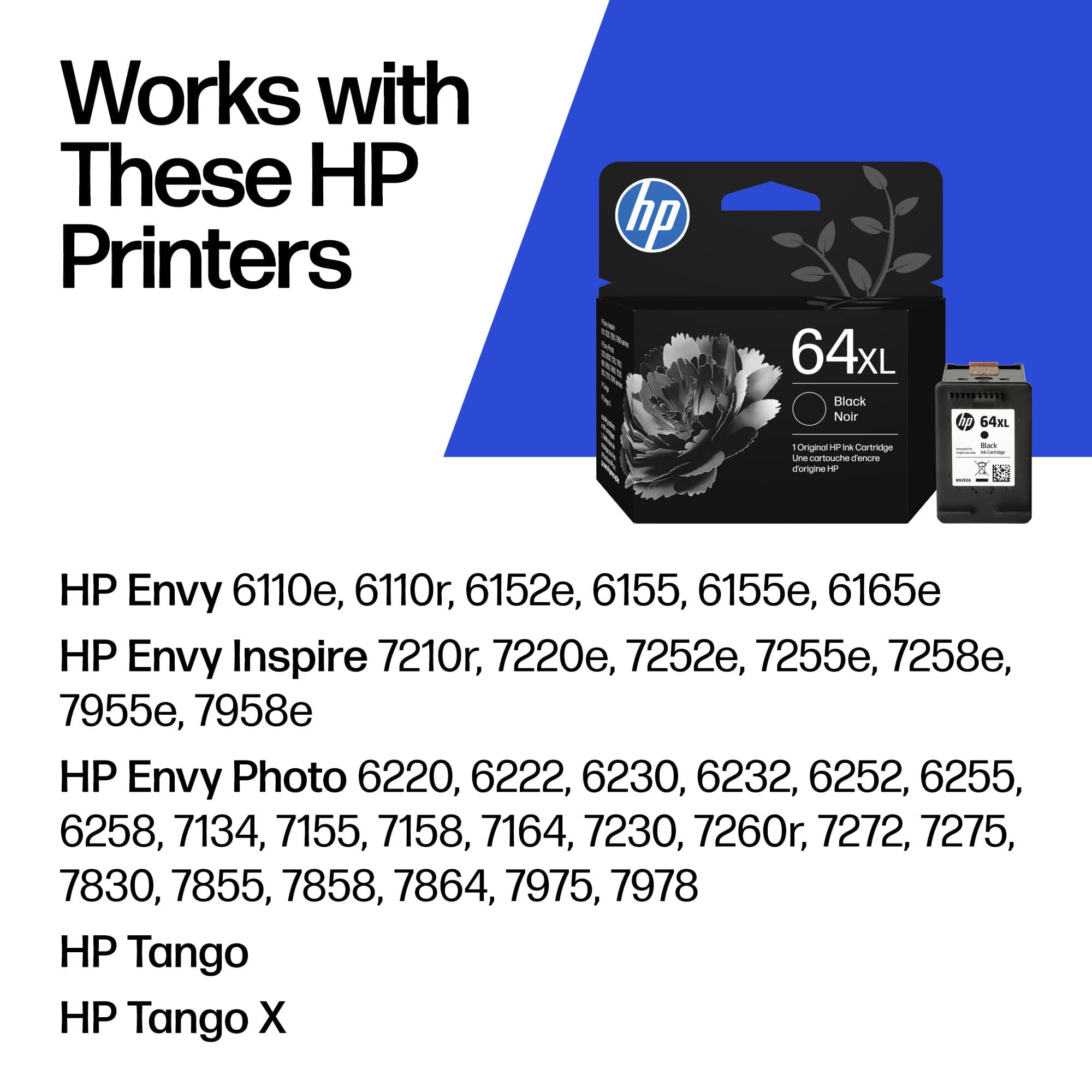
||Posted . Owned for 1 week when reviewed.This reviewer received promo considerations or sweepstakes entry for writing a review.64 XL High Yield Cartridge didn't work with my HP - ENVY 7858 Wireless All-In-One Inkjet Printer - Black . Unable to return the Cartridge. Lost About $50. Sales Rep was confident it would work with about mention printer.
No, I would not recommend this to a friendYou refunded me the wrong item.
||Posted .This reviewer received promo considerations or sweepstakes entry for writing a review.I received an item in Jan 2020, posted on my card Jan 28 and returned by mail Jan 28, BEST BUY HAS THE WRONG ITEM PURCHASE DATE. It got lost in the mail. I filed a dispute with my Credit Card company April 24. Now, Best Best has refunded for the item I received a month AFTER. I can't reach anyone by phone or online to fix this issue!
No, I would not recommend this to a friendDefective cartridge
||Posted . Owned for 2 weeks when reviewed.This reviewer received promo considerations or sweepstakes entry for writing a review.Would not work , went through the steps that HP said to do . Have two different HP printers and bought both cartridges from Best Buy and neither cartridge would work. Wasted 130 dollars on a defective product that you can’t return until you find out it’s defective.
No, I would not recommend this to a friendBrand response from HP Team
Posted .Hello Eric,
I want to address a couple of points. First, you are not out of money if your return complies with the return policy, www.bestbuy.com/site/help-topics/return-exchange-policy/. One hundred and thirty dollars is a lot for anyone to spend on a product. I understand the annoyance of having to try new cartridges. The vast majority of cartridges work immediately. If you have any other questions, reach out at www.support.hp.com/us-en/contact-hp/.
Amanda
HP Care
www.hp.com/support/
Lots more ink than the cartridges that come with p
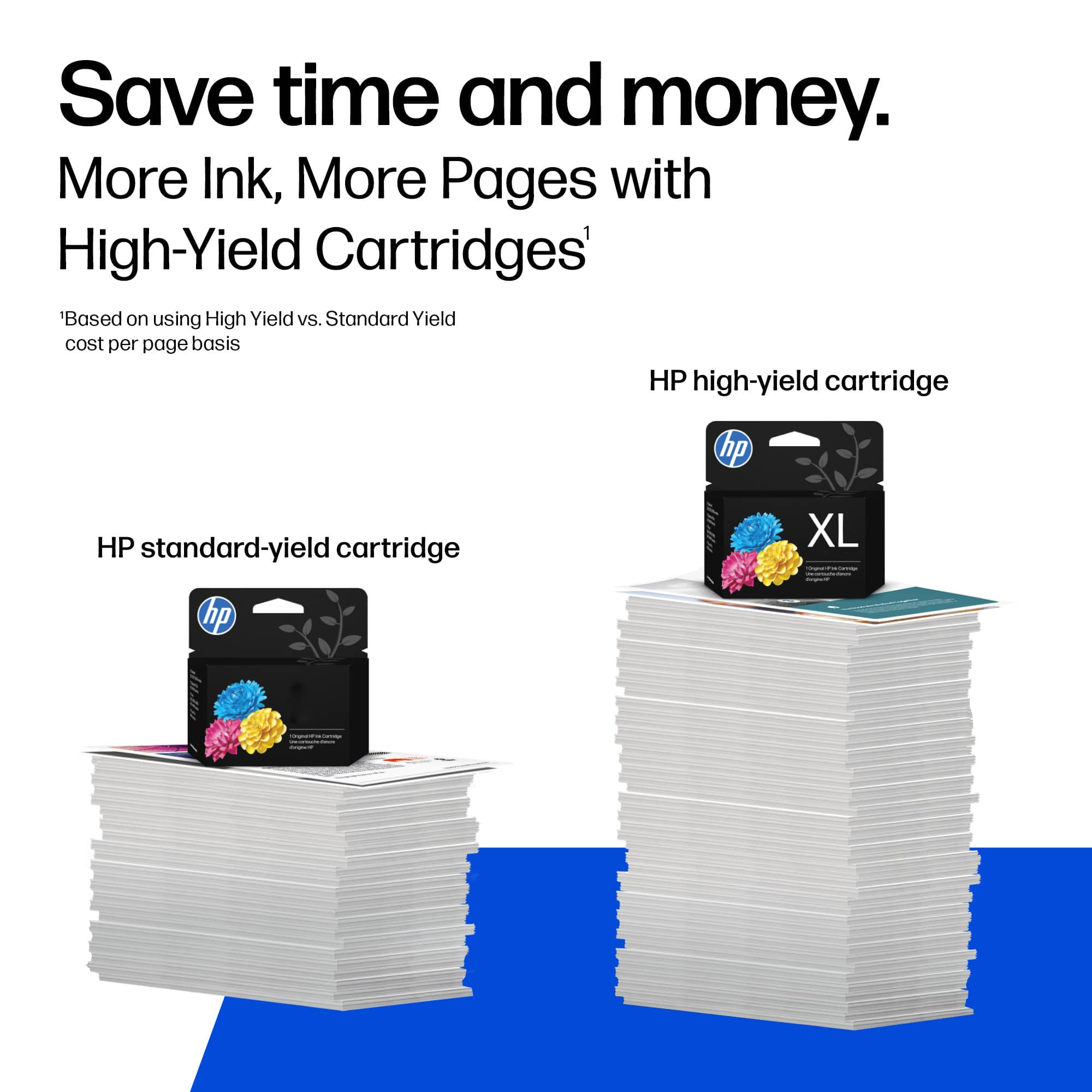
||Posted .This reviewer received promo considerations or sweepstakes entry for writing a review.Always buy the “XL” size! Lasts longer than the regular sizes. Still pretty expensive though!
I would recommend this to a friendDisappointed
||Posted . Owned for 1 month when reviewed.This reviewer received promo considerations or sweepstakes entry for writing a review.Not the same as before. Extremely dissatisfied/dissapoited.
No, I would not recommend this to a friendNot printing properly.
||Posted . Owned for 1 month when reviewed.This reviewer received promo considerations or sweepstakes entry for writing a review.I’m not sure if it’s the printer or ink that is at fault.
I would recommend this to a friendBrand response from HP Team
Posted .Hi Athena,
It can be frustrating to not have cartridges work properly. I am sorry that happened to you.
If it appears that poor performance is due to a defect, please contact the seller. According to the Best Buy website: "If you receive a product that is damaged in shipping, defective or that is not the product you ordered, please return it during your return and exchange time period to Best Buy and we'll arrange for a replacement. If you would rather return the item by mail during your return and exchange time period, please call us for special instructions at 1-888-BEST BUY (1-888-237-8289)."
Mary
HP Care
hp.com/support
Bad Ink Cartridge
||Posted . Owned for 1 month when reviewed.This reviewer received promo considerations or sweepstakes entry for writing a review."64XL" Color cartridge was purchased as a new. Printer indicates the cartridge was installed properly and the ink was full. The results is the color mode will not print.
I would recommend this to a friendBrand response from HP Team
Posted .Hi,
I'm sorry the color mode is not working. Let's figure this situation out together. First, double-check that the color ink option is enabled. Many users print only in black ink and forget this option is not enabled. I would also check the ink level in the printer to ensure the cartridge is filled properly. Run the automatic cleaning option on the printer. Then, try a test print page.
Amanda
HP Care
www.hp.com/support/
doesn't last long at all
||Posted . Owned for 1 month when reviewed.This reviewer received promo considerations or sweepstakes entry for writing a review.after less than a hundred pages, it needs replaced
No, I would not recommend this to a friendPurchased Printer Ink Cartridges
||Posted . Owned for 3 weeks when reviewed.This reviewer received promo considerations or sweepstakes entry for writing a review.Had to buy ink cartridges for HP printer. I have been charged $3.20 a month to my credit card for about 6 months for HP ink but have never received a cartridge in the mail so I had to purchase 2. I have been doubled charged for 6 months.
No, I would not recommend this to a friendIt doesn't last long!
||Posted . Owned for 1 month when reviewed.This reviewer received promo considerations or sweepstakes entry for writing a review.It doesn't last long, even though it suppose to be XL.
No, I would not recommend this to a friendBrand response from HP Team
Posted .Hi Jolele,
I am sorry that you were sent cartridges that don't seem to be lasting very long. I can understand if you are disappointed.
The ink usage will determine how long a cartridge will last. High-density prints (such as photos and graphs) will use up more ink, especially if the paper is highly absorbent and the environment is dry.
When you only want to print in black and white, you can change the print settings to black only (sometimes color is used kind of like primer paint to make the black areas look "blacker").
There is an interesting thing that you can do with printers that use tricolor cartridges. When you print only black and white most of the time, you can wait to replace the tricolor cartridge until you want to print color. When the used-up tricolor cartridge is removed, the printer will display an error message about the missing cartridge, but will allow you to ignore the message and still print.
Instant Ink might be a good thing for you to try. There are several subscription plans where you only pay for pages printed rather than for the cartridges themselves. Many people find that to be a great savings and quite convenient since the ink is delivered automatically when you are getting low. Details are at: instantink.com
Mary
HP Care
hp.com/support
Hp printer ink cartridge
||Posted . Owned for 3 weeks when reviewed.This reviewer received promo considerations or sweepstakes entry for writing a review.Very disappointed with this specific purchase. Only one month use and i am out of ink already. I am not sure if this was an old stock item that i purchased or what. But disappointed.
No, I would not recommend this to a friendBrand response from HP Team
Posted .Hi Jay,
I regret that this situation has happened to you. Please get more than one hundred pages from each cartridge. Maybe the ink was on the shelf for a bit. Still, the ink cartridges could get more pages. Let's evaluate how you could make that happen. If you have checked your settings and are not receiving a specific error message, restart the printer. If that does not work, contacting support is the next step. Navigate to https://support.hp.com/us-en/contact-hp.
Amanda
HP Care
www.hp.com/support/
What has happened to HP printer ink!
||Posted . Owned for 1 month when reviewed.This reviewer received promo considerations or sweepstakes entry for writing a review.I don't know what has happened with the HP printer ink - it is definitely not high yield. This product used to be a good value but not now.
No, I would not recommend this to a friendBrand response from HP Team
Posted .Hi Leonard,
I understand you feel the product has less value than in the past. We strive to make products our customers enjoy. We still need to meet your standards here. Let's see what we can do to improve your experience. Have you tried to clean the print cartridges? Turn off the printer as much as possible. I also suggest using cartridges as soon as you buy them. Cartridges are more likely to dry out closer to their expiration date.
Amanda
HP Care
www.hp.com/support/
Wrong size
||Posted .This reviewer received promo considerations or sweepstakes entry for writing a review.It is the wrong size for my printer. Should be 65. Not able to use. Really wish best buy would notice what size ink my printer takes.
No, I would not recommend this to a friendSold wrong item
||Posted . Owned for 3 weeks when reviewed.This reviewer received promo considerations or sweepstakes entry for writing a review.did not communicate with my printer and was returned
No, I would not recommend this to a friendNot happy...
||Posted . Owned for 7 months when reviewed.This reviewer received promo considerations or sweepstakes entry for writing a review.Not happy. Thought the ink would last longer now that I'm out of school with little to nothing to print... Maybe I installed it wrong ...
No, I would not recommend this to a friendBrand response from HP Team
Posted .Hi Jess,
I am sorry that the cartridge didn't last as long as you thought it would. As long as it printed OK, it should have been installed correctly.
Ink usage usually determines how long a cartridge lasts (unless it was defective). High-density prints (such as images and graphs) will run the cartridge out faster.
Here are some things that might help you make your cartridges last longer:
- Make use of the printer's draft mode whenever possible, to help stretch out black, and colored ink
- Using the black-only setting, when appropriate, will save on colored ink usage.
- Shut the printer down between uses; however, always use the power button on the printer itself to turn it off. That gives it time to ‘park’ so that the cartridges are protected from excessive drying.
- Consider getting Instant Ink. The subscription plans let you pay by the page. Check out the details at: instantink.com
Mary
HP Care
hp.com/support
Needs more ink
||Posted .This reviewer received promo considerations or sweepstakes entry for writing a review.It is my personal belief that the ink cartridges run out of ink too soon. I really wish there was a way to get a little more ink into these cartridges.
No, I would not recommend this to a friendBrand response from HP Team
Posted .Hi Izzy,
I am sorry that you are not happy with them. That does sound frustrating.
Provided that the cartridge is not damaged or defective, the ink usage will determine how long it will last. High-density prints (such as photos) will require more ink, especially if the paper is highly absorbent and the environment is dry.
That said, I have a few tips that might help lower your ink usage:
- You can use the printer's draft mode and black-only settings, whenever possible, to save ink.
- Shutting the printer down between uses can also help; however, always use the power button on the printer itself to turn it off. That lets the printer ‘park’ so that the cartridges are protected from excessive drying.
- Instant Ink might be worth a try. Many people like our available plans. They're based on how many pages you print monthly, which can save you money. You can check out the details at: HPinstantink.com
If none of those tips work, and it seems that the low page yield was caused by a defective cartridge, it is always an option to contact the seller about that.
Mary
HP Care
hp.com/support
Don't buy the XL
||Posted . Owned for 4 months when reviewed.This reviewer received promo considerations or sweepstakes entry for writing a review.I will buy the smaller version from now on. This XL version failed me. I saw it drip ink into my printer
No, I would not recommend this to a friendBrand response from HP Team
Posted .Hi,
I was sorry to hear about this. It is not a common problem, but could happen to any cartridge. It must have had a defect.
When it appears that the product was defective when you got it, you can look into returning or exchanging it. Instructions for that are at: www.bestbuy.com/site/help-topics/return-exchange-policy/pcmcat260800050014.c
Mary
HP Care
hp.com/support
Dried Printer Ink
||Posted . Owned for 1 month when reviewed.This reviewer received promo considerations or sweepstakes entry for writing a review.I opened my box and the ink was dried out. Store said I would have to call cooperate office.
No, I would not recommend this to a friendCartridge for envy Hp 7800 blk large
||Posted . Owned for 9 months when reviewed.This reviewer received promo considerations or sweepstakes entry for writing a review.The cartridge is not very dark like it normally it
No, I would not recommend this to a friendBrand response from HP Team
Posted .Hey there Honey,
It sounds like you are encountering a print quality issue. That is a less than optimal result for our customers. I can provide suggestions to improve this situation.
Start by checking your printer settings. Increase the print quality setting. This change should darken the print. However, it will use more ink.
If that does not work, do a diagnostic check on the printer. The check might show where the problem is occurring.
The last remedy is cleaning the printhead gently with a warm cloth to remove residue. These ideas should restore the cartridge to its original state.
If you still require assistance, contact us at https://support.hp.com/us-en/contact-hp.
- Amanda
HP Care
http://hp.com/support/
Ink wastes in 20 pages. After 20 pages starts prin
||Posted . Owned for 3 weeks when reviewed.This reviewer received promo considerations or sweepstakes entry for writing a review.Ink wastes in 20 pages. After 20 pages starts printing barely seen.
No, I would not recommend this to a friendBrand response from HP Team
Posted .Hi,
I am sorry to find that you had this problem, but I might have some advice to help.
It is likely that the cartridge got clogged and is not letting the ink through the tiny inkjets very well. When there are clogs the cleaning routine from the printer's menu might need to be run more than once to clean out the clogs completely.
If you only print occasionally, it is a good idea to shut the printer down between uses. It is important to always use the printer's power button to turn it off. That gives it time to ‘park’ so that the cartridge is protected from excessive drying which leads to clogging
The seller is responsible for the quality of what is sent. Contact the seller when a cartridge is not satisfactory.
Mary
HP Care
hp.com/support