Customer Ratings & Reviews



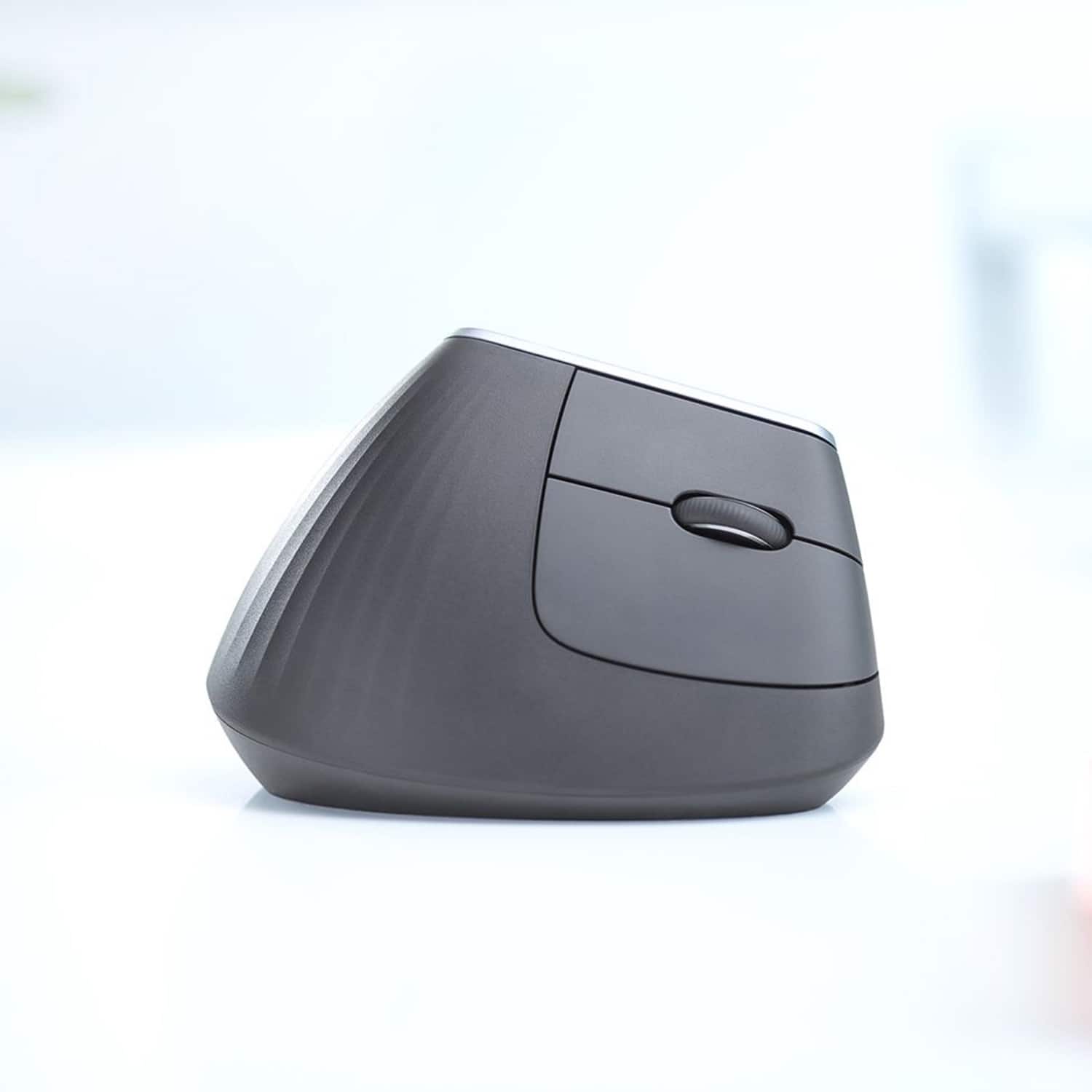


- Model:
- 910-005447
- SKU:
- 6282602
Rating by feature
- Value
Rating 4.3 out of 5 stars
- Quality
Rating 4.7 out of 5 stars
- Ease of Use
Rating 4.6 out of 5 stars
Customers are saying
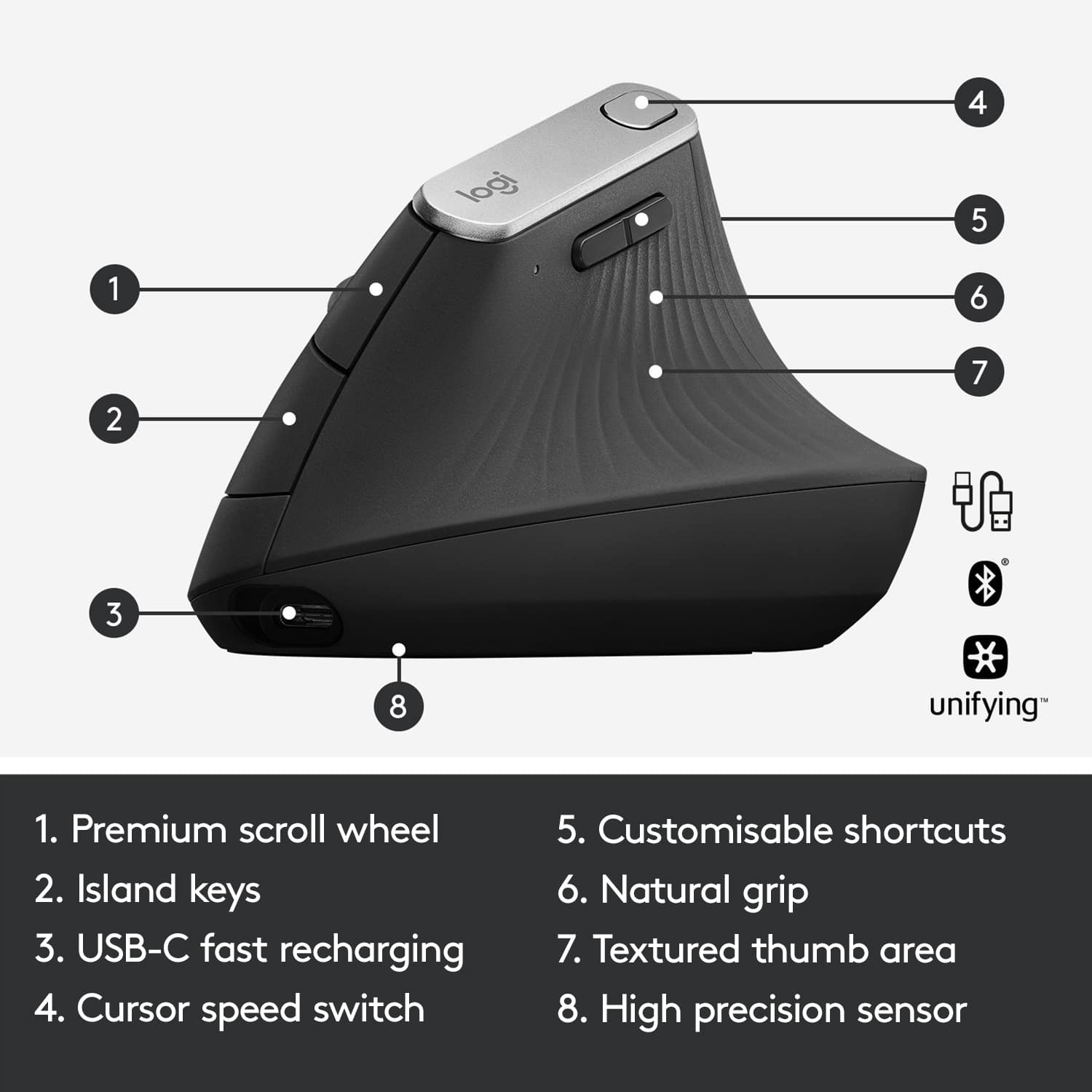
Customers are impressed with the MX Vertical Advanced Wireless Optical Ergonomic Mouse, especially its ergonomics, ease of use, and long battery life. Many appreciate its reliable performance and Bluetooth connectivity. However, some users have reported wrist pain, while others find the size unsuitable for medium-sized hands. There have also been complaints about the scroll wheel's durability and the high price.
This summary was generated by AI based on customer reviews.
- Pros mentioned:Ergonomics
Pretty good for long term wrist health
Posted .This reviewer received promo considerations or sweepstakes entry for writing a review.I got this mouse after a colleague recommended them to me. It does take a little bit of time to get used to, but otherwise it does help a lot with wrist strain and the connectivity is good like other Logitech products I've used in the past. It is a little bit pricey and you could swing for a MX Master at this price, but I have little use for horizontal scroll so it was not a deal breaker.
I would recommend this to a friendBrand response from Logitech
Posted .Logitech appreciates your feedback on the MX Vertical! Glad your colleague recommended it for wrist comfort - it takes some getting used to, but many users find relief. Strong connectivity is a hallmark of our products, and we understand the MX Master might be a better fit for horizontal scroll needs. Happy clicking
- Pros mentioned:Bluetooth, Ease of use
Great option to help a sore wrist and hand
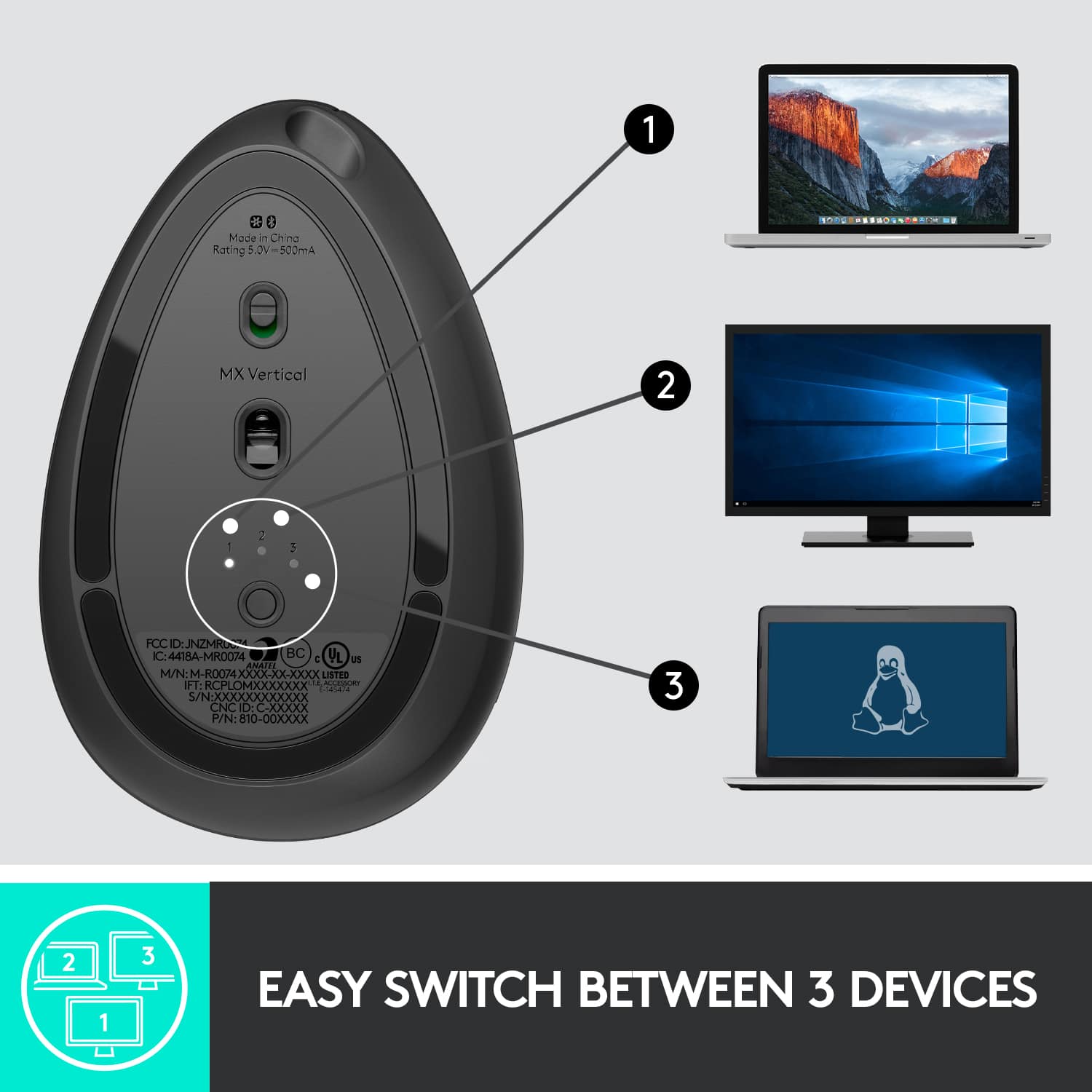
Posted .This reviewer received promo considerations or sweepstakes entry for writing a review.Very comfortable and easy to use. Pairs instantly with the dongle on 1 PC then use Bluetooth to connect to another PC or device.
I would recommend this to a friend Clicks wore out after 1.5 years
Posted .This reviewer received promo considerations or sweepstakes entry for writing a review.Today marks exactly 2 years since buying one of these. It took some getting used to at first, but now I can't imagine using a flat mouse. BUT, a few months ago the left click started failing, causing accidental drops while dragging files, and causing double clicks when I only did single. As soon as I bought a replacement, it straightened up. But today it started doing it again, The internet says Logitech is notorious for this, due to low-cost parts under the clickers. Obviously I like it enough I bought a backup, but it'd be nice if they could price it below 100.
I would recommend this to a friend- Pros mentioned:Ergonomics

Comfort first
|Posted .This reviewer received promo considerations or sweepstakes entry for writing a review.Digging this mouse so far. The angle has taken no time at all to get used to and I really like the button placement. I haven't felt the need to reprogram every button, but the defaults have worked well for me. Right out of the box the cursor speed was too high for my liking, but that's a very easy tweak in the settings. I'm not a game, but I do some audio editing that requires a good amount of precise placement of the cursor and I've had no difficulty on that front - though that is one area that takes some getting used to coming from a more traditionally shaped mouse. Pairing is very simple using the USB dongle and it's nice to know that Bluetooth is an option as well. Is the price fair? Not too sure. I think it's in line with the rest of the market, but my general feeling is that $100 is still a lot to spend on an accessory like this. Would like to see that come down and expect it will via sale or over time. That said - I don't think you'll regret this purchase. It does what it's supposed to do and does it well.
I would recommend this to a friend Time will tell for Carpal tunnel
|Posted .This reviewer received promo considerations or sweepstakes entry for writing a review.I am a programmer and use about 4 mice, on site, home, office and workstations. I am on the computer for a living and suffer the occasional tendon pain. With that I try to mix it up with positions and healthy usage. It doesn't always work. This is a trial in progress. The mouse takes a bit to get accustomed to, but is the same function as the typical quality Logitech mouse. The only complaint I have is the weight and overall feel. It seems awkward sometimes and the weight isn't balanced like a gaming mouse with weight added or removed to tune into your feel. I get it, though, it's function is purely the rotation of the wrist to change position. We'll see in the long run, but right now the placebo effect, if anything, is taking root and I feel better knowing I'm getting a good percentage of my mouse time on a mixed position so as be easy on the tendons. For best mouse, no. For carpal tunnel or tendon issues - yes. Its Logitech and can't go wrong with their receiver/hardware and software....
I would recommend this to a friend- Pros mentioned:Ergonomics
Perfect except for one small gripe
Posted .This reviewer received promo considerations or sweepstakes entry for writing a review.Product is perfect for what I bought it for. Smooth control, multiple wireless channels, and my hand doesn't hurt nearly as much after a full day of desk work. My only complaint is that the custom buttons revert to their default assignments when you plug into a computer without Logitech's software. For the price, this should utilize its on board memory better. Regardless, this is great for someone who has arthritis and spends a lot of time on the computer both at home and at work.
I would recommend this to a friend - Pros mentioned:Ergonomics
A Robust Mouse!!!
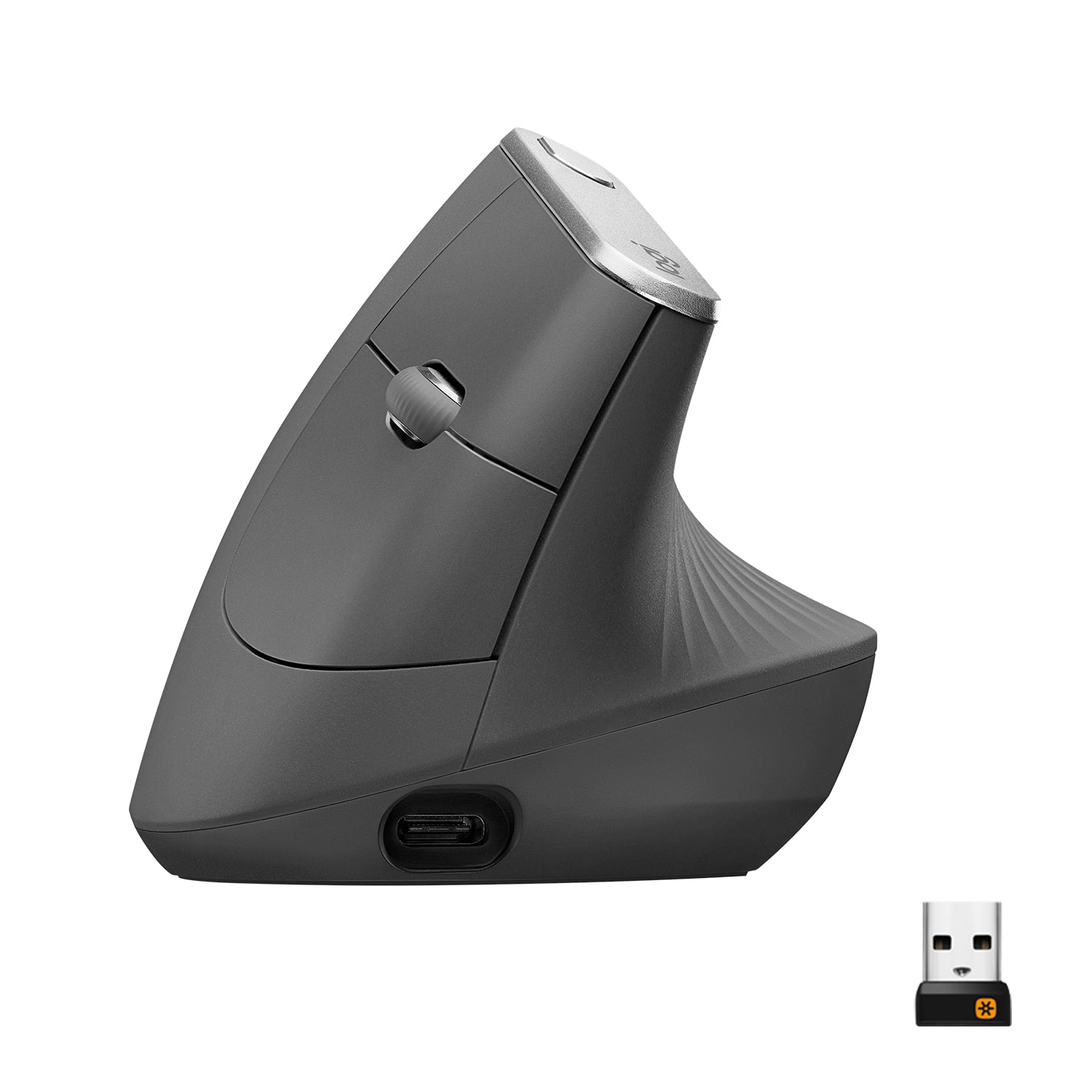
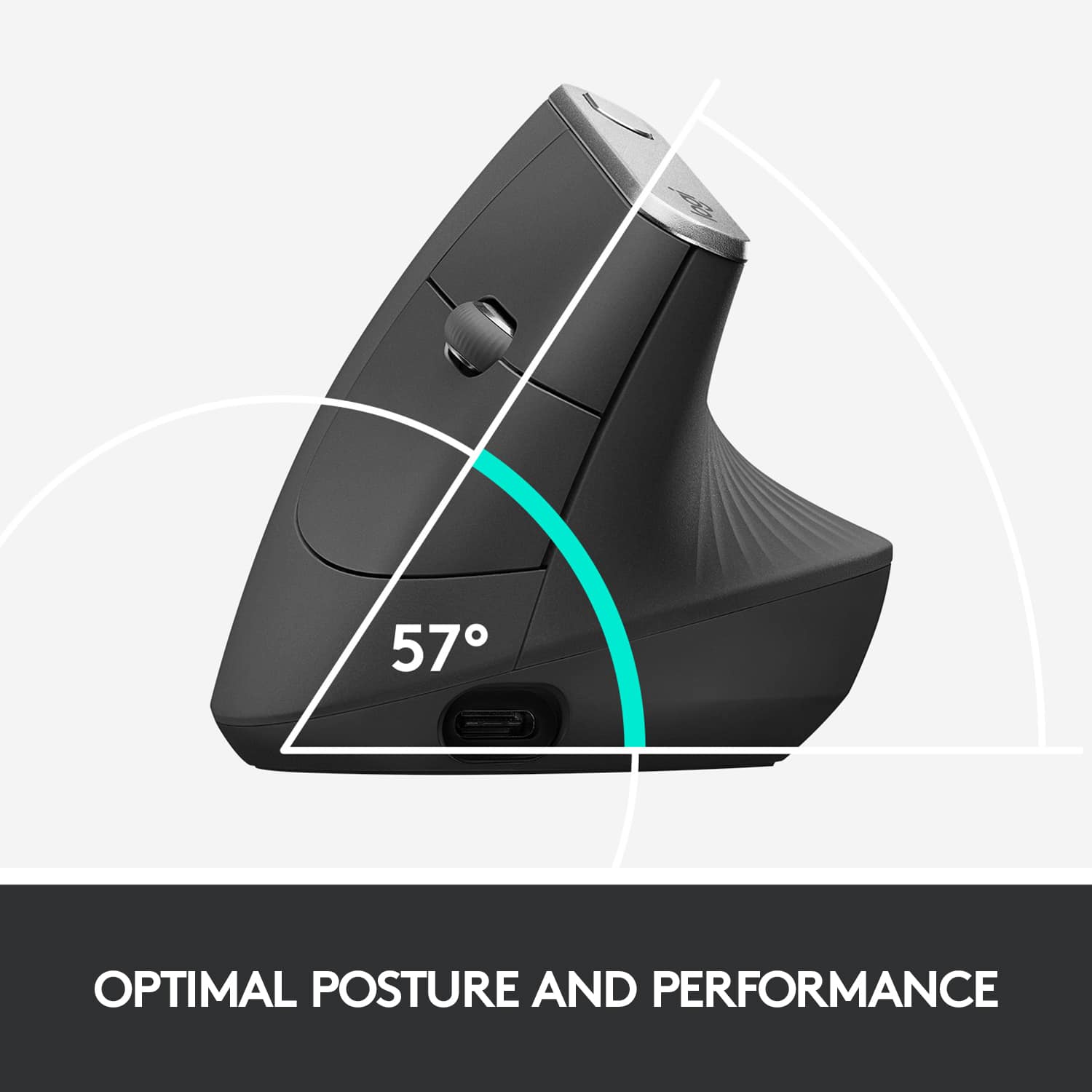
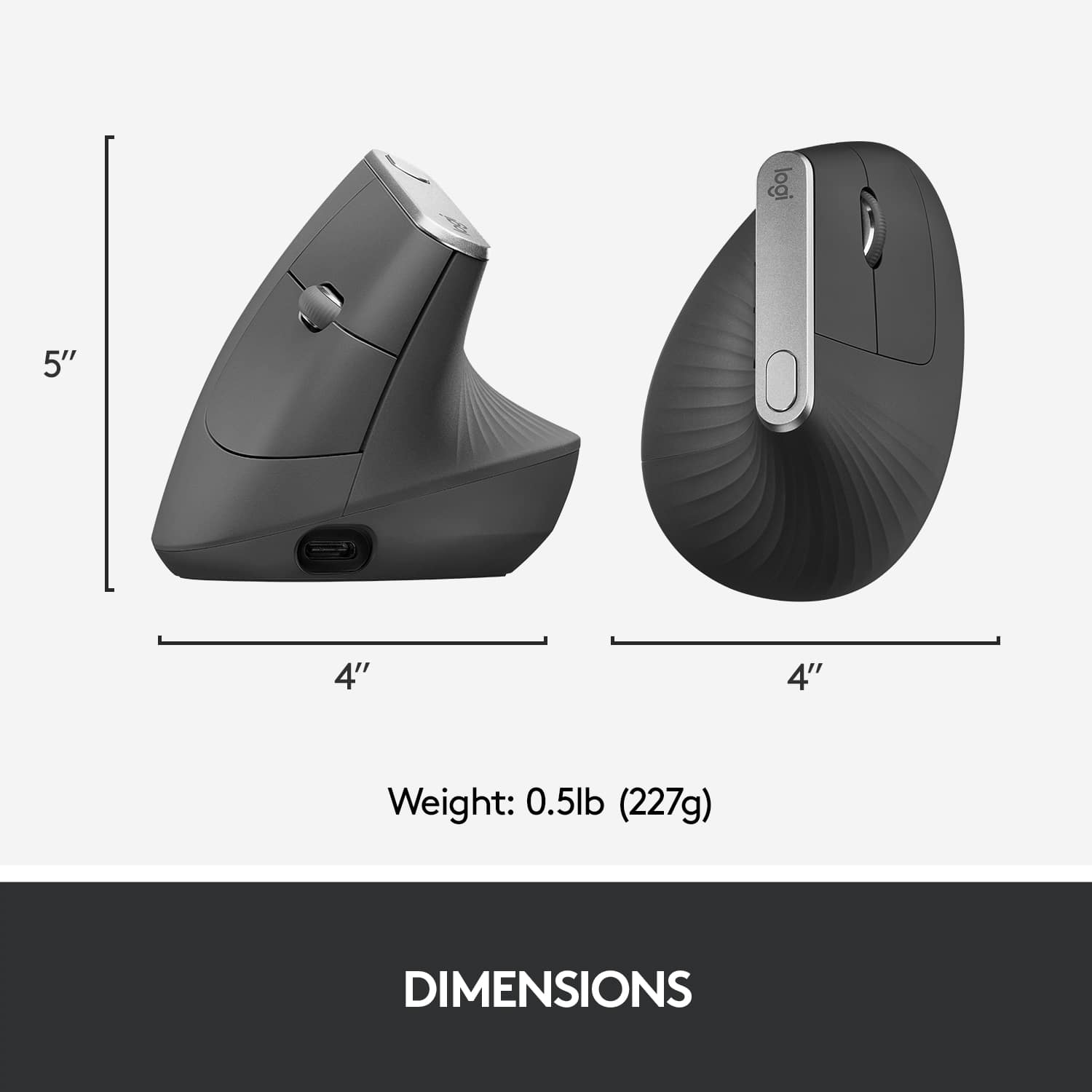
|Posted .This reviewer received promo considerations or sweepstakes entry for writing a review.My initial first impression of this ergonomic mouse was thinking it was going to be awkward to maneuver, but that quickly changed once I got it going. My hand had to get used to the 57-degree handshake, but surprisingly it adjusted well, with that being said overall usage has been great! As a person who does a lot of computer work, this is a welcomed concept. Sometimes, I notice that my wrist does tire out after long typing excursions as such this mouse is great for the longevity of my wrist. The biggest fear I had was that I would find myself constantly clicking on the buttons; however, the 57-degree handshake affords my fingers great rest. The size is pretty hefty for a mouse, but that is something I like. I am still getting used to this mouse, but so far, so good!
I would recommend this to a friend - Pros mentioned:Bluetooth, Ergonomics
Logitech Mouse
Posted .This reviewer received promo considerations or sweepstakes entry for writing a review.Great ergonomic mouse! Works great, very durable, bluetooth works great.
I would recommend this to a friend - Pros mentioned:Ergonomics
more comfortable than you think
|Posted .This reviewer received promo considerations or sweepstakes entry for writing a review.Yes, it is a little awkward at first, but it quickly becomes comfortable to use. Much more comfortable than even standard "ergonomic" mice. Because of the position your wrist is in, it becomes a tad more difficult for fine control of the pointer, but there's a button for that. The button on top of the mouse, which is easily reachable with your thumb, will quickly switch between two pointer speeds, which you can customize to your liking in the Logitech Options app. When you want fine control, you use the slow pointer speed, and when you want to move the pointer quickly around the screen, you switch back to fast. This definitely takes a lot of the strain off my wrist that I get from regular mice.
I would recommend this to a friend - Pros mentioned:Overall performance
Totally Awesome
Posted .This reviewer received promo considerations or sweepstakes entry for writing a review.Other reviewers have made negative comments about this mouse. In fact I almost did not buy one because of some of those comments. I’m certainly glad i did.... this thing is totally awesome!!! I own several Logitech mice: MX Master 2S, MX Anywhere 2S, G903 Chaos Spectrum, G502 Proteus Spectrum and the Triathalon M720. Yes, I love Logitech mice and keyboards. They are superior products. And I have tried and/or owned many of them. This MX Vertical Mouse is totally awesome, as I’ve already stated a couple times in this review. Don’t believe the naysayers, just go to your nearest Best Buy or BestBuy.com and purchase one of these, you won’t be disappointed. It is totally awesome!!!
I would recommend this to a friend - Pros mentioned:Bluetooth
An unnatural experience
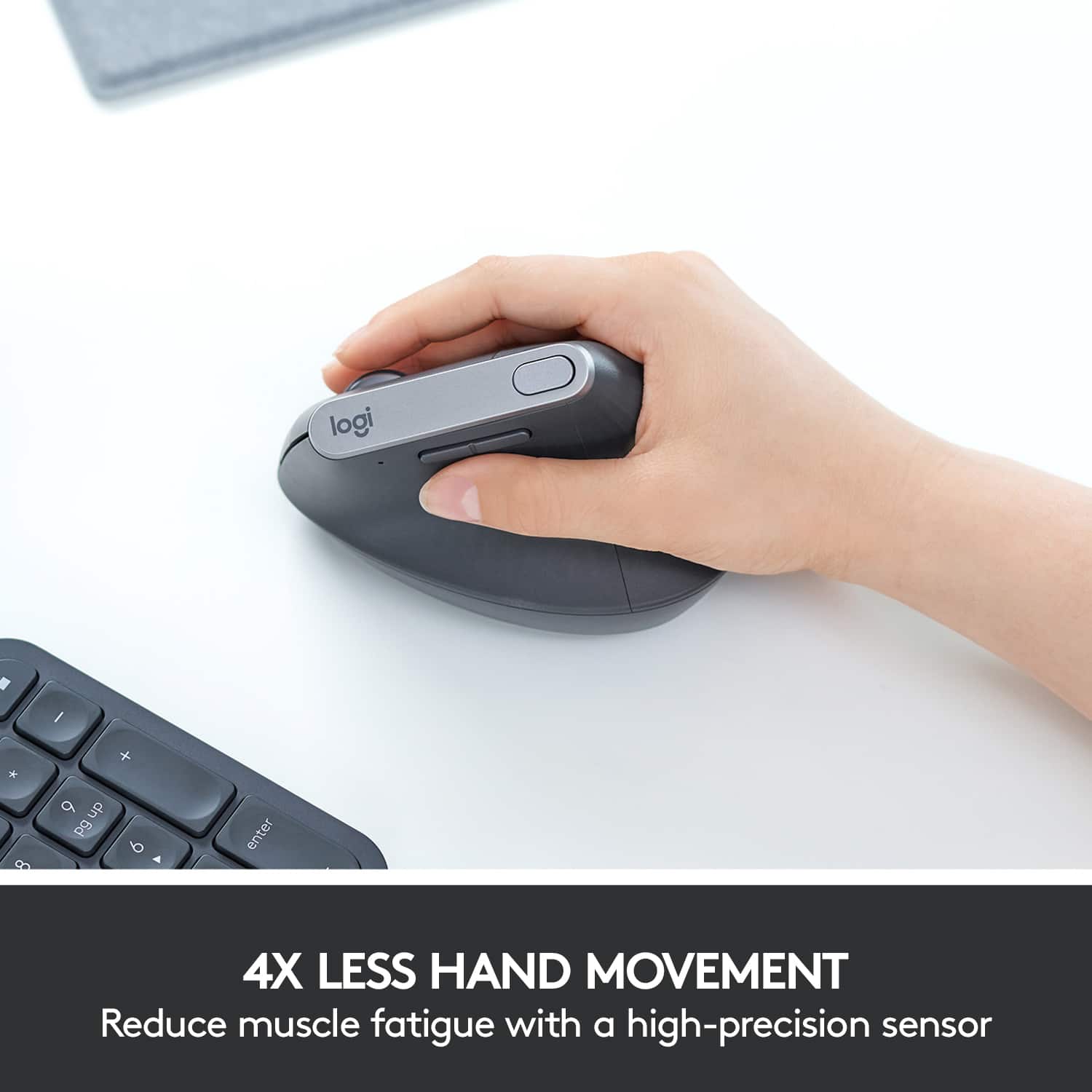
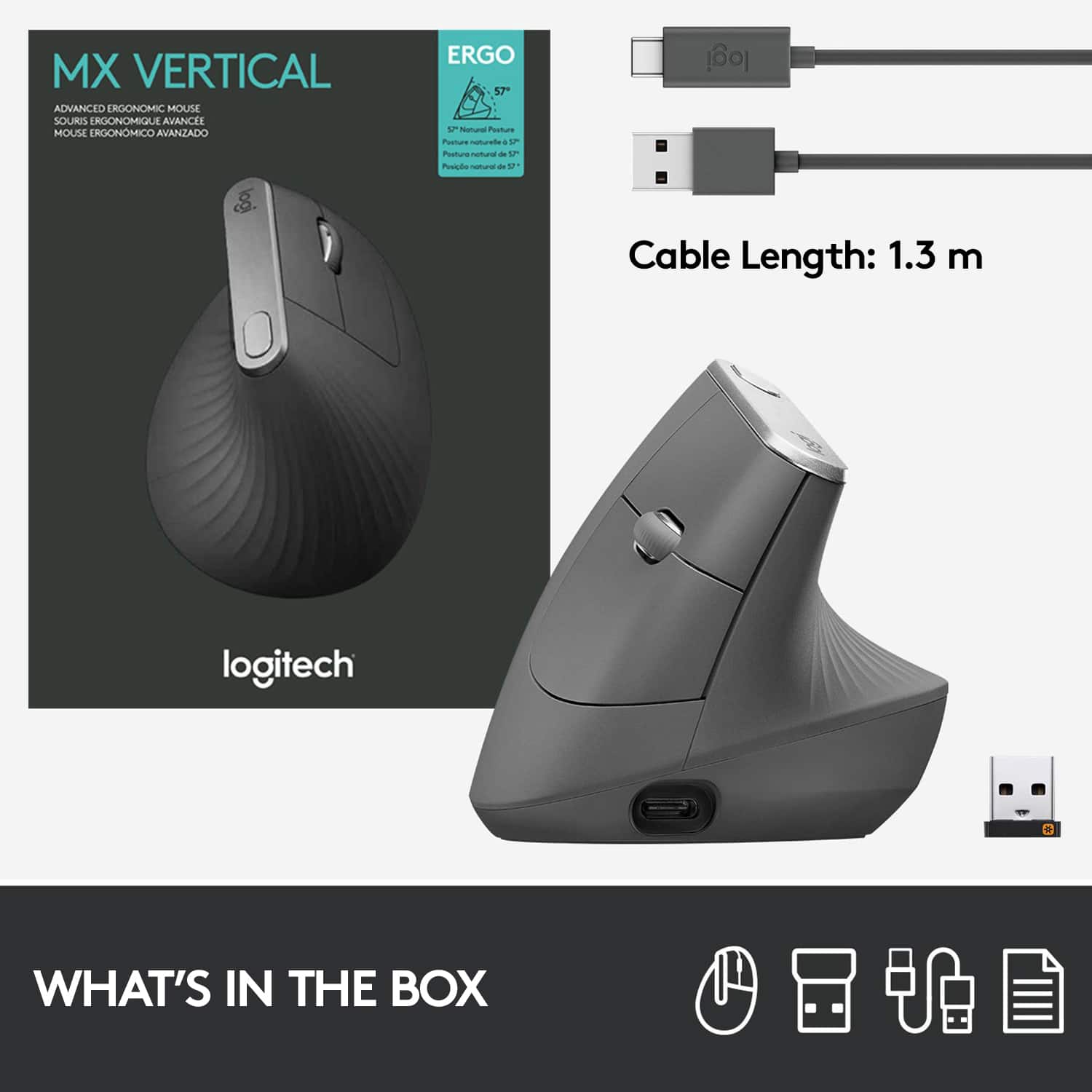
|Posted .This reviewer received promo considerations or sweepstakes entry for writing a review.The MX Vertical Advanced Ergonomic Mouse promises to deliver a mouse with less hand strain and a more natural experience. Being a user of desktops for decades now, I've become accustomed to a standard mouse. BUT, I'm always open to new advances in technology. Does the MX live up to its promises? Read on. First, the product literature states that this new design reduces muscular strain in the hand by 10%. Personally, I did not notice this at all. As again, I have become accustomed to a normal mouse over the past 20 years. If anything, trying to "retrain" my hand muscles to get used to the unnatural MX produced more strain. And again, I used it for quite a few hours prior to this review. The left and right mouse buttons are actually on the side of the device with the scroll wheel in between. I caught myself hitting the "right" mouse button by mistake many times. The "Left" mouse button is above this, and the scroll wheel. The standard middle button is on top of the MX, so no change there. On the left are two programmable buttons, which like many of the MX line you can program to go forward/back when browsing the web - etc. These are laid out in the standard horizontal configuration. Which again "confused" ones hand. The last major complaint I have is that this mouse does not work on my glass pull out keyboard/mouse tray. Which, one would think it SHOULD since my slightly older (standard) MX Anywhere 2S does. So, I would be stuck with having to use a mouse pad - which I definitely do not want to do. Ok... So far it sounds like I've done nothing but complain.. But to me, design and usability are two of the most important factors. Especially with mice. Some good things - Setup is super simple. If you are already using Logitech products (as I am) you can pair the mouse with the "Unifying Receiver". It recognizes it immediately. If you would prefer not to waste a USB port, you can also pair it via Bluetooth. With the unifying receiver it is basically "Plug and Play" with both Windows AND Linux in my personal experience. It would pair via Bluetooth only in windows. But, I'm sure if I tinkered with some settings I could get it to work in Linux (Fedora) as well. I love Logitech flow, as I've used it on some of their other devices. This allows you to move the cursor from one monitor to another (up to 3). So if you have a multiple monitor setup, as I do, this would be a super cool experience for you. The actual feel to the mouse is smooth, while at the same time not being slippery. Sadly, I think Logitech tried too hard to "Reinvent the Wheel" with this device. Unless one is new to desktop computing, I cannot say that I can recommend this product. Even though it states that it is more ergonomic, and reduces strain - it did neither for me - AT ALL.
No, I would not recommend this to a friend - Pros mentioned:Ergonomics
Great Product
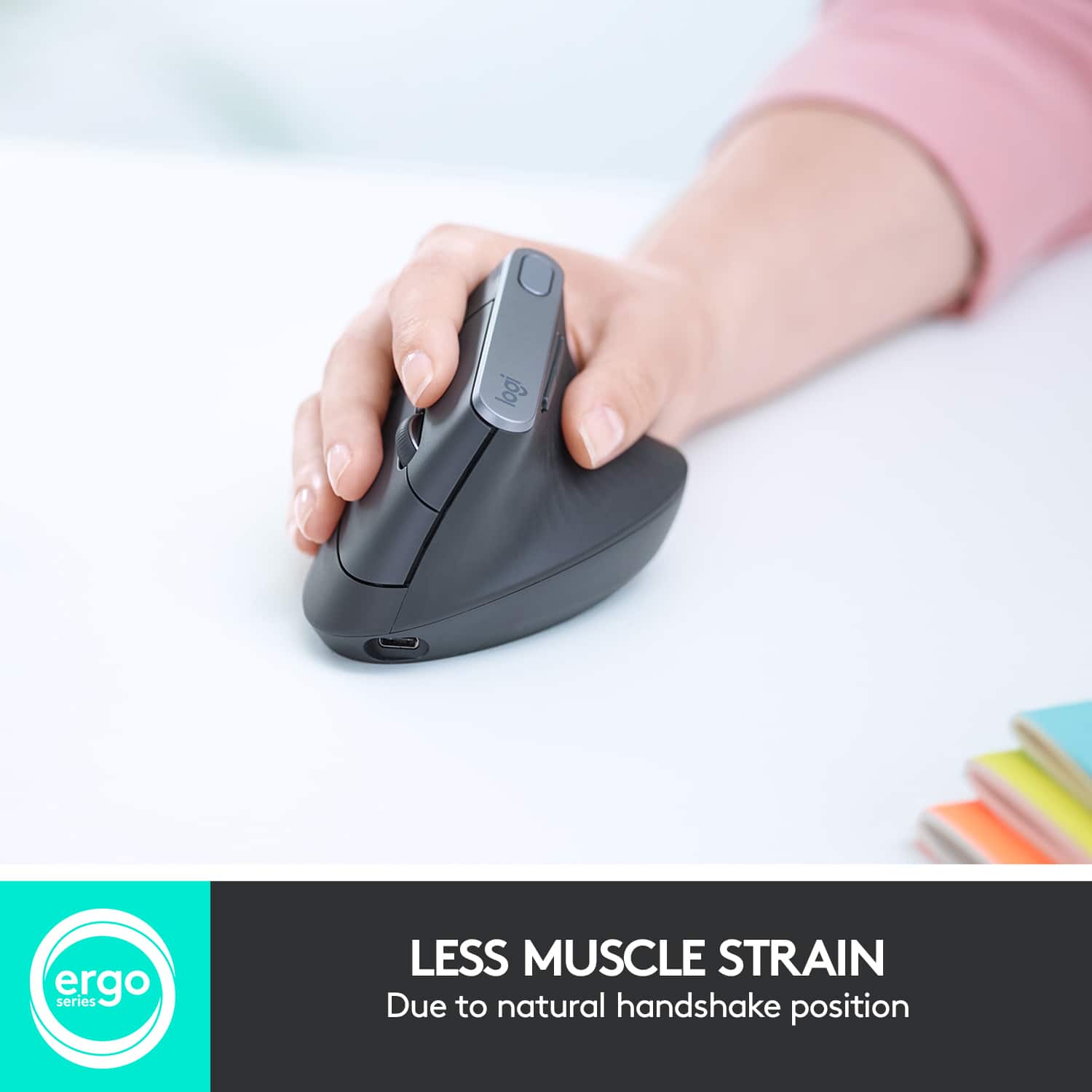
|Posted .This reviewer received promo considerations or sweepstakes entry for writing a review.I spend 10 hours a day behind a computer and go to school online as well so, using a mouse is a big part of my life. I have had some problems with possibly early carpel-tunnel and this mouse has been a life saver. It's really comfortable and natural. It fits your hand like a glove without the strain. I like the different option on both sides to be able to click. I see myself using this product for a long time to come. It took no time to get used to (This is my first upright mouse). Setup was easy I just plugged it up, turned it on and that was it.
I would recommend this to a friend - Pros mentioned:Ergonomics
Performance Meets Comfort & Ergonomics
|Posted .This reviewer received promo considerations or sweepstakes entry for writing a review.I've been eyeing up ergonomic mice for a while now. I spend all day on the computer, which can lead to right arm discomfort. Enter the MX Vertical mouse. This mouse teams Logitech's rock solid optics performance with a mouse that is not only comfortably ergonomic, but also not terrible looking. Button placement is spot on for my hand, and the ribbed texture greatly aids is grip. Also, props to logitech for giving this thing a USB C charging port. Overall, this mouse just feels great, and is highly recommended for anyone that needs an ergo mouse.
I would recommend this to a friend - Cons mentioned:Scroll wheel, Size
Very disappointed
Posted .This reviewer received promo considerations or sweepstakes entry for writing a review.Generally, I like Logitech products but not a good mouse. 1. Too short! When against palm, the scroll wheel is next to my first knuckle. To use the scroll wheel, have to slide hand back which undoes any ergonomic gains. 2. Scroll wheel is the generic, middle quality they make. For the price, really should have the better quality used on MX. 3. The button click is failing at under 2 years. Routinely sends a double click, or no click. This is a mouse I should have returned.
No, I would not recommend this to a friendBrand response from Logitech
Posted .We apologize for the inconvenience caused by the Logitech MX Vertical Advanced Wireless Optical Ergonomic Mouse. In order to help you effectively, please provide your information to our support team via email at socialcare@logitech.com with your
- Name:
- Email Address:
- Country:
- Product Name:
- Brief description of issue:
- Pros mentioned:Battery life
Great mouse but doesn't last long
Posted .This reviewer received promo considerations or sweepstakes entry for writing a review.I've had this mouse for about 2 years now. I loved it, I found it very comfortable and I love that the battery lasts so long and is rechargable. However, just recently the clicks became unreliable. I have to click multiple times, or click harder to get it to register. When clicking and dragging the mouse often 'releases'. It's quickly become unusable for work or even casual use. I've read reviews and seen that it's a fairly common problem. I would love to replace it, but I'm not sure I feel comfortable spending $100 again on a mouse that'll only last 2 years.
No, I would not recommend this to a friendBrand response from Logitech
Posted .We appreciate your honest feedback about the MX Vertical mouse. We understand your disappointment with the click issues after two years of use. In order to help you effectively, please provide your information to our support team via email at socialcare@logitech.com with your
- Name:
- Email Address:
- Country:
- Product Name:
- Brief description of issue:
- Pros mentioned:Overall performance
Excellent device
Posted .This reviewer received promo considerations or sweepstakes entry for writing a review.Works perfectly. I’ve had this since 2019 and just recently start having a phantom click issue, but after 4 years of heavy use in the IT field, I’m not surprised. Going to see if I can get it repair before replacing it, but it’s definitely the best mouse I’ve ever had.
I would recommend this to a friend - Pros mentioned:Bluetooth, Ease of use
Vertical Mouse Nirvana
Posted .This reviewer received promo considerations or sweepstakes entry for writing a review.This mouse is a game changer! Logitech Flow is awesome moving between separate computers. Works almost like magic.
I would recommend this to a friend - Pros mentioned:Ergonomics
Looks weird, but I couldn’t be without it
|Posted .This reviewer received promo considerations or sweepstakes entry for writing a review.I have often looked at these ergo devices and never really thought about getting one. Let me tell you this mouse will change your opinion forever. As soon as you hold this mouse. The instant comfort holding your hand and arm in a natural position makes prolonged use much easier. My shoulder, wrist and forearm feel much better after a long day at work. I highly recommend this mouse as it really does make a difference
I would recommend this to a friend - Pros mentioned:Ergonomics
Love it.
Posted .This reviewer received promo considerations or sweepstakes entry for writing a review.Lots of bad reviews from influencers on youtube scared me, but I got it anyways and love it. My hand would cramp with the standard style but this is so much better and theres more ways to hold it than one.
I would recommend this to a friend - Pros mentioned:Overall performance
Awesome Mouse!
Posted .This reviewer received promo considerations or sweepstakes entry for writing a review.This mouse is awesome. I travel and I have one in each office! So great! My coworkers even have them because I recommended them! They love it too!
I would recommend this to a friendBrand response from Logitech
Posted .Thank you for sharing your positive experience with the Logitech - MX Vertical. We appreciate you highlighting the ergonomic benefits and its impact on your workflow. We're happy to hear your recommendation has resonated with your colleagues as well.