Customer Ratings & Reviews

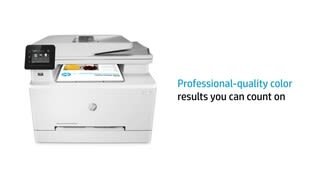

- Model:
- 7KW75A#BGJ M283FDW
- SKU:
- 6401096
Rating by feature
- Value
Rating 4.4 out of 5 stars
- Quality
Rating 4.6 out of 5 stars
- Ease of Use
Rating 4.5 out of 5 stars
Customers are saying
Customers admire the LaserJet Pro M283fdw's outstanding print quality, ease of use, and relatively straightforward setup. Many appreciate its convenient wireless connectivity and compact size. While some find it a bit loud, the printer's overall reliability and performance are frequently praised. The positive feedback on scanning capabilities and price further enhances its appeal.
This summary was generated by AI based on customer reviews.
Color laser printer
||Posted . Owned for 3 weeks when reviewed.This reviewer received promo considerations or sweepstakes entry for writing a review.I am having difficulty with this printer, it continually goes offline, and then I have to reboot my system which means I am turning off the printer or rebooting my router. Can only reach HP by virtual assistant, can’t get anyone to call me back.
No, I would not recommend this to a friendVery happy, but still can't print.
||Posted .This reviewer received promo considerations or sweepstakes entry for writing a review.I have a bad back, so I asked the salesman to bring the HP printer out to my vehicle. He made it look easy, but when I got home, I could not lift 40 lbs. and re-injured my back. I waited for a week and dropped it again trying a second and later a third time. Good thing it's built like a tank. It took me a long time to get it up and running because of my back, which is my own fault. I am elderly and single, without a helper, which is also my own problem. Other than that, I love the printer. Except the ink cartridges are out of stock everywhere I've looked, including the HP website.
I would recommend this to a friendBrand response from HP Team
Posted .Hi there.
Thanks for taking the time to write a review and report the experience you’ve had so far with your printer. While I’m glad you were able to get your printer set up and are happy with it, I’m sorry to hear you had such a hard time physically because of your back and that you’ve not been able to find toner cartridges. With that in mind, I’ll provide some information I hope will help.
First, for reasons related to the COVID-19 pandemic, we are seeing an effect on some product availability. We are actively working with our supply chain team to minimize these delays. If you’ve not found the supplies you need from your usual sellers, please check back soon.
That said, I just looked around on the web for cartridges that fit your printer, and I found some in stock on websites for Staples, Best Buy and Amazon.
If you need any further assistance, I recommend that you contact us directly at +1 800-474-6836 so we can help you assess what’s happening and find a solution. (Please note that because of restrictions on personal movement and workplace attendance associated with the COVID-19 pandemic, wait times for agents are longer than normal. Thanks in advance for your understanding.) To expedite the process, I recommend gathering the following information before the call:
- Model number
- Serial number
- Your location
- Case number (from any previous contact with HP support)
Keith
HP Care
hp.com/support
Toner cartridges definitely a negative
||Posted . Owned for 3 months when reviewed.This reviewer received promo considerations or sweepstakes entry for writing a review.This printer uses toner cartridges that are expensive and do not last as long as the manual says they should. Paper tray is small, about 100 pages. It does print nice color pictures but the cost of the toner cartridges and the fact that they do not print as many copies as they are supposed to is definitely a negative.
No, I would not recommend this to a friendBrand response from HP Team
Posted .Hi there.
Thanks for the review and feedback. While I'm glad you like your printer’s print quality, I’m sorry that you're disappointed with the page yield of the toner cartridge. I can certainly understand why that would be an unwelcome surprise. I can’t tell from your review how many pages you’ve gotten per cartridge or how that compares with the estimated page yield, but I’ll nonetheless provide some clarifying information and resources I hope will improve your experience.
First, the high-yield cartridges for your printer should produce approximately 2,450 pages for colors and 3,150 pages for black. The estimates of pages printed are based on industry standards. How the cartridge will perform in your own printer will vary according to usage, how dry the air is, and how absorbent the paper is.
Here’s a document that explains more about LaserJet toner cartridge page yield and how the estimates are determined:
- www8.hp.com/h71041/learn-about-supplies/us/en/toner.html
Here are some things you can consider:
- If it appears that a cartridge was low to begin with, or that the poor page yield was caused by a defective cartridge, you can always contact the seller who sent you the cartridge about that.
- Contact us if the supplies are defective genuine cartridges that are not replaced by the vendor (and they are still within the “warranty ends” date on the cartridges). Reach out to us via this link: support.hp.com/us-en/contact-hp
Beyond that, a high-density print (such as a photo or chart) uses toner more quickly than a low-density print (such as a text-only document). Using the draft and black-only settings on your printer can help improve page yield.
If you believe that the cartridges you’ve used were not defective, and you believe the discrepancy between the estimated page yield and your results is still inordinately wide, I suggest you contact us directly at +1 800-474-6836 so we can help you assess the situation and find a solution. To expedite the process, I recommend gathering the following information before the call:
- Model number
- Serial number
- Your location
- Case number (from any previous contact with HP support)
Keith
HP Care
hp.com/support
- Pros mentioned:Ease of use, Print quality, Wireless connectivityCons mentioned:Weight

really easy setup!
|Posted .This reviewer received promo considerations or sweepstakes entry for writing a review.I was really amazed how easy setup is for this printer except for getting it on my table. Boy is it heavy!!! Just set up the wireless connection and add printer on the computer. In windows 10 it's pretty seamless, windows does all the heavy lifting there. It works from my phone as well! Printed pages are super clear and crisp prints! I'm so glad to switch to a color laser printer! I did have an issue where it shut off it's wireless antenna so it was showing offline in the printer status. I was able to turn it back on after a reboot and it was up and working perfectly again.
I would recommend this to a friend Scanner Error upon setup
||Posted . Owned for 2 months when reviewed.This reviewer received promo considerations or sweepstakes entry for writing a review.This is my worst purchase with bestbuy. I bought this printer and didnt get time to set it up. Upon opening I got a faulty printer with errors. Tried to return it and was told it had passed the 15 day return and was told to go deal with Hp. Do not buy!!! Might also be my last purchase with Bestbuy as I do not expect an establishment this big to sell such faulty products.
No, I would not recommend this to a friendBuy anything but this printer!
||Posted . Owned for 1 month when reviewed.This reviewer received promo considerations or sweepstakes entry for writing a review.Out of the box the printer did not work. Had to spend 45 minutes with customer service only to find out the printer was in sleep mode. One month after using and the envelope feed keeps reading as a paper jam so the only way to printer envelopes is to remove the paper tray, remove all the paper and set up the envelope. THE REASON I BOUGHT THIS IS FOR THE ENVELOPE FEEDER! Why can HP make 177 different printers and they always give me issues!
No, I would not recommend this to a friendBrand response from HP Team
Posted .Hi there.
I’m sorry to learn that you’ve encountered such difficulty with your printer. I can certainly see why a difficult setup process and then problems with the document feeder after only a month would be a terrible start to owning the device. I want to help you either get the printer working to your satisfaction or otherwise resolve the situation, so I’ll offer some suggestions I hope will make that happen.
I can’t tell from your review why the document feeder has reacted to envelopes with a paper jam error, so I suggest that you contact us directly at +1 800-474-6836 so we can help you assess the situation and find a solution. (Please note that because of restrictions on personal movement and workplace attendance associated with the COVID-19 pandemic, wait times for agents are longer than normal. Thanks in advance for your understanding.) To expedite the process, I recommend gathering the following information before the call:
- Model number
- Serial number
- Your location
- Case number (from any previous contact with HP support)
I'll also mention that HP printers have a one-year warranty from their purchase date that covers hardware as well as ink supplies, so if it comes to that, you might consider making use of it. You can verify the warranty using the following link:
- support.hp.com/us-en/checkwarranty
Keith
HP Care
hp.com/support
Dissatisfied totally
||Posted . Owned for 2 months when reviewed.This reviewer received promo considerations or sweepstakes entry for writing a review.Did not like at all. Right out of the box, the Print came out at first like a big blob of ink. I had to contact HP to get some help on how to make it print normal. Even after that the Quality of the photo prints were not acceptable. I returned it the next day. I had never had a laser jet printer before and will probably not buy another one again. I ended up buying the Epson Ink Tank printer and have been satisfied.
No, I would not recommend this to a friendHP MF printer
||Posted . Owned for 3 weeks when reviewed.This reviewer received promo considerations or sweepstakes entry for writing a review.Nice device. A little overpriced. Set up wasn't as easy as it could have been but HP customer support was great. No as fast as they say.
I would recommend this to a friendPrinter Power Problem
||Posted . Owned for less than 1 week when reviewed.This reviewer received promo considerations or sweepstakes entry for writing a review.This printer worked fine for two weeks and then quit. Power problem. Took it back to the store and they said it would be two weeks to get a replacement and longer to to get the parts to fix it.
No, I would not recommend this to a friendBad Printer
||Posted . Owned for 3 weeks when reviewed.This reviewer received promo considerations or sweepstakes entry for writing a review.Overall, I had a very poor experience with this printer. After spending over 8 hours installing and uninstalling the printer drivers, updating its firmware, trying different PCs, wireless and the hardwired, I could not get it to print well. Sometimes simple docs would take 15min to print, sometimes its would not print PDF files, and/or images files. I was obvious something was wrong with it so I returned it to BestBuy and ordered a Canon. The Canon was setup in 10min with no problems. Based on this experience, I would not recommend this printer or HP.
No, I would not recommend this to a friendIts crap I’m returning it
||Posted . Owned for 1 week when reviewed.This reviewer received promo considerations or sweepstakes entry for writing a review.It doesn’t keep the Internet signal. It doesn’t it takes forever to get it to print when it does work it’s not HP Smart. I wish I had known that a loan would’ve kept me from buying it but I thought I would try it. It’s just a big headache.
No, I would not recommend this to a friendWrong Selection
||Posted . Owned for 3 weeks when reviewed.This reviewer received promo considerations or sweepstakes entry for writing a review.replacement cartridges are prohibitively expensive.
No, I would not recommend this to a friendGreat Printer- Easy setup
||Posted . Owned for 3 weeks when reviewed.This reviewer received promo considerations or sweepstakes entry for writing a review.I am very happy with this printer so far! This is my first laser printer so I will know more as I use it.
I would recommend this to a friendIt's not working
||Posted . Owned for 1 week when reviewed.This reviewer received promo considerations or sweepstakes entry for writing a review.Unfortunately, it only worked for about a week. Now it won't even turn on. I have filed a request to return it and ordered a different model. I've always had great success with HP Printers so I just hope this is a rare occurrence.
No, I would not recommend this to a friendBrand response from HP Team
Posted .Hi, Katie.
I’m sorry to hear that your printer stopped working after a week of use, and that you’ve scheduled a return and ordered a different model. I can understand why that would be disappointing as well as frustrating, so I’ll offer some information and resources that I hope will help.
When your new printer arrives, you can learn about it and all its features on our support site. You’ll find video tutorials (including one on setup) as well as user manuals, how-to documents, software updates and troubleshooting guides. Just visit support.hp.com and look for the box where you can enter the model name or serial number.
If there's any specific way that we can help you, I hope you’ll get in touch with us directly for support. We're always here and would be more than happy to help you make the most of your experience with the printer. You can reach us via your preferred method at this link: hp.com/contactHP
Keith
HP Care
hp.com/support
Far too complicated for an average user
||Posted . Owned for 1 month when reviewed.This reviewer received promo considerations or sweepstakes entry for writing a review.Great difficulty in connecting to my (AND my wife's) computer. Too large to fit into my available space. Connecter cable too short.
No, I would not recommend this to a friendBrand response from HP Team
Posted .Hi there.
I’m sorry to hear that you’ve encountered difficulty in connecting your printer to the computers in your home. Your review is brief, but your frustration is clear – and totally understandable – so I’ll offer some resources and information I hope will help.
First, I recommend you visit a page on our support site that has diagnostic tools for various tasks and issues, including setup and wireless connectivity. Visit that page here:
- support.hp.com/us-en/topic/diagnostics
If you need further assistance, I suggest that you contact us directly at +1 800-474-6836 so we can help you assess the situation and guide you through any applicable troubleshooting. (Please note that because of restrictions on personal movement and workplace attendance associated with the COVID-19 pandemic, wait times for agents are longer than normal. Thanks in advance for your understanding.) To expedite the process, I recommend gathering the following information before the call:
- Model number
- Serial number
- Your location
- Case number (from any previous contact with HP support)
Keith
HP Care
hp.com/support
Love the printer.
||Posted . Owned for 1 month when reviewed.This reviewer received promo considerations or sweepstakes entry for writing a review.Love the color printer in laser! We always had black and white so this is great upgrade.
I would recommend this to a friendScanning Problems with Software
||Posted . Owned for 3 weeks when reviewed.This reviewer received promo considerations or sweepstakes entry for writing a review.HP Cannot figure out why when paper in feeder is in scan mode, copies are crooked? I have replaced the machine 3 Times with no resolve? Very Frustrating!
No, I would not recommend this to a friendSatisfied customer
||Posted . Owned for 3 weeks when reviewed.This reviewer received promo considerations or sweepstakes entry for writing a review.I'm loving my new printer! I was searching for a good quality printer and I found it!
I would recommend this to a friendUnending wireless connectivity issues
||Posted . Owned for 1 year when reviewed.This reviewer received promo considerations or sweepstakes entry for writing a review.I have had a string of HP printers in this same family. They have been nothing but headaches because of the constant wifi issues. Call HP support and each person has a different solution. It works for a while and then it stops.
No, I would not recommend this to a friendConstant paper jams!
||Posted . Owned for 3 weeks when reviewed.This reviewer received promo considerations or sweepstakes entry for writing a review.This is updated version of 479, I had two of those and returned both. They gave signal of “out of paper” on almost every attempt to print! Exchanged for 283 which is latest version! Returning it as well! I love HP but this is ridiculous!
No, I would not recommend this to a friend