Customer Ratings & Reviews
- Model:
- 980-001347
- SKU:
- 6425597
Rating by feature
- Value
Rating 4.5 out of 5 stars
- Quality
Rating 4.4 out of 5 stars
- Ease of Use
Rating 4.5 out of 5 stars
Customers are saying
Customers enjoy the Z407 2.1 Bluetooth Computer Speaker System for its great sound quality, strong bass, and reliable Bluetooth connectivity. Many appreciate its ease of use, convenient wireless volume control, and quick setup. While the design and size are well-received, some users feel the instructions could be improved.
This summary was generated by AI based on customer reviews.
- Pros mentioned:Bass, Bluetooth, Sound quality

Great 2.1 speaker setup
|Posted .This reviewer received promo considerations or sweepstakes entry for writing a review.I have always been fond of Logitechs speakers, and this 2.1 speaker system is awesome. It's similar to what I remember from a logitech system I had back in the day, two individual speakers that plug into the back of the subwoofer, except now they got this neat bluetooth dial and several connection options. At this time I am using the 3.5mm Aux connection to my PC, which works as you'd expect (this also plugs into the Subwoofer). At first the dial did not talk to my speakers even when on the proper input the guide stated, I did follow the instructions to repair the dial by holding the two buttons on the bottom and haven't had an issue since. The speakers sound good, especially to me since I move up from basic stereo speaker which were quite inexpensive, so the subwoofer is a good step up for me. I have played music while completing work and have not been disappointed, I have ran around in a couple games with the speakers and the audio works well for a 2.1 system, but I typically use a headset while gaming. I am a fan of the dial for this system, it being wireless allows me to freely move it where I can reach so I can easily adjust volume when needed when not directly in-front of my monitor. I also no longer need to aimlessly reach behind my monitor to adjust the volume since they hide right behind my displays. Speaking of behind the displays, my older speakers could only stand vertically, these speakers can sit vertically or horizontally based on how you set them on the stand, I don't need to adjust the sound on the speakers themselves, but this also allows my speakers to not be blocked a bit by the monitor so the sound is more direct and doesn't need to be blasted a tad higher to hear clearly. No complaints, everything works like a charm once set up. Speakers are clean and sound beautifully from my use. If you are looking for some good all around speakers I would definitely say to give these a chance. I have been listening to music on them while writing this review and couldn't be happier! :)
I would recommend this to a friend Nothing Special
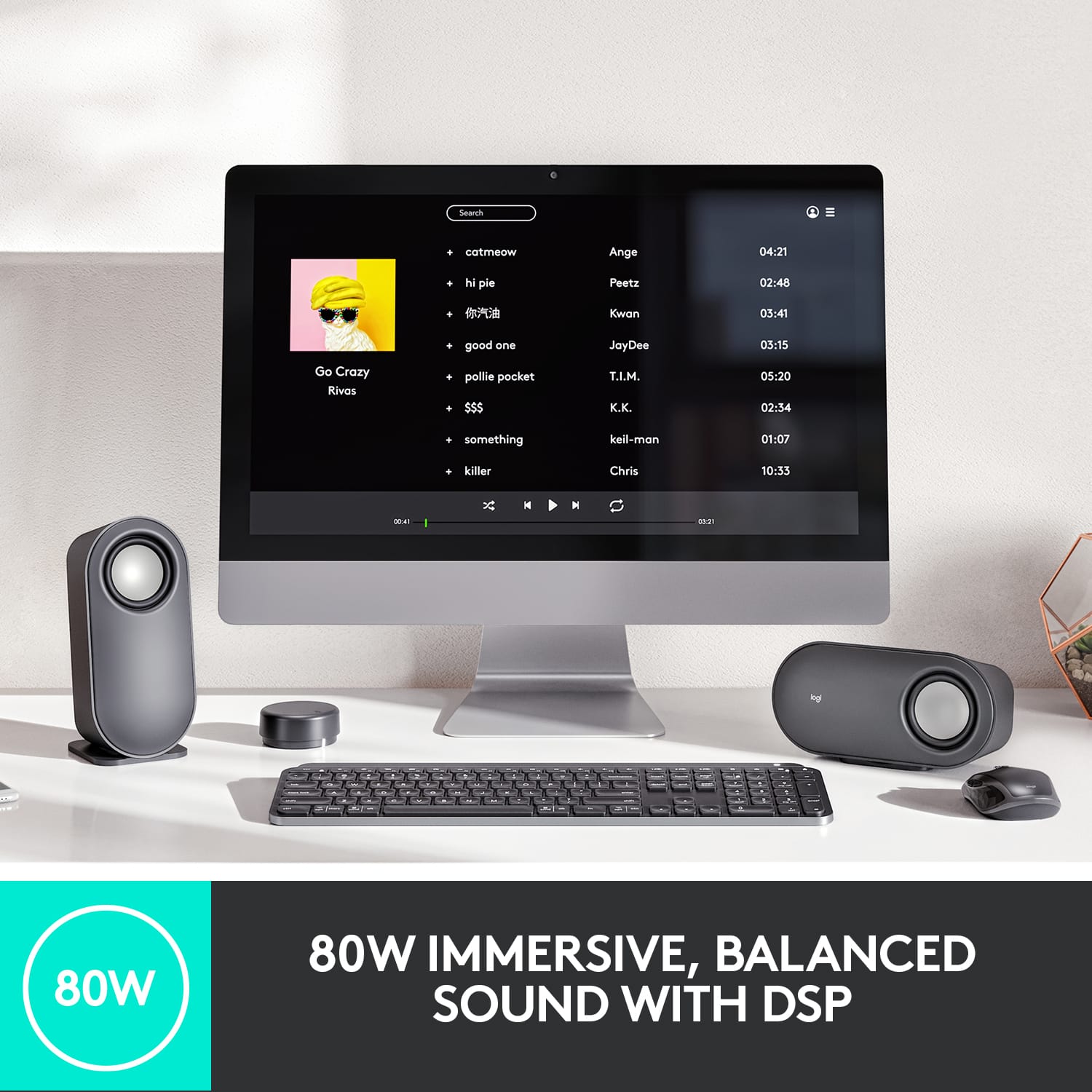
||Posted . Owned for 1 month when reviewed.This reviewer received promo considerations or sweepstakes entry for writing a review.Nothing Special for a quick hookup for the kids, but the subwoofer is only 80w.
No, I would not recommend this to a friend- Pros mentioned:Bluetooth
Aux sound horribly distorted, unusable
||Posted . Owned for less than 1 week when reviewed.This reviewer received promo considerations or sweepstakes entry for writing a review.I connected these to my HP Omen gaming monitor via AUX, and the sound was terribly distorted on both my Xbox Series X and 2019 Macbook Pro. When I connected them to the monitor via USB the Macbook sounded great, but the Xbox would not produce sound. My $30 Creative speakers sound better, so I'll have to return these.
No, I would not recommend this to a friendBrand response from Logitech
Posted .Hello Jason. Thank you for taking the time to write your review of the Z407 computer speakers. I'm sorry to hear that you're not happy with the audio quality while using the Aux input. It sounds like you might have a faulty Auxiliary port or cable. Have you tried a different Aux cable? Sometimes I've found its as simple as a broken cable that causes all of that distortion. If it is not the cable, your speakers system comes with a 1 year warranty. You can learn more about that here: https://support.logi.com/hc/en-us?webcontent=productwarranty&mID=13494
-Charlton at Logitech
Not a bad set but connectivity is a bit bad.
||Posted . Owned for 1 month when reviewed.This reviewer received promo considerations or sweepstakes entry for writing a review.Decent set of speakers, but connectivity is a small issue it cuts out from time to time.
No, I would not recommend this to a friendSound is okay but startup/shut down sounds ruin it
||Posted .This reviewer received promo considerations or sweepstakes entry for writing a review.The speakers play a VERY loud startup and shutdown sound that is not able to be turned off. It scares you often. How this is not an option is appalling
No, I would not recommend this to a friendBrand response from Logitech
Posted .We sincerely apologize for the startling startup and shutdown sounds on your Z407 speakers. We understand how disruptive and frustrating this can be, and it's definitely not the experience we want our customers to have. Your comments are extremely valuable and have been passed on to our product development team for future consideration.

Not so happy with this speakers.
||Posted . Owned for 4 months when reviewed.This reviewer received promo considerations or sweepstakes entry for writing a review.Every time I link the speaker to my laptop it keeps skipping throughout the whole sounds. It’s like a glitch. Not happy with my purchase. I hope I can bring it in to Best Buy and try and exchange or maybe they can fix it. It’s been happening since I purchased on 11/2021 I just haven’t had time to take it in.
No, I would not recommend this to a friendBrand response from Logitech
Posted .Hello Glor,
I am sorry that you encountered problems with your new Z407 PC speakers. Usually, this issue is attributed to the audio bit rate not being set according to your device's capabilities. Please, reach out to Logitech's support team for personalized assistance with the issue at hand. https://support.logi.com/hc/en-us/requests/new?ticket_form_id=360000621393&mID=13494 Logitech appreciates your input. Logitech appreciates your input. - Leo from Logitech
- Pros mentioned:Bass, Sound quality, Volume
Nice full sound, wish there was an App
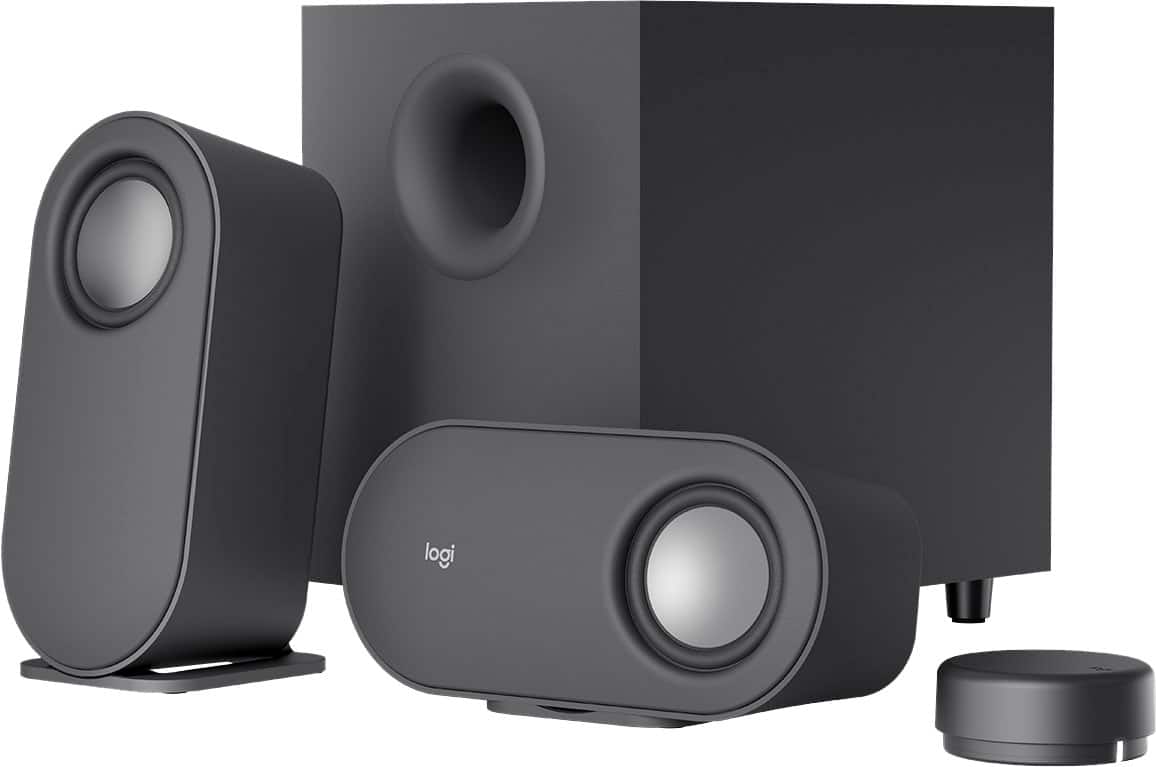
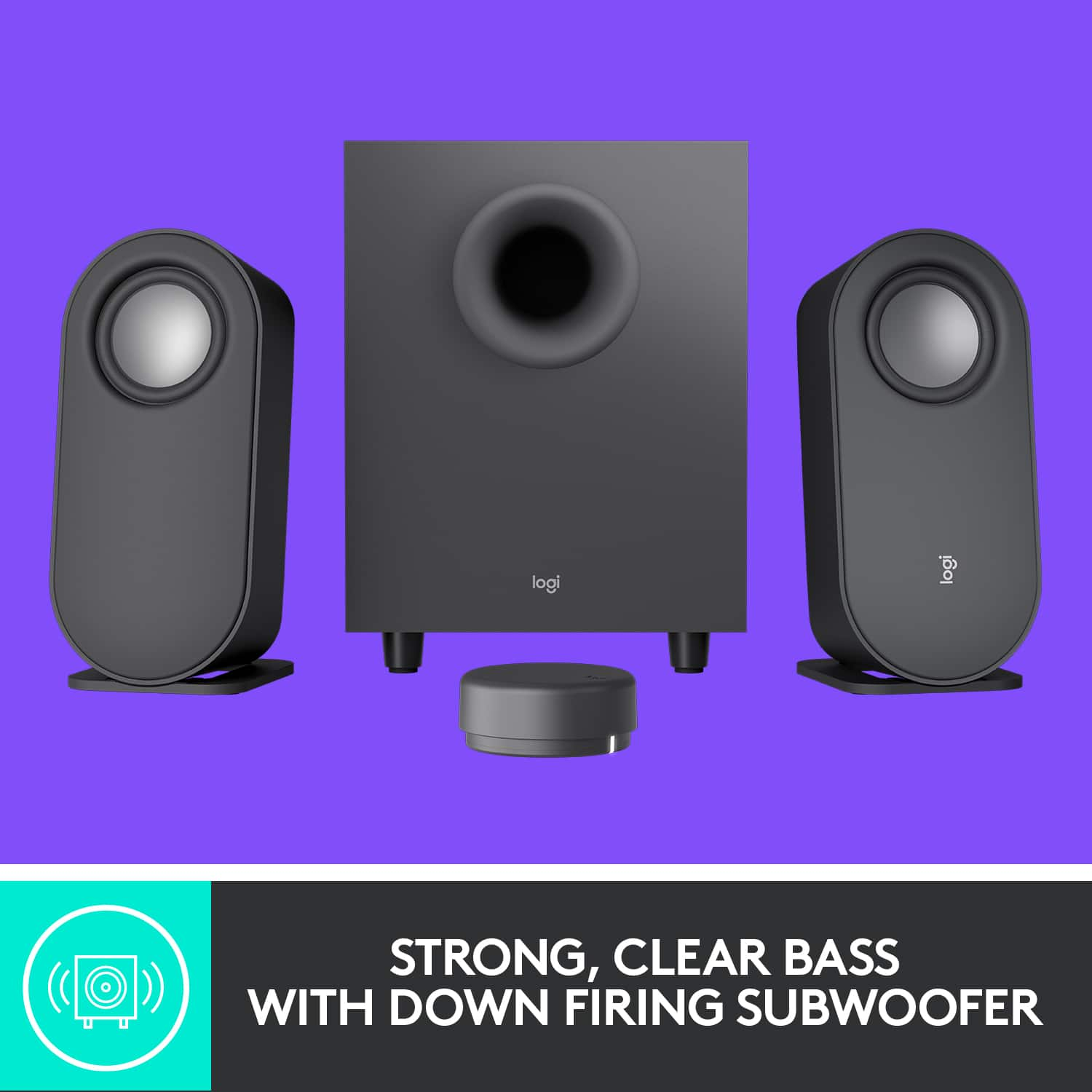
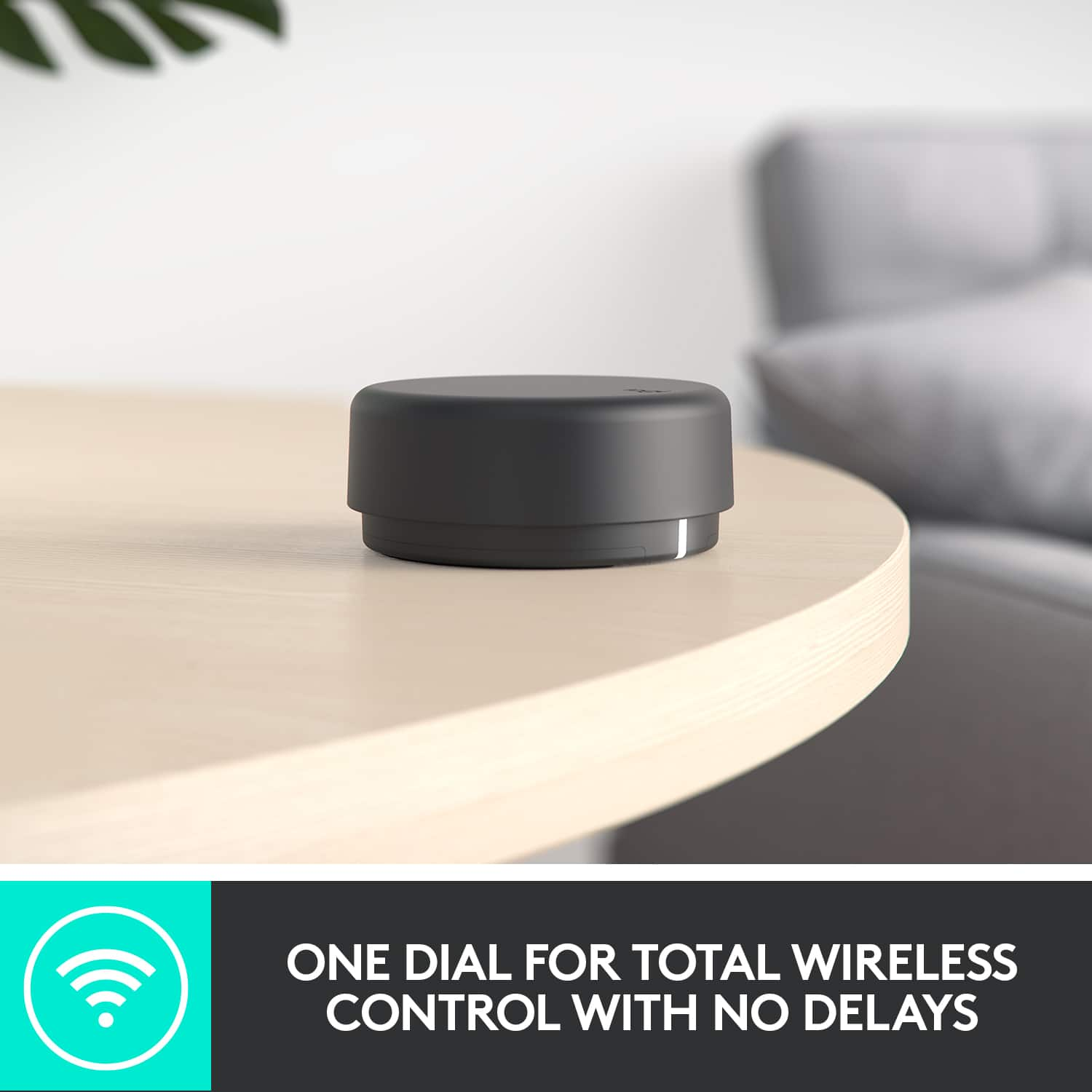
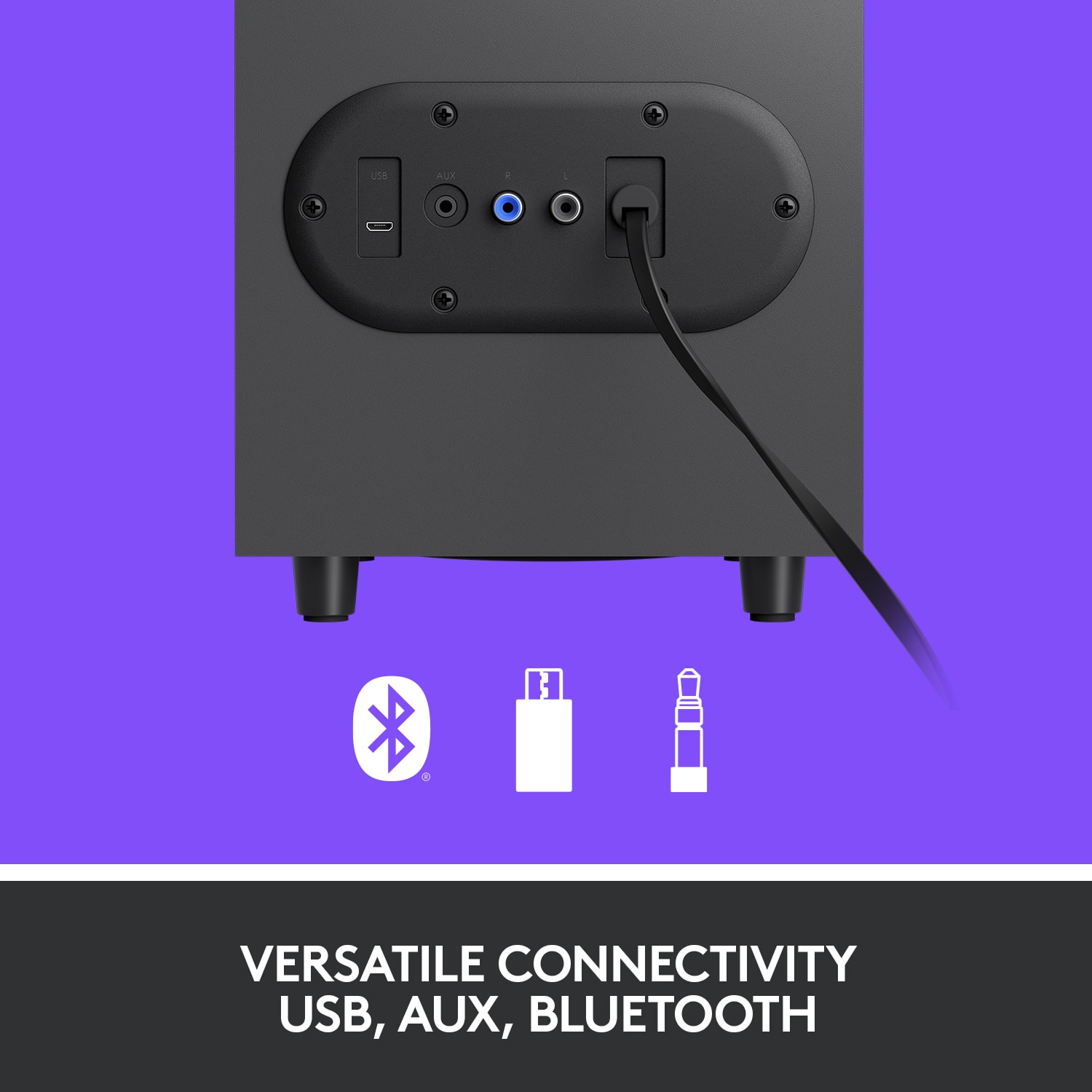
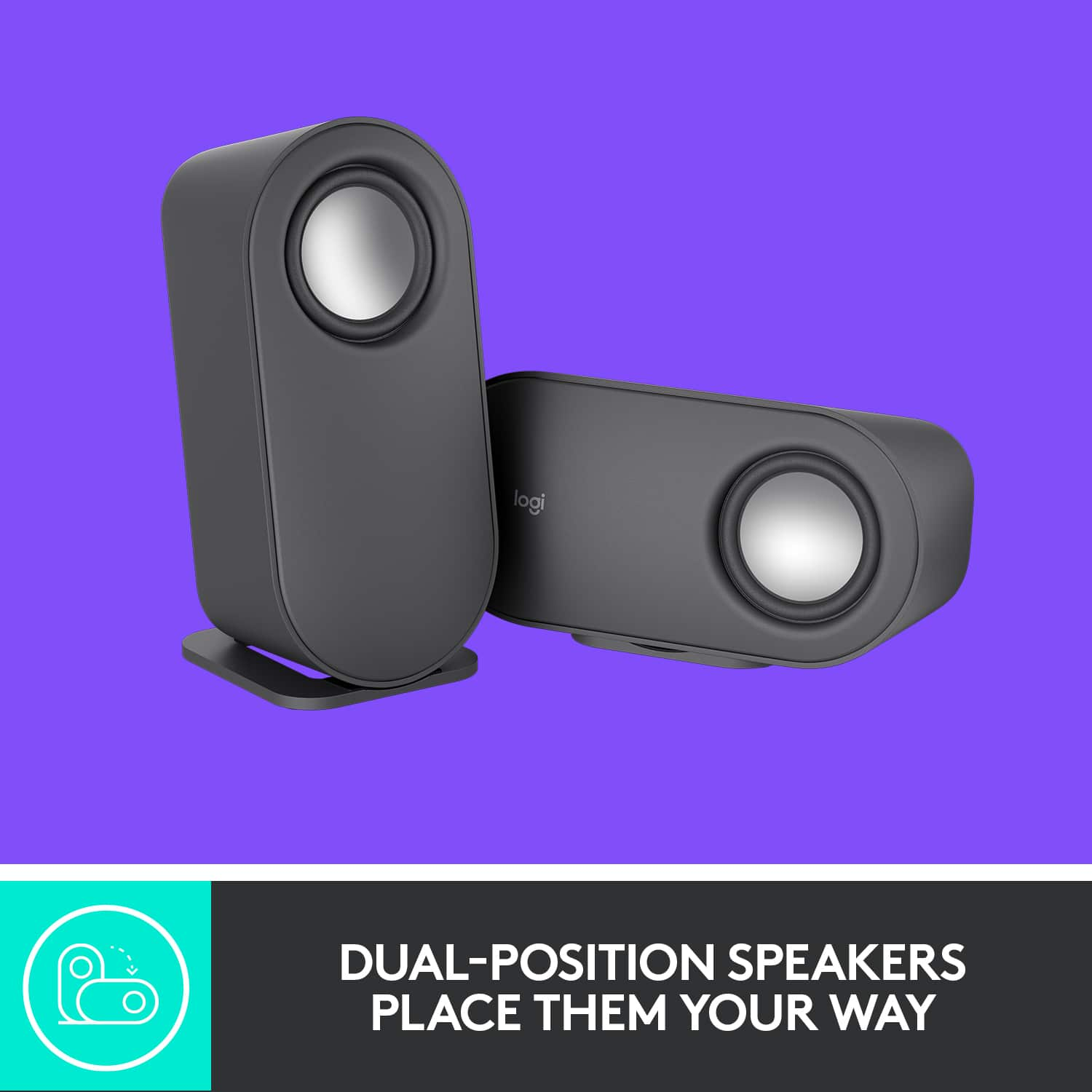
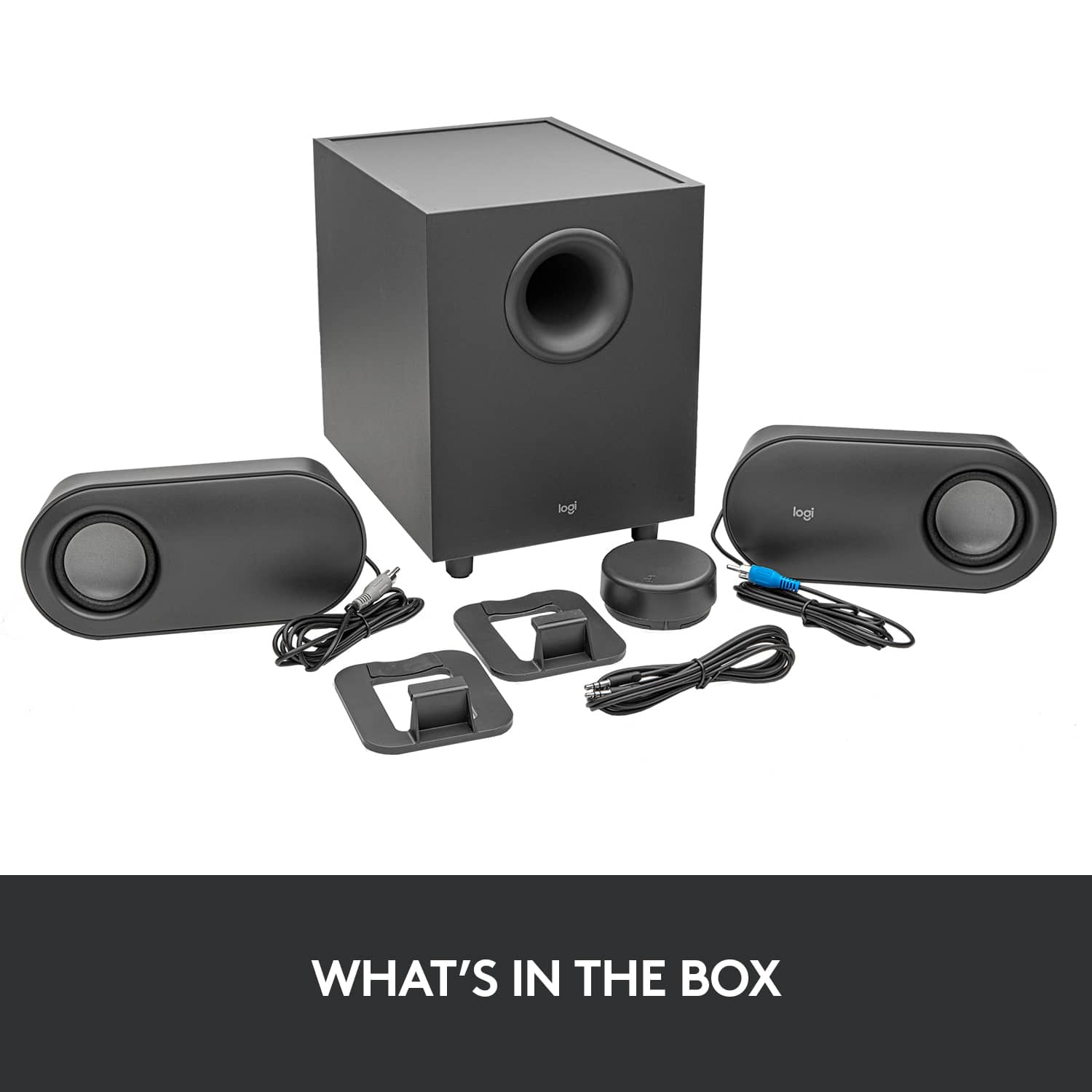
|Posted .This reviewer received promo considerations or sweepstakes entry for writing a review.I've had a set of Klipsch ProMedia speakers since the late 1990's. Lately, they had begun buzzing and popping so I was in the market for new speakers for my primary computer. For gaming, I use a pair of good headphones, but for normal use, I wasn't looking for a 5.1 setup. I was OK with a decent 2.1 setup with many connection options. That's where the Logitech Z407 Bluetooth Computer Speakers come in. Let me just say that I'm a huge fan of Logitech Devices. I own Logitech gaming controllers, gaming headsets, webcams and several keyboards and mice. My go to mouse is the M510, to which I own 6 around the house and at work, and I have at least five MK235 mouse and keyboard sets set up at my house to teach coding to a small group of kids. This doesn't mean they haven't had some misses along the way, but overall it's a brand I've come to trust. To start with, the Z407 set comes with a wireless control dial. It runs on two AA batteries that are included and must be installed behind a sliding cover on the bottom of the dial. Rotating the dial, you can feel soft clicks like you would on a computer mouse, it intuitively controls the volume, but depressing the dial gives you playback control and bass mode selection. Short press controls pause/play or mute. Long press gets you into or out of bass mode where you can rotate the dial for more or less bass. 2 short presses skips forward and 3 short presses skips backwards. On the bottom of the dial are two buttons that switches input between Bluetooth, 3.5mm or USB input along with an LED indicator that glows blue for Bluetooth, white for USB or purple for 3.5mm. In my opinion, the dial could be a little heavier so it doesn't slide around my desk as easily. Also, while taking off the protective film, the top film was a little harder to take off, it also has all the indicators for the different controls printed on it. This ended up being good because the surface of the dial only has a "logi" logo molded in. There are no other control indicators so I ended up leaving the top film on as I learn the controls. The speakers are oval shaped and come with stands that attach to grooves on the back to support a vertical or horizontal position. Only the right speaker has the "logi" logo that can be read in the horizontal position. The subwoofer contains the power cord for the system and has RCA style connectors for the left and right speakers. It also has a micro-USB input port (cable not included) and a 3.5mm input port (cable included). The subwoofer is downward firing but there is nothing protecting the sub on the bottom except for the 4 stubs for legs. But in my thick carpet, the legs are consumed and the carpet brushes the sub. I was concerned this would muffle the sub, but it hasn't yet. Connecting everything was straightforward. I had it connected to my computer very quickly via 3.5mm input. Warning: the power on, mode selection, max and min indicator, and Bluetooth connect/disconnect tones are loud. Even if you have your volume turned down, they still blast louder than I want. While connected to my computer via 3.5mm, I could control the volume with the dial, but there was no on screen indication that I was adjusting the volume. Depending on the app, the play/pause function really only muted the sound. I could not skip back or forth in Windows Media Player. Since there is no app, I could not control any levels to customize the sound which left me a little disappointed. Sound itself was nice and clear and I found I could control the bass level with a decent amount of range. While connected to my phone via Bluetooth, I was pleased to find I could control the volume indicator when I rotated the dial. The play/pause function and skip functions worked well. I had a difficult time with the USB connection to my computer. First, Logitech does not include a USB cable. It's stated clearly on the box that it's sold separately. At first I didn't think this would be a problem, I have plenty of USB cables from various electronics. It's just a micro-USB on one side and a USB-A on the other. I tried two brand new cables that I had, neither worked. The computer didn't even acknowledge anything was connected even though I set USB mode on the underside of the control dial. I went to Device Manager and couldn't find any acknowledgement either. I scoured Logitech's website for drivers or any kind of tips, nothing. It wasn't until I tried a couple more cables that everything just started working. The problem is that you need a USB data cable. Up until that point, I had been trying USB power cables. There is nothing to signify that a cable is data capable. Once I found the correct USB cable, I was surprised that the sound is much richer and fuller. It seems the 3.5mm input is compressed and clips off the highs and lows. Once I was using the USB cable, the bass lines made themselves known. Not only that, but all the controls I thought were lacking due to the 3.5mm connection are now available. Pause and Play controls now work while playing YouTube videos. Volume controls now show up with an on screen display. Now that I've determined that USB will give me the best sound, it will be rare for me to flip to the other inputs. This is good because flipping between the different outputs on my computer has got me shaking my head and cursing myself for not always coordinating the input mode on the dial and the output mode from my computer. I'm also a little disappointed that there isn't a headphone jack from the speakers. The system also lacks a power switch so that it isn't consuming power while not in use. Overall, the Logitech Z407 Bluetooth Computer speakers is a very nice system. It offers nice, rich sound and is capable of a lot of volume. Of all the shortcomings I identified, I would really like an App like the Logitech G Hub that would allow me to change the sound a little bit and turn down the volume of the indicator tones.
I would recommend this to a friendBrand response from Logitech
Posted .Hello customer, thank you so much for this great, and extremely detailed, review of the Z407 Bluetooth speaker system! It sounds like you were able to solve the few issues you had with the device on your own. If you ever have any issues with the speakers in the future, please feel free to visit our support site where you can find troubleshooting tips and tricks, direct assistance with your issue, as well as warranty information. Thank you for being a Logitech customer!
READ BEFORE BUYING
||Posted . Owned for 5 months when reviewed.This reviewer received promo considerations or sweepstakes entry for writing a review.At first this speaker worked really well but after a month the bass start giving out, and my volume would come and go. The bass would start to distort whenever there’d be a bass drop, or a good size bass to it. The volume would do the same making the audio sound flat as it would raise, and lower on its own.
No, I would not recommend this to a friendGreat IF You Like Crackly Speakers!
||Posted . Owned for 3 months when reviewed.This reviewer received promo considerations or sweepstakes entry for writing a review.These were the third Logitech speakers I have purchased. I was excited to receive these speaker, but am seriously disappointed. No matter how I move the cords the base and one of the small speakers crackle and pop. I can move the cords to make it stop, but then it starts again within a couple minutes. This happens EVEN IF THEY ARE TURNED OFF or all the way down! I've been trying to deal with these speakers for almost 4 months now. I wish I had returned them. I had to go back to using my Z3e's because these sound terrible, even when off. I expect better from Logitech. HORRIBLE!!! Spend your money elsewhere!!!
No, I would not recommend this to a friendBrand response from Logitech
Posted .Hello. Thank you for taking the time to write your review of the Z407 speakers. I'm sorry to hear that your speakers aren't performing well for you. It sounds to me like you have a poor connection. This could be caused by the cable or the port, but either way is not acceptable! They speakers come with a 1 year warranty. You can get the process started here: https://support.logi.com/hc/en-us/articles/360055951254-Warranty-Z407-Bluetooth-Computer-Speakers-with-Subwoofer-and-Wireless-control
-Charlton at Logitech
Logitech - Z407 2.1 Bluetooth Speaker System
||Posted . Owned for 1 week when reviewed.This reviewer received promo considerations or sweepstakes entry for writing a review.Logitech - Z407 2.1 Bluetooth Computer Speaker System with Wireless Control (3-Piece) are good.
I would recommend this to a friendDecent PC Speakers
||Posted . Owned for 3 weeks when reviewed.This reviewer received promo considerations or sweepstakes entry for writing a review.Decent PC Speakers. Bought it for $75 on sale and works as expected.
No, I would not recommend this to a friend- Pros mentioned:Bass, Bluetooth, Ease of use
Excellent speakers for the price
|Posted .This reviewer received promo considerations or sweepstakes entry for writing a review.These are so easy to setup with the exception of putting the batteries into the Wireless Control Dial. I just couldn’t get the cover off. The trick is to press very lightly and the cover will come off. Very lightly. Other than that issue, the speakers were setup and connected to 2 Bluetooth devices within 4 minutes. I tested playing all types of music and the sound was great. Bass lows were excellent and so were the high notes. You can adjust the base via a button on the dial. Specs: 80 watts of peak power, 40 continuous watts and 20 watts of base. The speakers can be placed horizontally or vertically (with enclosed stands). I chose vertically so they take up less space. Bluetooth setup was a breeze. Just push the Bluetooth connection button on the bottom of the dial for 2 long pushes and it will be in pairing mode. You can connect up to three devices via Bluetooth, micro USB or 3.5 mm input. These are excellent for the price point and highly recommended. My one complaint is pictorial directions. Why can’t they just write a caption?
I would recommend this to a friendBrand response from Logitech
Posted .Hello customer, thank you so much for this fantastic review of the Z407 Bluetooth speaker system! If you ever have any issues with the speakers in the future, please feel free to visit our support site where you can find troubleshooting tips and tricks as well as warranty information. Thank you for being a Logitech customer!
Save your money
||Posted . Owned for 10 months when reviewed.This reviewer received promo considerations or sweepstakes entry for writing a review.Battery life is horrible. Connection is annoying. They go in and out then stop working til i turn volume up and down. Nothing like being in the middle of a game or watching a video and the sound is going in and out. I usually end up switching over to headphones
No, I would not recommend this to a friendBrand response from Logitech
Posted .Hello Belgaram,
I am sorry that the Z407 is not meeting your expectations. I am not sure what you mean by saying that the battery life is bad since this is not a portable speaker and must be connected to a power outlet. Anyway, If you feel you received a defective product, contact Logitech's support team to claim your device's 1-Year Limited Hardware Warranty. Logitech appreciates your product review. - Leo from Logitech
Too much bass for the given volume
||Posted . Owned for more than 2 years when reviewed.This reviewer received promo considerations or sweepstakes entry for writing a review.A mediocre speaker which would otherwise be a good speaker if it has bass control. Not loud enough for decent listening experience. Volume up increases the bass rather than sound
No, I would not recommend this to a friendBrand response from Logitech
Posted .Your feedback has not gone unnoticed, we will forward it along to the right team. Thanks so much!
Work speakers
||Posted . Owned for 1 month when reviewed.This reviewer received promo considerations or sweepstakes entry for writing a review.Wish it had a Bass adjustment. Other then that it works great.
I would recommend this to a friendNot worth it.
||Posted . Owned for 2 weeks when reviewed.This reviewer received promo considerations or sweepstakes entry for writing a review.Ease of connection is great. Poor sound quality, bass quality is worse than cheaper speakers in my experience.
No, I would not recommend this to a friendBrand response from Logitech
Posted .Hi! We're sorry to hear you're not satisfied with the sound quality, especially the bass, of the Logitech Z407 speakers. We appreciate you acknowledging the ease of connection and value your feedback. Your insights are valuable for us as we continuously strive to improve our offerings.
Great sound, faulty speakers
||Posted . Owned for 7 months when reviewed.This reviewer received promo considerations or sweepstakes entry for writing a review.These speakers have worked great outside of the flaw that they have. Every hour or so, a "clink" sound will come from the subwoofer and the sound will cut off. I then have to adjust the volume or mute and unmute them to turn back on. Its very frustrating
No, I would not recommend this to a friendBrand response from Logitech
Posted .Hello there Jayjay. I'm sorry to hear that you had some issues with your Z407 speaker system. If you haven't done so already, I would recommend navigating to our support site to try and get a replacement cable for your speakers, as it sounds like that may be the issue. -Weston from Logitech
- Pros mentioned:Bass, Bluetooth, Sound quality
Superb in All Aspects
Posted .This reviewer received promo considerations or sweepstakes entry for writing a review.I wanted to upgrade my basic 2 speaker system connected to my PC. My plan was to just use it for my PC, so I did not need anything outrageous. But, I did want to treat myself to a 2.1 system and see how the subwoofer would sound. I thought the Z407 would be a good middle of the road choice. Wow, was I surprised by the quality. I came across a review saying the bass was not adjustable. This is not the case, but I can see how some of the capabilities of the system could go without being known if one were to set up simply by following the graphics on the box flaps. When making a tech gadget purchase, I always go to the manufacturer's support website and download the detailed description manual. Anyway, I love the ease of adjusting via the wireless remote wheel. There are a few reviewers who stated this has broken on them, so time will tell with my purchase. I have an AVR surround sound system, three sound bars (one with rear speakers and subwoofer... 5.1), and a Bose Bluetooth portable speaker. Seriously, in many aspects the Logitech Z407 speaker system sounds better than any one of those others. Very rich, clear and nice subwoofer range. I no longer connect my cell phone to my Bose portable if the Z407 is within range, because the Z407 sounds better. I have connected my PC to the Z407 via USB, then Bluetooth for my phone. Never checked the sound using the 3.5 mm jack cable, because USB digital is always known to be better the 3.5 mm cable analog for audio. More than a happy camper!
I would recommend this to a friendBrand response from Logitech
Posted .Thank you for your amazing review of the Logitech Z407 speaker system! We're thrilled to hear that it has exceeded your expectations and outperformed your other audio systems. Your positive feedback means a lot to us as we continue to create exceptional products that elevate your listening experience.
- Pros mentioned:Sound quality
Constant lagging issues
||Posted . Owned for 2 months when reviewed.This reviewer received promo considerations or sweepstakes entry for writing a review.Great sound, but DO NOT buy. Constant lagging issues after trying everything to resolve it. I should have read the reviews online before purchase.
No, I would not recommend this to a friend Audio lag with USB connection
||Posted . Owned for less than 1 week when reviewed.This reviewer received promo considerations or sweepstakes entry for writing a review.One of the coolest feature of these speakers is the wireless control wheel; you must use a USB connection to get media control. Unfortunately there is a noticeable sound delay (audio lag) with video playback. There are reports of this problem but no official answer from Logitech. Tech support doesn't get back to you either. I'm returning the speakers.
No, I would not recommend this to a friendBrand response from Logitech
Posted .Hello BattleCat, we are so sorry to hear that the Z407 speakers did not meet your expectations. At Logitech, it is our goal to ensure you are completely satisfied with your Logitech purchase. We take pride in the products and services we offer, and want our customers to enjoy them just as much as we do. We appreciate the honest feedback and look forward to hearing from you again in the near future. Have a great day. -Ricky | Logitech