Customer Ratings & Reviews
- Model:
- 980-001347
- SKU:
- 6425597
Rating by feature
- Value
Rating 4.5 out of 5 stars
- Quality
Rating 4.4 out of 5 stars
- Ease of Use
Rating 4.5 out of 5 stars
Customers are saying
Customers enjoy the Z407 2.1 Bluetooth Computer Speaker System for its great sound quality, strong bass, and reliable Bluetooth connectivity. Many appreciate its ease of use, convenient wireless volume control, and quick setup. While the design and size are well-received, some users feel the instructions could be improved.
This summary was generated by AI based on customer reviews.
terribly cheap sound
||Posted . Owned for 3 weeks when reviewed.This reviewer received promo considerations or sweepstakes entry for writing a review.best buy should be ashamed to sell such a cheap product. the sound quality was so bad and i was so disgusted to be mislead about it having an earphone jack by the phone agent that i just threw it in the garbage.
No, I would not recommend this to a friendBrand response from Logitech
Posted .Apologize about the experience and it's surely not what we expect to deliver. In order to assist you effectively, please provide your information to our support team by emailing socialcare@logitech.com. Name – Email address – Country – Product name – Brief description of the issue –
NOT Worth The Money
||Posted . Owned for 1 month when reviewed.This reviewer received promo considerations or sweepstakes entry for writing a review.Not the best speakers for the price. The bass does not want to adjust, its all or nothing.
No, I would not recommend this to a friendOnly fit for phones
||Posted . Owned for 2 weeks when reviewed.This reviewer received promo considerations or sweepstakes entry for writing a review.This was purchased for a business and never was able to connect to the "Media Center" we have. Was able to connect it to a laptop, but within 2 weeks, it no longer would connect to the laptop, even if nobody else is in the building with not a single Bluetooth device on but the laptop. Looking online, I'm not the only one who has come across this issue either.
No, I would not recommend this to a friendBrand response from Logitech
Posted .Hello MeechDawg,
I am sorry that the Z407 is not meeting your expectations. I will record your product insight and pass it along for further review. Logitech appreciates your product review and brand loyalty. - Leo from Logitech
Meh
||Posted . Owned for 5 months when reviewed.This reviewer received promo considerations or sweepstakes entry for writing a review.It's okay. Just meh. I wanted thundering bass, it doesn't provide that.
No, I would not recommend this to a friendBrand response from Logitech
Posted .Thank you for sharing your insights with us. We apologize for any inconvenience caused. We'll take this feedback and make sure to share it with the right team.
You get what you pay for.
||Posted . Owned for 3 weeks when reviewed.This reviewer received promo considerations or sweepstakes entry for writing a review.This was good at first. But then within a couple weeks started having a ton of issues. Subwoofer kept cracking and popping, left speaker kept cutting in and out, and there was a good amount of distortion on both speakers even tho I had it pretty low volume. Wouldn’t recommend these.
No, I would not recommend this to a friendBrand response from Logitech
Posted .Hello. Thank you for taking the time to review the Z407 speakers. I'm sorry to hear that they stopped working after 2 weeks. If you are still within the return period at Best Buy, please try a new set. If not, they do come with a 1-year Limited Hardware Warranty. Go here to start the warranty process: https://support.logi.com/hc/en-us/articles/360055951254-Warranty-Z407-Bluetooth-Computer-Speakers-with-Subwoofer-and-Wireless-control
-Charlton at Logitech
Super meh.
||Posted .This reviewer received promo considerations or sweepstakes entry for writing a review.Nice while it lasted. Bluetooth dongle disconnects if i have the bass going to much, to the point where i have to actually smack the sub enclosure to get it to reconnect so i can turn the bass down. Of course this started happening a month after i could return it. Save up and get a better set up
No, I would not recommend this to a friendBrand response from Logitech
Posted .Hello, 2700x1660ti! I'm sorry to hear about your experience with the Z407 PC speakers! I would recommend reaching out to our support team here https://support.logi.com/hc/en-us/requests/new?ticket_form_id=360000621393 to file a warranty claim since you're outside of the return policy. The Z407 speakers have a 1-year limited hardware warranty. Thank you for the feedback on your connection issues! I will be passing this along. - Maggie from Logitech
Could be better.
||Posted . Owned for 1 week when reviewed.This reviewer received promo considerations or sweepstakes entry for writing a review.The build quality is not superb. I expected it to have metal and a more sturdy build quality. I ended up returning it.
No, I would not recommend this to a friendBrand response from Logitech
Posted .Hi GoodDave, we're sorry to see you're unsatisfied with the quality of your Z407 Speaker System. We appreciate your feedback!
Poor quality.
||Posted . Owned for 1 month when reviewed.This reviewer received promo considerations or sweepstakes entry for writing a review.Absolute junk. After 40 days it started playing twice as loud out of the right speaker. Had to adjust the balance for it to play equally out of each speaker. Tried to reset and it still played louder out of the right speaker. Of course all of this happened after the able to return date. I will not purchase another Logitech anything.
No, I would not recommend this to a friendCracking subwoofer
||Posted . Owned for 1 week when reviewed.This reviewer received promo considerations or sweepstakes entry for writing a review.The subwoofer kept popping after just a 1 week of use. I wouldn't recommend this to anyone. Reading the comments from others it seems like many other folks faced the same issue and logitech doesn't seem to help anyone. Returned.
No, I would not recommend this to a friendBrand response from Logitech
Posted .Hello, we are sorry to hear that you are having issues with your Z407. You may reach us for support by opening a Technical Support ticket here: https://support.logi.com/hc/en-us/requests/new?ticket_form_id=360000621393
under a 100 worth it.
||Posted . Owned for 1 month when reviewed.This reviewer received promo considerations or sweepstakes entry for writing a review.good base. speakers sucked. wasnt worth the price that i paid for.
No, I would not recommend this to a friendUnreliable connectivity
||Posted . Owned for 11 months when reviewed.This reviewer received promo considerations or sweepstakes entry for writing a review.Great idea, but implementation is a fail. Tried to get these to work for my wife, but the connectivity between the puck, speakers and computer was intermittent. This lead to weird sound issues. Soon after setup, I returned these to the store for a refund.
No, I would not recommend this to a friendBrand response from Logitech
Posted .We regret to hear that you had to return the product and we apologize for any inconvenience caused. We'll surely take this feedback and make sure to share it with the right team. Thanks for bringing it to our notice.
Champion
||Posted . Owned for 2 weeks when reviewed.This reviewer received promo considerations or sweepstakes entry for writing a review.To difficult to use plus the manual does not explain how to go about it
No, I would not recommend this to a friendBrand response from Logitech
Posted .Thank you for sharing your feedback on the Logitech Z407 speakers. We're sorry to hear that you found them difficult to use and that the manual wasn't helpful. We understand your frustration and apologize for the inconvenience this has caused.

Frustrating set of speakers.
||Posted . Owned for 3 months when reviewed.This reviewer received promo considerations or sweepstakes entry for writing a review.I bought a pair of them. I can hear a click in the sub then I get no sound. Needing to adjust the volume up or down to hear the sound again. This happens like 5-10 times a day. Making them virtually unusable.
No, I would not recommend this to a friendBrand response from Logitech
Posted .Hello Chuckie! I'm so sorry to hear about your experience with the Z407 speakers. Here are some troubleshooting tips that may help, if you haven't tried them already. First, I would recommend with an initial check to make sure that you’re playing audio from the correct source device. If you're using Bluetooth, the control dial LED should glow blue.
If you're using Bluetooth to connect, try moving the audio source closer — it might be out of the range of your speakers. If you have multiple Bluetooth devices connected (you can have up to two), try disconnecting the other and only play from one device. Move the other sources of wireless signal away — you could be experiencing interference. Adjust the volume on both the audio source and your speakers. Restart both your speakers and the audio source. Try unpairing and repairing your source device and speakers.
If you're using 3.5mm auxiliary, try checking that the cables are securely connected to both the speakers and the source device. Adjust the volume to mid-level (50%) on the audio source. Try a different source device to ensure the issue isn’t the device. Try a different 3.5mm or USB cable. Make sure that you are using a 3-pole male to male 3.5mm AUX cable.
If you're using USB, try checking that the cables are securely connected to both the speakers and the source device. Adjust the volume on both the audio source and your speakers.Try a different source device to ensure the issue isn’t the device.Try a different USB cable.
If none of these work, or you've already tried these, please reach out to our support team here https://support.logi.com/hc/en-us/requests/new?ticket_form_id=360000621393 to file a warranty claim. Thank you so much for this feedback! I will be passing this along. - Maggie from Logitech
Logitech-Z407 2.1 Bluetooth Computer Speaker Syst
||Posted . Owned for 1 month when reviewed.This reviewer received promo considerations or sweepstakes entry for writing a review.I never could get it to work. I installed it 3x. The model number doesn't match with the one on the box. The connections (3.5mm) don't match with my USB connections. No sound from the wireless control. I'm going to be returning it today.
No, I would not recommend this to a friendBrand response from Logitech
Posted .We're sorry about the experience! Please reach out to Logi support and our team will look into the issue. Regarding different serial numbers on the box and the device, the one on the box is used for inventory and shipping, the one on the device is used for validating warranty.
these speakers stink
||Posted . Owned for 2 months when reviewed.This reviewer received promo considerations or sweepstakes entry for writing a review.These speakers are bad. They sounded great when the first were installed. After 2 months, the stopped working. no sound. I even bought a new sound card thinking that was the issue. Nope... now they are past the return time and I need to by another set. worst 80 bucks I ever spent!!!
No, I would not recommend this to a friendBrand response from Logitech
Posted .Hello, I am so sorry to hear these speakers stopped working for you. Luckily, they do come with a 1 year warranty through Logitech so we can get those replaced for you. Here is the link in order to file a claim: https://support.logi.com/hc/en-us/articles/360055951254-Warranty-Z407-Bluetooth-Computer-Speakers-with-Subwoofer-and-Wireless-control. I hope this helps! Thank you for taking the time to write this review, we appreciate the feedback.
Worst product iver ever bought
||Posted . Owned for 2 weeks when reviewed.This reviewer received promo considerations or sweepstakes entry for writing a review.i have never ever cpmplained about a rpoduct but these are the worst. they drop signal, so no audio. Then have to connect them all over again and again. and it never goes easy. Unplug, reset, reconnect one of the methods and then for it not to work and do it all over. returning them tommorrow. never again with logitech
No, I would not recommend this to a friendDon’t recommend
||Posted . Owned for 1 month when reviewed.This reviewer received promo considerations or sweepstakes entry for writing a review.Sound cuts out and there is a buzzing or his sound. Waited too long to return them and now I’m stuck with them.
No, I would not recommend this to a friendBrand response from Logitech
Posted .We apologize for the audio issues you've encountered with the Logitech Z407 speaker system. To address this issue, we recommend reaching out to our social care team via email at socialcare@logitech.com with your
- Name:
- Email Address:
- Country:
- Product Name:
- Brief description of issue:
Unable to use. Logitech Tech Support says return.
||Posted .This reviewer received promo considerations or sweepstakes entry for writing a review.I am totally unable to open the battery door for the controller. Called Logitech Tech Support and the only assistance they were able to offer me was to tell me to return these to Best Buy. Will do so tomorrow and this is the last Logitech product i will purchase.
No, I would not recommend this to a friendBrand response from Logitech
Posted .Hello JimmyMac,
I am sorry that you had problems with the Z407 speaker set. This speaker set is a great device, and I hope you change your mind about Logitech after you use it and keep purchasing its amazing products. Logitech appreciates your product review. - Leo from Logitech
Popping Noise
||Posted . Owned for 3 months when reviewed.This reviewer received promo considerations or sweepstakes entry for writing a review.Frequent popping noise from sub. Clearly a common problem that Logitech should’ve addressed ahead of time. What a hassle.
No, I would not recommend this to a friendBrand response from Logitech
Posted .Hi Daddynasty,
Thank you for your feedback. Sorry for the inconvenience. If you ever need assistance, please contact Logitech Support on the website. LaShonda from Logitech
- Pros mentioned:Bass, Bluetooth, Sound quality

Great Sound Tempered by a Frustrating Remote
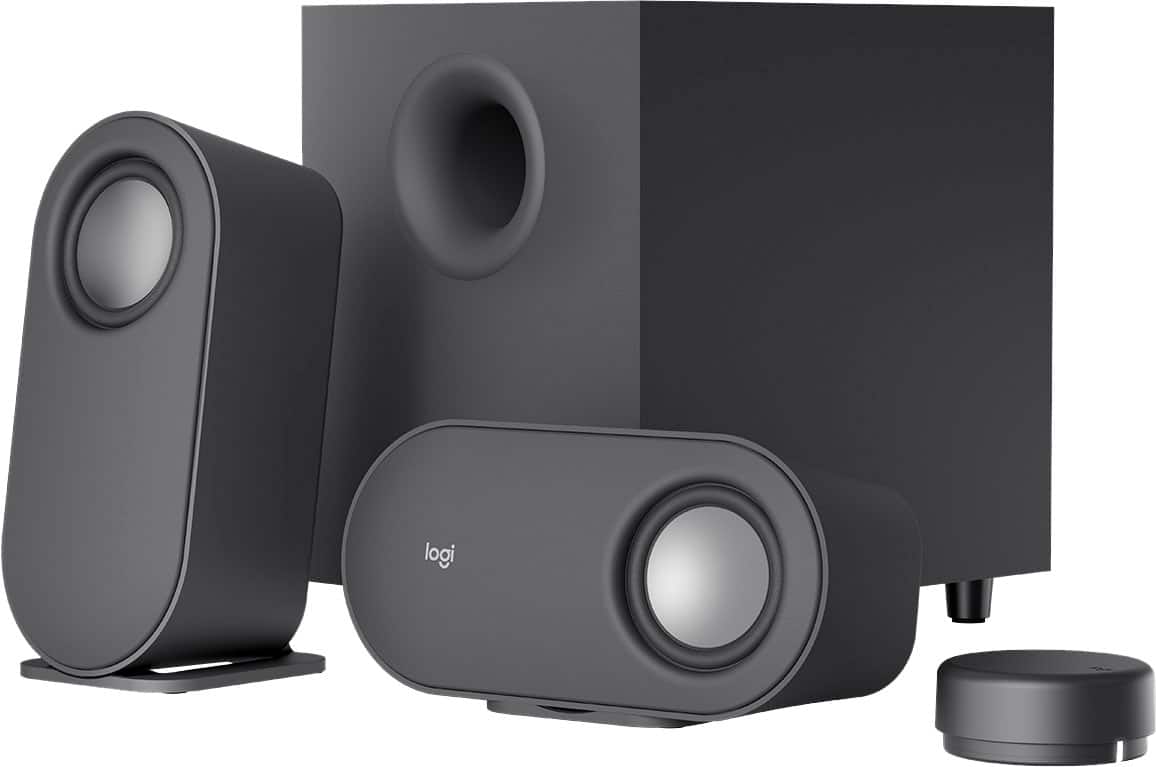
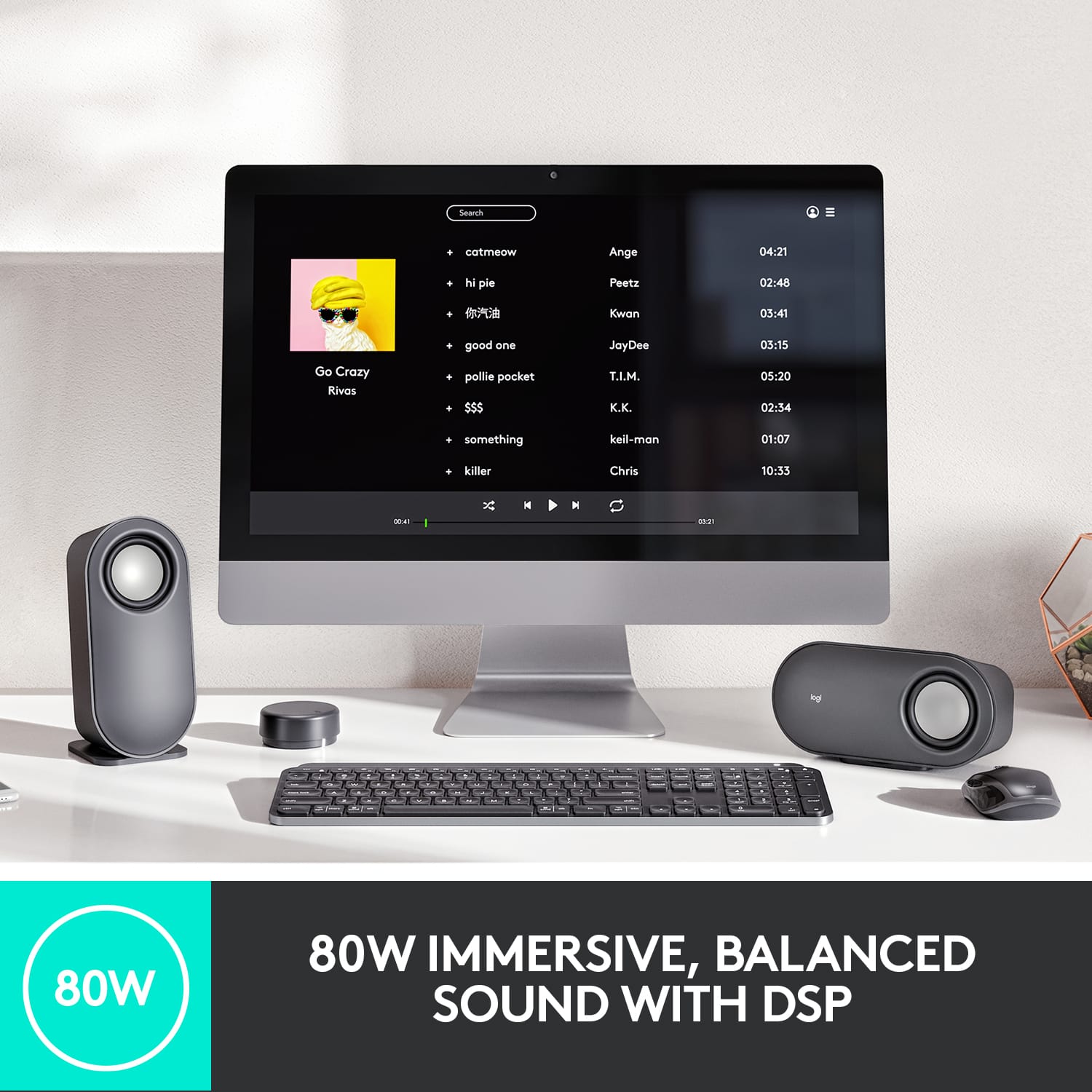
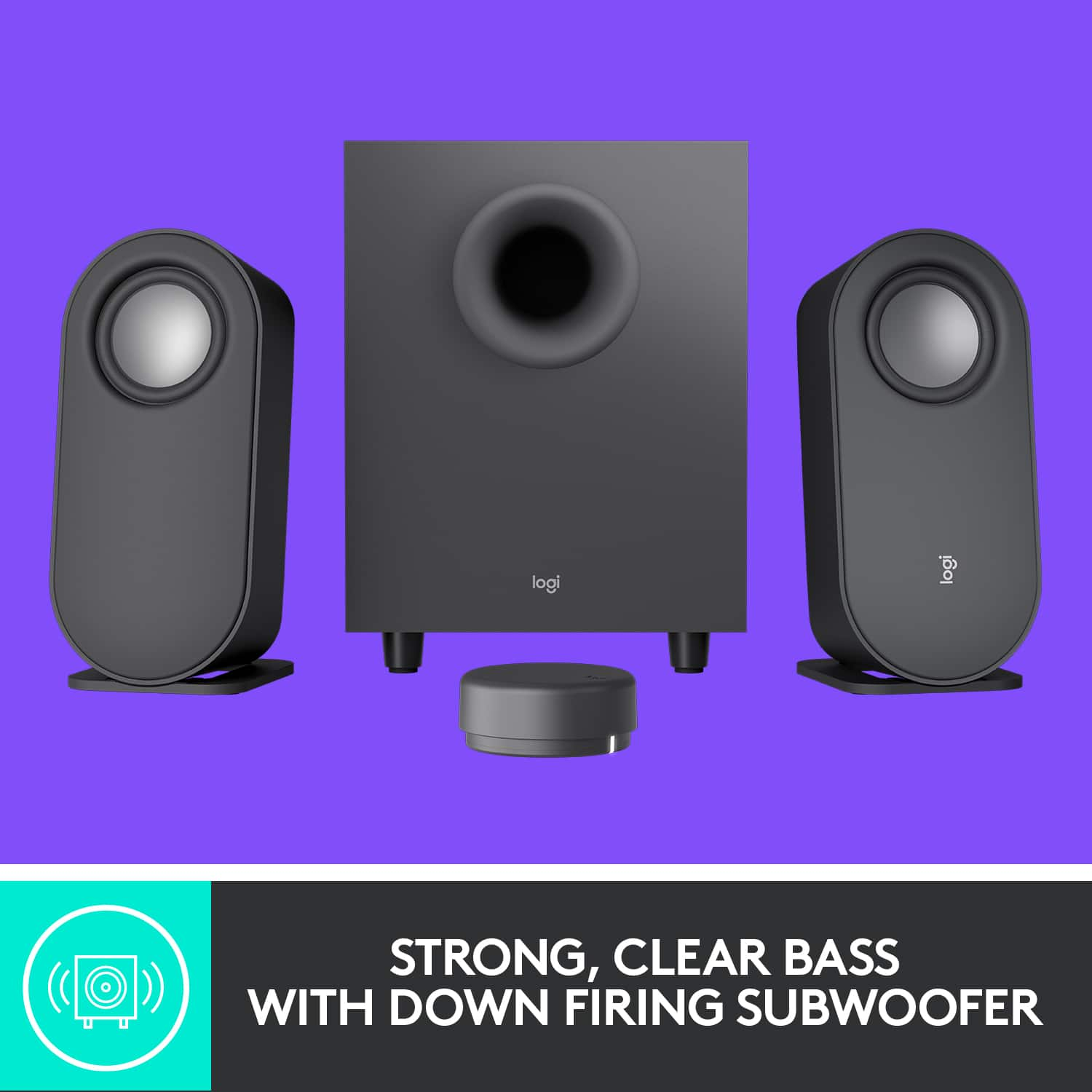
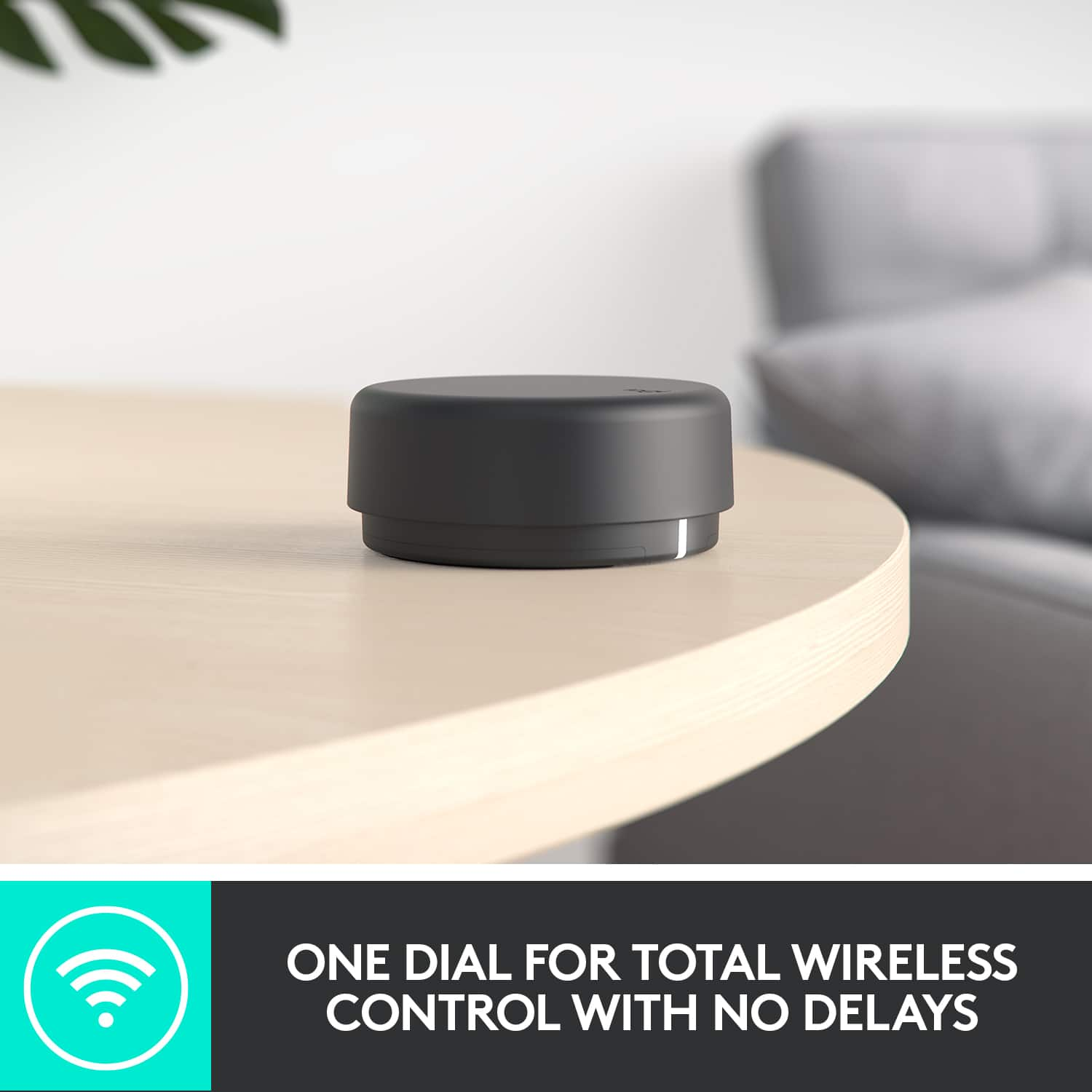
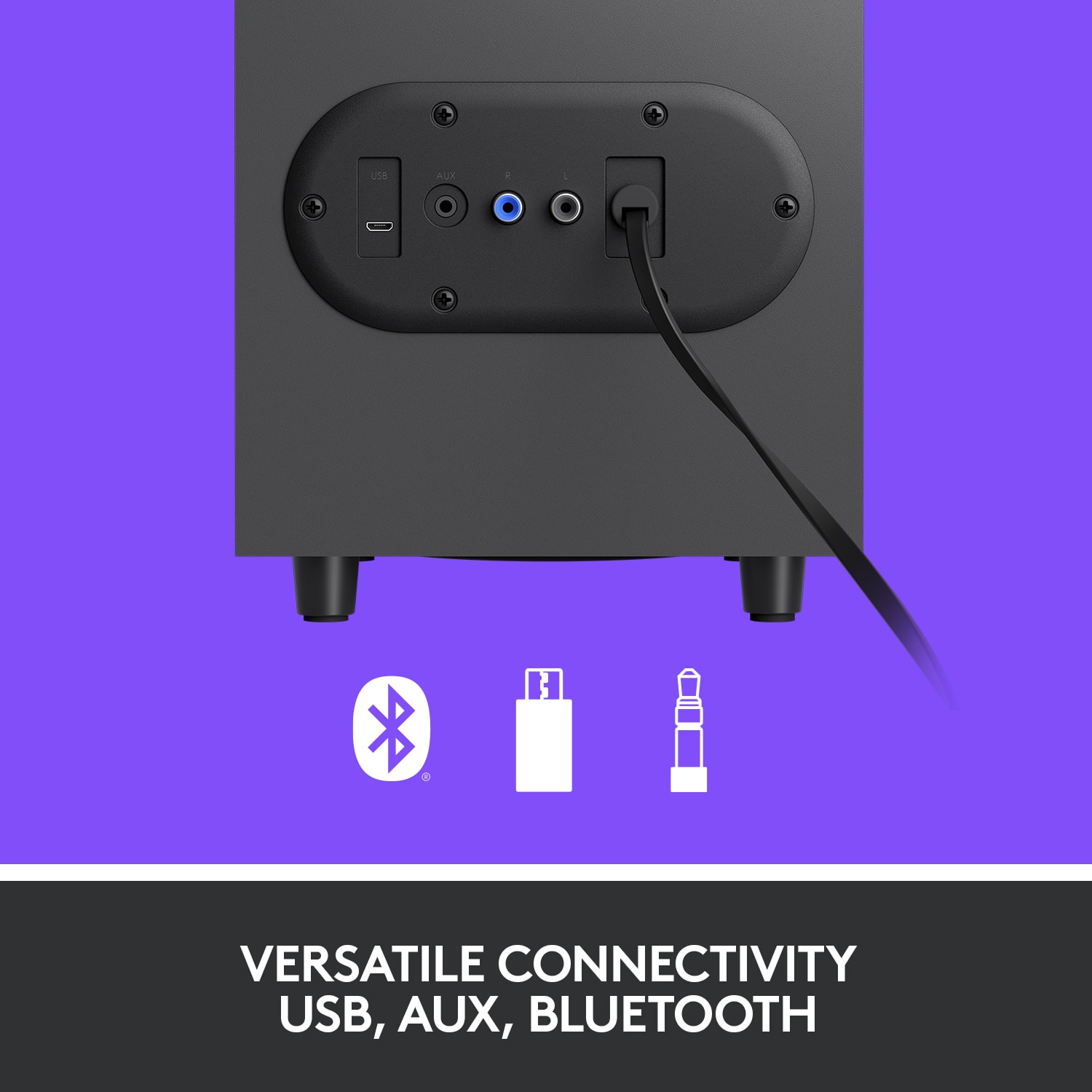
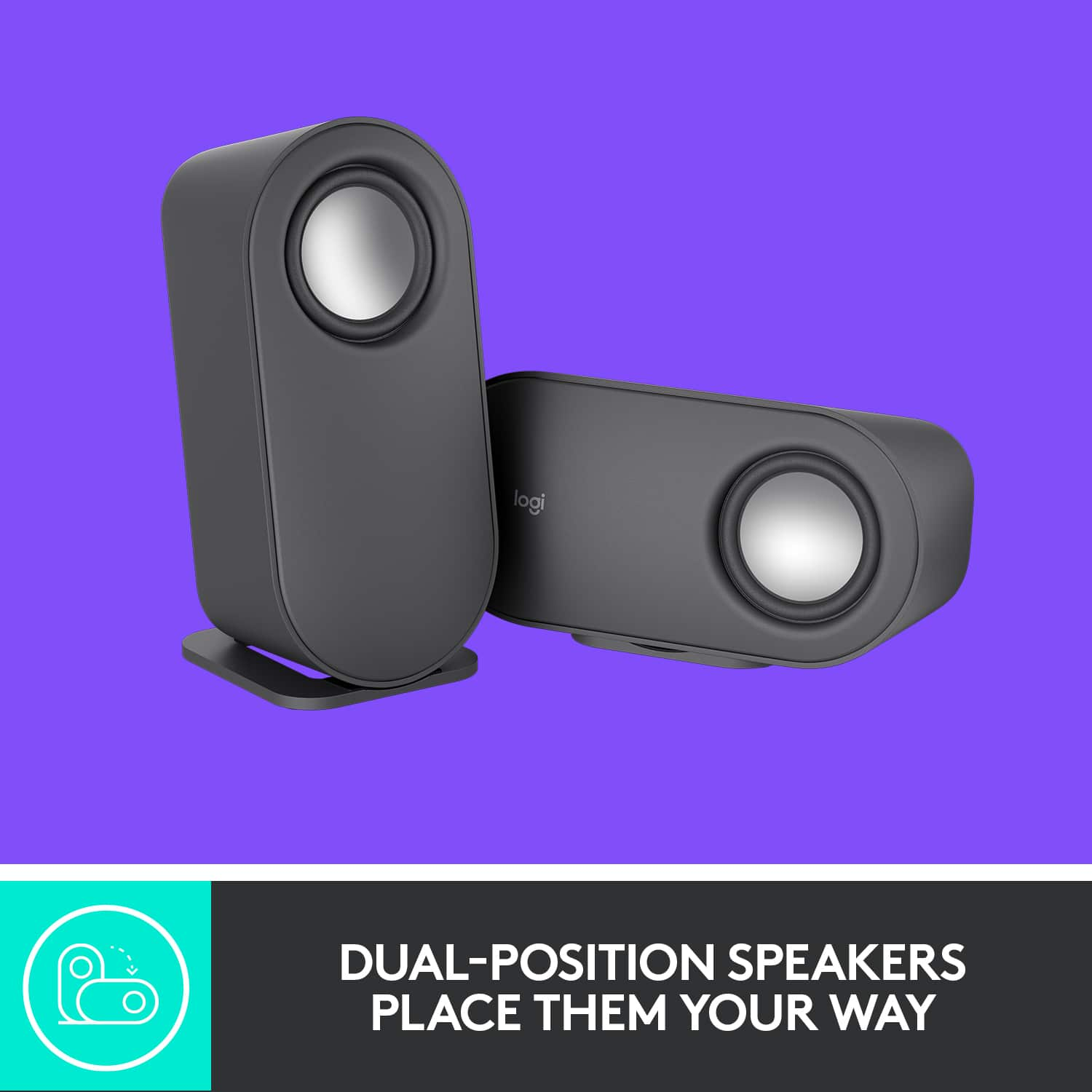
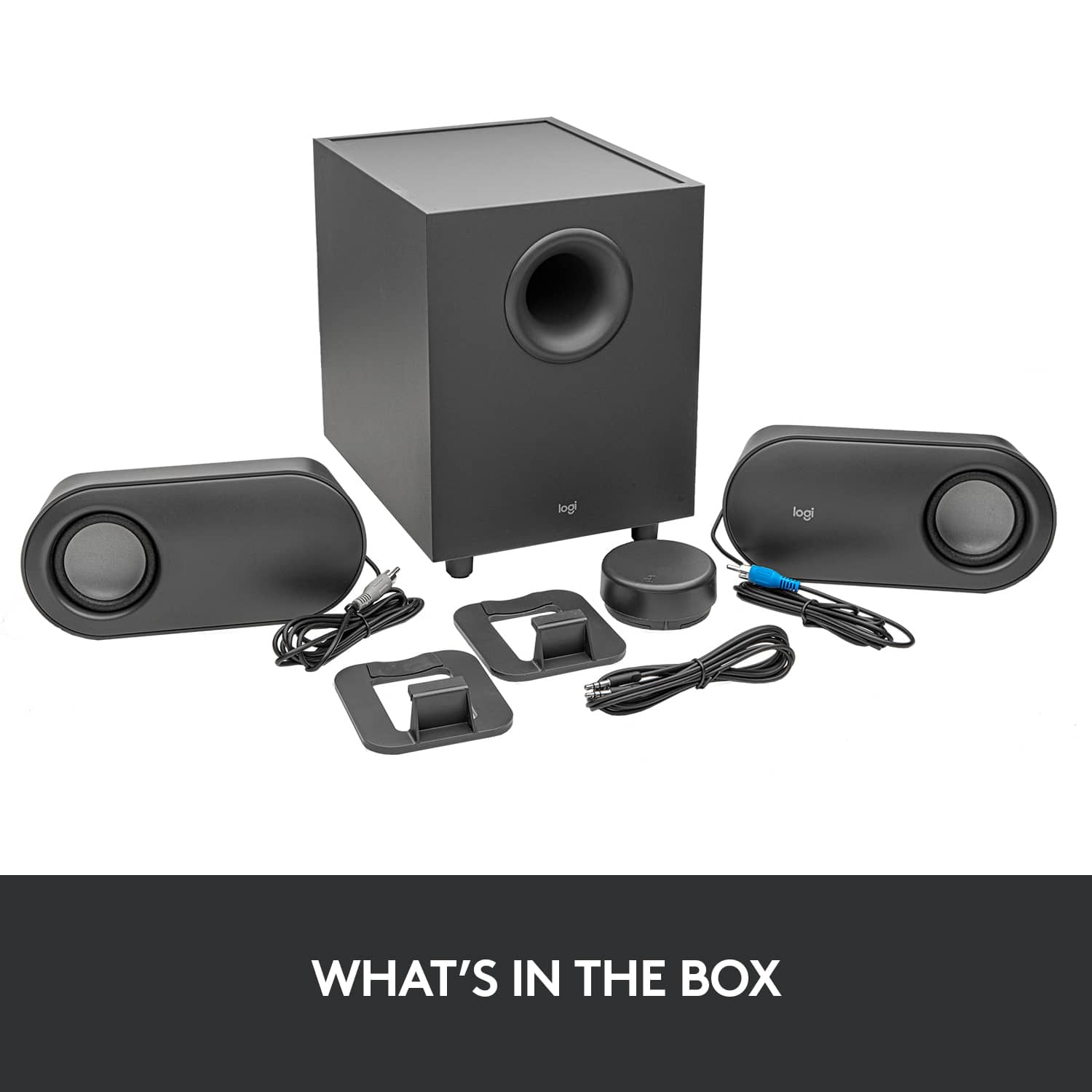
|Posted .This reviewer received promo considerations or sweepstakes entry for writing a review.I really like the styling of these desktop speakers with a cool contemporary look. The graphite grey color has a matte finish which reflects no glare and shows no fingerprints/dust. The speakers each have a stand that can be placed so they sit vertically or horizontally. I have mine set horizontally to make use of the dead space under my monitor. And they sound good, an important attribute for speakers. The speaker drivers are exposed, there is no grill. They look cool and you can see them work when the music is thumping. However the exposed drivers are a finger magnet for kids and even some adults who should all know better! A coarse mesh grill to show the drivers, yet enough grill to stop fingers would be useful. Or something to give an electric shock like those dog collars might work. The standard 3.5mm input can connect to any device that uses the small headphone style jack. A 6’ DIN cable is included in the box. Bluetooth works with many PC’s and mobile devices. The third connection is a micro USB connection. These three connections should let you connect virtually any PC, phone, tablet, TV, game system, or other electronic device that can use one of these three inputs. Not simultaneously of course, you need to switch between them using the round puck remote. The USB connection is better than DIN in that it’s a digital signal and the cable will not pick up hum like the 3.5 mm DIN can. The digital to analogue conversion takes place in the speaker cabinet rather than the sound card/chip in the PC. There is no USB cable included in the box, but they are readily available in near any length you might need. • With a Bluetooth connection, all controls worked on my iPhone, no app is needed. • The MicroUSB connection functions similarly to Bluetooth in that the remote is fully functional. I tested this using an HP Chrome Book. • With a 3.5 mm connection, there is no direct control of the volume on your PC or other device. The puck controls the speaker volume, but only up to the volume set on your device. For example, if your PC volume is set to 50%, the puck can lower the volume, but only raise it to play as loud as the 50% set on the PC. The Bass level can also be changed since that is in the speaker unit itself. Pause and track skip/back have no control over any software on your PC or device through a 3.5 mm connection, which is expected. The hockey puck wireless remote is 2.75” round and less than 2 ounces. Two ‘AAA’ batteries come with the system and like most any stereo or TV remote, the batteries should last a full year per the specifications. Whatever connection you use, the puck remote controls which of the three audio inputs to use, the bass level, and to varying extents the volume. How and if the other functions work depend on the connection you use. In general, I found the remote annoying and a pain to use. If you don’t get the number of clicks input in just the right amount of time, your remote is doing something other than you intended. Click a bit off center and not all pushes will register as intended. Hold the button down for 2 seconds till you get aloud tone interrupting your music and you can adjust the bass. Want to change the volume? Hold the button down till that loud tone interrupts your music again and then you can adjust the volume. Some functions you have to press the button 1, 2 or 3 times, while others require a longer press of 2 seconds and then a dial rotation (adjust bass). When your settings get all out whack, you can reset them with an 8 second press of the remote. And it really need to be on a table to work well. Doing one handed while moving was not a consideration. The remote functions are for the most part non-intuitive. Not at all what I expected from Logitech which usually has the human/machine interface dialed in so very well. Worst part is they seem to know it. As soon as you open the box, there is a large tab with directions on using the remote. Also, there is a ‘cheat sheet’ decal on the remote with the shortcuts. That will wear off someday. Without a doubt, I would not give this to my parents or any child or senior citizen I did not wish to annoy and/or hear from constantly for help. They WILL call you repeatedly when they can’t get the volume adjusted or otherwise get into trouble trying to use this puck remote. Manufacturers seem to hate dedicated buttons these days. More buttons add a bit of cost. I bought a universal TV remote last week with 50+ buttons and batteries for just under $6, normal price. The cost per unit to make our experience with your product better is not that great. Seriously, spend an extra buck or two to keep us coming back for the next purchase and we’ll all come out ahead. The description states “immersive sound, deep bass and clarity” and “room-filling audio”, lofty claims indeed. Well… keep in mind it’s a 40 watts RMS, 80 watts peak 2.1 system (2 small satellite speakers and 1 sub-woofer) that costs under $80 when reading that to keep expectations in perspective. It does sound really, really good for a computer speaker system at this price. The sound we can get from small speakers these days compared to 20-40 years ago is incredible. For a 2.1 speaker at under $80, this is a really good sounding choice for a computer sound system, a TV, streaming off a phone, Echo Dot, or similar. But it will not replace anyone’s dedicated home stereo, surround sound system, or fill a large room with immersive sound in a meaningful way. No $80 system will do that. If you want really “immersive sound, deep bass and clarity” at this price level, Logitech makes some killer gaming headsets that will fill that need better. Choose these speakers and you get the quality Logitech is known for with a warranty from a reputable company who will be around to support you in the future in real time. The quality and sound will not likely disappoint you. However if you will use the remote much, the human interface to using and controlling this sound system, it may just leave you frustrated and annoyed. I wanted something I could use with multiple inputs to reduce clutter in my office. That’s a key feature and the control for it is seriously lacking and annoying. If this had a better remote, I would be really happy with it and could highly recommend it as it does sound really good. Unfortunately I’m keeping my eyes open for another option with a better remote.
No, I would not recommend this to a friend