Customer Ratings & Reviews



- Model:
- B0CG6VFFVL/B08FCWRXQR
- SKU:
- 6456121
Rating by feature
- Value
Rating 4.6 out of 5 stars
- Quality
Rating 4.7 out of 5 stars
- Ease of Use
Rating 4.7 out of 5 stars
Customers are saying
Customers love the Floodlight Cam Pro for its great camera quality, ease of use, and overall performance. Many appreciate the adjustable light brightness, effective motion detection, and easy installation. While some find it a bit pricey, the night vision and wide field of view are also well-received.
This summary was generated by AI based on customer reviews.
- Pros mentioned:Camera quality
Amazing ring
||Posted . Owned for 2 weeks when reviewed.This reviewer received promo considerations or sweepstakes entry for writing a review.10/10 camera and lighting is amazing. Awsome view.
I would recommend this to a friend 
Paying for the Hype
|Posted . Owned for 11 months when reviewed.This reviewer received promo considerations or sweepstakes entry for writing a review.The reason I bought this fixture was due to problems with the neighbor and their animals. One being a 600 LB horse and the other being a 135 LB pit-bull. During the trial period (30 days) it was great. It would catch leaves falling off the trees, but as soon I subscribed to the service the performance went downhill. This device is mounted about 9ft off the ground and pointed straight at the area where the neighbor and his animal's trespass through to get in my yard, and it catches nothing! It will NEVER detect the animals. I have tried adjusting setting and positions, but nothing helps. The audio is no better. Sometimes the audio comes in clear and other times its garbled. For the price, I expected better. Once the service is up, I will definitely be changing to another brand.
No, I would not recommend this to a friendBrand response from Ring
Posted .Hi BobbyP.
Thank you for sharing this feedback with us.
We understand how critical it is for your Ring Floodlight Cam Wired Pro to notify you of meaningful motion events where the device is installed. The Ring Floodlight Cam Wired Pro was designed to capture motions based on your specifications to help keep your home secure. We can definitely assist you with this today to ensure your Ring device is performing optimally and the proper settings are chosen within the Ring app.
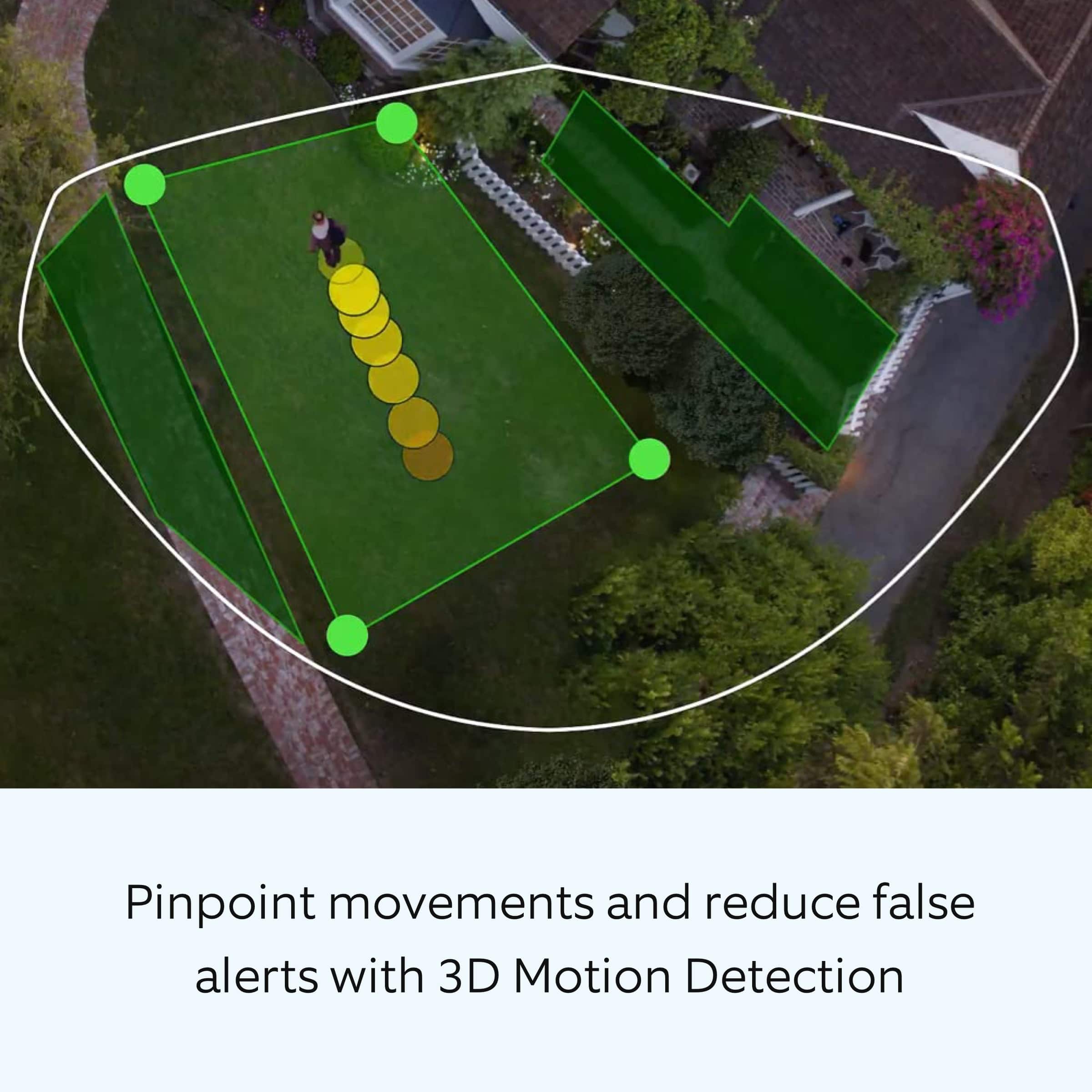
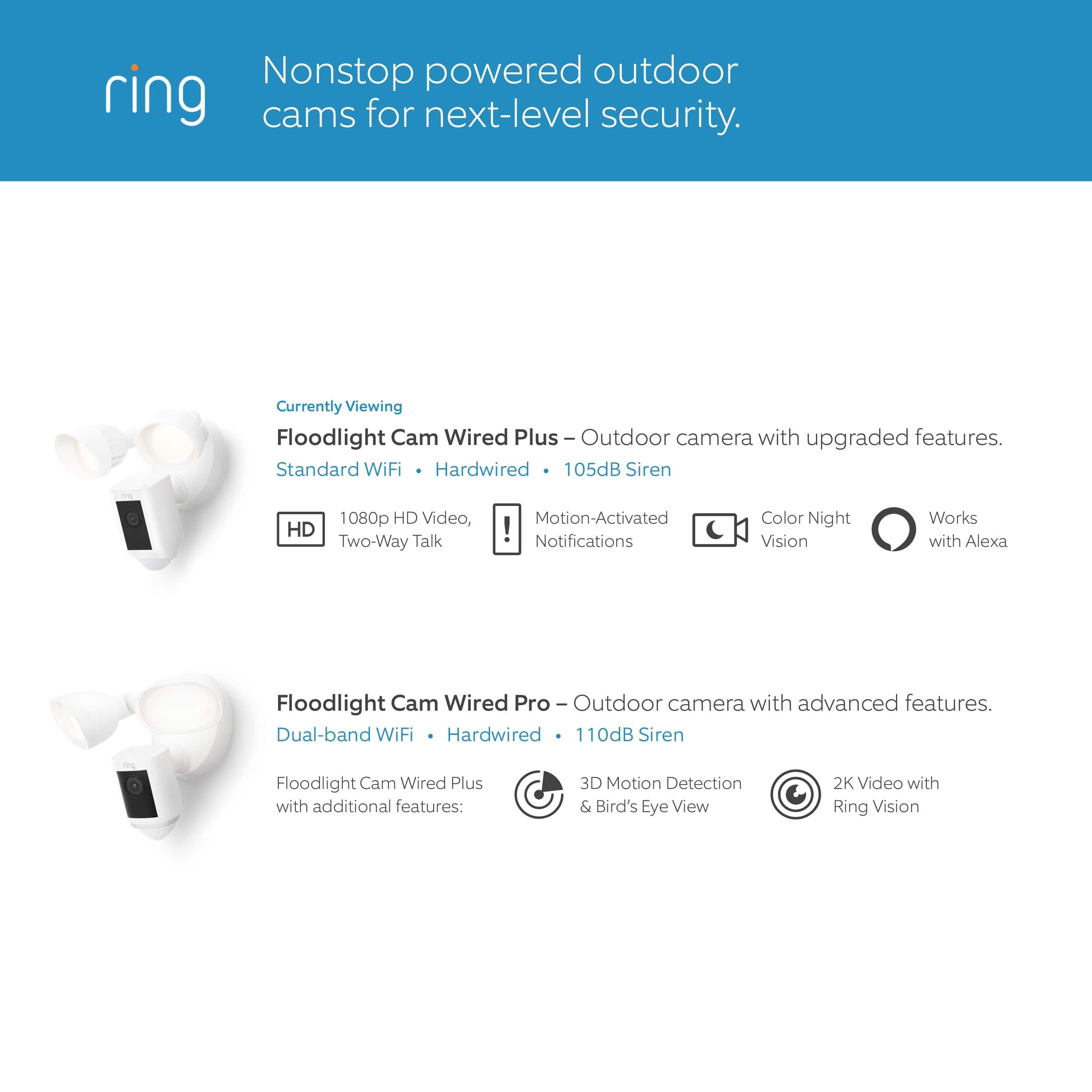
It sounds like your device is not detecting the motion you want it to. The Floodlight Cam Wired Pro has advanced features, including radar-powered 3D motion detection and bird's-eye view for more precise motion detection.
Camera Motion Zones and Bird's Eye Zones provide customization to trigger video recording only when someone steps into your defined motion zones. The radar that powers 3D motion detection also has additional benefits, such as:
Provides accurate motion detection in dark or low-light conditions.
Reduces unnecessary alerts while still providing timely notifications.
Powers Bird’s Eye View
Visit our support center for additional motion-detecting settings.
Ring Community was launched to help deliver the most current news and educational information to our neighbors. This online forum is divided into four categories: Product Boards, Ring Updates, Tips + Tricks, and a Moderators’ Corner. The Product Boards are where you can begin new topics with your questions or feedback; there is also a search option that helps you find topics that have already been posted by other neighbors.
All the best,
Nicole from Ring.
Not goid as my my old feit camera
||Posted . Owned for 1 month when reviewed.This reviewer received promo considerations or sweepstakes entry for writing a review.I doesn't record everything on motion I missed a loy of events and connection is bad
No, I would not recommend this to a friendBrand response from Ring
Posted .Hi MariaG.
Thank you for taking the time to share your experience with us.
We understand how important it is to have your Ring Floodlight Cam Wired Pro capture all the correct motion events. Consistent and dependable motion alerts are an essential feature for the Ring Floodlight Cam Wired Pro to function properly. This is likely the reason you purchased this security device in the first place: to be alerted to people on your property. We are eager to provide you with a solution for the motion detection and connectivity concerns mentioned in your review.
It sounds like your device is not picking up all of the motion you are wanting it to. Where you install your device will have a large impact on the motion detection it will pick up. The Ring Floodlight Cam works great mounted about nine feet above ground level, if possible, with the motion sensor parallel to the ground. From this height, your Floodlight Cam can cover a wide visual area as well as capture HD video of your visitors.
When your Ring Floodlight Cam is mounted too low, it reduces your optimal motion zone. This can result in approaching visitors not being detected as motion or only capturing a partial image when the sensors are triggered.
If your device is mounted at the optimal height, but you are still missing motion notifications, it could be due to a poor wifi signal. Even with the best wifi router and minimal obstructions, wifi signals get weaker the further they travel. If your router is far away from your Ring products, consider moving it closer, adding a Ring Chime Pro, or upgrading to a mesh network system to extend your wifi network's coverage.
Visit our support center for more information on how to improve wifi performance if you're experiencing problems with Live View, a poor device connection, or receiving notifications.
Ring Community was launched to help deliver the most current news and educational information to our neighbors. This online forum is divided into four categories: Product Boards, Ring Updates, Tips + Tricks, and a Moderators’ Corner. The Product Boards are where you can begin new topics with your questions or feedback; there is also a search option that helps you find topics that have already been posted by other neighbors.
All the best,
Nicole from Ring.
Garage door camera
||Posted . Owned for 7 months when reviewed.This reviewer received promo considerations or sweepstakes entry for writing a review.The camera is good quietly. It cMe with complicated instructions. It requies electrical technician to install it. Geek SQUAD TEAM don't install wired cameras. It doesn't have moving feature. You spend touch money on one item to install. It isn’t worth it for one camera.
No, I would not recommend this to a friendBrand response from Ring
Posted .Hi SuheirO.
We are so happy to have you as a part of our Ring family, and thank you for taking the time to share your experience with us. At Ring, we strive for each of our customers to encounter a smooth setup and installation experience. The Ring Floodlight Cam Pro is designed to be a DIY home security solution that can be trusted to provide you with lasting coverage. Please know that we take your peace of mind seriously, and we are here to assist in finding you a resolution.
We are always looking for ways to better our products and services, and your feedback is an invaluable part of that process. I understand that with the installation of home security devices, there may be installation charges or costs to get the devices installed; however, our warranty does not include reimbursement for inconvenience, installation, loss of use, or unauthorized service.
It's so important to us to know that your concerns are being addressed, and that we have helped improve your Ring experience. We offer a Ring Community platform from our website which allows you to help one another and share your feedback/experiences with Ring. We invite you to reach our community if any additional information is needed regarding your concern.
Sincerely,
Amilia from Ring.
Not for the average buyer
||Posted . Owned for less than 1 week when reviewed.This reviewer received promo considerations or sweepstakes entry for writing a review.Not a simple install need professional help when installing to make sure you stay safe.
No, I would not recommend this to a friendBrand response from Ring
Posted .Hi Gingi.
Thank you for taking the time to share your experience with us. We understand the importance of a seamless setup process so that you can begin using your Ring Floodlight Cam Wired Pro right away.The features and technology provided by the Ring Floodlight Cam Wired Pro are incredibly valuable and help provide you with peace of mind about your home security. We are here to provide you with some information to resolve the installation issue you mentioned in your review.
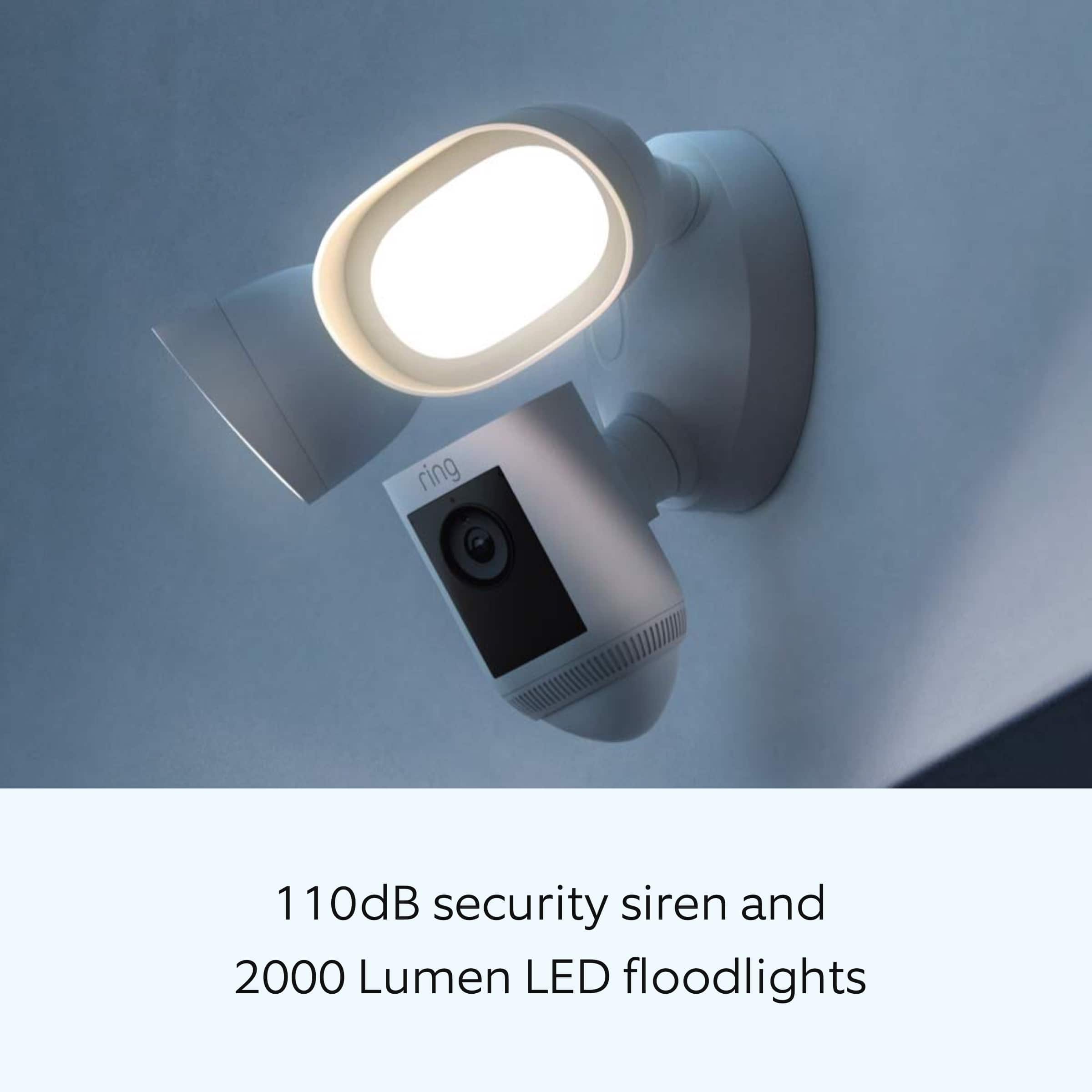
Floodlight Cam Wired Pro has Advanced Motion Detection, Customizable Motion Zones and Customizable Privacy Zones that are controlled from the Ring app. In addition, the Floodlight Cam Wired Pro has advanced features including radar-powered 3D Motion Detection, Bird’s Eye View for more precise motion alerts, Audio+, a 110db security siren, dual-band wifi, is compatible with Amazon Sidewalk and an array microphone that limits sound detection.
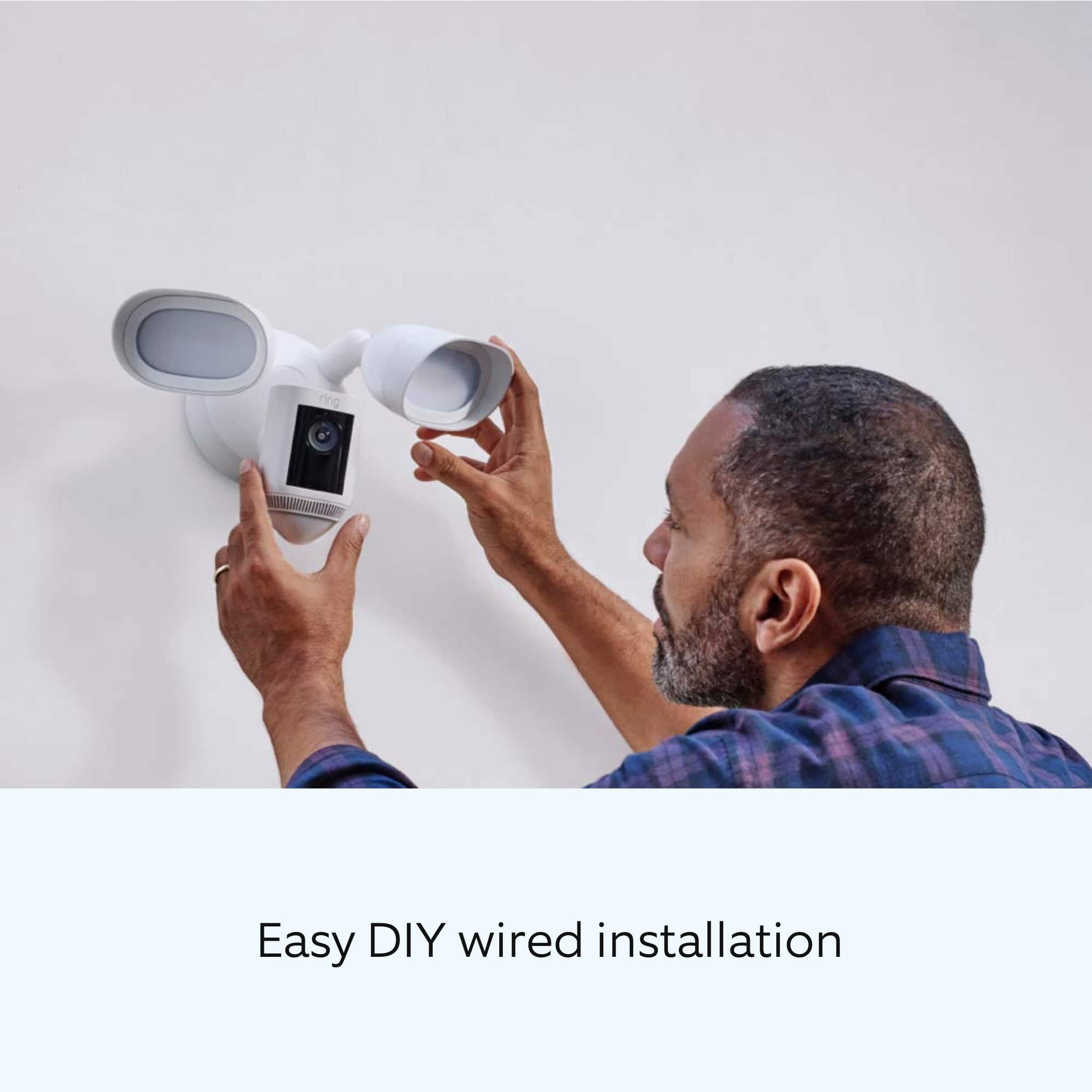
We have included the installation steps for the Ring Floodlight Cam Wired Pro here:
Disconnect power to installation area at your circuit breaker or fuse box before beginning installation. Always use caution when handling electrical wiring. Installation by a qualified electrician may be required in your area. Refer to your local laws and building codes before performing electrical work; permits plus professional installation may be required by law.
Your Floodlight Cam Wired Pro must be installed on a 4“ round UL listed weatherproof electrical box.
Make sure the power is turned off at the circuit breaker before beginning installation.
Open the Ring app.
Tap the menu (≡) on the top left corner of your Dashboard.
Tap Set Up a Device.
Follow the instructions in the Ring app.
When prompted, scan the QR Code on the back of the device.
Installing your Floodlight Cam Wired Pro:
1. Rotate both the lights outward if you are mounting the Ring Floodlight Cam Wired Pro on an eave or overhang.
2. Rotate one light downward, if you’re mounting to a wall.
Select a set of screws that fit your junction box from the bags marked A through F. Save a screw from either bag B or C for one of the following steps.
*Bag A - standard screws that fit most junction boxes
*Bag B & C - longer screws for recessed junction boxes
*Bag D, E & F - best for older boxes with smaller screw holes
Attach the metal mounting bracket.
Secure the metal mounting bracket with the screws you selected in the previous step.
Install the plastic mounting plate by following these steps:
1. Pull gently from the opening of the plastic plate to free it from the fixture, then feed your power wires through the opening.
2. If you’re installing on a wall, the UP arrow should point up when your wires have been fed through the mounting plate.
3. If you’re installing under an eave, the arrow should point toward the wall.
4. Insert one of the screws from Bag B or C into the center hole, then tighten to secure.
Hang up your Floodlight Cam Wired Pro by following these steps:
Locate the nylon strap on the back of your Floodlight Cam Wired Pro light fixture and loop the buckle at the end over the hook on the mounting plate. Make sure that the buckle and hook are secure before releasing the light fixture.
Connect the wires by following these steps:
The green wire on the the Floodlight Cam Wired Pro is the ground wire.
With the power still turned off at the breaker, use a wire nut from the bag marked G to connect the green wire coming from the junction box.
The white wire on the Floodlight Cam Wired Pro is a neutral wire. Use another wire nut from the bag marked G to connect the white (neutral) wire coming from the junction box.
The black wire on the Floodlight Cam Wired Pro is a hot wire. Use another wire nut from the bag marked G to connect the black wire from your Floodlight Cam Wired Pro to the black (hot) wire from your junction box.
Give all three wires a gentle tug to make sure they’re secure.
Mount the fixture by following these steps:
Tuck the wires into the junction box, then align the two holes on the light fixture with the threaded posts on the plastic mounting plate. Slide the light fixture onto the posts and push firmly into place.
Secure the fixture using two of the hex cap nuts from Bag G over the ends of the threaded posts.
Remove the reversible bit from the included screwdriver and use the handle to tighten the hex cap nuts.
Restore the power at the breaker.
Now that your floodlight Cam Wired Pro is installed, you can turn the power back on at the breaker. The lamps on your Floodlight Cam Wired Pro will flash once it’s powered on.
We invite you to reach out to our Community if any additional information is needed regarding your question. The Ring Community is our first peer-to-peer community forum, giving our customers the ability to help one another by sharing their feedback and experiences with each other.
Thank you,
Melissa from Ring.
Annoying Ring camera
||Posted . Owned for 3 weeks when reviewed.This reviewer received promo considerations or sweepstakes entry for writing a review.Works with fairly good vision, but picks up all kinds of animals with annoying constant alerts. I want to record more thatn just people so the camera is a nuisance.
No, I would not recommend this to a friendBrand response from Ring
Posted .Hello jwr47,
Thank you for taking the time to share your Ring Floodlight Cam Wired Pro experience with us directly, we appreciate it! The Floodlight Cam Wired Pro has Advanced Motion Detection, Customizable Motion Zones and Customizable Privacy Zones that are controlled from the Ring app. In addition, the Floodlight Cam Wired Pro has advanced features including radar-powered 3D Motion Detection, Bird’s Eye View for more precise motion alerts, Audio+, a 110db security siren, dual-band wifi, is compatible with Amazon Sidewalk and an array microphone that limits sound detection. With Ring, you can check in on your property anytime, from anywhere, and can see and speak to visitors at your door in real-time using your Ring app or Alexa-enabled device. Rest assured, we are here to provide you with some helpful tips for getting the most out of Ring's advanced motion settings.
Motion Zones allow you to define a specific area that you want your Ring device to cover while ignoring everything outside that area. By drawing your Motion Zones to cover only areas you want the Ring device to monitor, you can more effectively monitor the area you want, as well as reduce the number of “false positive” motion alerts (such as cars driving by). This article will help you set up your Motion Zones and give you some tips in making them more effective: https://support.ring.com/hc/en-us/articles/360021842611-Utilizing-Motion-Zones-With-Your-Powered-Ring-Devices.
Ring Community is our first peer-to-peer community forum, giving our customers the ability to help one another and share their experiences with Ring. We invite you to reach out at https://community.ring.com/ if you have any additional questions regarding your Ring Floodlight Cam Wired Pro product.
Thank you,
Alexis with Ring
Sensitivity
||Posted . Owned for 1 month when reviewed.This reviewer received promo considerations or sweepstakes entry for writing a review.I do like the floodlight, however it’s too sensitive to all activity including constant cars driving through our street.
I would recommend this to a friendBrand response from Ring
Posted .Hey MarthaS
Thank you for sharing your concern with us. We understand how important it is for your motion detection to work correctly. We have several ways of adjusting your motion to have it work how you would like. To start, we suggest changing your motion zones and decreasing your motion sensitivity. https://support.ring.com/hc/en-us/articles/360050360052-Customizing-Motion-Zones-for-Video-Doorbells-and-Security-Cameras. You should also activate Smart Alerts. https://support.ring.com/hc/en-us/articles/360032947972-Refining-Your-Motion-Alert-Notifications-for-People-and-Other-Motions-. Adjusting these should help decrease unwanted motion alerts.
Best wishes
Ivan from Ring
Flood light
||Posted . Owned for 1 month when reviewed.This reviewer received promo considerations or sweepstakes entry for writing a review.I give it a three because it doesn’t record very good, it freezes and I miss a lot of the people who walk by my front garage
I would recommend this to a friendBrand response from Ring
Posted .Hi Mariah. It's definitely important to be able to rely on your Floodlight Cam to detect visitors at your home. Since your Camera is freezing and missing motions, i'd recommend checking the RSSi on the Device Health screen to make sure your Floodlight Cam has a strong wifi connection. To learn more, check out this article from our Help Center https://support.ring.com/hc/en-us/articles/217271526-Understanding-RSSI-and-Wifi-Signal-Strength. Improving the signal strength should improve the performance of your Floodlight Cam. For more help, browse the Ring Community at https://community.ring.com/ to ask other neighbors what worked for them. Best wishes, Ashley from Ring.
Over all good
||Posted . Owned for 7 months when reviewed.This reviewer received promo considerations or sweepstakes entry for writing a review.Over all good camera. Wish it was a bit better in capturing movement and people.
I would recommend this to a friendBrand response from Ring
Posted .Hi Brittany.
Thank you for taking the time to share your experience with us. We understand how important it is to have your Ring Floodlight Cam Wired Pro capture all the correct motion events. The Ring Floodlight Cam Wired Pro was designed to capture motions based on your specifications to help keep your home secure. We are here to provide you with some information to resolve the issue you mentioned in your review.
It sounds like the device is not performing as expected in regards to person detection. It is important to ensure that you have the proper motion settings in place for your environment. This camera uses adjustable motion detection and runs on passive infrared sensors. The system identifies visitors via a moving heat signature and sends a notification to your smart device when one is detected. You can adjust three preset motion zones and their distances under the "Motion Settings" tab on the device's page in the Ring app. Additionally, you can choose how often the camera checks for movement in those predefined zones via the "Motion Frequency" setting. If you find that your camera is missing some motions, please set the motion frequency to "Frequently."
Accuracy in motion detection can also be improved by enabling the "Smart Alerts" feature for people only in your Ring app. To enable "Smart Alerts," please follow these steps:
Tap the menu (≡) on the top left.
Tap "Devices."
Tap the device that you want to adjust.
Tap "Motion Settings."
Tap "Smart Alerts."
Tap "Enable Feature."
Tap "Continue."
Select the notification options that you want for "Person" and "Other Motion."
You'll see a video camera where you can select or de-select recording and a bell icon to represent alert notifications.
After you've adjusted your settings, tap "Done."
If any additional information is needed regarding your Ring Floodlight Cam Wired Pro, please reach out to our community. Ring Community is our first peer-to-peer community forum, giving our customers the ability to help one another and share their feedback and experiences directly with Ring. Please let us know how we can further assist you!
Thank you,
Melissa from Ring.
Not anything special about this over priced light
||Posted . Owned for 3 weeks when reviewed.This reviewer received promo considerations or sweepstakes entry for writing a review.This is suppose to be the top of the line in Ring Spot Lights. It does not show color at night as stated. I called a Ring consultant in which was out of the country, not very clearly understood, and the issue was not resolved. I’m planning to return as soon as I get an electrician to remove.
No, I would not recommend this to a friendBrand response from Ring
Posted .Hi EvelynwG.
Thank you for taking the time to share your experience with us. We understand the importance of having your Ring Floodlight Cam Wired Pro record clear and concise videos so that you can effectively monitor your home. The features and technology provided by the Ring Floodlight Cam Wired Pro are incredibly valuable and help provide you with peace of mind about your home security. We can definitely assist you with this today, and we are confident we can find the correct settings for your home’s environment.
It sounds like the device is not performing as expected in regards to "Night Vision." The Ring Floodlight Cam Wired Pro has "Advanced Motion Detection," "Customizable Motion Zones" and "Customizable Privacy Zones" that are controlled from the Ring app. In addition, the Floodlight Cam Wired Pro has advanced features including radar-powered "3D Motion Detection," "Bird’s Eye View" for more precise motion alerts, "Audio+," a 110db security siren, dual-band wifi, is compatible with Amazon Sidewalk and an array microphone that limits sound detection.To ensure that the "Night Vision" feature works as intended, make sure your Ring Floodlight Cam Wired Pro's "Color Night Vision" tab is toggled on in the Ring app. Enable "Color Night Vision" in the Ring app to help improve clarity at night.
To turn the "Color Night Vision" on or off, follow these instructions:
Open the Ring app.
Tap the "Menu" (☰).
Tap "Devices."
Select the device you want to adjust.
Tap "Device Settings."
Tap "Video Settings."
Toggle "Color Night Vision" on or off.
If you are still experiencing issues with video quality, we recommend checking your Ring device's signal strength. If your Ring device is far from your wifi router, it may be experiencing connection or video issues.
Open the Ring app.
Tap the "Menu" (☰).
Tap "Devices."
Select the Ring device you would like to test.
Tap on the "Device Health" tile.
Scroll to "Signal Strength" under the "Network" section.
The green, amber, and red colors are indicators of your device connection. Green is good; red is poor.
Follow these instructions to reboot your Ring Floodlight Cam Wired Pro in the Ring app:
Open the Ring app.
Tap the "Menu" (☰).
Tap "Devices."
Select the device that you wish to reboot.
Tap on the "Device Health" tile.
Scroll down to "Reboot This Device."
Give your device a few moments to start back up.
We invite you to reach out to our community if any additional information is needed regarding your Ring Floodlight Cam Wired Pro. The Ring Community is our first peer-to-peer community forum, giving our customers the ability to help one another by sharing their feedback and experiences with each other.
Thank you,
Melissa from Ring.
- Cons mentioned:Wi-fi
Ring products didn't work
||Posted . Owned for 3 weeks when reviewed.This reviewer received promo considerations or sweepstakes entry for writing a review.The ring floodlight camera wired pro didn't work. I tried working the ring people for 3 days in a row to get it to work. I also bought the ring chime to help boost the ringdoorbell. It only work when i moved it into the front porch, 2 feet away from the ring doorbell using 2 extension cords.
No, I would not recommend this to a friendBrand response from Ring
Posted .Hi Neighbor. Sorry to hear that you were having connection issues with your Floodlight Cam Wired Pro. To assist with connection issues, you can download a free WiFi analyzer app that will help you determine the best WiFi channel for your device and if there is network interference in a specific location. If you have any further questions or concerns, try browsing the Ring Community at https://community.ring.com/. As our first peer-to-peer forum, the Ring Community allows you to ask questions and interact with other neighbors to discuss your Ring devices. Best wishes, David with Ring.
Great security device
||Posted . Owned for 3 weeks when reviewed.This reviewer received promo considerations or sweepstakes entry for writing a review.Great floodlight only wish it could be brighter but it's great so much I purchased 2 more one for the back of my house and another one as a gift. It's funny wathcing wild life setting it off and their reaction to the voice
I would recommend this to a friendFlood light for outside
||Posted . Owned for 1 year when reviewed.This reviewer received promo considerations or sweepstakes entry for writing a review.Dont buy this water got in light they dont want to anything about it
No, I would not recommend this to a friendBrand response from Ring
Posted .Hi Bocaphilip.
We appreciate you telling us about your experience with Ring. At Ring, we want to ensure that you have the best possible experience with our products. Your peace of mind and security are extremely important to us. The features and technology provided by the Ring Floodlight Cam Wired Pro are incredibly valuable and help provide you with peace of mind about your home security. We can definitely provide you with more information regarding the concern mentioned in your review.
It sounds like the device is not performing as expected. Ring devices have a one-year limited warranty. We will cover your eligible device against defects in materials and workmanship under ordinary consumer use. In other words, if your device malfunctions during normal operation within its first year, then Ring will fix or replace your device as needed.
If any additional information is needed regarding your Ring Floodlight Cam Wired Pro, please reach out to our community. Ring Community is our first peer-to-peer community forum, giving our customers the ability to help one another and share their feedback and experiences directly with Ring.
Thank you,
Amilia from Ring.
Ring flood light camera pro
||Posted . Owned for 1 month when reviewed.This reviewer received promo considerations or sweepstakes entry for writing a review.I bought this one the pro because the specifications says its video quality is better than the plus but honestly I returned it because the video quality is not as good as the plus.
No, I would not recommend this to a friendBrand response from Ring
Posted .Hi GeovannyS.
Thank you for taking the time to share your experience with us. We understand the importance of having your Ring Floodlight Cam Wired Pro record clear and concise videos so that you can effectively monitor your home. The features and technology provided by the Ring Floodlight Cam Wired Pro are incredibly valuable and help provide you with peace of mind about your home security. We are here to provide you with some information to resolve the video quality issue you mentioned in your review.
It sounds like the device is not performing as intended. Ring Floodlight Cam Wired Pro is an outdoor security camera designed to provide you with the ability to customize your Floodlight Cam's zone coverage, motion settings and light settings in the Ring app. Ring devices require high speed internet to bring you crisp, clear video and audio. Poor network connectivity can effect the performance of your Ring device. Diagnose and fix common video issues you may experience with Ring doorbells and cameras.
Here are some examples of video quality issues:
Overexposed, washed out videos: Washed out videos may be due to overexposure to sunlight.
Poor wifi signal strength: A decline in wifi signal strength may be caused by a weak connection between the router and your Ring device.
Traveling signal strength: This may be due to a wifi dead zone in your home where you loose signal strength between the router and your Ring device.
Ring devices with 1080p video require at least 1 Mbps upload and download speeds, though 2 Mbps is recommended for optimal performance. In edition to ensuring that you have sufficient wifi speeds, you will also want to check the signal strength of your device. A poor wifi signal can cause connectivity with your Ring device to be unreliable.
Check the Device Health section of your Ring application to ensure the device’s RSSI is within an acceptable range. The recommended range for optimal performance is 0 to -60 for the RSSI.
Turn off your mobile device's cellular data and connect to the same wifi network as your Ring device.
Open the Ring app.
Tap the menu (☰).
Tap Devices.
Select your device.
Trigger an event on your Ring device.
Answer the event and examine the resulting video.
We have listed some possible outcomes from this test here:
Footage is crisp and clear: If your video appears good when next to the router, the issue may be caused by a disruption in between your router and your Ring device’s normal location. To fix this, try moving your device closer to the router or extend your wifi signal with a wifi extender like the Ring Chime Pro.
Footage is heavily pixelated: If you’re seeing heavy pixilation, even next to the router, this may be due to slow wifi speeds.
Severe pauses in Live Video: If your video pauses, stutters, or gets frozen and your wifi speed meets the minimum standards, try rebooting your router. Unplug your router, wait 30 seconds, and then plug it back in. It should take three to four minutes to reboot. Then, test your Ring device again and see if there's any difference.
Long delay before your video starts: This is also caused by slow wifi speeds. Assuming you have high speed internet, reboot your router and the mobile phone, tablet, or PC you're accessing the video feed on, Then see if there's any difference when it's back on line.
For more information on your Ring Floodlight Cam Wired Pro, we invite you to reach out to our Community. Ring Community is our first peer-to-peer community forum, giving our customers the ability to help one another and share their personal feedback and experiences with Ring. We look forward to hearing from you if we can be of any further assistance!
Thank you,
Melissa from Ring.
Ring flood
||Posted . Owned for 3 weeks when reviewed.This reviewer received promo considerations or sweepstakes entry for writing a review.Nice product, quality not that good outside more than 15 feet away
I would recommend this to a friendBrand response from Ring
Posted .Hello Ring,
Thank you for leaving a review on the Ring Floodlight Camera. We love knowing what products/features our Ring community members would like to see considered. Thank you for taking the time to share your feedback with us.
We greatly appreciate your feedback and welcome you to share your request on our community support board. We would love to hear your feedback on how we might improve this experience for you, and kindly ask for your feedback to be directed to our Ring Community page on Ring.com (http://ring.com/): https://community.ring.com/.
Thank you, Jamila, with Ring
newer model is better
||Posted . Owned for 2 weeks when reviewed.This reviewer received promo considerations or sweepstakes entry for writing a review.newer version is better, this one is less expensive.
No, I would not recommend this to a friendBrand response from Ring
Posted .Hello bijeaux, Thank you for taking a moment to leave your review on the Ring Floodlight Camera. At Ring, we believe that stronger communities are the key to safer neighborhoods. That is why we are driven to create products that help you protect what matters most at home, and empower you to connect with your visitors from wherever you are. Your experience with Ring is impactful on our future as a company, and we would love to hear from you directly on our Ring Community forum. If you have any experiences to share, questions regarding Ring and our services, or any feedback and product suggestions, we encourage you to have your voice be heard: https://community.ring.com/! Thank you, Jamila with Ring
Makes sure best buy can install!
||Posted . Owned for 2 weeks when reviewed.This reviewer received promo considerations or sweepstakes entry for writing a review.Had to return. Could not find anyone to install where we are
No, I would not recommend this to a friendBrand response from Ring
Posted .Hello Bettymom,
Thank you for taking a moment to leave your review of the Ring Floodlight Wired Pro. At Ring, we believe that stronger communities are the key to safer neighborhoods. That is why we are driven to create products that help you protect what matters most at home, and empower you to connect with your visitors from wherever you are. We are saddened to read that this device did not meet your expectations, but are still here to assist you, if needed.
If you still have the Ring device in your possession, we invite you to reach out to us at https://community.ring.com/. Ring Community is our first peer-to-peer community forum, giving our customers the ability to help one another and share their personal feedback/experiences with Ring. We look forward to hearing from you, if we can be of any further assistance!
Thank you,
Antonio from Ring
SORRY SERVICE…
||Posted . Owned for 3 weeks when reviewed.This reviewer received promo considerations or sweepstakes entry for writing a review.Have yet to get my security cameras! No one at Best Buy has contacted us yet. We’ve set up two different appointments for installation but no one knows where the equipment is…I’ve called and called and can’t get any answers. I’ve tried to call the salesperson several times and he is always out of the office. Left message after message and he hasn’t responded. Then you people send me a survey wanting to know “How good you did…” What a joke. Just give us our money back and we will go on down the road.
No, I would not recommend this to a friendBrand response from Ring
Posted .Hi there. I'm sorry to hear you haven't received your Floodlight Cams yet. I would definitely recommend reaching out to the original retailer you purchased them from to receive an update on your order. All the best, Ashley from Ring.
Awesome!
||Posted . Owned for 1 month when reviewed.This reviewer received promo considerations or sweepstakes entry for writing a review.I am very happy with the lights, camera and features. I was impressed with the amount of light and wide camera view this provides.
I would recommend this to a friend- Cons mentioned:Battery life
May be good for you, but not for me.
||Posted . Owned for 3 weeks when reviewed.This reviewer received promo considerations or sweepstakes entry for writing a review.Lights are closer to soft white color, camera to app connection lags, and the app alerts drain my phone battery. In all, performance does not make up for price. I will be returning all my Ring products.
No, I would not recommend this to a friendBrand response from Ring
Posted .Hello TundaGeezy,
We know how important it is to have peace of mind when it comes to your home security. Your Ring Floodlight Cam Pro is intended to provide this for you. Please know that we are here to assist and are confident that we can find you a resolution in a timely manner.
We recently released the Rapid Ring App, which was designed to facilitate a speedy response when answering notifications. Rapid Ring is a "light" version of the classic Ring App with most of the features stripped out except for Ring device statuses and the ability to activate a Live View and respond to an event as quickly as possible. By using the Rapid Ring app instead of the original Ring App you'll be able to answer your notifications as quickly as possible.
Think of this app as a companion to the Ring App. You'll continue to use your original Ring App for all the settings functions built into your Ring devices such as checking video history or adjusting motion and video settings.
To download the app, please go to the App Store (for iOS devices) or the Play Store (for Android devices) and search for “Rapid Ring”. Download and install the Rapid Ring app on your mobile device.
Also Ring Community was launched to help deliver the most current news and educational information to our neighbors. This online forum is divided into four categories: Product Boards, Ring Updates, Tips + Tricks, and a Moderators’ Corner. The Product Boards are where you can begin new topics with your questions or feedback; there is also a search option which helps you find topics that were already posted by other neighbors. We invite you to visit our site at https://community.ring.com/ today!
Thank you,
Antonio from Ring