Customer Ratings & Reviews

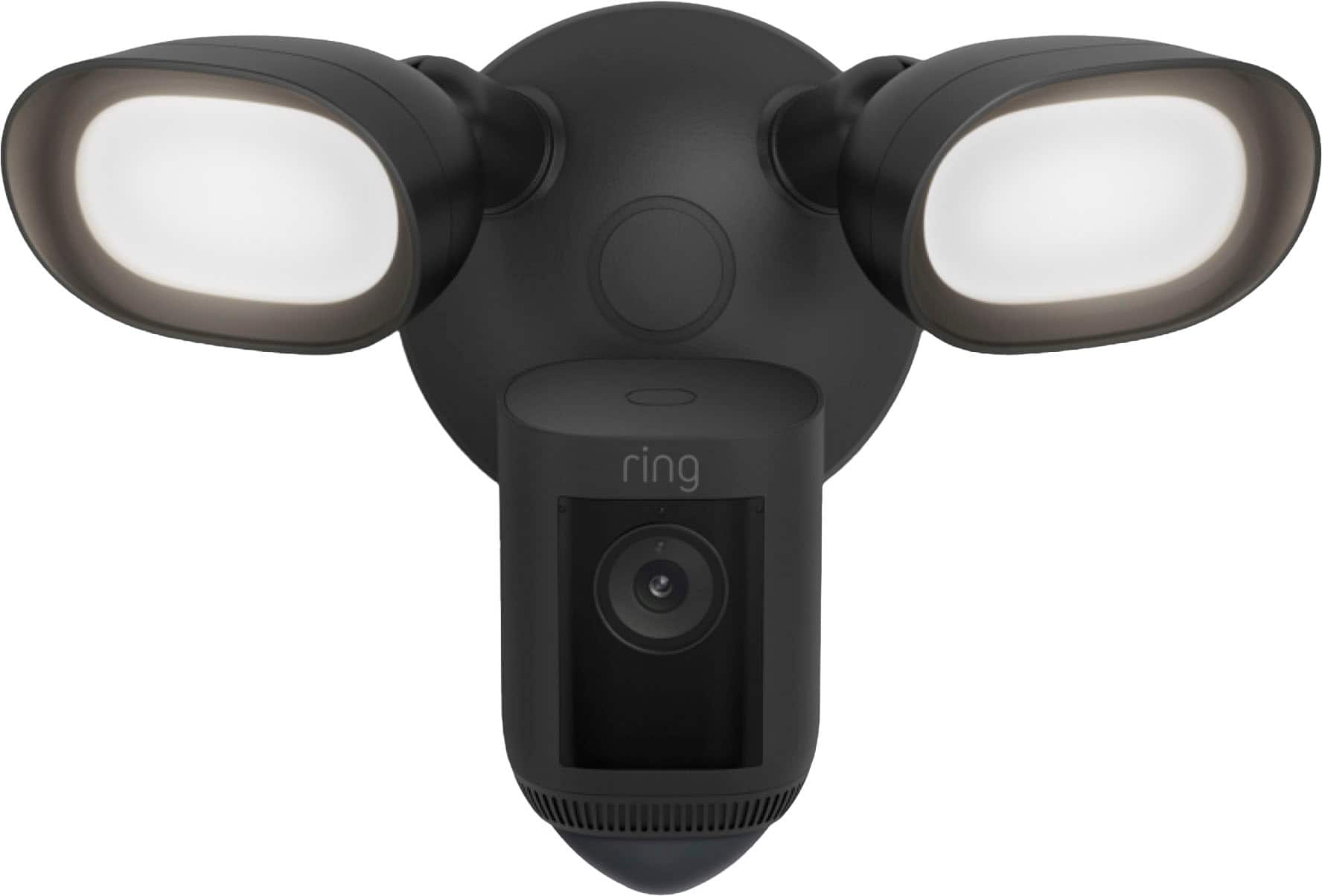


- Model:
- B0CG6RXMNV/B08FCWQWDZ
- SKU:
- 6456123
Rating by feature
- Value
Rating 4.6 out of 5 stars
- Quality
Rating 4.7 out of 5 stars
- Ease of Use
Rating 4.7 out of 5 stars
Customers are saying
Customers love the Floodlight Cam Pro for its great camera quality, ease of use, and overall performance. Many appreciate the adjustable light brightness, effective motion detection, and easy installation. While some find it a bit pricey, the night vision and wide field of view are also well-received.
This summary was generated by AI based on customer reviews.
Don't Do It
||Posted . Owned for 11 months when reviewed.This reviewer received promo considerations or sweepstakes entry for writing a review.I am having the same problem with my floodlight cameras that many are having. Light turns on and off constantly. Had to shut off the lights. Waste of money.
No, I would not recommend this to a friendBrand response from Ring
Posted .Hello James,
We are happy to have you as a part of our Ring family, and thank you for taking the time to share your experience with us. We understand the importance of having your home security devices work properly, and we would like to offer our help!
With regard to your lights, quickly turning your lights on and off via a physical switch is a manual override. To turn off your floodlights after a power cycle, use the manual lights control in your Ring app. Please see the following article for more information:
https://support.ring.com/hc/en-us/articles/115004155866-Controlling-the-Floodlights-and-Light-Settings-on-Your-Floodlight-Cam.
Ring Community was launched in March 2019 to help deliver the most current news and educational information to our neighbors. It is our first peer-to-peer community forum, giving our customers the ability to help one another and share their feedback/experiences with Ring. Please reach out at https://community.ring.com/ if any additional information is needed regarding your Floodlight Cam light concern.
Regards,
Jess from Ring
There are better security cameras out there
||Posted . Owned for 3 weeks when reviewed.This reviewer received promo considerations or sweepstakes entry for writing a review.You can't change the light power, you can't move the cameras, the alert sometimes work and sometimes it doesn't. Not worth the money
No, I would not recommend this to a friendBrand response from Ring
Posted .Hi Gr8corvette.
Thank you for sharing this feedback with us.
We understand how critical it is for your Ring Floodlight Cam Wired Pro to work consistently and reliably. The features and technology provided by the Ring Floodlight Cam Wired Pro are incredibly valuable and help provide you with peace of mind about your home security. We are here today to provide you with solutions that will assist you in finding the best device settings for your home’s environment.
It sounds like your device is not providing the notifications you are wanting. The Ring Floodlight Cam Wired Pro has customizable motion zones, so you can choose where your device will detect motion. In order to ensure optimal motion, we recommend installing the device nine feet from the ground.
In addition to customizable motion settings, the Ring Floodlight Wired Pro also provides custom light settings. You are able to set custom schedules and adjust light brightness in the Ring app. The camera cannot be moved through the Ring app; however, the camera does offer a 140-degree horizontal and 80-degree vertical field of view. When installing your device, you can adjust the camera to get the view you want.
Ring Community was launched to help deliver the most current news and educational information to our neighbors. This online forum is divided into four categories: Product Boards, Ring Updates, Tips + Tricks, and a Moderators’ Corner. The Product Boards are where you can begin new topics with your questions or feedback; there is also a search option that helps you find topics that have already been posted by other neighbors.
All the best,
Nicole from Ring.
Light
||Posted . Owned for 1 month when reviewed.This reviewer received promo considerations or sweepstakes entry for writing a review.It was hard wired and would of needed a electrician
No, I would not recommend this to a friendBrand response from Ring
Posted .Hi robert.
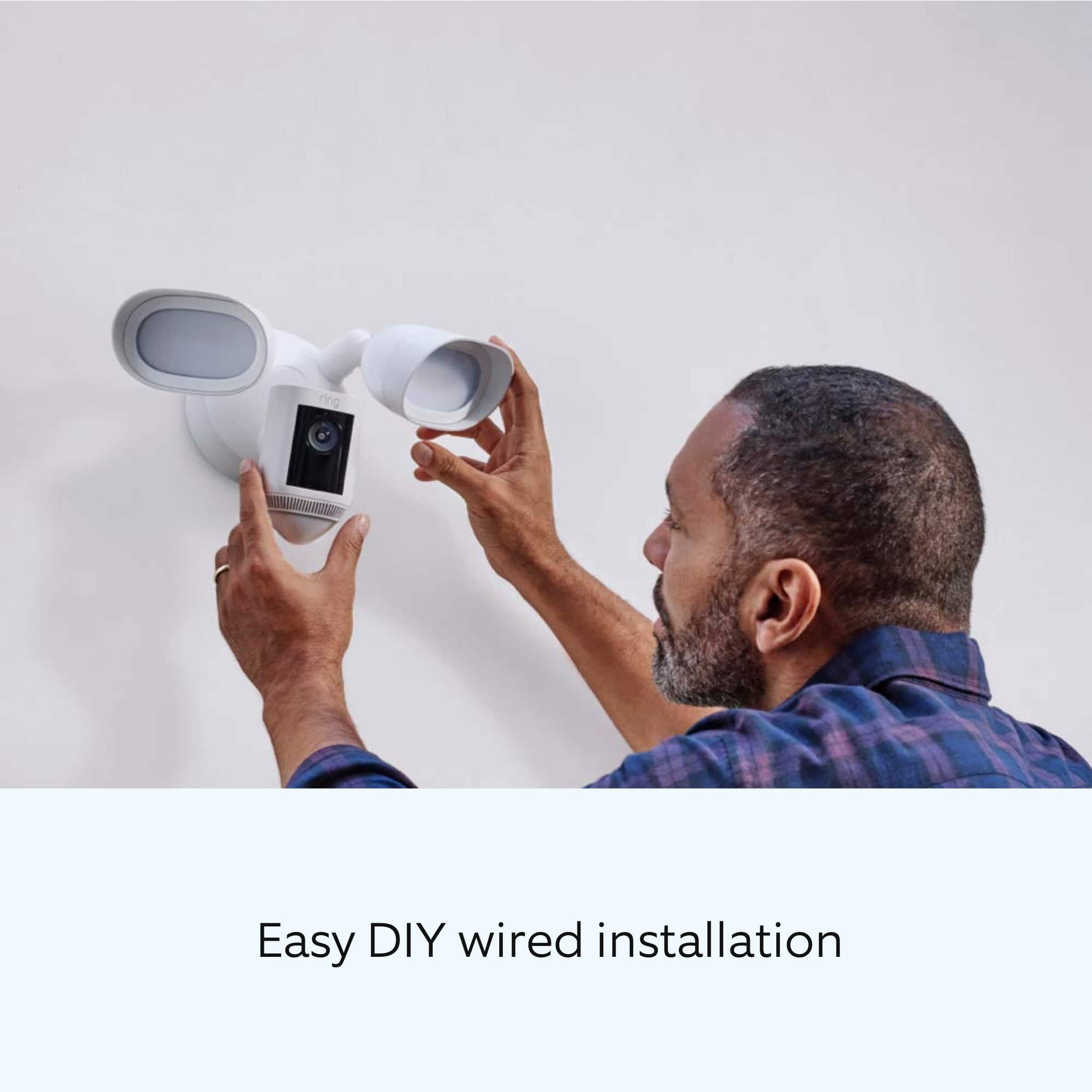
Thank you for taking the time to share your experience with us. We understand the importance of a seamless setup process so that you can begin using your Ring Floodlight Cam Wired Pro. The Ring Floodlight Cam Wired Pro is designed to be a DIY home security solution that can be trusted to provide you with lasting coverage. Rest assured, we are here to help.
Installation by a qualified electrician may be required in your area for the Ring Floodlight Cam Wired Pro. Refer to your local laws and building codes before performing electrical work. Permits plus professional installation may be required by law.
Ring Community was launched to help deliver the most current news and educational information to our neighbors. This online forum is divided into four categories: Product Boards, Ring Updates, Tips + Tricks, and a Moderators’ Corner. The Product Boards are where you can begin new topics with your questions or feedback; there is also a search option that helps you find topics that have already been posted by other neighbors. We invite you to visit our community today.
Thank you,
Melissa from Ring.
Issues with people motion
||Posted . Owned for 1 month when reviewed.This reviewer received promo considerations or sweepstakes entry for writing a review.Easy for electrician to install however there have been several technical issues. Worst problem is that it doesn’t distrlinguish between people and other motion
No, I would not recommend this to a friendBrand response from Ring
Posted .Hello Roka
Thank you for sharing your concern. To help out with decreasing unwanted motions like vehicles driving by, we recommend using our Smart Alerts feature. This Help Center article will provide you with steps on how to use it: https://support.ring.com/hc/en-us/articles/360032947972-Refining-Your-Motion-Alert-Notifications-for-People-and-Other-Motions-.
Best wishes
Ivan from Ring
Can't do job after promised to do job
||Posted . Owned for 1 month when reviewed.This reviewer received promo considerations or sweepstakes entry for writing a review.Set an appt.for install hardwire but they dont run electrical wires.No electricians contracted at Best Buy can do this job.Canceled everything and returned item,waste of time
No, I would not recommend this to a friendBrand response from Ring
Posted .Hello Whyohwhy,
Thank you for taking the time to share your experience with us. We understand the importance of a seamless installation process, as this allows you to start using your Ring device right away. What you describe is not the experience we want you to have, rest assured we hear you and are here to offer you some assistance.
In this particular case, we’d suggest you reach out to Best Buy’s customer service: 1-888-237-8289 or https://www.bestbuy.com/services/triage/home. We are confident that they will be able to provide you resolution to the installation concerns you have described.
If you need assistance from Ring, Ring Community is our first peer-to-peer community online forum, giving our customers the ability to help one another and share their feedback directly with Ring.
We invite you to reach out at https://community.ring.com/ if any additional installation information is needed regarding your Ring device. We are eager to turn around your experience!
Thank you, Jamila with Ring.
JUNK
||Posted . Owned for 2 weeks when reviewed.This reviewer received promo considerations or sweepstakes entry for writing a review.This will be the second time we returned this it keeps turning off at night loses connection Constantly Have to keep resetting it going to try to find something better done with this product
No, I would not recommend this to a friendBrand response from Ring
Posted .Hello Leopardyes72,
We appreciate you sharing your user experience with us regarding the Ring Floodlight Camera Wired Pro. We understand how important it is for your device working as intend. The Ring Floodlight Camera Wired Pro was intended to provide you with peace of mind in your home security, so you can rely on consistent alerts 24/7. Rest assured, we are here to provide you with a solution to your concern.
After reading your review, it seems that you are having trouble with your Ring Floodlight Camera connecting to your wifi. If this is the case, we recommend power cycling the device. To power cycle, turn off power to the device for 30 seconds and then turn the power back in. Once this is done, your device should reboot and work as intended. If the issue persists, we’d suggest reviewing this helpful article for network changes you can make to ensure your device has a solid connection consistently: https://support.ring.com/hc/en-us/articles/360023559372-Fixing-Your-Devices-Falling-Offline-Repeatedly-by-Adjusting-Your-Router.
Additionally, if you have not already, please check out our Ring Community forum where other Ring users, like yourself, have an open discussion platform to share their experiences, as well as solutions to issues experienced: https://community.ring.com/.
Thank you, Jamila at Ring.
- Pros mentioned:Camera quality, Motion detection
Camera
Posted .This reviewer received promo considerations or sweepstakes entry for writing a review.Good camera, motion sensors work as expected, picture quality is also as expected
I would recommend this to a friend Tv set
||Posted . Owned for 1 month when reviewed.This reviewer received promo considerations or sweepstakes entry for writing a review.Your service was incomplete and horrible. I bought a tv 3 months ago and it still doesn’t work. Figuring out how to get this thing I bought from you has been a nightmare.
No, I would not recommend this to a friendBrand response from Ring
Posted .Hello 60inchtv,
Thank you for taking the time to share your experience with us. We understand the importance of a seamless installation process, as this allows you to start using your Ring device right away. What you describe is not the experience we want you to have, rest assured we hear you and are here to offer you some assistance.
In this particular case, we’d suggest you reach out to Best Buy’s customer service: 1-888-237-8289 or https://www.bestbuy.com/services/triage/home. We are confident that they will be able to provide you resolution to the installation concerns you have described.
If you need assistance from Ring, Ring Community is our first peer-to-peer community online forum, giving our customers the ability to help one another and share their feedback directly with Ring.
We invite you to reach out at https://community.ring.com/ if any additional installation information is needed regarding the Ring device. We are eager to turn around your experience!
Thank you, Jamila with Ring.
No good product
||Posted . Owned for 1 month when reviewed.This reviewer received promo considerations or sweepstakes entry for writing a review.Junk the lights turn them self on all the time you shut them off in the app and a minute later they turn right back on in the app nothing but junk
No, I would not recommend this to a friendBrand response from Ring
Posted .Hello Badringproducts,
Thank you for taking the time to share your experience with us. It is imperative that the Ring Floodlight Cam Wired Pro triggers the lights only when motion is detected. This ensures that you are able to see and speak with invited or unwanted visitors quickly. Rest assured, we are here to provide you with information to resolve the light sensitivity concerns you mentioned in your review.
Ring Floodlight security camera's contains both advanced Passive Infrared (PIR) sensors that control the light and motion sensors in the camera. In order to pick up all the motion you want to capture, it helps to understand a bit about how Floodlight Cam's sensors work, and how to position your Floodlight Cam Pro for maximum effectiveness. Here is a helpful article that will assist you in adjusting the light sensitivity: https://support.ring.com/hc/en-us/articles/360000124983-Proper-Positioning-for-Your-Floodlight-Cam.
We invite you to reach out at https://community.ring.com/ if any additional information is needed regarding your new Ring Floodlight Cam Wired Pro device. Ring Community is our first peer-to-peer community forum, giving our customers the ability to help one another and share their feedback/experiences with Ring.
Thank you,
Alexis with Ring
do not buy .
||Posted . Owned for 3 weeks when reviewed.This reviewer received promo considerations or sweepstakes entry for writing a review.it worked for one week, and now it does't work, wasted my money .
No, I would not recommend this to a friendBrand response from Ring
Posted .Hi JoseV. Thank you for taking the time to share your experience with us. We understand how important it is for your Ring Floodlight Cam Wired Pro to function consistently and reliably, so you are alerted to any wanted or unwanted activity in or around your home. The features and technology provided by the Ring Floodlight Cam Wired Pro are incredibly valuable and help provide you with peace of mind about your home security.
It sounds like the device is not operating as intended. If you have a Floodlight Cam that is connected to a light switch or a timer, make sure the switch is set to “on” or the timer is working so the camera receives power.Your Floodlight Cam Wired Pro security camera has an LED light located on the front to show you the status of your unit. A green light will blink on and off for a fraction of a second for 3 minutes if the device is offline. Learn how to reconnect your camera to wifi in the Ring app.
Follow the instructions below to reconnect a security camera mounted on a wall or out of reach:
Open the Ring app.
Tap the menu (≡) in the top left.
Tap Devices and select the camera you'd like to reconnect.
Tap the Device Health tile.
Under Network, tap Change Network.
Tap Change Wifi Network, then follow the steps in the app.
You can choose to use Movement or the Setup Button to reconnect.
If your camera is too high to easily access the button, choosing Movement will reconnect your device to wifi by using the camera's Motion Detection.
Tap Continue and follow the prompts in the app to reconnect.
Allow some time for your device to fully reconnect to the network, then check your wifi signal strength in Device Health to confirm it has successfully reconnected.
If any additional information is needed regarding your Ring Floodlight Cam Wired Pro, please reach out to our Community. Ring Community is our first peer-to-peer community forum, giving our customers the ability to help one another and share their feedback and experiences directly with Ring.
Thank you,
Melissa from Ring.
Good while it lasted
||Posted . Owned for 1 year when reviewed.This reviewer received promo considerations or sweepstakes entry for writing a review.Worked great while it worked but it quit working just after the 1 year warranty was up
No, I would not recommend this to a friendBrand response from Ring
Posted .Hello Cbledsoe89,
Thank you for taking the time to share your experience with us. We are pleased to read that the device performed well for you when it was installed. Rest assured, we have information to ensure your device is covered by our long-term warranty.
Ring Protect Plus and Pro subscribers have access to an extended warranty. Under the extended warranty terms, your Ring device may be eligible for replacement if it experiences electrical or mechanical failure during normal use. Here is a helpful support article regarding these terms and how to upgrade to a plan that covers your device for its lifetime: https://ring.com/support/articles/lw54x/General-Information-on-Ring-Protect-Subscription-Plans.
Ring Community was established to assist in providing our neighbors with the most recent news and instructive material. Four sections make up this online forum: Ring Updates, Product Boards, Tips & Tricks, and a Moderators' Corner. You can start new topics on the Product Boards with your queries or suggestions; a search function will assist you in locating subjects that other neighbors have previously posted. We cordially encourage you to visit our website now at https://community.ring.com.
Thank you,
Alexis with Ring
For the money this should be btter
||Posted . Owned for 2 weeks when reviewed.This reviewer received promo considerations or sweepstakes entry for writing a review.must leave light switch in on position all the time. Have to use app to control light. If you turn light switch off camera doesnt work
No, I would not recommend this to a friendBrand response from Ring
Posted .Hello Chris,
The Ring Floodlight Cam is designed to help protect your home with a motion-activated security camera and built-in floodlights. The camera features two 3000° Kelvin floodlights, which should turn on and off based on the Light Settings you select in the Ring app. We strive to deliver quality devices that will serve you in the long run as we understand that you will be relying on them for your home security.
When the lights are not turning off, the first thing we suggest checking for is any light switches in your home that might be controlling the Floodlight Cam. It’s best to ensure a dimmer or specialty switch isn't interfering due to a setting, or a nearby object touching it. You can also power cycle the Floodlight Cam, sometimes this quick troubleshooting step gets the lights working properly. To complete a power cycle you will flip the breaker switch or light switch, off and then on again.
It is imperative that your Ring Floodlight Cam works to meet your needs and expectations. If you still have your Floodlight Cam, we would love to investigate this concern further with you. Please feel free to check out our community forum at https://community.ring.com/ for some additional tips and support!
Thank you,
Antonio from Ring
No Video from the device
||Posted . Owned for 2 weeks when reviewed.This reviewer received promo considerations or sweepstakes entry for writing a review.Fully functional in every way except for Video. Imagine a Surveillance Camera with no Video.
No, I would not recommend this to a friendBrand response from Ring
Posted .Hello Howard,
Thank you for taking the time to share your Ring Floodlight Cam Wired Pro experience with us directly. Clear video footage on a home security device is essential for seeing and speaking with wanted or unwanted visitors around your home. Rest assured, we are here to provide you with information for accessing the Live View feature within your Ring app.
Live View for your Ring doorbell or security camera is a feature available through your Ring App to see what’s happening outside your door and around your home. To access Live View, you can open your Ring App and tap on an image from one of your Ring devices. New navigation features for Live View are being released to improve the Live View experience, such as having views in both vertical and landscape orientations. In addition, you'll be able to expand the viewing area size to watch videos (if you have a Ring Protect plan) or drag the video to see other parts of the video that are not in expanded mode. If you do not see the updated features for Live View, you may need to update your Ring App. Here is a helpful support article regarding Live View: https://support.ring.com/hc/en-us/articles/360057505652-Live-View-for-Ring-Video-Doorbells-and-Security-Cameras.
Ring Community was launched in March 2019 to help deliver the most current news and educational information to our customers. You can find tips and tricks from other Ring users at https://community.ring.com/. This peer-to-peer forum allows our neighbors to share their feedback and experiences to assist each other in resolving their concerns.
Thank you,
Alexis with Ring
Never finished or installed
||Posted . Owned for 3 weeks when reviewed.This reviewer received promo considerations or sweepstakes entry for writing a review.Never installed as per the contract I signed and I have paid in full for installation and devices.
No, I would not recommend this to a friendBrand response from Ring
Posted .Hello Djfried,
Thank you for taking the time to share your experience with us. We understand the importance of a seamless installation process, as this allows you to start using your Ring device right away. What you describe is not the experience we want you to have, rest assured we hear you and are here to offer you some assistance.
In this particular case, we’d suggest you reach out to Best Buy’s customer service: 1-888-237-8289 or https://www.bestbuy.com/services/triage/home. We are confident that they will be able to provide you resolution to the installation concerns you have described.
If you need assistance from Ring, Ring Community is our first peer-to-peer community online forum, giving our customers the ability to help one another and share their feedback directly with Ring.
We invite you to reach out at https://community.ring.com/ if any additional installation information is needed regarding your Ring device. We are eager to turn around your experience!
Thank you, Jamila with Ring.
Horrible product
||Posted . Owned for 3 weeks when reviewed.This reviewer received promo considerations or sweepstakes entry for writing a review.Not worth it. Uses old Google maps picture and birds eye view is a dot. Horrible product. Returned it and put old one back up
No, I would not recommend this to a friendBrand response from Ring
Posted .Hello Education,
Thank you for taking a moment to leave your review on the Ring Floodlight Cam Wired Pro. We sincerely appreciate it! At Ring, we believe that stronger communities are the key to safer neighborhoods. That is why we are driven to create products that help you protect what matters most at home, and empower you to connect with your visitors from wherever you are.
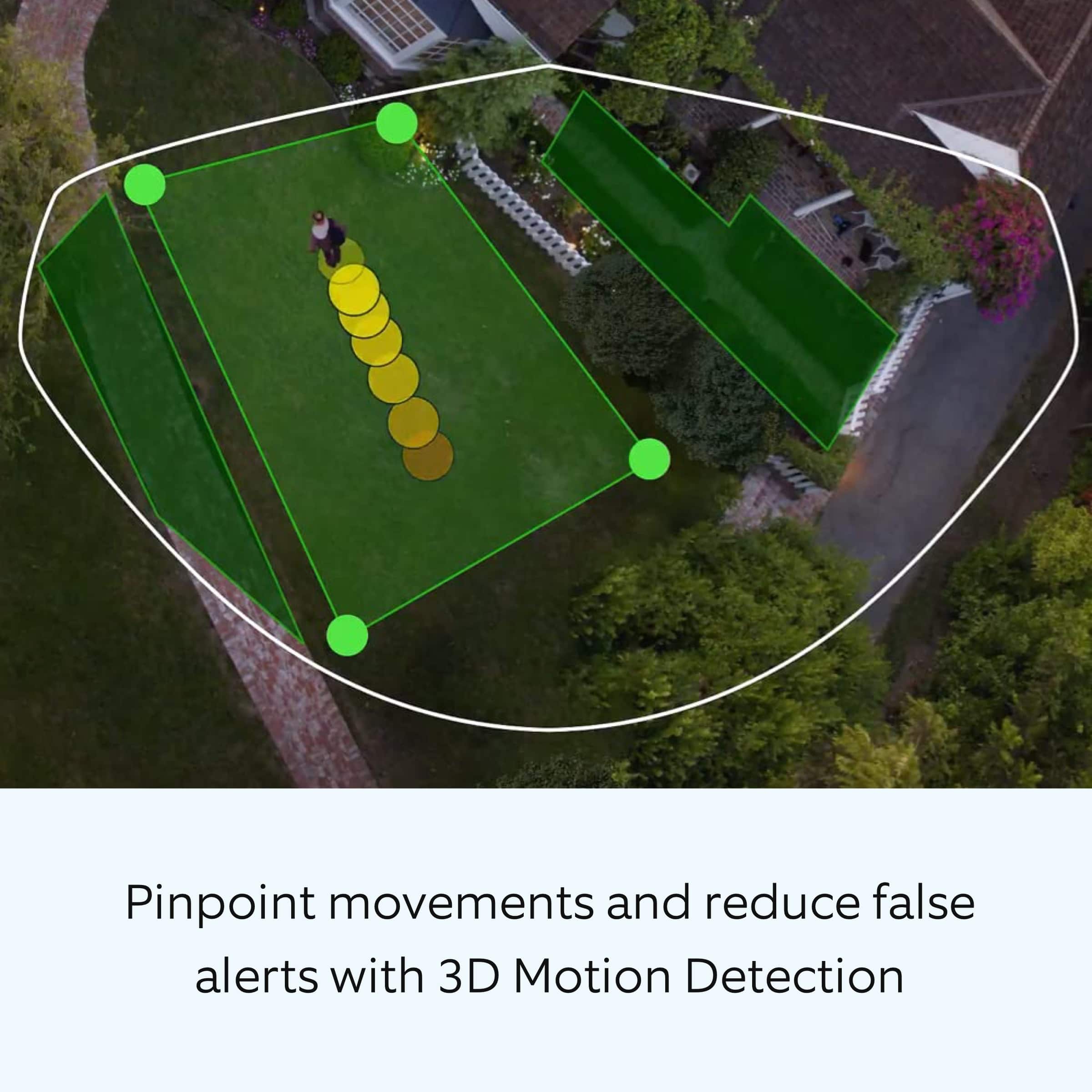
We are saddened to read that this device's new feature, Bird's Eye View, did not meet your expectations. This new feature is designed to give you an aerial map view of motion events around your home, so you may clearly see the path that visitors take when visiting your property. This article will answer some commonly asked questions concerning the Bird's Eye View feature: https://support.ring.com/hc/en-us/articles/360056772832-Bird-s-Eye-View-information.
If you still have the Ring Floodlight Cam Wired Pro in your possession, we invite you to reach out to us at https://community.ring.com/. Ring Community is our first peer-to-peer community forum, giving our customers the ability to help one another and share their personal feedback/experiences with Ring. We look forward to hearing from you, if we can be of any further assistance!
Thank you,
Alexis with Ring
MichaelBonventre
||Posted . Owned for 3 weeks when reviewed.This reviewer received promo considerations or sweepstakes entry for writing a review.Alarm goes off every 5-10 minutes. Lights go on and off all night without sounding chimes or reacting to movements
No, I would not recommend this to a friendBrand response from Ring
Posted .Hello MichaelBonventre,
The lights on your Floodlight Camera Wired Pro are intended to trigger at night with movement, so you are aware of people or animals approaching your property. Having consistent and reliable lights is an important feature to be working properly for you, so you have peace of mind in your home security. Thank you for taking the time to share your experience with us. Rest assured, we are here to provide you with some information to decrease this sensitivity and ensure the lights are not an annoyance for you any longer.
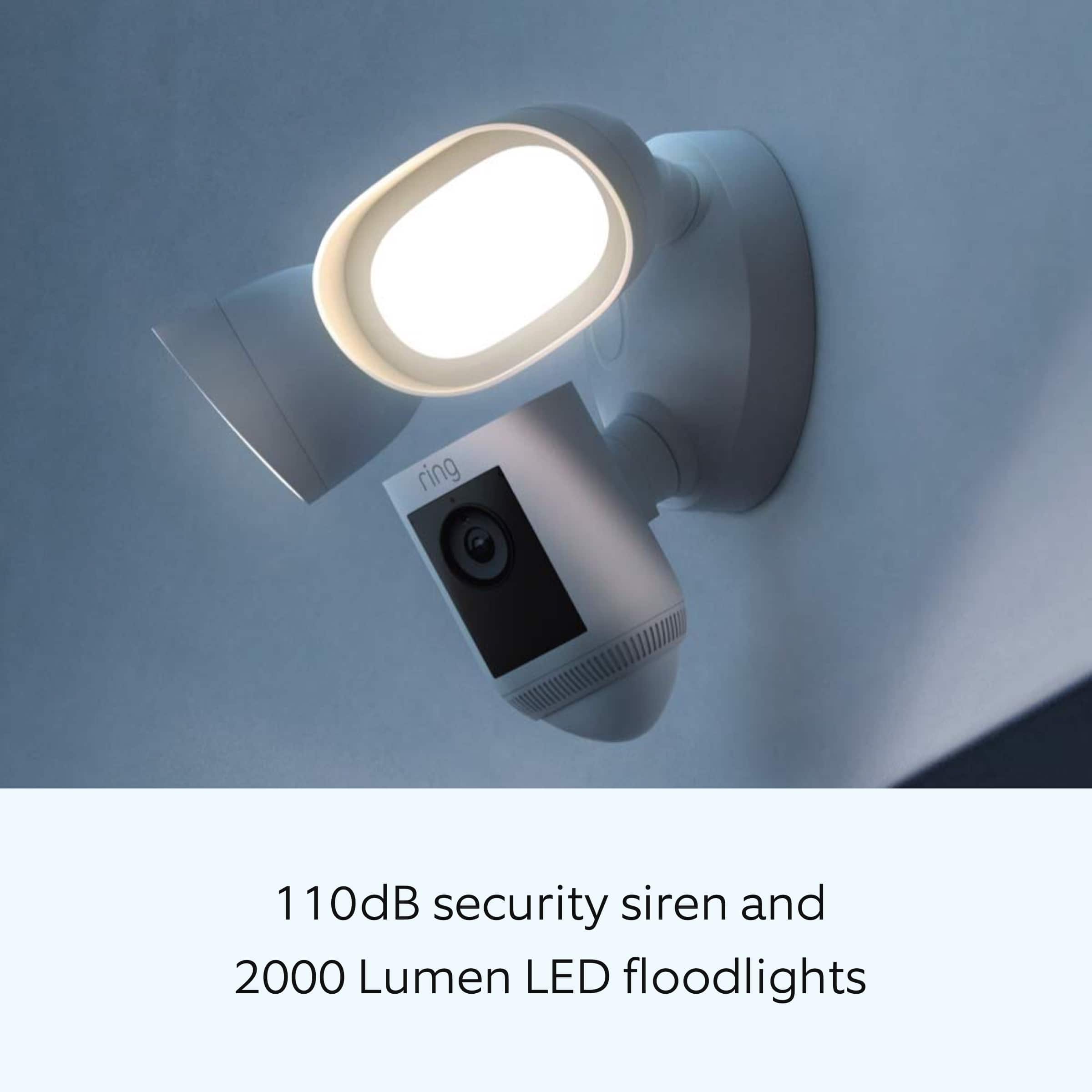
Your device's camera field of view is 140 degrees horizontally and 80 degrees vertically, while the lights on your device have a much wider field of view, 270 degrees. Here is a helpful article that details more product specifications: https://support.ring.com/hc/en-us/articles/360059101391-Ring-Floodlight-Cam-Wired-Pro-Information.
Your Ring device uses two different types of motion detection systems. While both are very effective at what they do, they both work on different principles and are optimized for different purposes. At night, the lights use an array of three PIR motion sensors, each detecting across a bit more than a third of the total coverage area. It identifies visitors by a moving heat signature and sending a signal to your smart device when it detects one and triggers the lights. Since PIRs look for heat, if a warm object is too small (like a Chihuahua), it won’t be detected. However, if a warm non-human object is large enough (like a Great Dane), you might get a false Motion Alert. Fortunately, you can control the sensor's range and sensitivity using the controls in the Ring App. Here is a helpful article that elaborates on the motion detection software on your device: https://support.ring.com/hc/en-us/articles/115005914666-About-the-Advanced-Motion-Detection-System-Used-in-Ring-Devices.
Ring Community is our first peer-to-peer community forum, giving our customers the ability to help one another and share their feedback/experiences with Ring. We invite you to reach out at https://community.ring.com/ if any additional information is needed regarding your light triggering at night concern.
Thank you,
Alexis with Ring
Squad never showed up to install the second one an
||Posted .This reviewer received promo considerations or sweepstakes entry for writing a review.Geek Squad never showed up to install the second one and the first one the Lakers off the light goes on
No, I would not recommend this to a friendBrand response from Ring
Posted .Hello Nope,
Thank you for taking the time to share your experience with us. We understand the importance of a seamless installation process, as this allows you to start using your Ring Floodlight Camera Wired Pro device right away. What you describe is not the experience we want you to have, rest assured we hear you and are here to offer you some assistance.
In this particular case, we’d suggest you reach out to Best Buy’s customer service: 1-888-237-8289 or https://www.bestbuy.com/services/triage/home. We are confident that they will be able to provide you resolution to the installation concerns you have described.
If you need assistance from Ring, Ring Community is our first peer-to-peer community online forum, giving our customers the ability to help one another and share their feedback directly with Ring.
We invite you to reach out at https://community.ring.com/ if any additional installation information is needed regarding the Ring Floodlight Camera Wired Pro. We are eager to turn around your experience!
Thank you, Jamila with Ring.
camera not so good
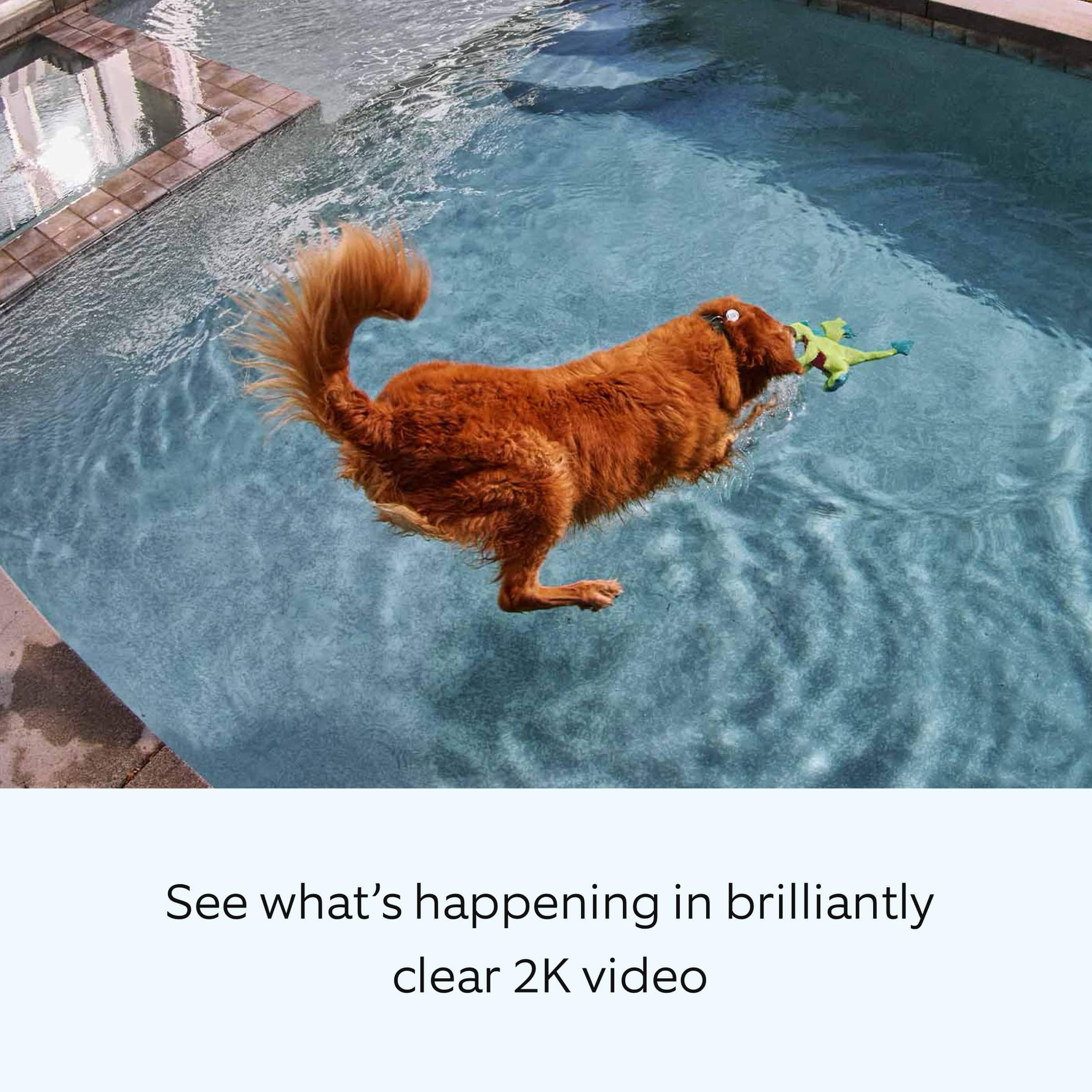
||Posted . Owned for 3 weeks when reviewed.This reviewer received promo considerations or sweepstakes entry for writing a review.grainy camera, camera stinks, camera sucks. 5 feet away or less isn't bad
No, I would not recommend this to a friendBrand response from Ring
Posted .Hi neighbor. It's important to be able to rely on your Floodlight Cam so you can have that peace of mind. The Floodlight Cam Pro Wired offers 1080p video resolution. If you find that the video quality doesn't appear to be at 1080p, we have various troubleshooting steps for video quality in this Help Center article: https://support.ring.com/hc/en-us/articles/205348254-Poor-Video-Quality-Troubleshooting. If those troubleshooting steps don't help, try checking out the Ring Community at https://community.ring.com/ to ask what solutions worked for other neighbors. Best wishes, Ashley from Ring.
Didn't work for me.
||Posted . Owned for 3 weeks when reviewed.This reviewer received promo considerations or sweepstakes entry for writing a review.I had to return it because it never turn on and i followed the instructions step by step.
No, I would not recommend this to a friendBrand response from Ring
Posted .Hello Rola,
Thank you for taking a moment to leave your review on the Ring Floodlight Camera Wired Pro. At Ring, we believe that stronger communities are the key to safer neighborhoods. That is why we are driven to create products that help you protect what matters most at home, and empower you to connect with your visitors from wherever you are. We are saddened to read that this device did not meet your expectations, but are still here to assist you, if needed.
If you still have the Ring device in your possession, we invite you to reach out to us at https://community.ring.com/. Ring Community is our first peer-to-peer community forum, giving our customers the ability to help one another and share their personal feedback/experiences with Ring. We look forward to hearing from you, if we can be of any further assistance!
Thank you,
Jamila with Ring
- Pros mentioned:Camera quality, Ease of use
Crystal clear picture
Posted .This reviewer received promo considerations or sweepstakes entry for writing a review.Amazingly clear picture both daytime and nighttime. So easy to configure and I (women in her 40’s) was able to install easily. Love the birdeyes view to where you can see overhead if someone is hiding. Completely worth every penny I spent
I would recommend this to a friend