Customer Ratings & Reviews
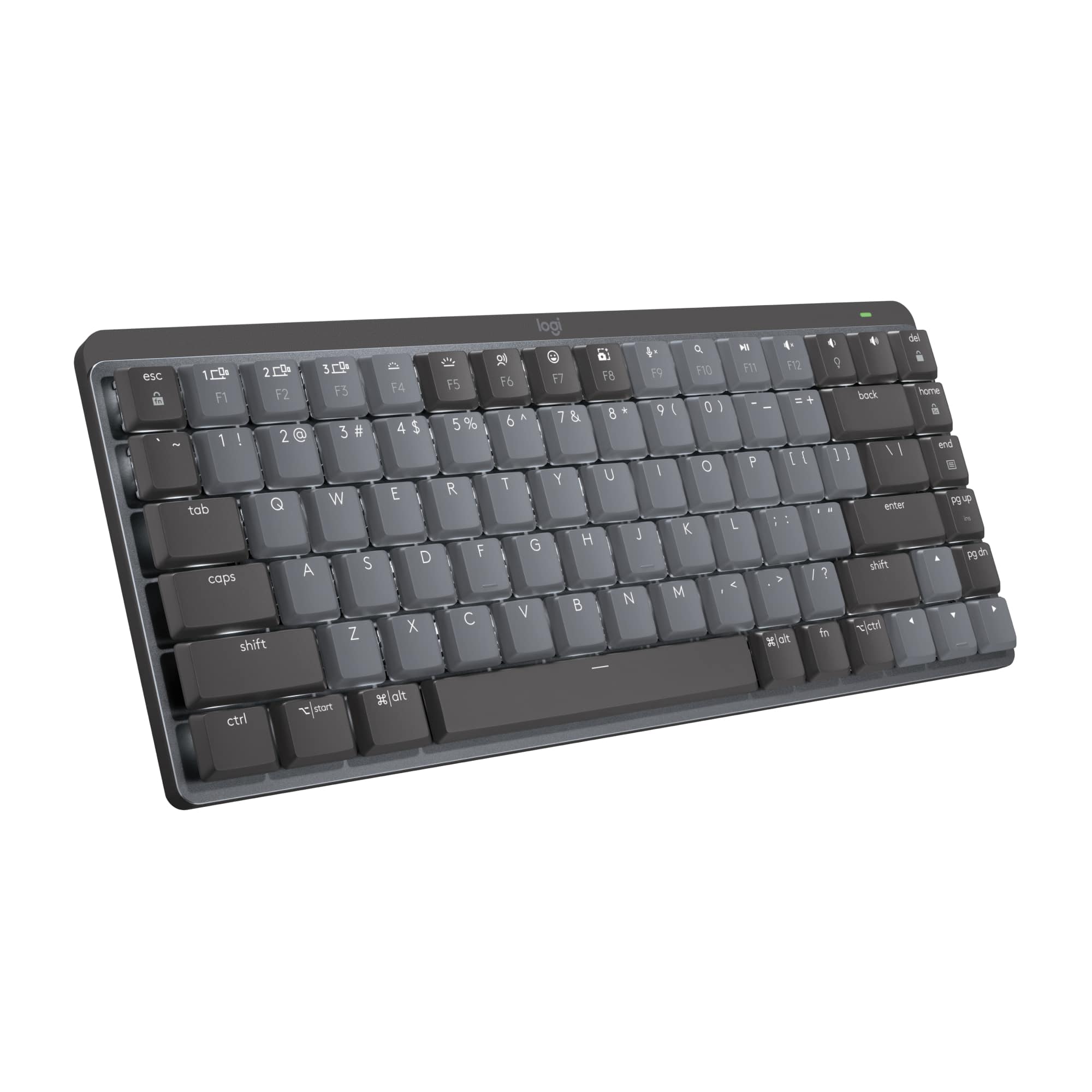





- Model:
- 920-010550
- SKU:
- 6502583
Rating by feature
- Value
Rating 4.3 out of 5 stars
- Quality
Rating 4.7 out of 5 stars
- Ease of Use
Rating 4.7 out of 5 stars
Customers are saying
Customers are positive about the keyboard's premium quality, long battery life, and satisfying key feel. The compact size and reliable connectivity are also well-received. Some customers find the price a bit high and note the absence of a number pad.
This summary was generated by AI based on customer reviews.
- Pros mentioned:Battery life, Keyboard quality

Wireless keyboard, Bluetooth and USB connections
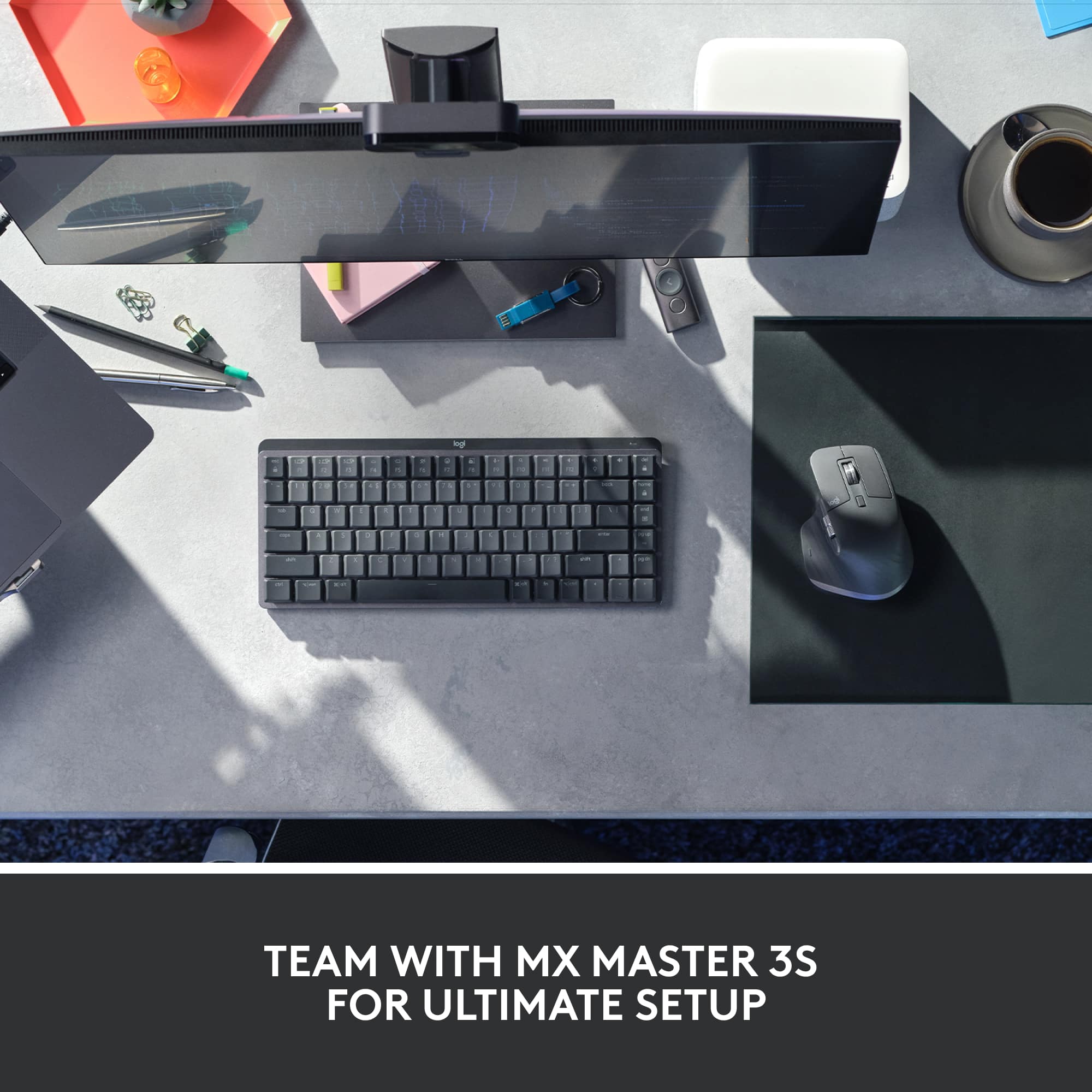
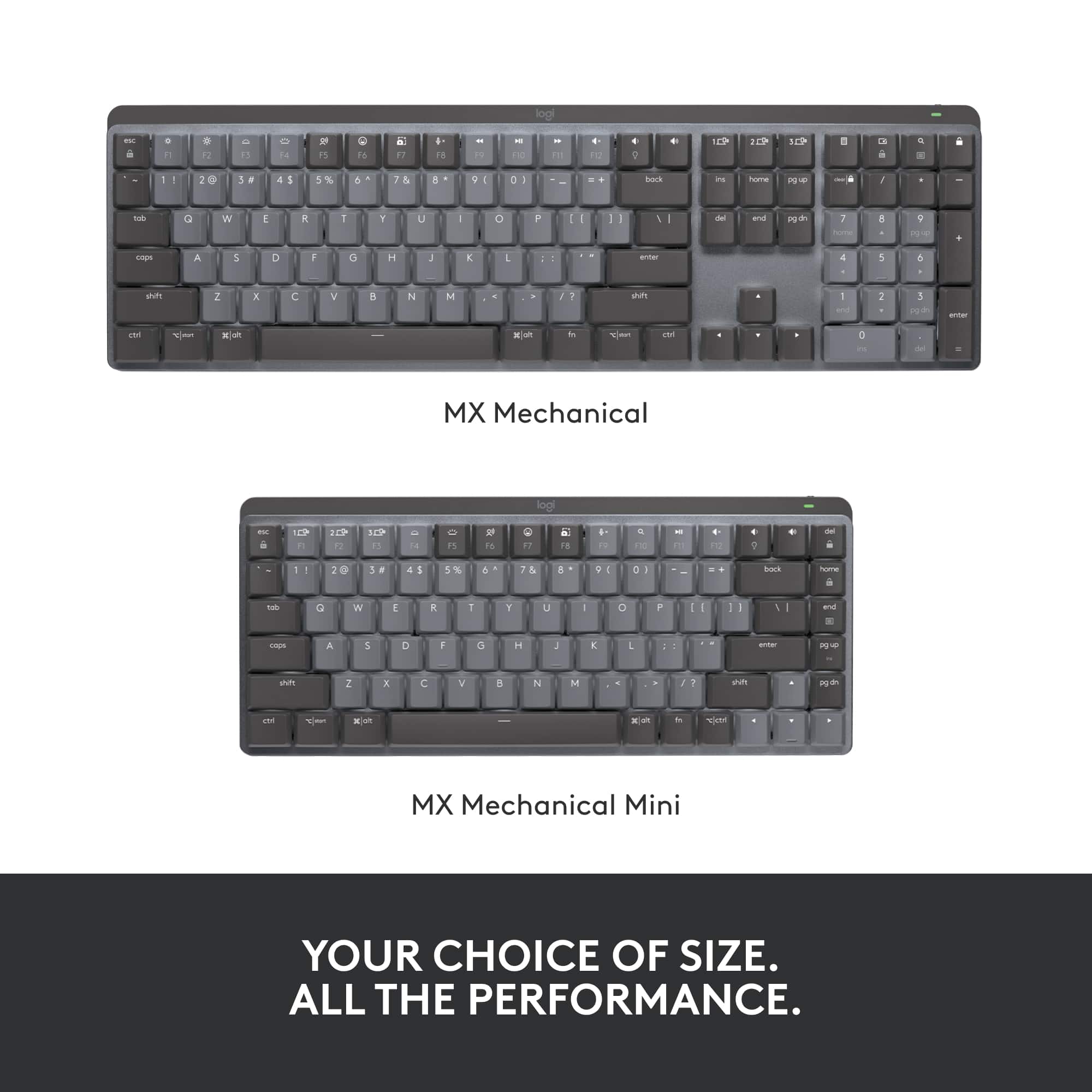
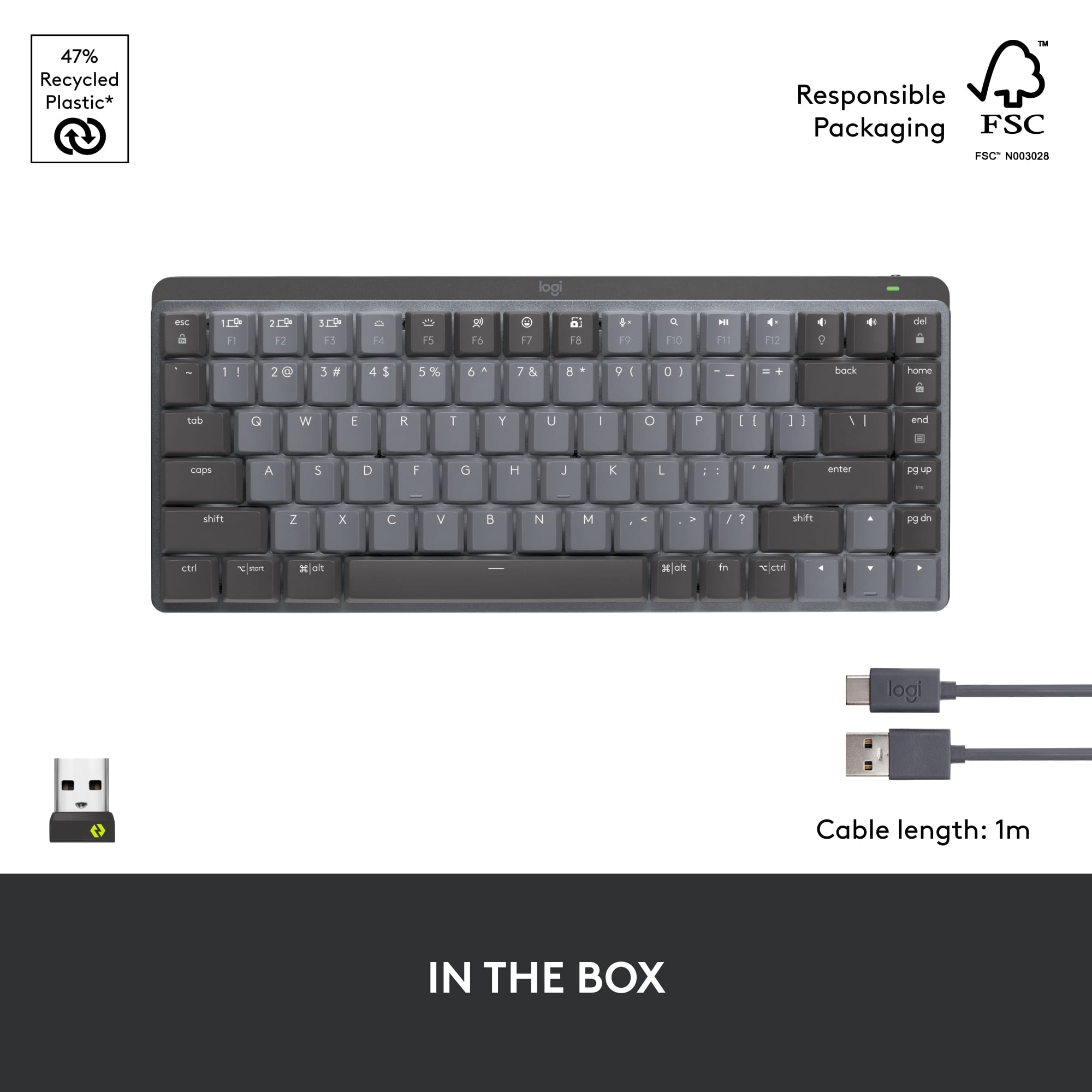
|Posted .This reviewer received promo considerations or sweepstakes entry for writing a review.The Logitech MX Mechanical Mini Compact Wireless Mechanical Keyboard offers full-sized keys, two typing angles, and a backlit keyboard. It has a rechargeable battery and comes with a USB 2.0/3.0 to USB C charging cord. This keyboard offers true wireless connections via Bluetooth or the Logitech Bolt USB connector; just plug the connector into your computer. You can type on the keyboard flat, or use the two fold-out legs for a more comfortable typing angle. You can use the Bluetooth connection for a tablet that lacks a USB 2/3 port. The keyboard is small and light enough to pop into a backpack and take on the road. The keyboard was easy to set up. If needed, you can download a Logitech app from your app store. This is especially helpful if you have multiple Logitech peripherals like keyboard and mouse. I would like to see a place to store the Logitech Bolt USB connector in the keyboard when not in use; Logitech provides such storage space in its wireless mice. I connected the MX Mechanical Mini to my MacBook Pro. I used it for my daily workflows--email, Adobe Creative Cloud graphic design software, calendar, messaging and more. The keyboard is marked for both Windows PCs and Macs. Since the Mac keys are in different locations than PC keys, the keyboard has dual markings, may be confusing or inconvenient. It is a bit, well, mechanical and retro in feel. I am used to wireless keyboards with shorter key travel, that don't click like a mechanical keyboard. But this Logitech keyboard connects seamlessly and performs well!
I would recommend this to a friend - Pros mentioned:Battery life, Keyboard quality
Nice Keyboard
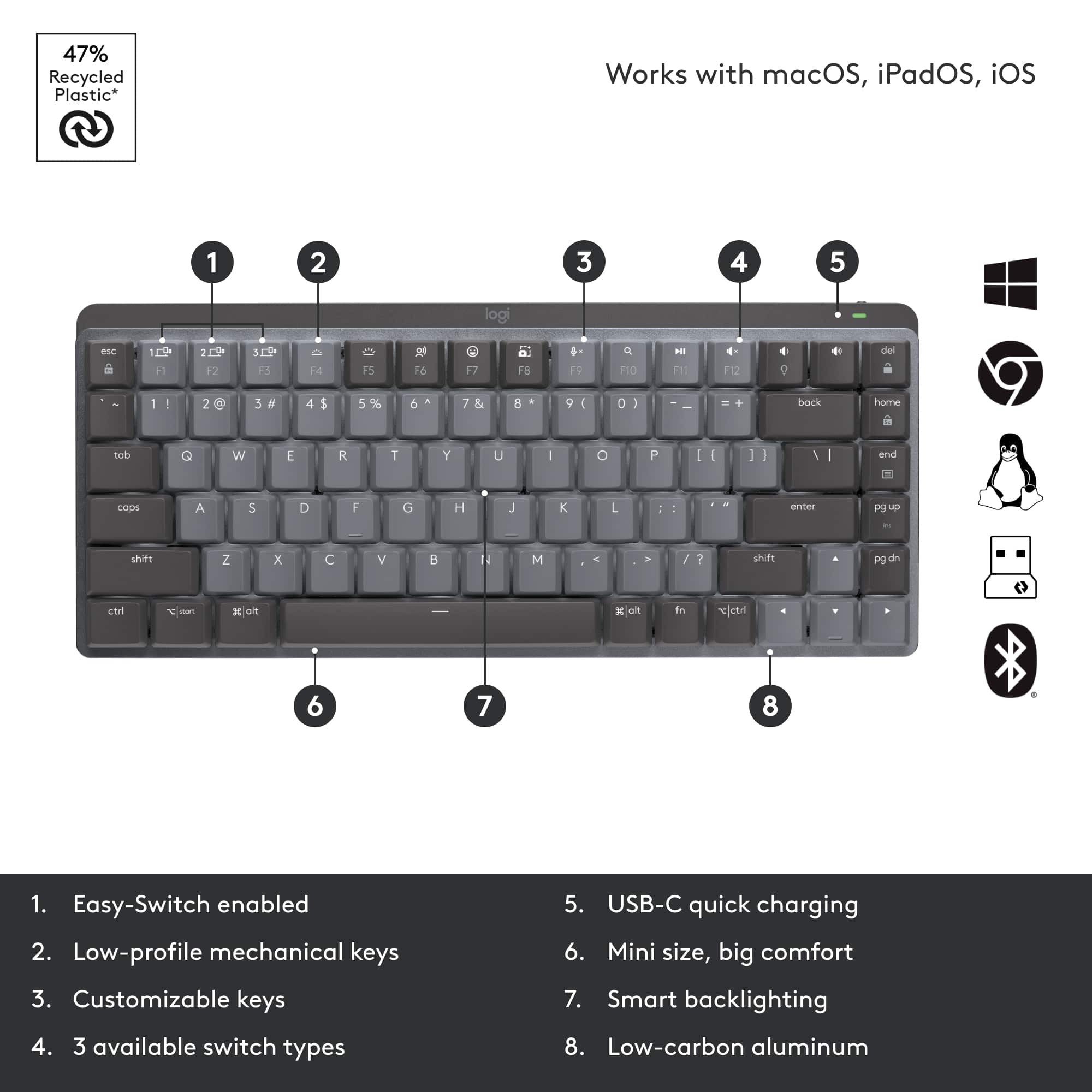
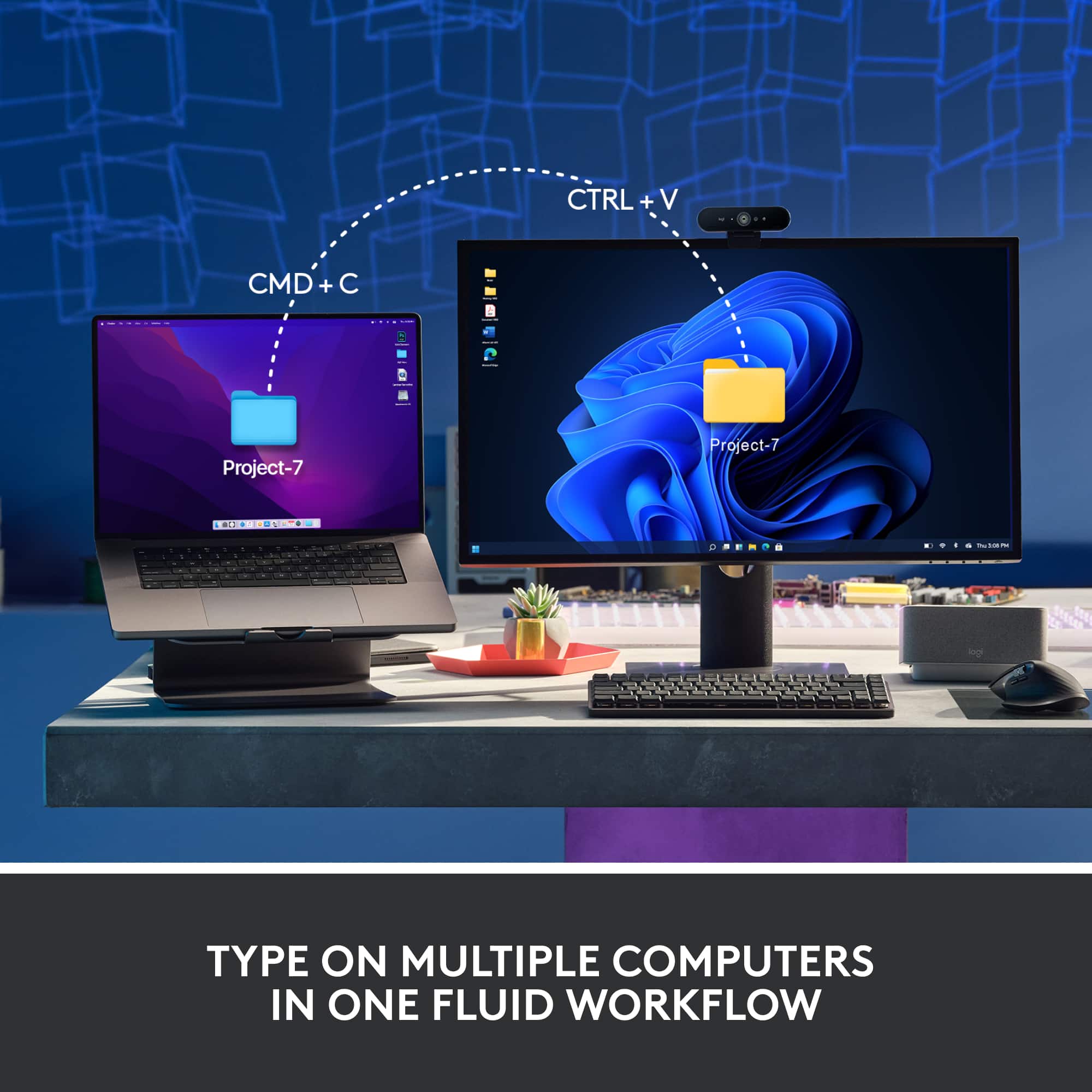
|Posted .This reviewer received promo considerations or sweepstakes entry for writing a review.How fun! That is what I first thought when I unboxed the Logitech. Clickety-clickety-clack. I felt nostalgic banging on the keys. Took me back to the 90s when I used to wish keyboards weren’t so noisy (LOL). The unit comes with a dongle to hook it up to your computer. You can also use the Bluetooth function to hook up to your computer, as well as to your phone or tablet. I have a desktop sitting on a small desk that barely fits my keyboard with all of the other equipment on it. The smaller size of this keyboard is much better for the space. I do make a lot more typos while using it, though, because I’m used to a full-size keyboard with a 10-key pad. I tried to connect with BT but my computer wasn’t finding the unit. I plugged in the dongle. This is a newer dongle for Logitech – the Logi Bolt USB Receiver. I am used to the Unifying receiver, which you can use if you have one. It comes with a charging cable and the dongle. There’s an on/off switch so can save battery or to travel with. It seems to hold a charge for quite a while. I downloaded the suggested Logitech Options software, which I had to do first, and then download the Options+ software. The software allows you to change the backlighting (more fun!), among other custom settings. You can connect the keyboard up to three devices. There are dedicated keys to use to easily switch back and forth. This is a really nice keyboard.
I would recommend this to a friend - Pros mentioned:Key feel, Keyboard quality
Just what I needed for my Pie
|Posted .This reviewer received promo considerations or sweepstakes entry for writing a review.At any given time I have between 4-7 computers sitting on my desks in the my office. I find KVM solutions cumbersome and exhausting and prefer each computing device to have its own keyboard and mouse. Compact and Tiny keyboards make this feasible and I always appreciate a good solid compact keyboard when the use case is mostly Ctrl-Alt-Delete and then typing in a username and password. I connect these keyboards to Raspberry Pie’s and home security monitoring stations so the need for heavy typing workloads is non existent. As someone blessed with large thick fingers, this Logitech fits the gap between “so tiny that every key press equates to 3 button presses” and “so big I ran out of room on the desk” which is exactly the type of experience I’m after. This keyboard has enough bounce on the keys that it does feel solid to type on making for a comfortable typing experience while the grey and black color scheme help me at a glance figure out which of the multiple keyboards I need to grab to complete my task. I enjoy that this is small enough to be tucked under the monitor stand when it’s not in use. For heavy duty typing or hard-core gaming, this keyboard isn’t going to cut it but for most other use cases it works great.
I would recommend this to a friend Interferes with Airpods, software driver buggy
||Posted . Owned for 5 months when reviewed.This reviewer received promo considerations or sweepstakes entry for writing a review.The actual keyboard is great and I want to love it, but it just simply doesn't play well in the Mac ecosystem and Logitech refuses to address it. First it causes interference with Airpods if both are on bluetooth (the primary method of connecting them), meaning I can't use the Airpods mic during meetings. Second the Logi Options+ software is buggy on mac and causes high CPU usage, must be regularly killed. No solution from Logitech other than to try reinstalling the same version. Infuriating how Logitech just doesn't seem to care about fixing issues with their products.
No, I would not recommend this to a friend- Pros mentioned:Battery life
It’s a Logitech keyboard
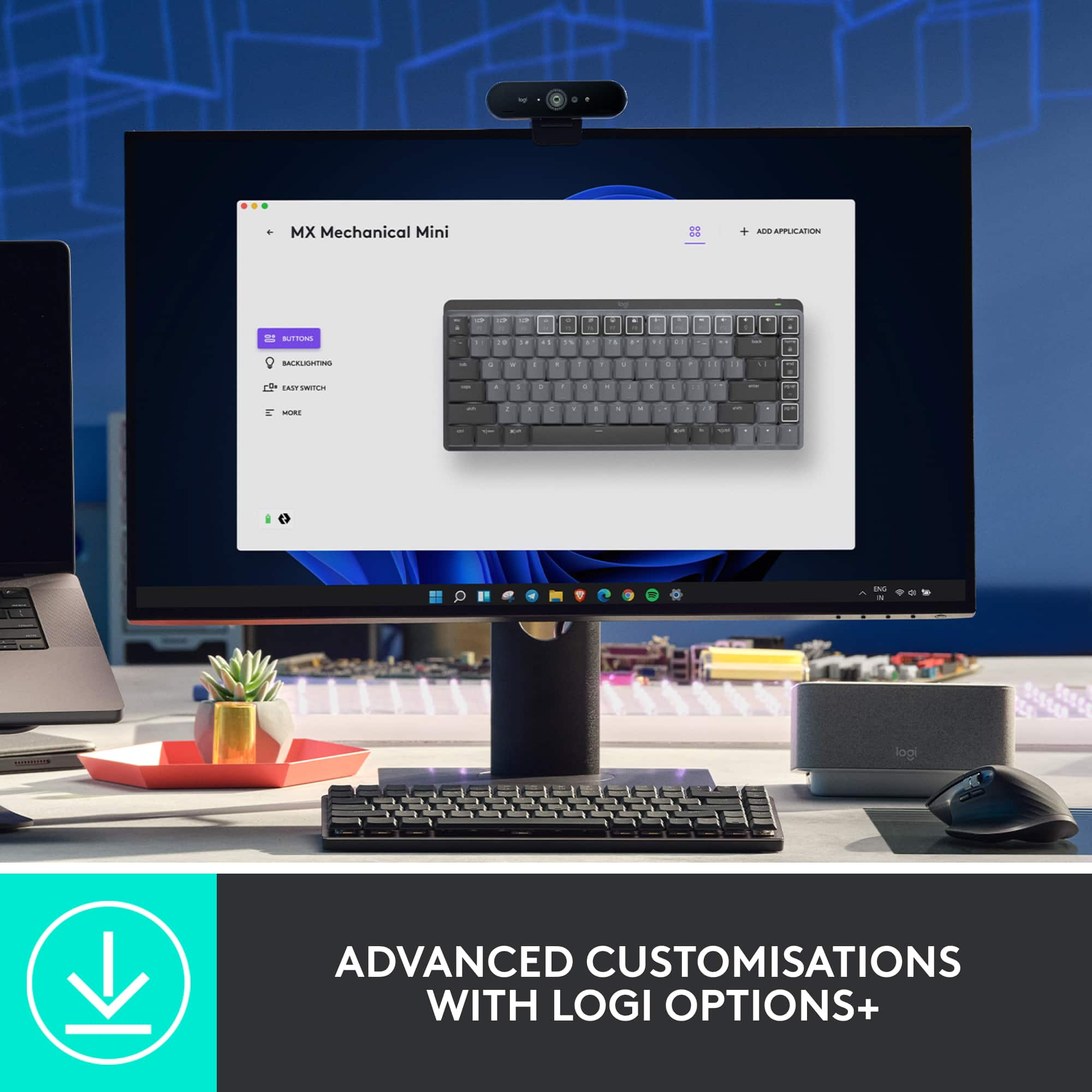
|Posted .This reviewer received promo considerations or sweepstakes entry for writing a review.I’ve been interested in mechanical keyboards for awhile, but only from a distance. I’m not in need of another expensive hobby and although I do a lot of typing with my work I’ve never been too terribly picky about the keyboard. If it works when I press a key then I can forgive a lot of other things about a keyboard. Well, sure enough the X key on my trusty old wired iMac keyboard died recently. And so I had my excuse to try something new right around the time Logitech came out with this new line of mechanical keyboards. Fate? Coincidence? I don’t really care. I’m just happy. : ) I’ve had other non-mechanical keyboards from Logitech and always liked them. For me, they make things that look nice, function well, and the batteries can go forever without a charge. I genuinely don’t remember the last time I charged my Logi MX series mouse and I use it almost every day. I expect to have a similar experience with this keyboard, which thankfully charges via USB-C. It’s a wireless keyboard that can pair with your devices via Bluetooth or the included USB-A receiver. It’s all easy and seamless. You can stay paired with three separate devices and switching between them is as simple as hitting one of three function keys. It has a dual layout for either Mac or PC. I’m using it between a MacBook Air and an iPad Pro and have had zero connection issues switching back and forth. How does it type? Well, I like it. I don’t know a ton about switches and the like, but mine has the quiet+tactile option and I’m happy with both the sound and feel. It’s noisier than my laptop’s built-in keyboard, but not so obnoxious that using the MX Mini while watching TV (like I’m doing now) isn’t driving my wife crazy or distracting from the show. The key travel distance is excellent and if you grew up in the earlier years of computers it will make you wonder why keyboards ever got thinner in the first place. I haven’t done a speed test, but it sure feels like I’m able to type faster on this keyboard than others. It’s just satisfying to type on, period. I really like the layout - it’s slimmer than a big full-size with a number pad, but not cramped. Overall, the keyboard has a nice weight to it that feels substantial without being heavy. There are two feet on the back than can be popped out to provide a raised angle if you like to type that way. I know you can get crazy color keys and combos and all that with other mechanical keyboards, but again - that’s not a rabbit hole I really want to go down. This little guy looks modern and ready for work. It’ll be fine at home or in your office. People probably won’t stop and ask where you got your keyboard from. I’m okay with that. What else? There’s backlighting with a couple different modes that change which keys are lit up and things like the speed at which they light up, but know that there is no RGB here. Just white light. Using the Logi Options+ software you can customize a lot of the individual keys to do different things. For example, the F8 key can be used to trigger a screen shot. I rarely do that, so I changed it to open Mission Control on my Mac. Great to have that option. One thing I can’t figure out is if I can do that for iPad specific tasks. I don’t think so, as there’s no Logi Options+ app in the App Store and you can only use the MacOS app if the keyboard is actively paired to the Mac. Fortunately, there are quite a few keyboard shortcuts built into iPadOS, so it hasn’t been too big an issue. I would love to map the “home” key to return the iPad to the Home Screen, but that doesn’t seem possible right now unless I’m missing something. Anything I would change? I wish the key caps were somewhat grippier, or less slick. I wouldn’t mind if the backlighting got even a little brighter. If Logi wants to release a few different color options down the line, I wouldn’t complain. It’s clear they’re positioning this for people who want a keyboard that simply types really well and aren’t in need of something to be a gaming monster. I think they’ve succeeded at that, easily. So it’ll be fun to see where else they might go with this line of keyboards in the future. Really happy overall.
I would recommend this to a friend - Pros mentioned:Keyboard quality
Good wireless keyboard
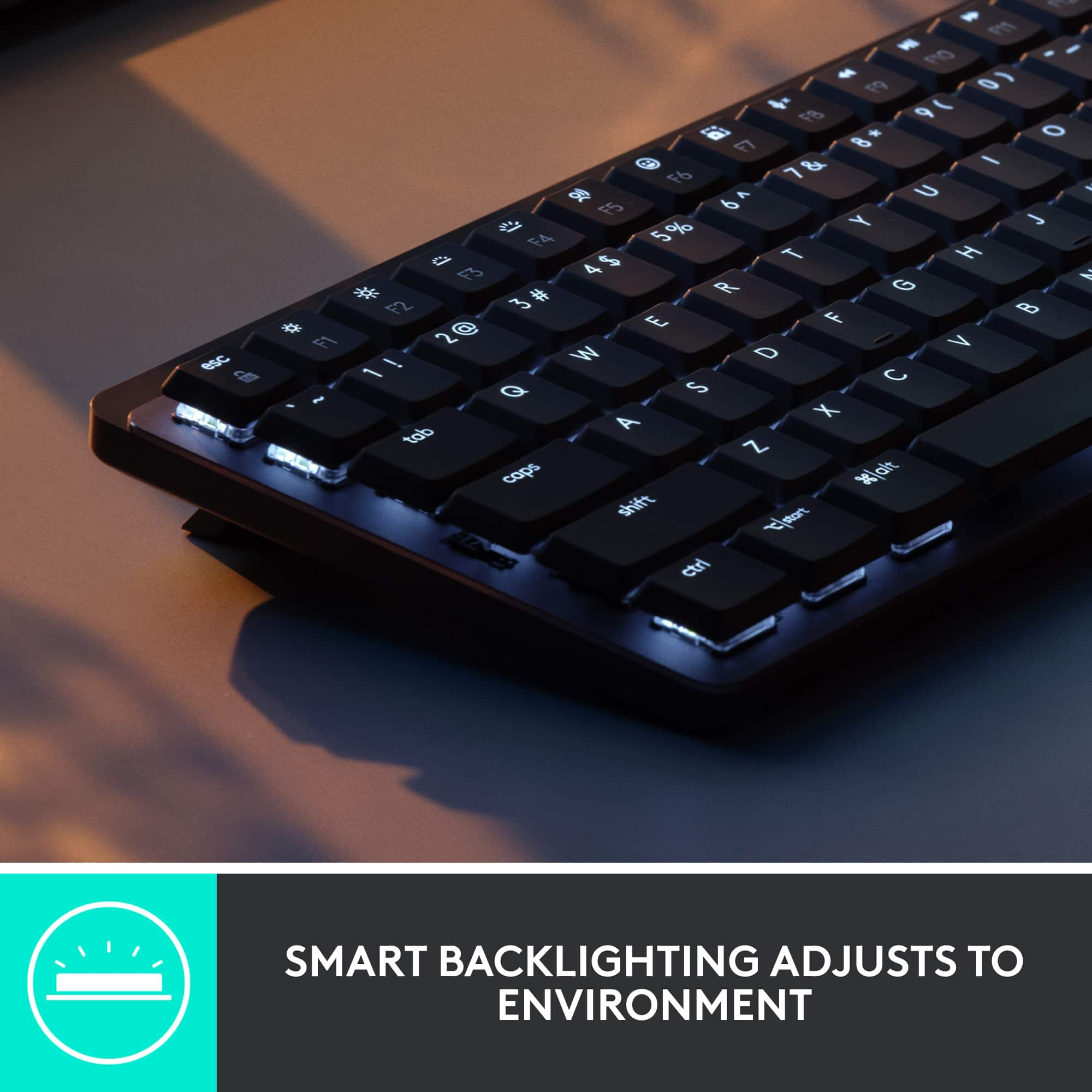
|Posted .This reviewer received promo considerations or sweepstakes entry for writing a review.Nice compact keyboard. Wireless with usb charging, cable included for charging only, it charges from my computer's usb port but ac adapter not included. Good looks and perfect size for me. No numeric keypad but they also sell a full size version if you want a numeric keypad. They also have three styles of keys available: clicky, linear, and quiet tactile. I have the quiet tactile which I prefer which has a slight bit of feedback without the noise of the clicky keys. It's a nice looking keyboard with two colors of keytops. Feels sturdy and comfortable to type on. Low profile, the keys have less travel than standard keyboards yet more than a laptop. They still have enough travel for me and feel just right. The layout is great too imo with full size arrow keys that require a smaller right shift key. I prefer the full size arrow keys and haven't had a problem with the smaller shift key but some may have to adjust their typing a bit to get used to it. I really like the compact size of it. I also have a 60% keyboard which is smaller but 60% keyboards don't have the function keys which I sometimes miss. This one isn't much bigger and has the f-keys which default to special functions such as volume, backlight brightness, play/pause, etc. You can toggle them with f lock back to regular f-keys if you want. Also has page up/down, home and end keys on the right side. Software download of options + and bolt available. Options + not required but gives you the option of reassigning the function of some keys as well as onscreen notifications for some functions. Bolt software not needed for bluetooth connection but may be needed for the bolt receiver. Nice backlighting when it's on. Unfortunately it doesn't stay on for long and there's currently no way to adjust how long it stays on. It's supposed to sense when your hands are near it and turn it back on but this often doesn't work so I have to hit a key to get it to turn on. I did find that on mine when it's charging (you can still use it while it's charging) the backlight stays on but that kind of defeats the purpose of a wireless keyboard. Also no current support for macros which seems like a no brainer for such a nice (pricey) keyboard as this. If logitech would allow you to keep the backlight on I would give it five stars. Not really sold as a gaming keyboard I haven't noticed any lag with the bolt receiver or bluetooth connections even when gaming. I'm a gamer and usually use some kind of game controller which makes the keyboard kind of secondary anyway. The fact that it's wireless makes it easier to move it out of the way to make room for my steering wheel for my racing games or my h.o.t.a.s stick and throttle for flying games so this makes it better in those cases. I also have an xbox style controller for other games. Overall a nice keyboard which most will likely enjoy using. If backlighting is important you may want something else. It's probably the best wireless keyboard I've used yet.
I would recommend this to a friend - Pros mentioned:Keyboard quality
Really nice keyboard for my TV
|Posted .This reviewer received promo considerations or sweepstakes entry for writing a review.I had a very specific purpose for this keyboard and I'm so happy that I think it worked out. I'm typing this review from this keyboard right now. It definitely feels different from my main gaming computer's mechanical keyboard (Corsair's Silver "Speed" keys) but I'm really happy that it still FEELS like a mechanical keyboard in such a small package. Setup is easy no matter how you're connecting the keyboard. You have a Bluetooth option which also allows you to connect and easily switch between 3 different devices. Just hold the F1-F3 keys to switch to the different devices. Really is that simple. It also comes with a dongle if your computer doesn't have Bluetooth or you'd rather not use it. Everything setup-wise is simple enough to fit on the inside of the box's cover. Just hold a key combination and you'll connect to the dongle instead. I was looking for a small keyboard that I could connect to my TV so I can stream games from my PC to my TV when I feel like hanging out on the couch with the family and playing some games instead of sitting at my PC all the time. I ran into plenty of issues finding a device that would let me accomplish my goals but this keyboard connected to all of the devices without an issue. Either with Bluetooth or the dongle. The best thing about this keyboard is how much better if feels compared to other small and low profile keyboards. Since I spend a good amount of time with my mechanical keyboard on my gaming PC, the other membraine style keyboards I've tried just don't feel very nice anymore. My fingers end up hurting fairly quickly when I type on my older 2016 MacBook Pro while I used to use that kind of keyboard fairly exclusively before I got the mechanical keyboard I use all the time now. These keys feel different for sure. They're different for sure. These keys are described as "tactile quiet" keys. The switches are brown but I'm not sure if they're actually considered equivilent to Cherry MX Brown or not. There is a clear tactile bump and there's not a ton of travel time in the switch. This is obvious because of how slim and small this keyboard is. Being used to my current "Silver Speed" switches isn't a ton different. There's no tactile bump in my main keyboard but the activation point is REALLY short so it doesn't feel a ton different. The best part is that the keyboard is still full sized. They did a good job of condensing a full sized keyboard (minus the keypad of course) into such a small frame. This keyboard is very convenient to be able to take anywhere in my house and use comfortably. It works well enough at the TV that I might start using it with my MacBook Pro and whatever other portable things (iPad?) I can think of. If you're looking for a nice mechanical feel in a small package that you can take with you and move between multiple devices, this might be the one for you.
I would recommend this to a friend - Pros mentioned:Battery life
Excellent mini mechanical keyboard
|Posted .This reviewer received promo considerations or sweepstakes entry for writing a review.I was looking for a bluetooth, wireless MECHANICAL keyboard and was delighted with this one from Logitech. What's really neat about this one is that it is rechargeable and keeps a charge for a very long time. I am often out of the office, either at a conference or in the field, so I am always looking for the perfect keyboard. This one is about 12 x 5 inches, has feet to change the slant/angle of the keyboard and best of all-- mechanical keys! if you type fast and type a lot, the mechanical keys will take a beating and keep on working. I have 'typed out' several membrane keyboards and when one key stops working properly, the keyboard is useless. Mechanical keys are superior for durability, plus have a little 'click' sound. I find that I type more accurately with this keyboard, particularly in my lap or in an out of office situation. I like having the feel of the spring pushing back on my fingers when I type, so this is great. It is not totally silent but it's not as loud and old fashioned mechanicals. The bluetooth connection is effortless and you can assign the keyboard to three different platforms, so it's easy to switch from your desktop to a laptop to your phone. It charges through USB-C cable and I have not run out of juice yet! specs say it will last two weeks with the keyboard lighting on, or super long without the lighting (months). comes with a logi Bolt receiver if you don't want bluetooth connectivity. (There is no 'storage' slot on the keyboard for the Bolt receiver). Overall, I will enjoy using this keyboard in the field or on the couch. May pick up the one with extended keypad for office use, making it simple to switch between desktop and laptop and do accounting work.
I would recommend this to a friend - Pros mentioned:Keyboard quality
Minimalist mechanical keyboard, maybe a bit pricey
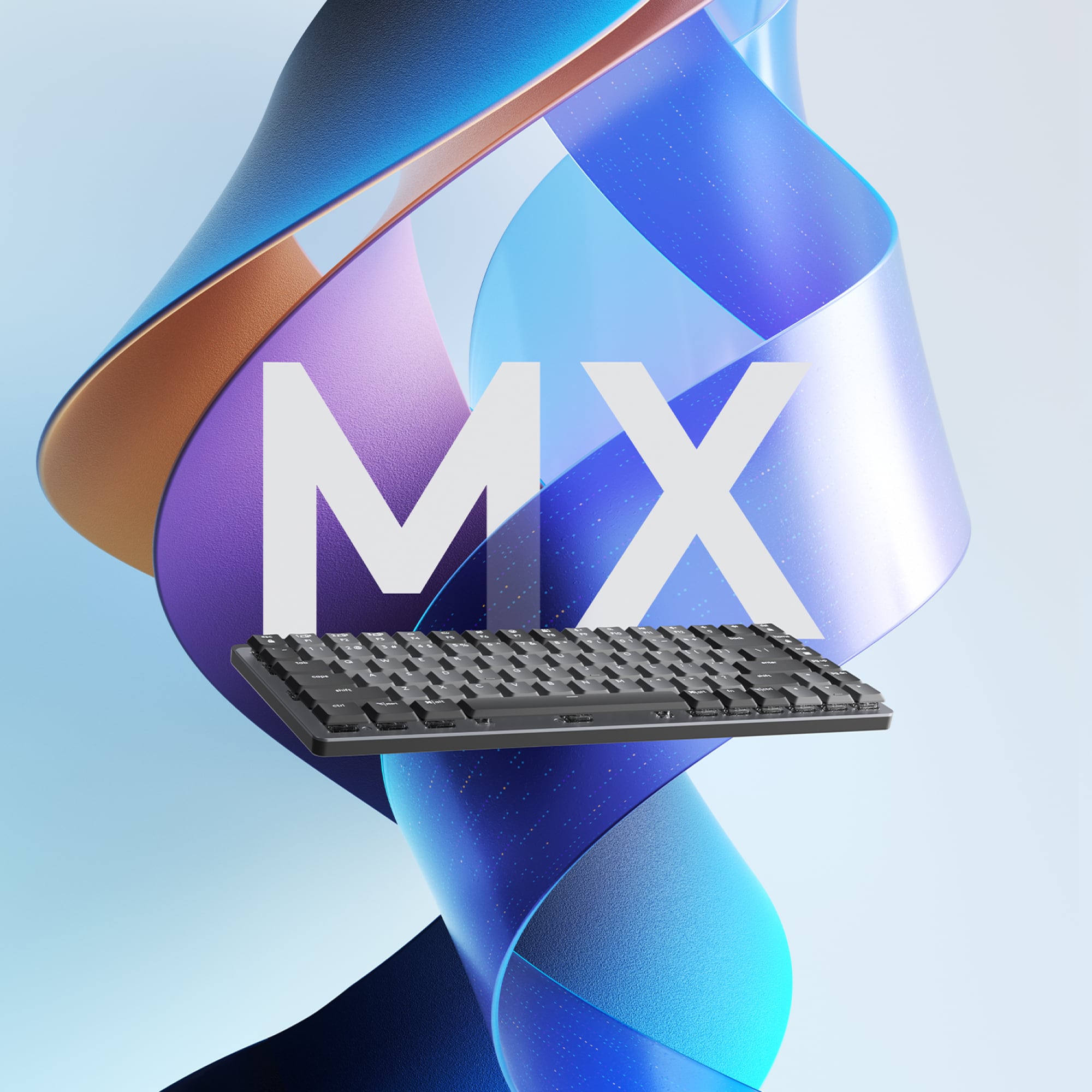
|Posted .This reviewer received promo considerations or sweepstakes entry for writing a review.A number of years ago I bet if I had invested in Logitech I would have made a decent amount of money by now. Oh well, hindsight I suppose. In any case, instead of stock in Logitech, I have a healthy stock of Logitech’s peripherals, and am a big fan of the MX series keyboards and mice. I’m traditionally not a mechanical keyboard kind of guy. I like small, slim-line and minimalist keyboards that take up very little space on my desk. For instance—the MX Keys Mini for Mac, a beautifully small device without a number pad that’s looks great in a small desk space (note—I don’t have a small desk space, but I can still appreciate the little things…pun intended). The MX Mechanical Mini Compact Keyboard with Tactile Quiet switches (what a name) strikes a nice balance between the feel and sound of a traditional mechanical keyboard, along with the minimalist design of some of their slimmest keyboards. The keys aren’t noisy, but they’re far from quiet. There’s a nice two-tone color scheme that doesn’t do anything except break up the “sameness” of a single color. As with other MX keyboards, Logitech brings its Smart Illumination to the backlighting, which lights the keys only when your hands “approach.” They keyboard frame is largely plastic but has an aluminum deck. It can be paired with up to 3 Bluetooth devices. Although it’s a mini, you get a full row of multifunction / media keys along the top, which admittedly looks a little strange as they line up perfectly with the number row. And as with any other mechanical keyboard, the keys are very close together—essentially on top of each other. “Sure,” you’d say, “but that’s normal. What are you going on about??” As mentioned before, I’m a slim keyboard enthusiast and I prefer chiclet style keys, which typically have a bit more space between them. As such, it took me a few days of typing to really get used to how close together these keys are. Not a deal breaker by any means, but if you’re looking to make a switch like I did, be prepared for a short adjustment period. Post-adjustment period, I feel like my typing speed has increased slightly, and my typing fatigue decreased slightly; these are both changes for the better. Because it’s a “Mini,” it doesn’t have a number pad which will impact some more than others; if you don’t use a number pad much, and you like a smaller keyboard but want some of the benefits of more traditional mechanical keyboards, you ought to consider this. After using the Mini, I’m more inclined to recommend the full-size keyboard, which will only cost you another $20. At $150, though, the Mini seems to me a bit overpriced; I think it’s more suitably priced $100-$120, so maybe wait until this hits a sale to pick yours up.
I would recommend this to a friend - Pros mentioned:Battery life
Great keyboard
|Posted .This reviewer received promo considerations or sweepstakes entry for writing a review.TL;DR - This is a terrific keyboard for using in your living room, with your smart TV or a computer. The backlight is soft but makes the keys clearly visible and the keys are all very responsive. Battery life is great and USB-C charging means it's easy to connect for charging. The only minor drawback is initial setup can be a pain and you need a computer for firmware updates. ----------- The Logitech MX Keys Mini mechanical wireless Bluetooth keyboard is great when you want a keyboard to take with you or to live in your living room. It connects to up to 3 devices using Bluetooth or Logitech's own wireless technology, it's very responsive, and it's quiet. I use mine in the living room with a Smart TV, an Apple TV device, and a Windows PC I use for living room gaming. It works well for this purpose. I can use my Smart TV as a way to browse the web more easily than I could with its remote. Searching media on the Apple TV is easier than using Siri and I don't have to fumble for my phone to type. Gaming on the PC is very responsive with this keyboard. The only minor complaints I have about this keyboard are that the Bluetooth pairing process is sometimes a little harder than it needs to be and there's no way to update the firmware of the keyboard without a computer, at least that I've found. Would I get one? Absolutely.
I would recommend this to a friend - Pros mentioned:Keyboard quality
Logitech - MX Mechanical Mini keyboard is amazing!
|Posted .This reviewer received promo considerations or sweepstakes entry for writing a review.Using this with my Windows 11 laptop is a breeze. The bluetooth and the USB both work flawlessly. I tend to use bluetooth with my tablet and usb with my laptop. Easy to switch between three devices and its a snap. Use this with my MacBook as well as my windows 11 laptop and my work windows 10 laptop. Very versatile, set a number for which device I want to connect to and I am off to the races. I like the way the keyboard feels. I am typing this review on the keyboard for this review and have no issues. I like that the keyboard is quiet and yet very pronounced on every key I hit to type. Very precise and crisp to my feel. I really have been enjoying the keyboard and like that it is backlit. The keyboard I was using was not lit and was hard to see the keys when I needed to use a special characters. I like the shortcut keys and they ability to quickly search, turn up the volume or mute the sound quickly when working. Again I cannot say how much I am enjoying this keyboard and all of its intuitive functionality. Logitech has hit it out of the park with this keyboard. Even though its compact it is so easy to type and use on a daily basis unlike others which I have used. Absolutely love this device.
I would recommend this to a friend - Pros mentioned:Key feel
Sounds great, works great!
Posted .This reviewer received promo considerations or sweepstakes entry for writing a review.I’m coming from an extremly loud and clicky gaming keyboard that served me well but I was starting to get tired of how loud it was and I’m starting a new office job soon so i wanted something less colorful and quieter to bring to work . After doing some research, I landed on this keyboard and decided to buy it. I’ve only had it for a few days and I’ve already fallen in love with it. It’s quieter but still has that nice click mechanical keyboards have, very smooth to type on, and i thought I was going to be needing the USB connector it comes with but turns out it’s completely wireless! I had a paper to write the day I bought so it was a perfect time to really test it.
I would recommend this to a friend - Pros mentioned:Keyboard quality
Ms
Posted .This reviewer received promo considerations or sweepstakes entry for writing a review.I am very please with my new Mechanical Mini compact wireless tactile keyboard for use with my new Mac mini computer . I am an older person and enjoy the feel of the keys, as if I am on a typewriter. I sounds good to me as I type and the keys light up as I engage.
I would recommend this to a friendBrand response from Logitech
Posted .That's fantastic to hear! It sounds like the Logitech MX Mechanical Mini is a perfect fit for you.
- Pros mentioned:Key feel
Great Keyboard
Posted .This reviewer received promo considerations or sweepstakes entry for writing a review.Writing this review from the MX. I gotta say, before this I was using the standard apple keyboard and did not really enjoy typing. Now I can't keep my fingers off this thing. The keys feels smooth and the sound is quite nice. This is my first mechanical keyboard and I LOVE IT
I would recommend this to a friend - Pros mentioned:Keyboard quality
Perfect Keyboard for Work
Posted .This reviewer received promo considerations or sweepstakes entry for writing a review.Great keyboard! I did not like how large my company provided one was so I bought this one. It is a great size and I have not had any issues.
I would recommend this to a friend - Pros mentioned:Keyboard quality
Great product
Posted .This reviewer received promo considerations or sweepstakes entry for writing a review.Feels amazing to type on and it is perfectly weighted.
I would recommend this to a friend - Pros mentioned:Size
Nice quality and compact size
Posted .This reviewer received promo considerations or sweepstakes entry for writing a review.really good quality and feel of typing like you would expect. Nice and compact to make traveling with it easier.
I would recommend this to a friend Hyped up Keyboard
Posted .This reviewer received promo considerations or sweepstakes entry for writing a review.This key board appears to be a good deal at first but over time the luster diminishes. Lets start with the keys. I have the brown keys and the action is very good. I guess that is supposed to be the most important aspect of a keyboard. The keycap color is what I was looking for, however, the enter and escape keys could be improved with an orange or red highlighted key. I will have to search the web for some something. I'm okay with the double key inscription but Logitech could have included some replacements for the command and alt keys, especially for this price. The space bar rattles. I remember hearing the same rattle from the first keyboards back in the eighties. Also the space bar is a non-standard size so it can never be changed out with some other set of keycaps. The key LED are adequate. The LED are on the top of the keys and are only white, which is all I wanted. The caps lock brightens when on. Everything else is good and I would have given this keyboard higher marks except for the price and at this price point, I expect everything to be exceptional, no rattles and nothing non-standard. Setup was relatively simple. No issues with that.
No, I would not recommend this to a friendPerfect Keyboard!
Posted .This reviewer received promo considerations or sweepstakes entry for writing a review.Perfect for school work and other work-related tasks! The clacky sound is addicting!
I would recommend this to a friendNew keyboard for an old Mac
Posted .This reviewer received promo considerations or sweepstakes entry for writing a review.After trying others, this one works on the old OS X Mac, that has no usb-c.
I would recommend this to a friend