Customer Ratings & Reviews









- Model:
- RC71L-ALLY.Z1X_512
- SKU:
- 6542964
Rating by feature
- Performance
Rating 4.6 out of 5 stars
- Storage Capacity
Rating 4.0 out of 5 stars
- Controller
Rating 4.4 out of 5 stars
Customers are saying
Customers commend the ROG Ally for its impressive overall performance, portability, and excellent screen quality. Many appreciate its game compatibility and lightweight design. However, some customers have expressed concerns regarding battery life and issues with the SD card reader. Additionally, a few users have noted the device can heat up and that the storage capacity and software could be improved.
This summary was generated by AI based on customer reviews.
Low performance
||Posted . Owned for 1 month when reviewed.This reviewer received promo considerations or sweepstakes entry for writing a review.Even with amds super fidelity this struggles like the steam deck to maintian an enjoyable 60 fps. The screen clarity is very nice but ive noticed some compatabilty issues getting things to run properly like for example horizonxi to use a controller or even the built in game pad.
No, I would not recommend this to a friendBrand response from ASUS Answers
Posted .Dear Scott,
We're sincerely sorry to hear about the issues you've had with the ROG Ally. This is not the experience we want our customers to have with any ASUS product. All ASUS products undergo intensive quality control, testing, and inspections. What you've experienced was not intentional or representative of our brand. Please note that there will be updates for the ROG Ally in the future that will improve overall system performance and stability. We do stand behind our product and we continuously strive to improve our products and processes in order to achieve customer service excellence. For more information send us an email at customerloyalty@asus.com and provide the case number "N2306018122-0066" for reference. We’ll do our best to provide a quick resolution to your case. Your feedback is important as it helps with improvements to ASUS Support channels. Thank you for choosing ASUS.
Best Regards,
Chantae
ASUS Customer Loyalty US Support
Experimental experience
||Posted . Owned for 1 month when reviewed.This reviewer received promo considerations or sweepstakes entry for writing a review.Really nice but needs work. Laptop is better option.
No, I would not recommend this to a friendBrand response from ASUS Answers
Posted .Dear Valued Customer,
Thank you for sharing your feedback on the ROG Ally. We sincerely apologize for the issues you've faced and any inconvenience caused. This is not the quality of service we aim to provide and it is not representative of our brand. At ASUS, we take quality control, testing, and inspections seriously to ensure our products meet high standards. We take customer satisfaction seriously and strive to make every purchase experience with us a positive one. We will forward your feedback to our Product team for review to improve the product.
There will also be updates to the ROG Ally in the future that will improve overall system performance and stability.
We do stand behind our products and we continuously strive to improve our products and processes in order to achieve customer service excellence. If you require any further assistance, please send us an email at customerloyalty@asus.com and include the case number "N2306018106-0227" as a reference. We will do our best to resolve your case quickly. Your feedback is very important to us, and it enables us to improve our support channels. Thank you for choosing ASUS.
Best Regards,
Chantae
ASUS Customer Loyalty US Support
Asus Ally
||Posted . Owned for 1 week when reviewed.This reviewer received promo considerations or sweepstakes entry for writing a review.Asus Ally plays PC games and Xbox games but it isn’t perfect.
I would recommend this to a friendBrand response from ASUS Answers
Posted .Dear PlayStation,
We appreciate you sharing your feedback on this model. We hope that in time you will be able to use the unit and be satisfied with your purchase. We do value our customers and take negative customer service experience very seriously.
If you should have any other concerns or feedback feel free to reach out to us at customerloyalty@asus.com. We'll be happy to provide a quick resolution to your case. Please refer to this case number (N2306022696-0032) for us to better assist you.
Thank you for choosing ASUS!
Best Regards,
Saskeia
ASUS Customer Loyalty US Support
Not Really Your Ally
||Posted . Owned for 2 weeks when reviewed.This reviewer received promo considerations or sweepstakes entry for writing a review.I have been debating between the Ally and the Steam Deck. I picked fhe Ally up before thanksgiving as i knew id have ample time to test it out. It was my original choice because it had acess to all gaming platforms from Xbox to Steam. Over the course of 4 days i could never get more than an hour of play time. This was at medium settings. My hands woukd cramp due to its lack of rear boulsters. The one thing that put the nail in the coffin was the inability to install a bios update. The bios and the os was not meant for such a small portable device. I returned it and purchase a steam deck. If you are on the fence hust get the steam deck. Its better in all ways.
No, I would not recommend this to a friendBrand response from ASUS Answers
Posted .Dear Valued Customer,
Our sincere apologies for the problems you have had with the ROG Ally and the inconvenience this has caused you. At ASUS, we take quality control, testing, and inspections seriously to ensure our products meet high standards. What you've experienced was not intentional or representative of our brand. With us, customer satisfaction is our top priority, and we strive to make every purchase an enjoyable experience. We appreciate your feedback which will be reviewed by our Product team. Please note there will also be updates to the ROG Ally in the future that will improve overall system performance and stability.
Although you have returned the unit, we do stand behind our products and we continuously strive to improve our products and processes to achieve customer service excellence. For more information, please send us an email at customerloyalty@asus.com and include the case number "N2306018159-0218" as a reference. We will do our best to resolve your case quickly. Your feedback is very important to us, and it enables us to improve our support channels. Thank you for choosing ASUS.
Best Regards,
Chantae
ASUS Customer Loyalty US Support
From good to mediocre
||Posted . Owned for 2 weeks when reviewed.This reviewer received promo considerations or sweepstakes entry for writing a review.Good for a while, performance decreased after a week of use
No, I would not recommend this to a friendPoor quality control
||Posted . Owned for 1 month when reviewed.This reviewer received promo considerations or sweepstakes entry for writing a review.The product worked great when it worked and I was really enjoying it. But one week after the return window my joysticks started messing up. I never dropped it on them or anything but one catches really badly and the other will only go up and down on the screen.
No, I would not recommend this to a friendBrand response from ASUS Answers
Posted .Dear Brian K,
We are sorry you're having issues with ROG Ally joysticks. This is not the norm and is not the type of quality to expect from ASUS products. All ASUS products undergo intensive quality control, testing, and inspections. What you've experienced was not intentional or representative of our brand. We do stand behind our product and we continuously strive to improve our products and processes in order to achieve customer service excellence. We recommend reaching out to our support to set up a Return Material Authorization number (RMA) to get the device repaired as soon as possible. For more information send us an email at customerloyalty@asus.com and provide the case number "N2306018122-0111" for reference. We’ll do our best to provide a quick resolution to your case. Your feedback is important as it helps with improvements to ASUS Support channels. Thank you for choosing ASUS.
Best Regards,
Chantae
ASUS Customer Loyalty US Support
Not quite a steam deck killer
||Posted . Owned for 3 months when reviewed.This reviewer received promo considerations or sweepstakes entry for writing a review.I was very excited to see the ad on April's Fools day. I got even more excited knowing that it is an actual real product from Asus. Unfortunately, the reality is dissapointing. The lack of software hardware integration is no competition to Steam Deck.
No, I would not recommend this to a friendBrand response from ASUS Answers
Posted .Dear Valued Customer,
It is really unfortunate to hear about your disappointment in the performance of the ROG Ally. This is not the kind of experience we want our customers to have with any ASUS product. We understand how frustrating it must be to experience a product not performing as expected and would like to apologize for that. We take customer satisfaction seriously and will forward your feedback to our product team for review.
There will also be updates to the ROG Ally in the future that will improve overall system performance and stability.
We do stand behind our products and we continuously strive to improve our products and processes in order to achieve customer service excellence. For more information, send us an email at customerloyalty@asus.com and provide the case number "N2306018122-0130" for reference. We’ll do our best to provide a quick resolution to your case. Your feedback is important as it helps with improvements to ASUS Support channels. Thank you for choosing ASUS.
Best Regards,
Chantae
ASUS Customer Loyalty US Support
- Cons mentioned:Battery life
returning
||Posted . Owned for 2 weeks when reviewed.This reviewer received promo considerations or sweepstakes entry for writing a review.too many updates..everytime you power on there’s an update i could only play the one game it was just a hassle for me not to mention the battery life is horrible so i returned it
I would recommend this to a friendBrand response from ASUS Answers
Posted .Dear Valued Customer,
We do understand your disappointment and the inconvenience this may have caused.
This handheld device is running with Windows 11. It is normal for Windows to provide periodic updates in order to maintain optimum system speed or performance, and security. Since this is the initial Windows setup, there will be more updates than usual. Should you need further assistance with the product, please email me at cl-rodel@asus.com and I would be more than happy to help. Or, you are most welcome to call Product Support Hotline at: 1(888) 678-3688. Also, you can chat with an ASUS live support agent from the link: https://www.asus.com/us/support/article/1135/.
Thank you for choosing an ASUS product.
Regards,
Rodel
ASUS Customer Loyalty
Was ok
||Posted . Owned for 3 weeks when reviewed.This reviewer received promo considerations or sweepstakes entry for writing a review.Very lack luster for a gaming handheld. No one is asking to play 4k on this but at the very least 1080 with 30 frams would have beeb nice. The community is very toxic too! Was cool for a hot second but defitnely not for me! I would rather stick to an actual gaming rig.
No, I would not recommend this to a friendBrand response from ASUS Answers
Posted .Dear ChristopherO,
It is really unfortunate to hear about your disappointment with the quality and performance of the ROG Ally. This is not the kind of experience we want our customers to have with any ASUS product. We strive to ensure all of our products meet the highest standards of quality. We apologize this did not meet your expectations and would like to make it right. Please note that there will be updates to the ROG Ally in the future that will improve overall system performance and stability. We do stand behind our products and we continuously strive to improve our products and processes in order to achieve customer service excellence. For more information, send us an email at customerloyalty@asus.com and provide the case number "N2306018122-0052" for reference. We’ll do our best to provide a quick resolution to your case. Your feedback is important as it helps with improvements to ASUS Support channels. Thank you for choosing ASUS.
Best Regards,
Chantae
ASUS Customer Loyalty US Support
Decent
||Posted . Owned for 2 weeks when reviewed.This reviewer received promo considerations or sweepstakes entry for writing a review.Would recommend if you are heavily invested in pc gaming.
I would recommend this to a friendBrand response from ASUS Answers
Posted .Dear Isaiah R,
We appreciate your feedback on the ASUS ROG Ally. We would also like to hear from you regarding changes that you believe would make this a 5-star product. We do stand behind our product and we continuously strive to improve our products and processes in order to achieve customer service excellence. For more information send us an email at customerloyalty@asus.com and provide the case number "N2306018106-0042" for reference. We’ll do our best to provide a quick resolution to your case. Your feedback is important as it helps with improvements to ASUS Support channels. Thank you for choosing ASUS.
Best Regards,
Leonardo
ASUS Customer Loyalty US Support
Not there yet
||Posted . Owned for 1 year when reviewed.This reviewer received promo considerations or sweepstakes entry for writing a review.Need more work, so many bugs, I would go for the SD even though it's less capable
No, I would not recommend this to a friendBrand response from ASUS Answers
Posted .Dear Ibrahim J,
We sincerely apologize for the issues you're experiencing with the ROG Ally and for the inconvenience caused. What you've experienced was not intentional or representative of our brand. To further investigate the problems or to obtain assistance with getting the device repaired, we recommend contacting our support team at https://www.asus.com/us/support/CallUs.
We stand behind our products and continuously strive to improve our products and processes to achieve customer service excellence. For more information, email us at customerloyalty@asus.com and include the case number "N2306018159-0380" as a reference. We will do our best to resolve your case quickly. Your feedback is very important to us and enables us to improve our support channels. Thank you for choosing ASUS.
Best Regards,
Chantae
ASUS Customer Loyalty US Support
Asus Rog
||Posted . Owned for 1 month when reviewed.This reviewer received promo considerations or sweepstakes entry for writing a review.Horrible. I had to return this device. It runs on microsoft windows which means it's suseptible to viruses. We came in to procure a Steam device, as we didn't know they are only sold online. The worker suggested the Asus Rog Ally for my child. Aside from the viruses, it's not easily utilized by an 8 yr old. Don't buy this
No, I would not recommend this to a friendBrand response from ASUS Answers
Posted .Dear Sharon H,
Thank you for sharing your comments regarding the ROG Ally. We understand that it didn't meet your full expectations, and we sincerely apologize for that as we do understand your concerns. We are committed to providing our customers with the highest-quality products and we will forward your review to our Product team for review.
We stand behind our products and continuously strive to improve our products and processes to achieve customer service excellence. If you require any further assistance, please email us at customerloyalty@asus.com and include the case number "N2306018159-0400" as a reference. We will do our best to resolve your case quickly. Your feedback is very important to us and enables us to improve our support channels. Thank you for choosing ASUS.
Best Regards,
Chantae
ASUS Customer Loyalty US Support
- Pros mentioned:Portability, Screen quality, Weight

A fun handheld to play pc and xbox anywhere
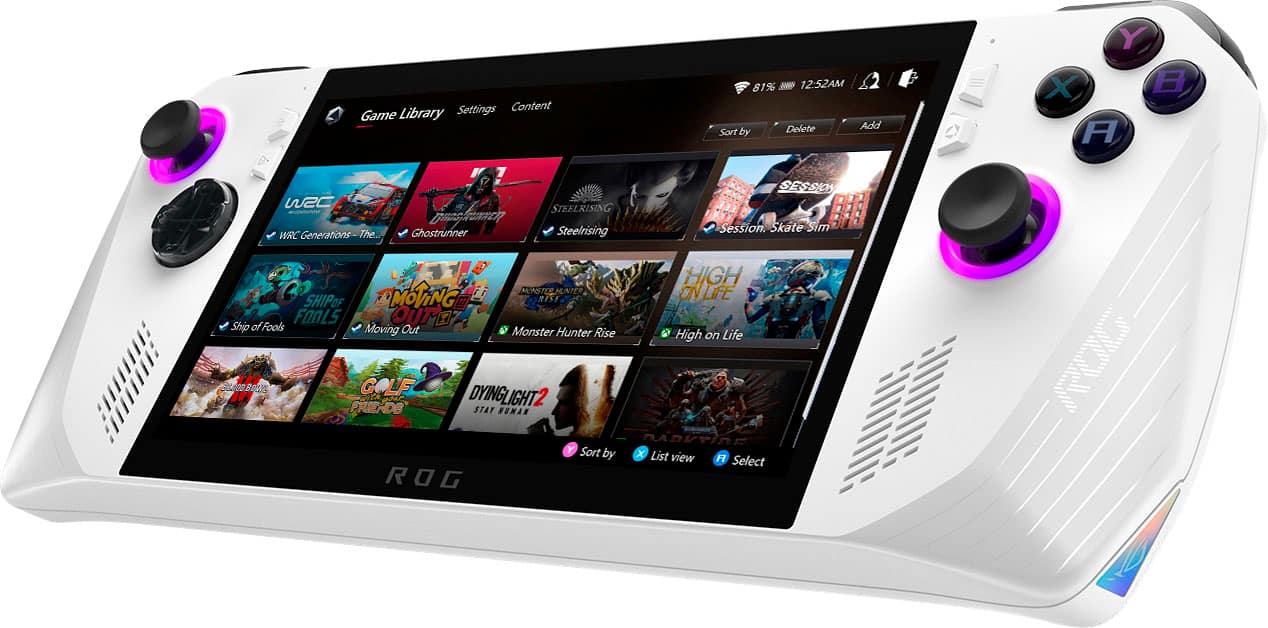
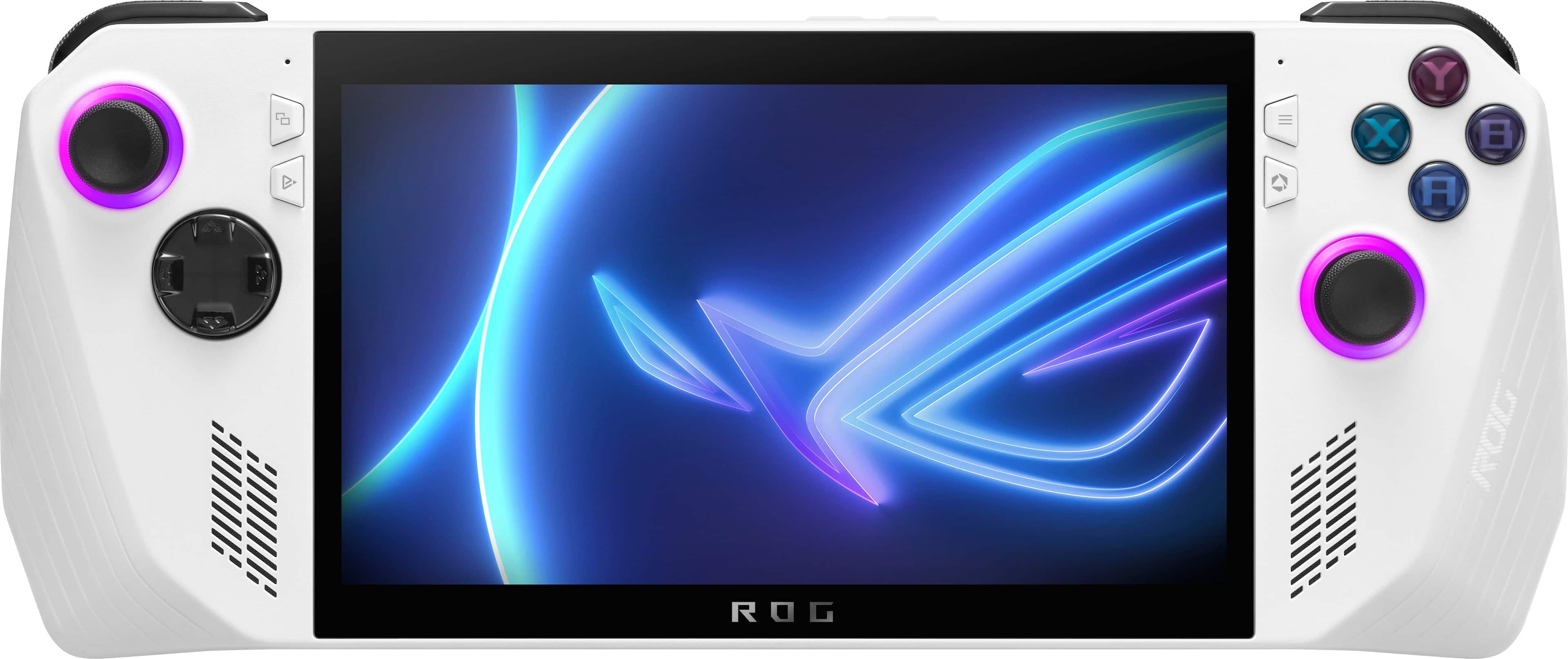
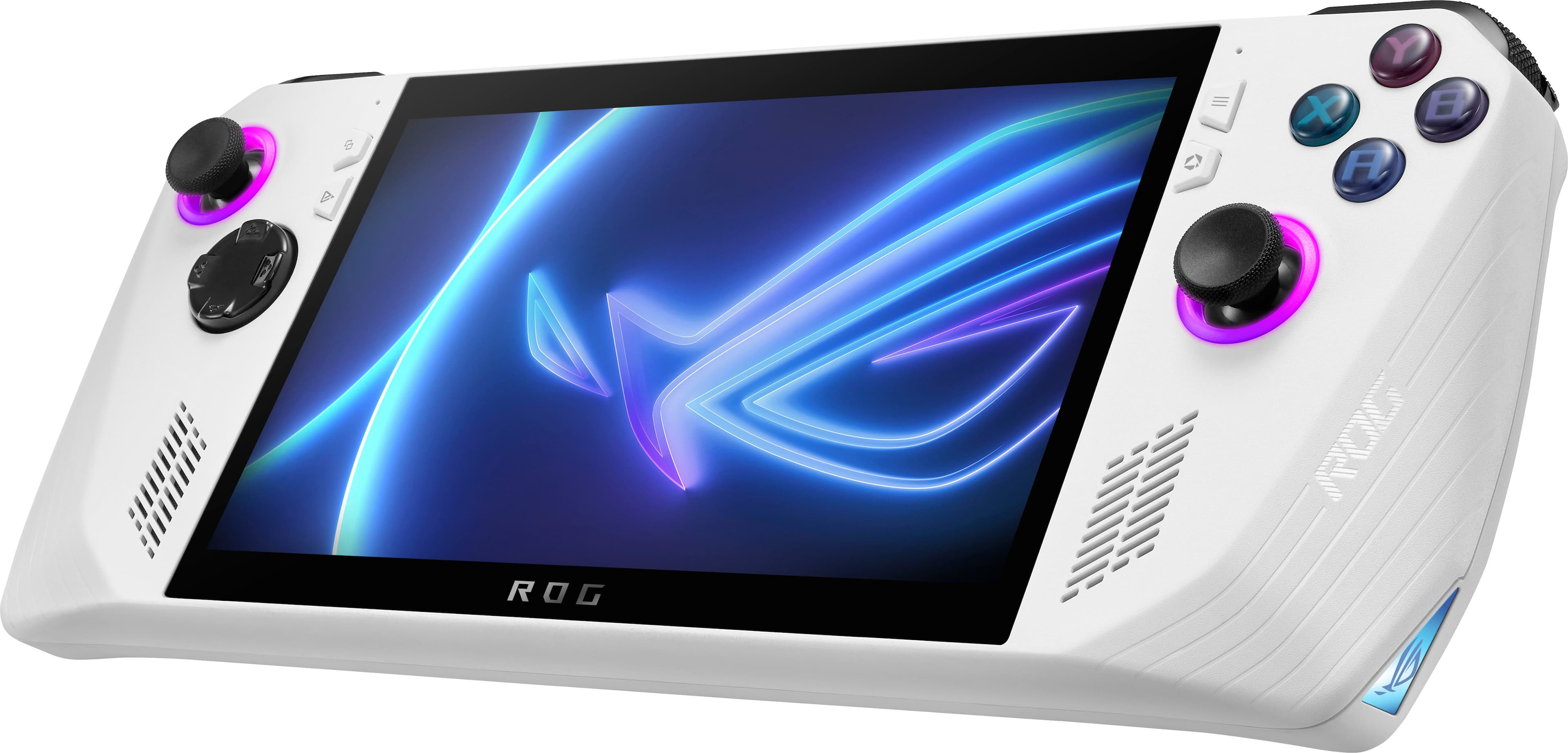
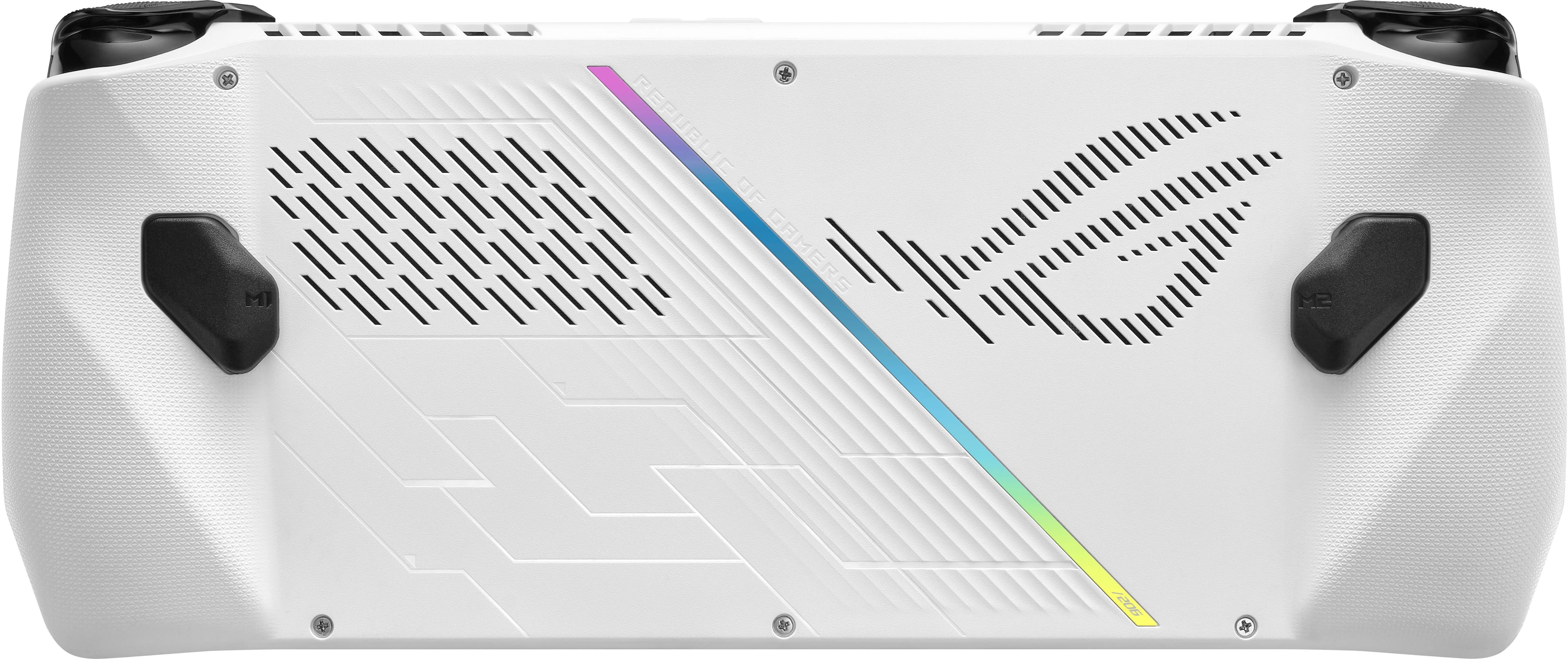
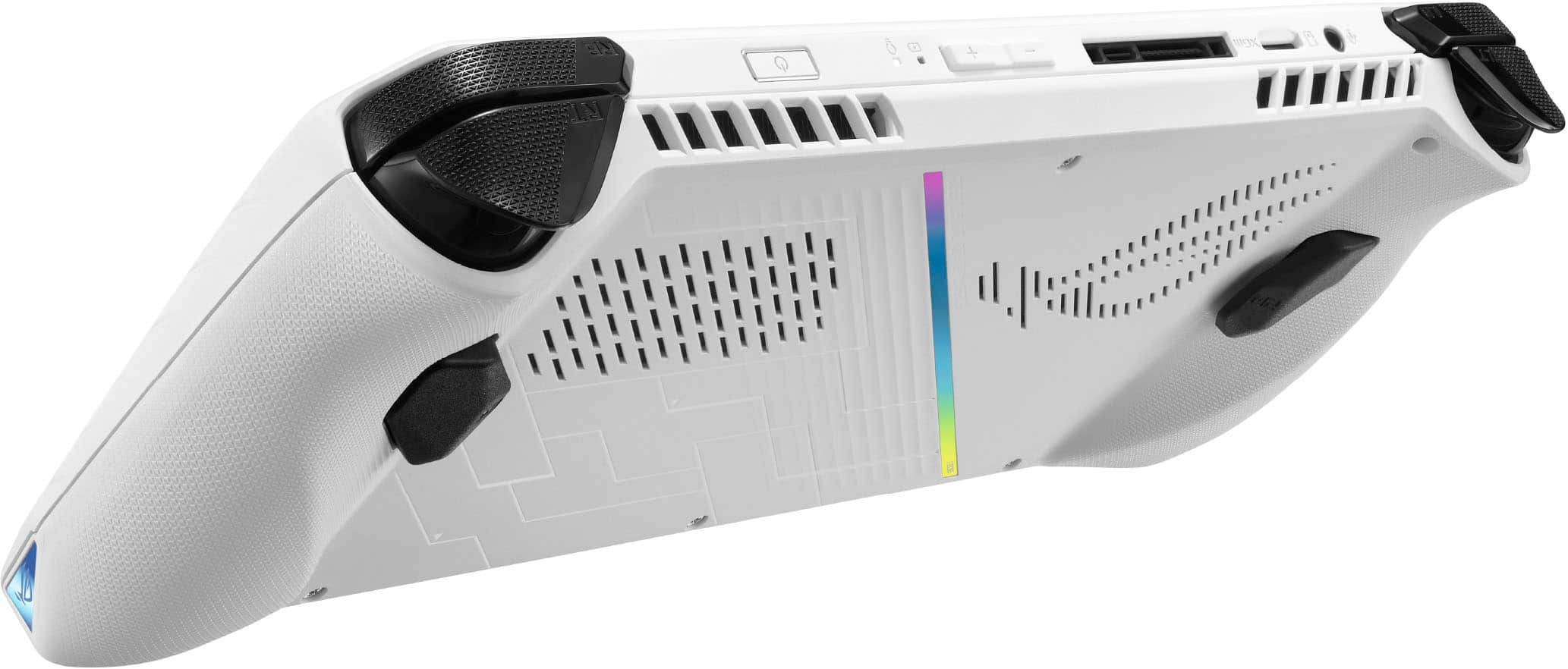
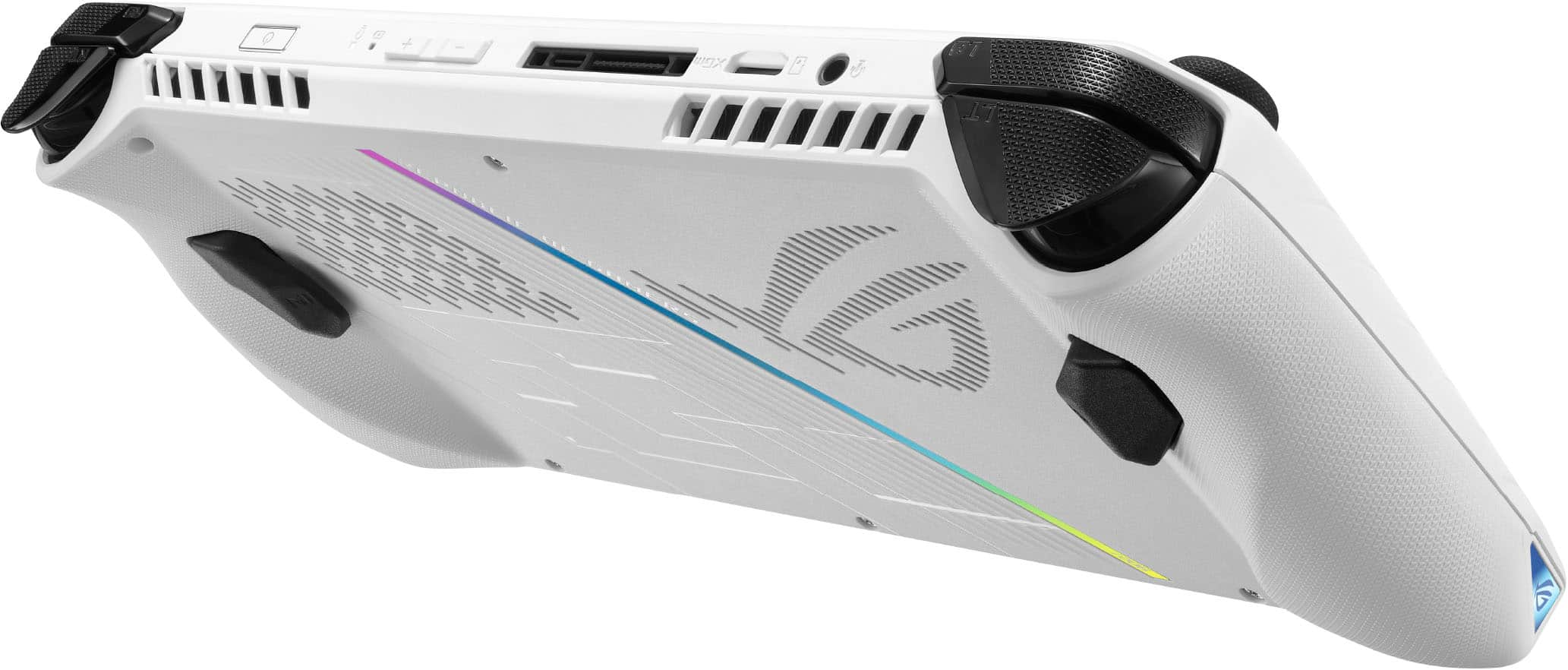
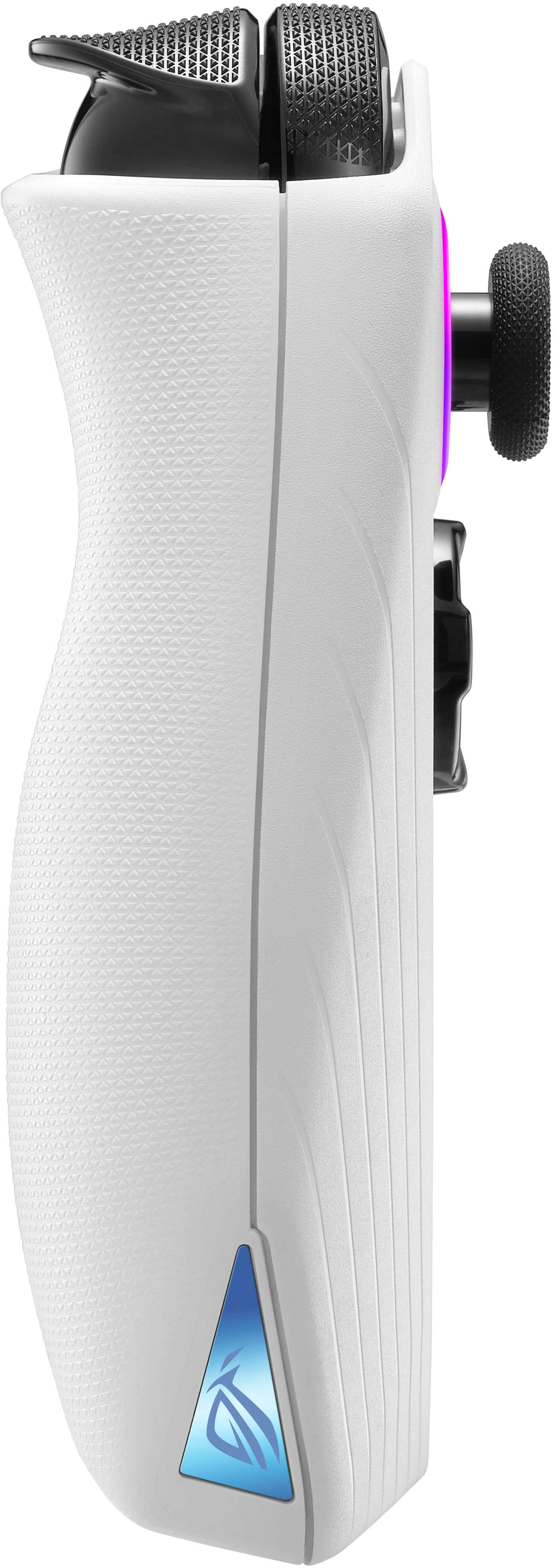
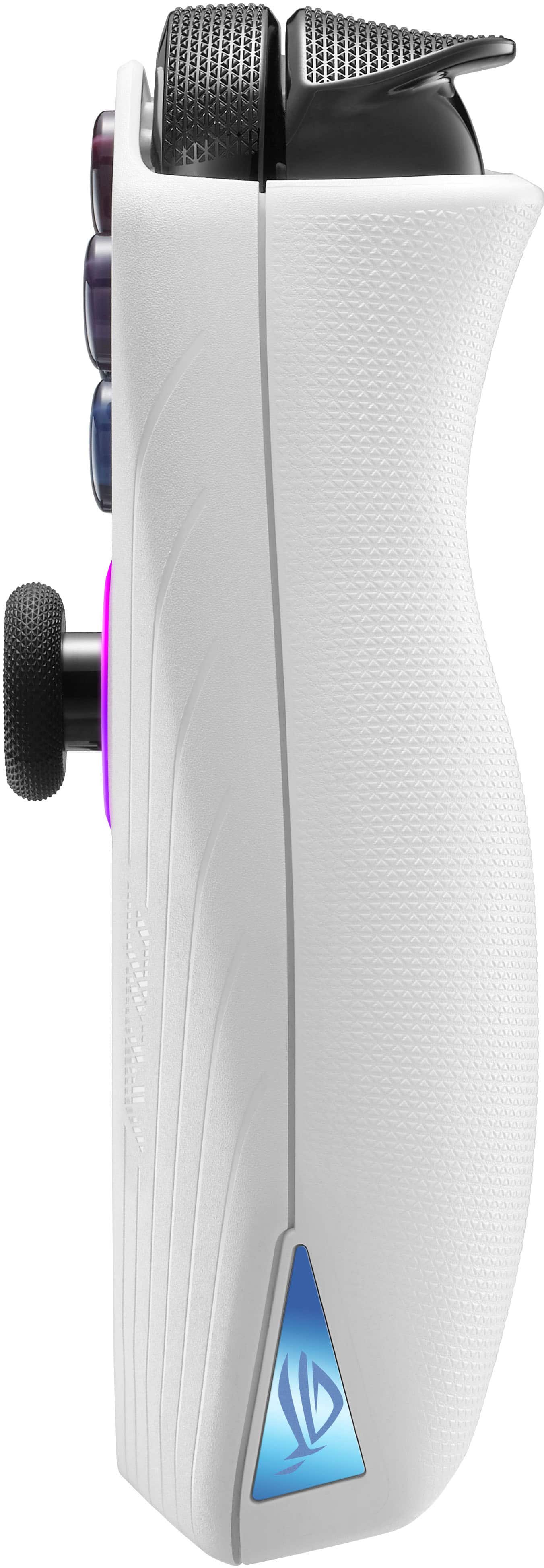
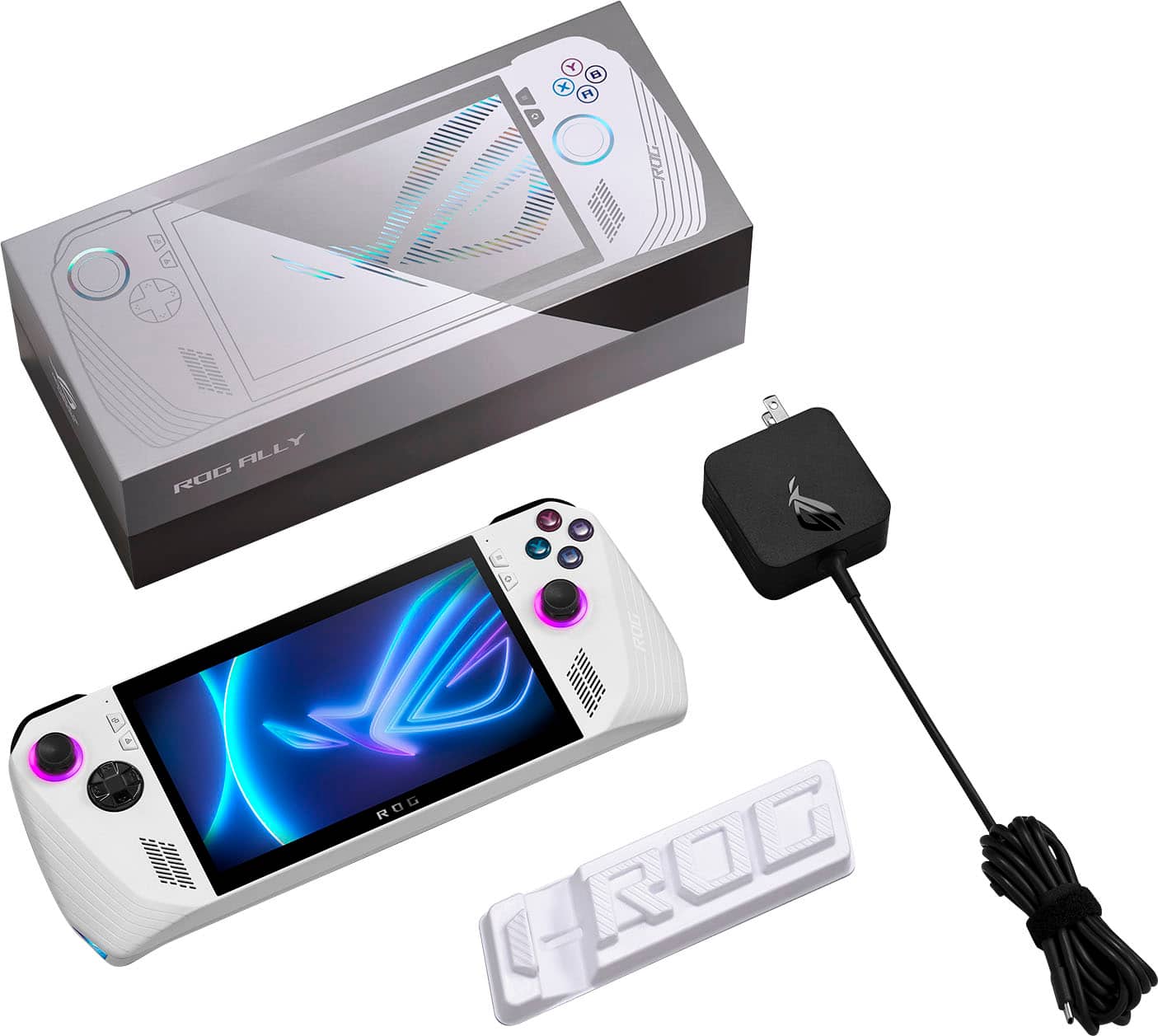
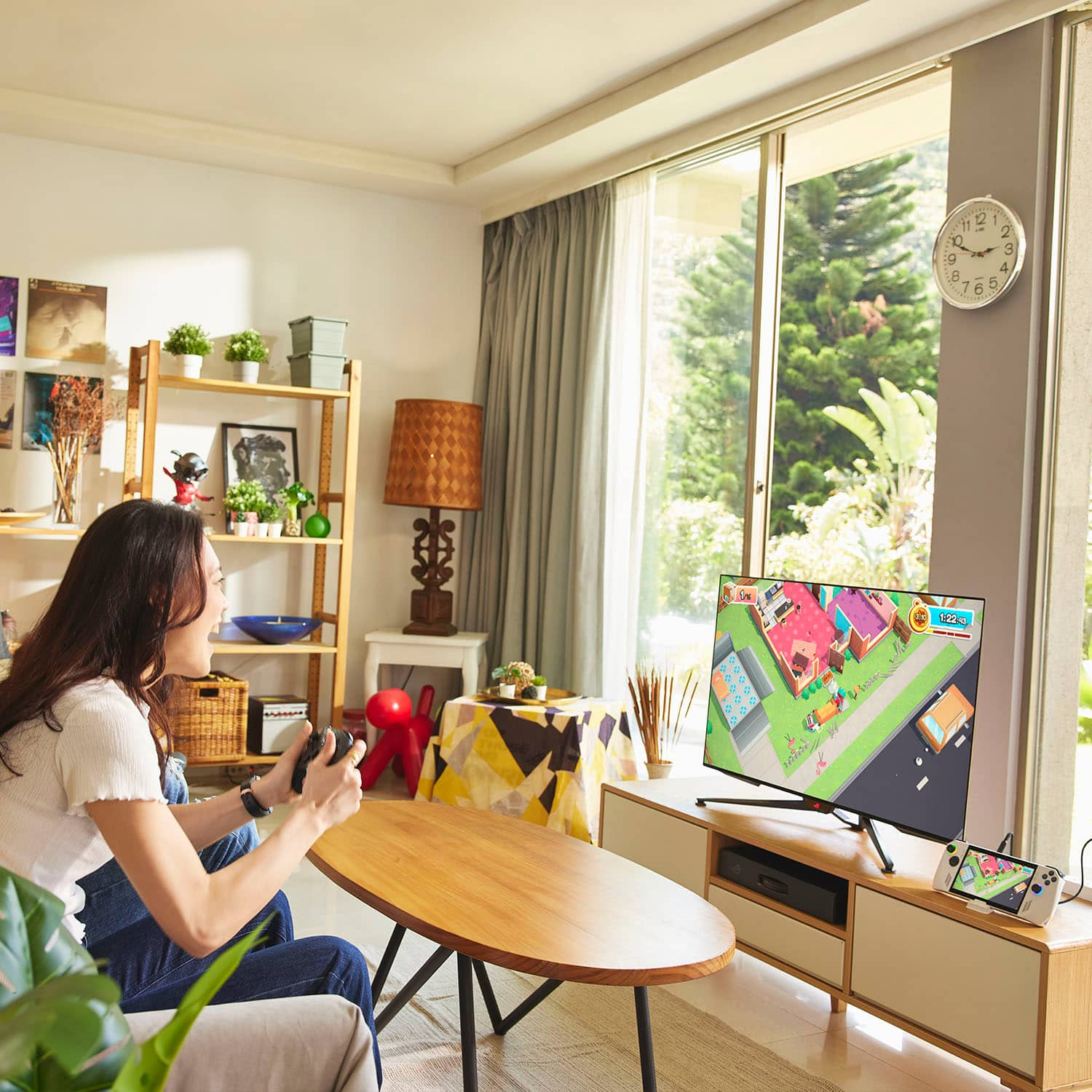
|Posted .This reviewer received promo considerations or sweepstakes entry for writing a review.The ASUS ROG Ally has been one of the more fun handheld gaming systems I have ever used. Able to play PC games, be a regular PC, and play Xbox games, it is a multi use device that is well blended to act as a controller, and navigate Windows 11 with ease. UNBOXING The ROG Ally comes in a well crafted, heavy duty cradled box. There is a plastic stand inside the lid that needs to be removed. It almost looks like waste plastic if you are not paying attention, but it is their stand to hold the Ally upright, and has ROG letters in it. Along with the stand, there are four pieces of literature inside the box (Safety sheet, Warranty, ASUS Support, User Guide) and the charger. The Ally comes with a protective sheet over the screen that shows charging and powering on locations, and two QR Codes to help guide you. INITIAL USE AND CHARGING As much excitement as there is when taking the Ally out of the box to turn it on and start using it, it will need to charge all the way up before turning on. I gave it a good hour and the charging light on top of the Ally went from Red when plugged in to off when charged. The charger itself is a USB-C charger that has the power brick built into the plug itself and is about 2x2x1 in dimension, so it stands up tall instead of across so it is not a outlet hog, but it does restrict the outlet next to it on a standard surge protector. Once the Ally is charged, you can hold the power button for a couple seconds and the system splash logo should come up on the screen. I would recommend leaving the Ally plugged in, as a lot of the initial set up will require system updates and will want you to have the plug in anyways. The ROG Ally has Windows 11 installed on it and Windows will set up just as it would on a regular PC. If you are not familiar with that process, it is easy to set up and follow the on screen instructions. For security, the Ally also includes a fingerprint sensor on the power button that you can set up to protect your device. Once Windows is set up and booted up to the desktop, you will want to run Windows updates and get your system current, which may include updated drivers, BIOS, Security, and functionality. You will also want to use the search and open the MyAsus software that will also provide critical updates directly from ASUS. ALLY AND WINDOWS FEATURES Just like a standard PC, The ROG Ally operates Windows 11 normally and includes Bluetooth connectivity to utilize audio out to a Bluetooth supported speaker, or pairing a Bluetooth keyboard or mouse to help with utility. If you would rather, the Ally does include a 3.5mm headphone jack on the top panel. For extra storage, or program installation, the Ally also has a Micro SD Card reader, so you can load up a Micro SD with games, or anything Windows will recognize. This ROG Ally has a 512 GB SSD included, but as you know it will fill up quick when installing games. There is wordage floating around saying you are able to swap out the SSD or upgrade it with the removal of just one screw, but that is just not the case. There is no quick swap on the device, maybe if you took the whole thing apart, but don't do that, and don't be fooled by anything claiming that, just stick to the Micro SD cards. The Ally itself is pretty light to hold, and does not feel cumbersome to use as an adult. Its controller layout is pretty much that of an Xbox, and has 2 thumb sticks, a D-Pad, YXBA buttons, shoulder bumper buttons, left and right triggers, and also left and right winged buttons on the back of the finger grip like an Xbox Elite controller. It is a very similar feel to an Xbox controller when pulling the trigger or hitting the buttons, so if you are an Xbox gamer, it should feel normal. The triggers, thumbsticks and bumpers are gripped so your fingers don't slide around or off of them while playing. There are 2 speakers on the front face of the Ally, one on each side of the screen, and makes hearing your gaming or youtube videos or whatever you're on really sound great, especially with the addition of Dolby Atmos to enhance the sound experience. There is a volume up and down toggle on the top of the Ally. Included on the front face are two microphone pickups, again one on each side of the screen. The audio seems to pick up well and allows you to communicate in games. There are 4 function buttons on the front side of the Ally, two on each side of the screen. The upper two on each side act as the start and guide buttons like on the Xbox controller. The bottom two on each side are to access the armory crate software to launch games and Ally settings, and a command center button that gives you a healthy list of options to pick from while playing games, or just browsing the PC or web. The last port on the top of the Ally is for an expansion to be able to plug the Ally into an external GPU and use the Ally as a full on gaming computer, or hook up to an external controller that allows you to use a wired keyboard and mouse and hook up to your TV. I have not explored those options as they require a purchase of addition accessories to use. THE SCREEN Little did I know when I unpackaged the Ally, that the screen was actually a 7" IPS Touchscreen that can output at 120hz and 1080p Resolution. . For the first bit I was trying to set everything up with the thumb sticks that move the mouse on the screen! The touchscreen is very responsive and surprisingly accurate with my bigger fingers. It does smudge quick though and does not have any kind of screen protection. You are able to bring up an on screen keyboard to type and again is surprisingly accurate. In my opinion, it would be worth it for ASUS to include a stylus somehow, and if you happen to have a soft tip stylus then it would help keep the screen cleaner. The screen colors are pretty vivid but has a somewhat lower NIT level for total brightness, but overall I think it is pretty bright and comparable with a cellphone brightness. Unfortunately there is no HDR with this panel. ASUS ARMOURY CRATE SE AND COMMAND CENTER This is really the heart and soul of the entire Ally. It allows easy access to settings, games, profiles, controller layouts and pretty much all you need to use the Ally in any capacity. The crate has a button on the front panel on the right side of the screen that kind of looks like a recycle arrow. Hitting that button will open up the armoury crate software to let you easily move around between games. The first menu that comes up is the Games Library. It finds most of the games and game apps from different sources and puts it all together so you can easily jump between a Steam game or an Xbox Game. The second menu is the settings, which lets you adjust your operating mode (CPU Speed), Your controller set up, which can be customized mapped for specific games, be able to adjust the thumb stick lighting, your audio and wifi settings, game visuals, and Aura sync. There are so many options and visuals to help you figure out where you want to be in your set up. The content menu includes 7 different functions like Media Gallery, System Specs, Game Platforms (Xbox, EA, Steam, EPIC, UBI, and GOG Galaxy), Help center, User Center, Update Center, and Featured. The Command Center is a great over lay that is accessed by pushing the triangle button on the left side of the screen. It gives you up to 15 quick function options to help your gaming experience or windows experience. You are able to do things like change the operating mode on the fly, the controller mode, game profiles, bringing up a keyboard, system CPU and GPU monitors and FPS Limiters, showing the desktop, AMD controls, Changing the resolution between 720p/1080p, changing the refresh rate between 60/120hz, the LED brightness, sound and power options and more if you select different from the Armoury Crate settings. It really helps you navigate while gaming and is easy to use. OVERALL GAMEPLAY AND FUNCTIONALITY Graphically the games play wonderfully. Since there is not a super strong graphics card, a lot of the games won't be able to run at high settings,but even still the games look and perform great. The controller is not always the easiest to handle on steam games as most of them need to be custom mapped. The Ally does its best to provide its own functionality, overwriting games from steam and other places with its embeded controller option. Sometimes some of the games just won't function at all because it has trouble translating the controller layout into the game. That is honestly where my 4 stars is coming in at. Also, games can take quite a while to load and have a software issue where the title screen dissapears to the desktop while you are in the Armoury Crate software, or even in the Xbox software and makes you think the game crashed cause the loading screen went away. If you hit the show desktop button in the command center then it will show you the game title screen loading. Also there is issue with the taskbar dissapearing or not being accessible when trying to view the desktop while in a game. It has left me many occasions where I had to close out the game completely because I couldn't switch back and forth. I feel that could be adjusted in the future. Battery Life- The Lithium battery in the Ally holds a lot of power and is on par with a lot of Laptops. I really see about an hour of use playing on turbo mode, but have been able to play for 2-3 hours on silent or performance mode even. It is all based on your settings. Overall the ROG Ally is a very impressive gaming handheld. It boasts a ton of features and is very fun to use when the games are working correctly. I feel with some more updates a lot of the issues I had could be addressed, but with slow loading games, difficult and sometimes unusable controller translations, and some game/desktop switching issues It can definitely be improved. I would still highly recommend this as it is still a very fun portable computer.
I would recommend this to a friend Windows is garbage
||Posted . Owned for 1 month when reviewed.This reviewer received promo considerations or sweepstakes entry for writing a review.It's not worth your money. A laptop would be a better purchase, or anything that doesn't rely on Windows to do anything at all. Windows is the worst part about this. You'd think Microsoft could make it a good experience, but they refuse.
No, I would not recommend this to a friendBrand response from ASUS Answers
Posted .Dear Dustin,
It is really unfortunate to hear about the poor experience you have been having with Windows 11 on your ROG Ally. Please accept our humble apologies for the inconvenience. This is definitely not the kind of experience we want our customers to have with ASUS products and it is not the norm. If the device does not meet your expectations you can return it to Best Buy if you are still within the return window, and we will forward your feedback to our product team for review. We stand behind our products and continuously strive to improve our products and processes to achieve customer service excellence. For more information, send us an email at customerloyalty@asus.com and provide the case number "N2306018122-0155" for reference. We’ll do our best to provide a quick resolution to your case. Your feedback is important as it helps with improvements to ASUS Support channels. Thank you for choosing ASUS.
Best Regards,
Leonardo
ASUS Customer Loyalty US Support
Performance
||Posted . Owned for 1 week when reviewed.This reviewer received promo considerations or sweepstakes entry for writing a review.Poor performance, no what everyone was talking about
I would recommend this to a friendDOA Ally
||Posted . Owned for 3 weeks when reviewed.This reviewer received promo considerations or sweepstakes entry for writing a review.Lol it looked nice…but was a buggy unoptimized mess
No, I would not recommend this to a friendBrand response from ASUS Answers
Posted .Dear KevinP,
We certainly understand your disappointment with the product, We certainly value your feedback on this matter, and I will be letting the related department know about the issues you are experiencing for continuous improvements to the product line. If you need any assistance, feel free to contact me at customerloyalty@asus.com. We'll be happy to provide a quick resolution to your case. , and I will help you to the best of my abilities. I am here to assist our customers with our products and dedicated in bringing a resolution to all issues that they may come across. Your case for reference is [N2306018106-0064 ] for us to better assist you. Thank you for choosing ASUS!
Best Regards,
Schottky,
ASUS Customer Loyalty US Support
- Cons mentioned:Battery life
Not what they said it was
||Posted . Owned for 1 week when reviewed.This reviewer received promo considerations or sweepstakes entry for writing a review.Slowest loading consle in history. Joysticks have zero resistance, buttons are mushy, battery life is a joke they cant call this a on the go device you always need to be plugged to the wall or some battery oack
No, I would not recommend this to a friendBrand response from ASUS Answers
Posted .Dear Alex,
We certainly understand your disappointment and the inconvenience this may have caused.
If you are experiencing slow speed or system performance, updating the BIOS, Windows and drivers will improve system stability and performance. The battery does drain faster while gaming.
If you need further assistance with the products, please email me at cl-rodel@asus.com and I would be more than happy to help. Or, you are most welcome to call Product Support Hotline at: 1(888) 678-3688. Also, you can chat with an ASUS live support agent from the link: https://www.asus.com/us/support/article/1135/.
Thank you for choosing an ASUS product.
Regards,
Rodel
ASUS Customer Loyalty
ASUS customer service is worst in the industry
||Posted . Owned for 6 months when reviewed.This reviewer received promo considerations or sweepstakes entry for writing a review.Stay FAR AWAY from anything ASUS. Sure as long as the unit is working all is good. Broke within 4 months. ASUS has had it back 3 times so far for the same issue, not powering on and no power when plugged in. 1st repair I received it back from ASUS, DEAD! Had to send it right back. Got it back and within 2 days same thing. Been over a month and I’ve still yet to use this product.
No, I would not recommend this to a friendBrand response from ASUS Answers
Posted .Dear Jeremy,
We sincerely apologize for the issues you've faced with the ROG Ally and our repair team as well as the inconvenience caused. This is not the quality of products or services we aim to provide. At ASUS, we take quality control, testing, and inspections seriously to ensure our products meet high standards. What you've experienced was not intentional or representative of our brand. The decision to make a purchase can be important, and we want to ensure that our customers receive the best products and services. We understand the impression this may have created and we hope this will not be a long-term lasting impression as you have chosen ASUS as a trusted brand for excellence. Providing our customers with a high level of satisfaction is our top priority, and we'll forward your feedback to our team for review.
We would like to make your experience with ASUS a better one. Please send us an email at customerloyalty@asus.com and include the case number "N2306018159-0349" as a reference so that we can further investigate this issue. We know that maintaining a functioning unit is an urgent matter, and we are committed to helping you.
We stand behind our products and continuously strive to improve our products and processes to achieve customer service excellence. We will do our best to resolve your case quickly. Your feedback is very important to us, and it enables us to improve our support channels. Thank you for choosing ASUS.
Best Regards,
Chantae
ASUS Customer Loyalty US Support
Don't Buy
||Posted . Owned for 1 month when reviewed.This reviewer received promo considerations or sweepstakes entry for writing a review.Memory card slot doesnt work and the item started freezing up I should have gotten the steam deck not very happy with it
No, I would not recommend this to a friendBrand response from ASUS Answers
Posted .Dear Hovendra P,
We sincerely apologize for the issues you've faced with the ROG Ally and the inconvenience caused. This is not the kind of quality to expect from ASUS products and it's not the norm. At ASUS, we take quality control, testing, and inspections seriously to ensure our products meet high standards. What you've experienced was not intentional or representative of our brand. The decision to make a purchase can be important, and we want to ensure that our customers receive the best products and services. We understand the impression this may have created and we hope this will not be a long-term lasting impression as you have chosen ASUS as a trusted brand for excellence. Please allow us to make your experience with ASUS a better one.
To troubleshoot the SD Card reader and performance issue described, we recommend following the steps in the FAQ below. Should the issue persist, please get in touch with our support team at https://www.asus.com/us/support/CallUs to further investigate the problems or assist with repairing the device.
We stand behind our products and continuously strive to improve our products and processes to achieve customer service excellence. For more information, email us at customerloyalty@asus.com and include the case number "N2306018159-0342" as a reference. We will do our best to resolve your case quickly. Your feedback is very important to us and enables us to improve our support channels. Thank you for choosing ASUS.
Best Regards,
Chantae
ASUS Customer Loyalty US Support
https://www.asus.com/support/faq/1051166/
Bad bad
||Posted . Owned for 3 weeks when reviewed.This reviewer received promo considerations or sweepstakes entry for writing a review.Horrible screen bleed speakers & se reader only get if on clearance
No, I would not recommend this to a friendBrand response from ASUS Answers
Posted .Dear Adrian A,
We sincerely apologize for the issue you're experiencing with the ROG Ally and for the inconvenience caused. This is not the kind of quality to expect from our products and it's not the norm. To further investigate the problem or to obtain assistance with getting the device repaired, we recommend contacting our support team at https://www.asus.com/us/support/CallUs.
We stand behind our products and continuously strive to improve our products and processes to achieve customer service excellence. For more information, email us at customerloyalty@asus.com and include the case number "N2306018159-0389" as a reference. We will do our best to resolve your case quickly. Your feedback is very important to us and enables us to improve our support channels. Thank you for choosing ASUS.
Best Regards,
Chantae
ASUS Customer Loyalty US Support