Customer Ratings & Reviews









- Model:
- RC71L-ALLY.Z1X_512
- SKU:
- 6542964
Rating by feature
- Performance
Rating 4.6 out of 5 stars
- Storage Capacity
Rating 4.0 out of 5 stars
- Controller
Rating 4.4 out of 5 stars
Customers are saying
Customers commend the ROG Ally for its impressive overall performance, portability, and excellent screen quality. Many appreciate its game compatibility and lightweight design. However, some customers have expressed concerns regarding battery life and issues with the SD card reader. Additionally, a few users have noted the device can heat up and that the storage capacity and software could be improved.
This summary was generated by AI based on customer reviews.
- Cons mentioned:Software
ROG ally
||Posted . Owned for 1 month when reviewed.This reviewer received promo considerations or sweepstakes entry for writing a review.Head some hiccups still have some more hiccups. Don’t know if the Sim card will work on it but I’m hoping to new dates will fix that but overall it is OK.
No, I would not recommend this to a friend Returned good but not great
||Posted . Owned for 2 weeks when reviewed.This reviewer received promo considerations or sweepstakes entry for writing a review.The ROG ally is an awesome gaming handheld that has a few quirks and problems since I have the steam deck I couldn't justify keeping the ROG ally instead I shal wait for the next generation of pc handhelds
I would recommend this to a friend- Cons mentioned:Battery life
Rog Ally is ok
||Posted . Owned for 2 weeks when reviewed.This reviewer received promo considerations or sweepstakes entry for writing a review.It’s a cool product but the battery dies pretty quick and randomly lags along with the screen turning red and turning off randomly.
No, I would not recommend this to a friendBrand response from ASUS Answers
Posted .Dear Travis S,
Thank you for sharing your feedback on the ROG Ally. We sincerely apologize for the issues you've faced and any inconvenience caused. This is not the quality of service we aim to provide and it is not representative of our brand. At ASUS, we take quality control, testing, and inspections seriously to ensure our products meet high standards. Customer satisfaction is our top priority, and we strive to make every purchase an enjoyable one. Please allow us to make your experience with ASUS a better one.
Based on the issue described, we recommend updating the BIOS. It is recommended to download and update the BIOS and firmware for system performance optimization. The update takes a few minutes, please do not turn off your computer during the process to avoid a critical problem that the system cannot be turned on.
https://rog.asus.com/gaming-handhelds/rog-ally/rog-ally-2023/helpdesk_bios/
BIOS Update for Windows
Version 331
12.04 MB
2023/10/24
If you already have the latest BIOS version installed, we recommend reaching out to our support team at https://www.asus.com/us/support/CallUs for further assistance.
We do stand behind our products and we continuously strive to improve our products and processes in order to achieve customer service excellence. For more information, send us an email at customerloyalty@asus.com and provide the case number "N2306018122-0163" for reference. We’ll do our best to provide a quick resolution to your case. Your feedback is important as it helps with improvements to ASUS Support channels. Thank you for choosing ASUS.
Best Regards,
Chantae
ASUS Customer Loyalty US Support
More time troubleshooting than gaming!
||Posted . Owned for 2 months when reviewed.This reviewer received promo considerations or sweepstakes entry for writing a review.This product is not ready at all to be on the market! My sd card reader fried just after the 2 week return window. Next, the windows os just doesnt work quite well with handhelds. There are an insane number of issues causing drivers to not work and then comes all types of troubleshooting which i do more than gaming on the device. This purchase is one of my biggest regrets honestly, but another reason to stick with desktops until another couple of years.
No, I would not recommend this to a friendIts needs updates
||Posted . Owned for 1 week when reviewed.This reviewer received promo considerations or sweepstakes entry for writing a review.It’s pretty good except my unit keeps having an issue with 30w mode will power down to performance mode instead of staying at 30w mode while plugged in
No, I would not recommend this to a friendBrand response from ASUS Answers
Posted .Dear Batman2035,
We appreciate you sharing your feedback on this model. We are always known to satisfy our customers with the best quality and features. We do value our customers and take negative customer service experiences very seriously. All ASUS products undergo intensive quality control, testing, and inspections. What you've experienced was not intentional and this was a random case. I will forward your feedback to the product team for future improvements. We recommend updating your Bios with with improve your system stablity.
If you should have any other concerns or feedback feel free to reach out to us at customerloyalty@asus.com. We'll be happy to provide a quick resolution to your case. Please refer to this case number (N2306022696-0006) for us to better assist you.
Thank you for choosing ASUS!
Best Regards,
Saskeia
ASUS Customer Loyalty US Support
ROG Ally pc
||Posted . Owned for 1 week when reviewed.This reviewer received promo considerations or sweepstakes entry for writing a review.The best PC I’ve never had Best Buy away the best.
I would recommend this to a friend- Cons mentioned:Sd card reader
Had to return it twice
||Posted . Owned for 2 months when reviewed.This reviewer received promo considerations or sweepstakes entry for writing a review.The first one had problems reading the SD card, then the second one fried my SD card then days later the charger stopped working, other than that, i loved the gaming experiece but i wouldn’t trust ASUS to expend 700 bucks again, i ended up having some accessories that im not going to be able to use anymore
No, I would not recommend this to a friendBrand response from ASUS Answers
Posted .Dear Marshall81,
Thank you for sharing your experience with the ROG Ally, and we apologize for the problems you've faced with the device. This is not the kind of quality to expect from ASUS products and it's not the norm. At ASUS, we take quality control, testing, and inspections seriously to ensure our products meet high standards. What you've experienced was not intentional. The decision to make a purchase can be important, and we want to ensure that our customers receive the best products and services. We understand the impression this may have created and we hope this will not be a long-term lasting impression as you have chosen ASUS as a trusted brand for excellence. Providing our customers with a high level of satisfaction is our top priority, and we'll forward your feedback to our Product Team for review. Please note that there will also be future updates to the ROG Ally that will improve overall system performance and stability.
Although you no longer have the ROG Ally, we do stand behind our products and we continuously strive to improve our products and processes to achieve customer service excellence. If you require any further assistance, please send us an email at customerloyalty@asus.com and include the case number "N2306018159-0338" as a reference. We will do our best to resolve your case quickly. Your feedback is very important to us, and it enables us to improve our support channels. Thank you for choosing ASUS.
Best Regards,
Chantae
ASUS Customer Loyalty US Support
The Device is 5 stars, but
||Posted . Owned for 3 weeks when reviewed.This reviewer received promo considerations or sweepstakes entry for writing a review.I ordered it online and in the item description it says “Includes all original parts, packaging and accessories (or suitable replacement).” Because I got it excellent condition used. It didn’t come with a charger which it should have because the product says so. I had to go to a store and spend an extra $40 to get a charger that it should have come with originally. I talked to customer support online and in person and they both said I needed to buy a charger separately. The fact that eBay is putting Best Buy to shame on used products should not be happening. Unless you are getting it new buy it from a different company.
No, I would not recommend this to a friendBrand response from ASUS Answers
Posted .Dear GideonK,
We certainly understand your disappointment with the quality of the used product and the inconvenience this may have caused.
If you received the laptop with a missing accessory, contrary to what was advertised, please resolve this issue with the third-party reseller. ASUS will not be held responsible in replacing the AC Adapter or charger. Should you need further assistance with the ROG Ally, please email me at cl-rodel@asus.com and I would be more than happy to help. Or, you are most welcome to call Product Support Hotline at: 1(888) 678-3688. Also, you can chat with an ASUS live support agent from the link: https://www.asus.com/us/support/article/1135/.
Thank you for choosing an ASUS product.
Regards,
Rodel
ASUS Customer Loyalty
- Pros mentioned:Game compatibility, Overall performanceCons mentioned:Battery life

Leave the Gaming Laptop at Home
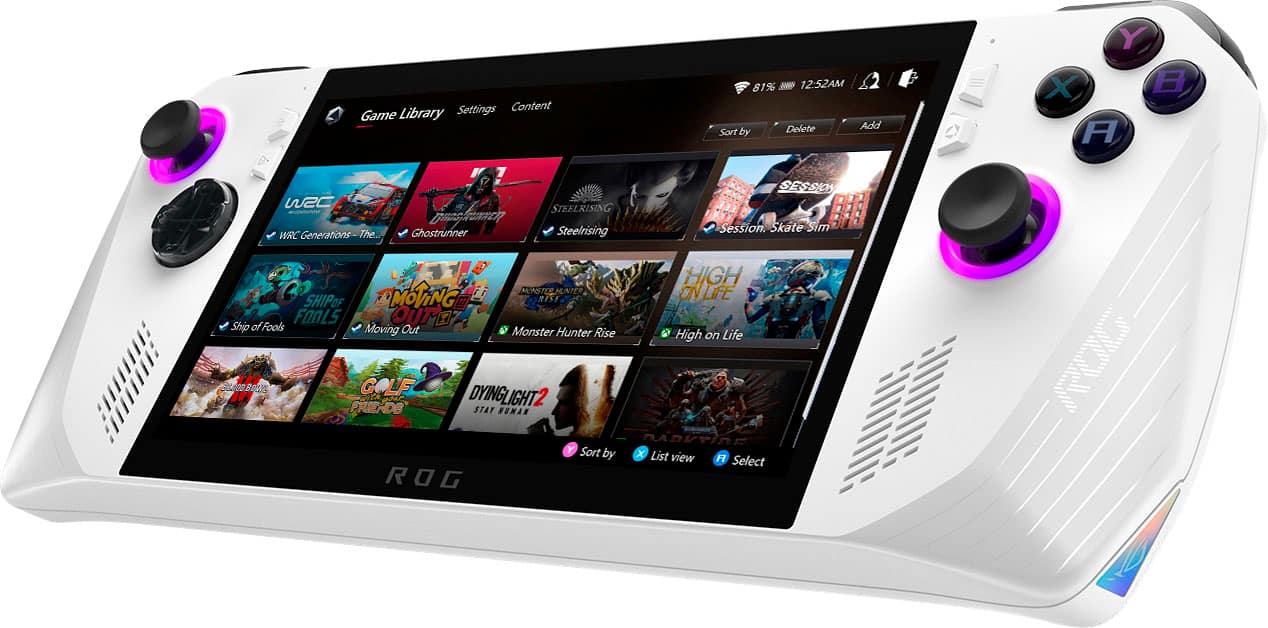
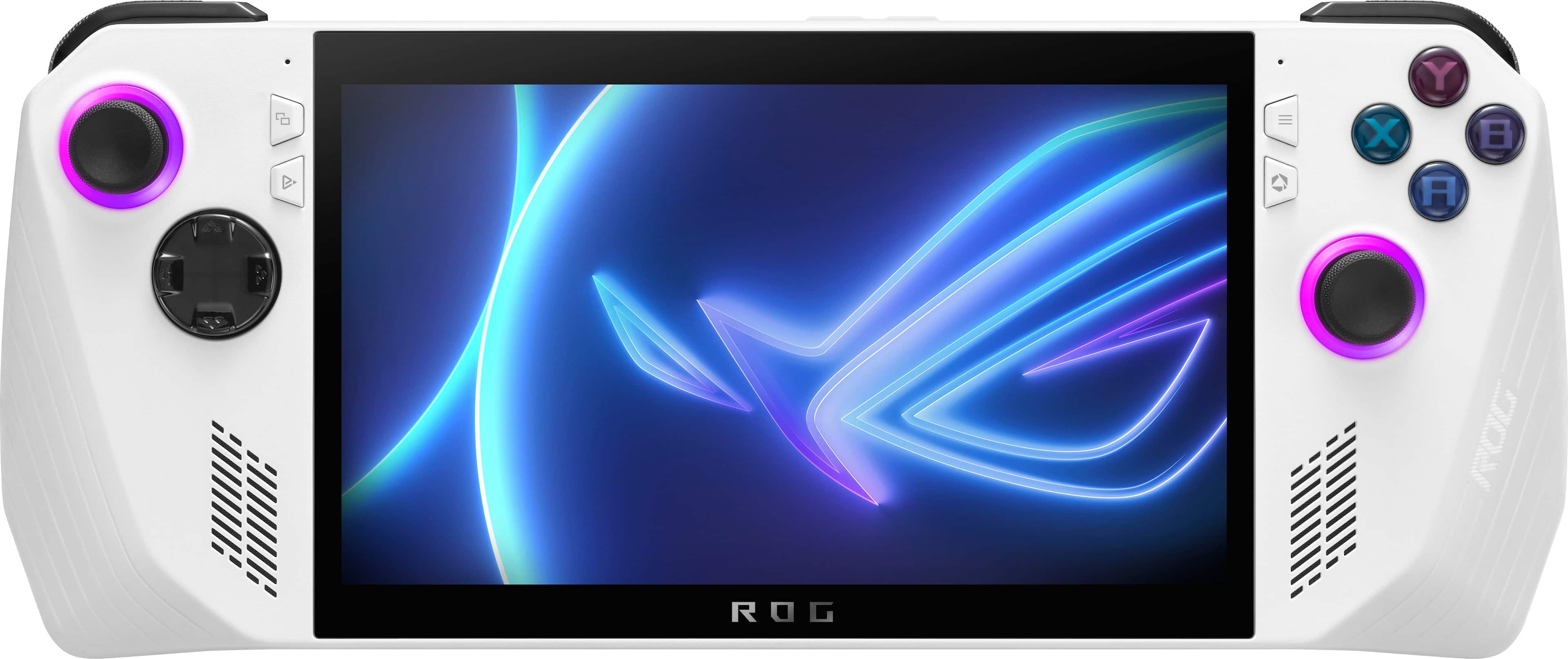
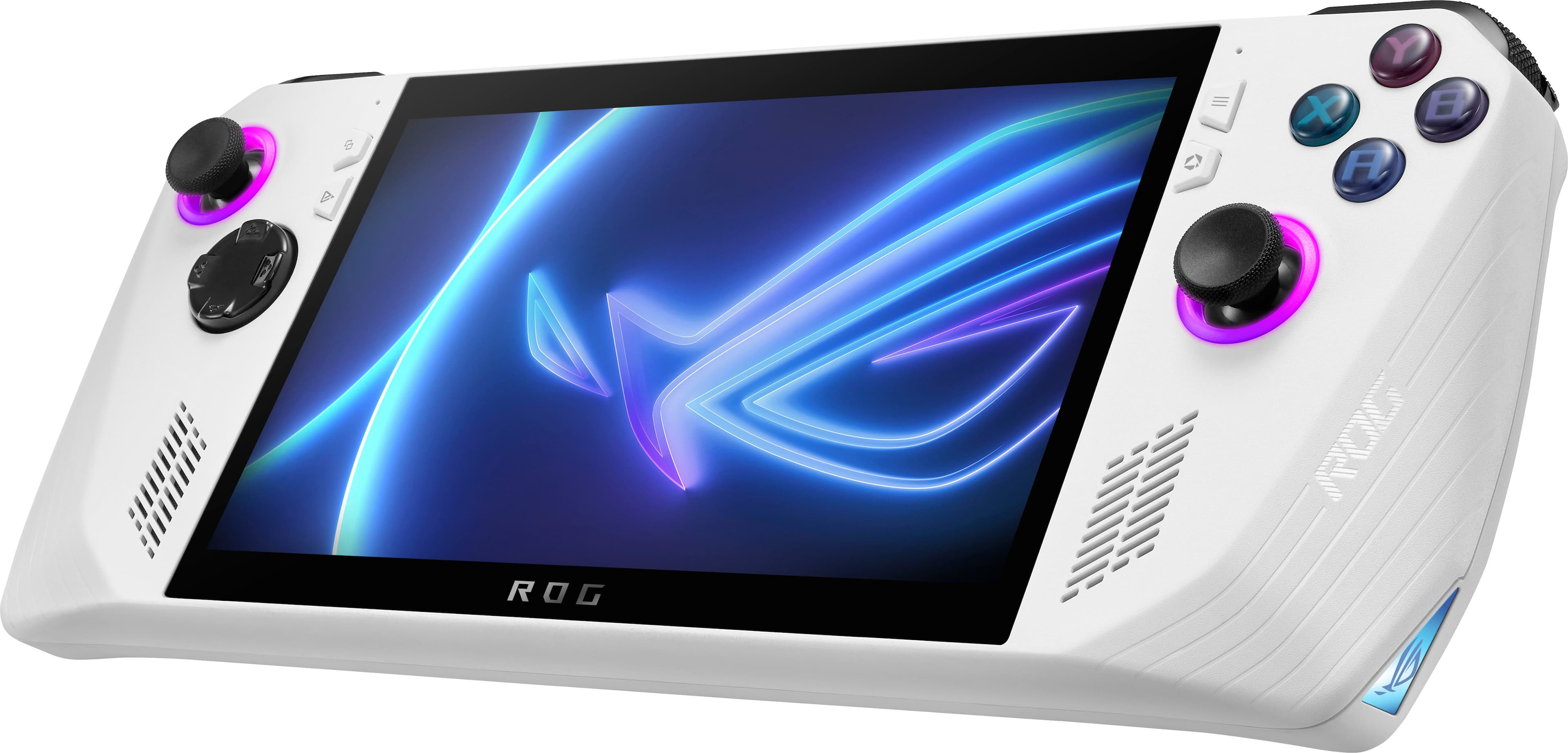
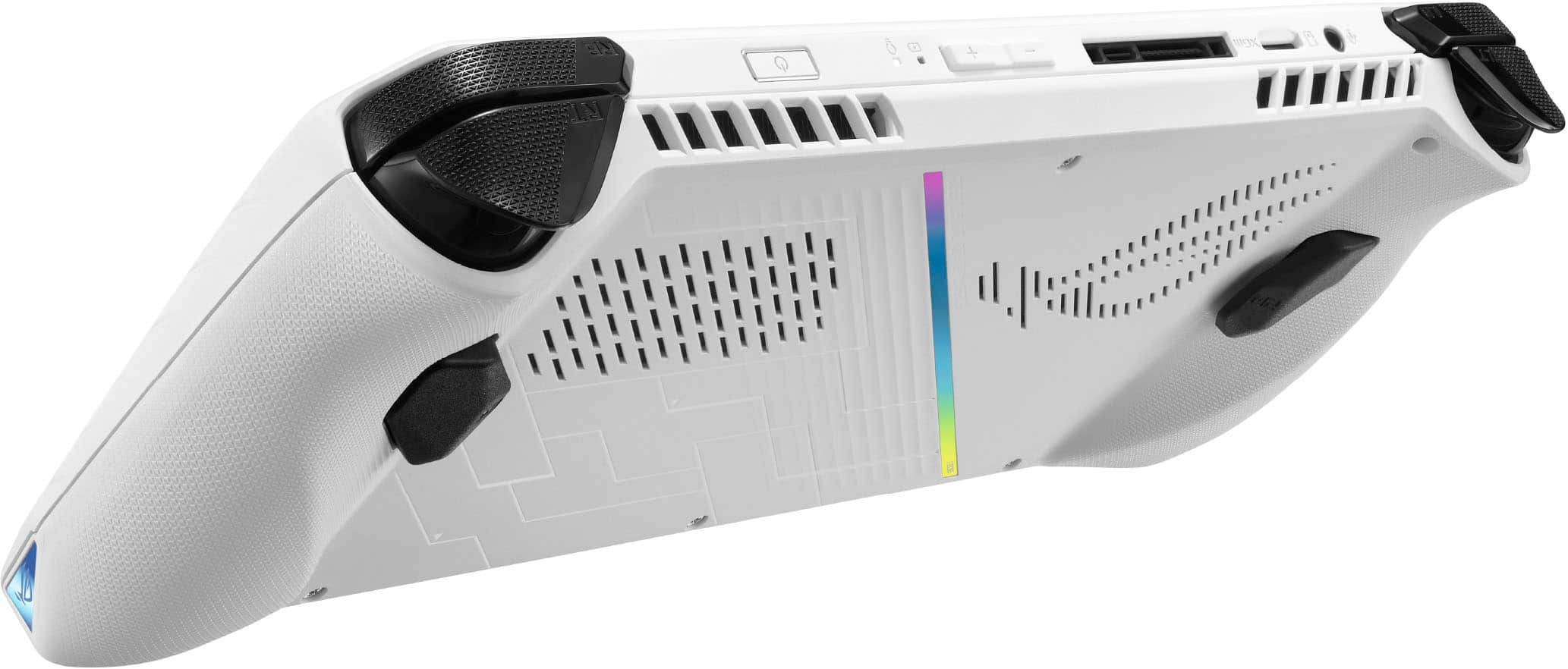
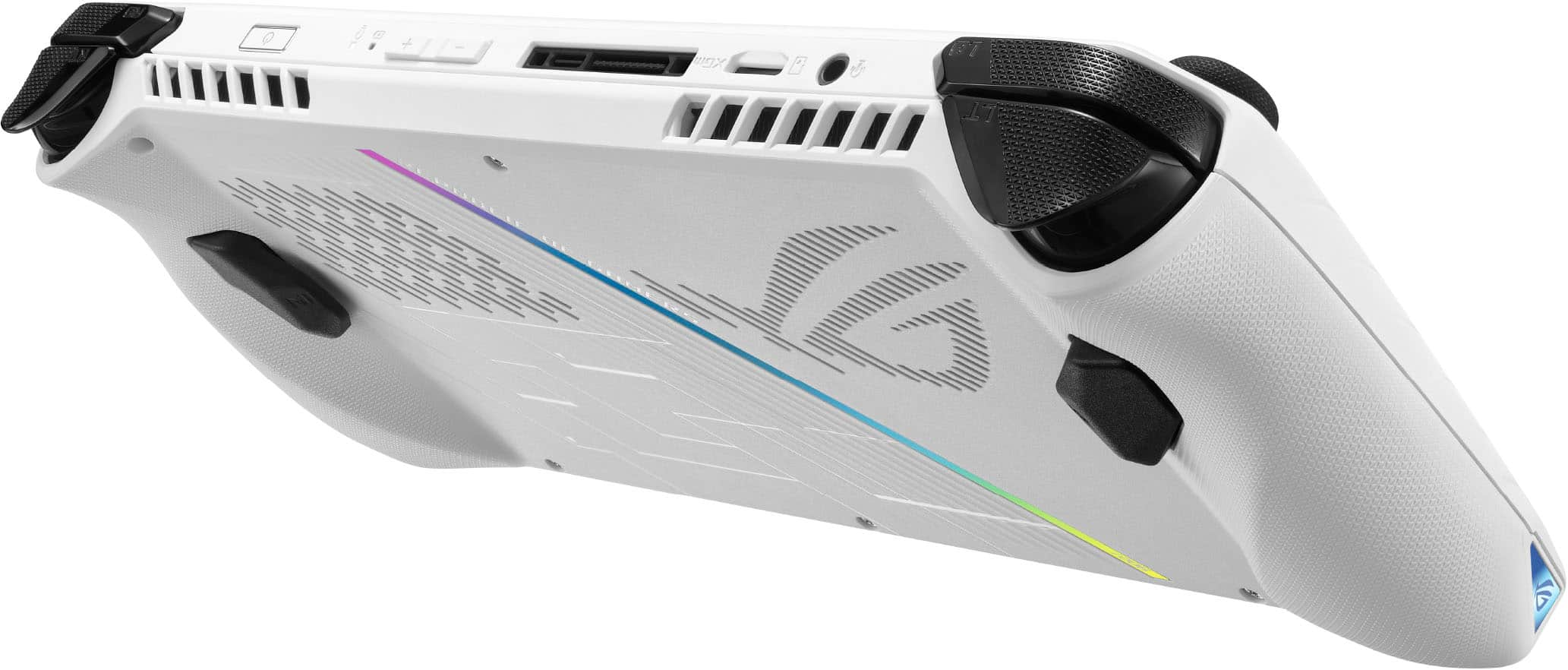
|Posted .This reviewer received promo considerations or sweepstakes entry for writing a review.I’ve been tempted to buy a Steam Deck over the past year, but I knew that it was just the first device in a new market of powerful gaming handhelds. Enter the ASUS ROG Ally, a Windows-based handheld that claims full compatibility with PC games. After my first week of use, its clear that the ROG Ally has the power and specs to deliver a fantastic on-the-go gaming experience, but there are some major drawbacks such as battery life and quirks with using Windows on a device like this. ===SETUP=== If you’ve ever power up a new Windows PC for the first time, you’ll know what to expect. The ROG Ally is basically a mini touchscreen Windows computer, so you’ll have to click through all the standard Windows setup screens such as logging into a Microsoft account. One major downside here is that you’ll need to wait a while for all of the Windows Updates to complete. ASUS recommends that you let this process complete before playing games since there is at least one BIOS update available via Windows Update that improves battery life and optimizes the fingerprint sensor. After you finally boot into Windows, you’ll see the familiar Windows desktop, and the ROG Armoury Crate software should automatically load. Armoury Crate acts as the central location for system settings and your game library on the ROG Ally. You’ll want to spend some time getting to know the various settings available here, since you may want to tweak the various performance modes to optimize frame rates and battery life. Unfortunately, Windows 11 just isn’t fully optimized for a device of this form factor or with a touchscreen of this size. Often, the on-screen keyboard will fail to appear when needed. It is sometimes very difficult to tap smaller menu items in Windows settings menus and Start menu. I’ve learned to live with it, and luckily you don’t really need to navigate Windows very often if you stick to using Armoury Crate for most of your tasks. ===DESIGN AND COMFORT=== My first impression was that the ROG Ally felt amazingly slim and lightweight given its large screen. The white color is nice enough, but I wish ASUS would have also offered a black version. There is RGB lighting around each control stick which can be customized or turned off via Armoury Crate. They look nice, but they also flash or pulse even when the device is in standby mode, which can be distracting. The device feels very premium, with textured grips and contoured edges that make holding the ROG Ally for hours on end very comfortable (especially compared to something like the Nintendo Switch). There are two buttons on either side of the 7-inch screen. One button on the right launches the Armoury Crate software, while another on the left pulls up a Command Center where you can control screen brightness, volume, and some other basic settings. The screen itself is beautiful. I was a bit disappointed that it wasn’t an OLED display, but that really doesn’t matter. This screen gets very bright (up to 500 nits) and packs a 120Hz refresh rate at 1080p. It’s perfect for this size of a device, and anything more would sacrifice performance and battery life. Also worth nothing is that ASUS included the USB-C charging port on the on the top of the device, so you won’t have to worry about a cable hanging down into your lap or chest while gaming. ===PERFORMANCE=== This model of the ROG Ally is equipped with a Z1 Extreme chip, 16GB of DDR5 RAM, and a 512GB SSD. I wish ASUS would have included at least 1TB of storage since I have already chewed through most of the 512GB with just a few games installed. Luckily, there is a microSD card slot at the top of the device for expanded storage. In terms of raw gaming performance, you’ll need to get used to tweaking most games to run at low to medium settings for maximum performance. I’ve played three games so far: Resident Evil 4, God of War, and Cyberpunk 2077. I dipped the resolutions down to 720p for maximum performance. On RE4, I’ve averaged about 65 FPS on “Low” presets, with the ROG Ally set to Turbo mode. On God of War, I get about 55-60 FPS on the “Original” preset, also on Turbo mode. Cyberpunk 2077 can push through about 50-55 FPS on “Medium” presets, also on Turbo mode. Bumping the resolutions up to 1080p causes a noticeable hit to performance at the same presets (about 15-20 FPS downgrade), but this can be alleviated by further reducing quality settings in games. Even at these low and medium settings, games look great. Lower textures and resolutions are barely noticeable on a screen of this size. There are some occasional stutters and frame drops, but I haven’t noticed anything that would be a deal-breaker. For gaming on the go, it really doesn’t get better than this. ===BATTERY LIFE=== The ROG Ally represents a case where battery technology simply hasn’t kept up with devices that are becoming more powerful and energy-hungry. When I unplug the ROG Ally from a wall outlet and run the same games above with the same settings on Turbo mode, I’m lucky if I get an hour of battery life. I’ve been able to push it to just about 2 hours by switching the device to Performance mode and limiting the screen’s refresh rate to 60Hz. But this further reduces performance/FPS which is very noticeable in some games. Bottom line - battery life is going to vary drastically based on the games you play and the performance settings you choose. My advice is to never be too far from a power outlet. Or, do like I did - buy a long, 6 to 10 foot USB-C cable and a 65W power adapter and play with the device plugged in as much as you can. Yes, you’ll be able to use the ROG Ally in short bursts on airplanes, trains, etc., but until there is a giant leap in battery technology, you’re going to constantly be hunting for a power outlet to get the maximum performance out of this device. ===OVERALL=== The ROG Ally is an excellent entry into the handheld gaming market from ASUS. I’ve personally never used a Steam Deck, so many users will want to research the pros and cons of both platforms. But the ROG Ally is a device I’ve been dreaming of for a long time - one that can play any Windows game I throw at it with just minor compromises. Yes, battery life leaves a lot to be desired, and there are some strange quirks using Windows 11 on a device like this — but for me, the ROG Ally has everything I need to fully replace a gaming laptop when I travel. I’ll just need to remember to pack the charger. Highly recommended!
I would recommend this to a friend The handheld packaging for fair too tight!!!!
||Posted . Owned for less than 1 week when reviewed.This reviewer received promo considerations or sweepstakes entry for writing a review.This review is for buying it fair the package was too tight probably messed up the sticks
I would recommend this to a friendSD CARD READER FAILURE/DEFECT
||Posted . Owned for 6 months when reviewed.This reviewer received promo considerations or sweepstakes entry for writing a review.It’s a decent hand held PC device. Won’t recommend this device (1st Generation ROG Ally). It was rushed out into the market. The quality control was TERRIBLE. My ROG ALLY is currently being Repaired at Best Buy service center due to NON WORKING SD READER. If you do your research. This is a RAMPANT PROBLEM for this device. I’m fortunate enough that my SD card broke while under Manufacture Warranty. It might not be the case for YOU.
No, I would not recommend this to a friendBrand response from ASUS Answers
Posted .Dear GamerTechPC,
We certainly understand your disappointment and the inconvenience this may have caused.
All ASUS products undergo intensive quality control testing and inspections, this issue with the ROG Ally is random and has been resolved. If you need more information or further assistance with the warranty service for the product, please email me at cl-rodel@asus.com and I would be more than happy to help. Or, you are most welcome to call Product Support Hotline at: 1(888) 678-3688. Also, you can chat with an ASUS live support agent from the link: https://www.asus.com/us/support/article/1135/.
Thank you for choosing an ASUS product.
Regards,
Rodel
ASUS Customer Loyalty
- Cons mentioned:Battery life
Low battery
||Posted . Owned for 2 months when reviewed.This reviewer received promo considerations or sweepstakes entry for writing a review.It only lasts about 30 minutes playing off the charger. Besides that it’s nice. Lenovo Go is better imo.
No, I would not recommend this to a friendBrand response from ASUS Answers
Posted .Dear Edwin,
We sincerely apologize for the battery issue you're experiencing with the ROG Ally and the inconvenience caused. This is not the quality of service we aim to provide, and it is not representative of our brand. At ASUS, we take quality control, testing, and inspections seriously to ensure our products meet high standards. Customer satisfaction is our top priority, and we strive to make every purchase enjoyable.
Please allow us to make your experience with ASUS a better one. We recommend following the steps in the FAQ below to troubleshoot the issue. In the event the issue persists, feel free to contact our support team at https://www.asus.com/us/support/CallUs for further assistance.
We stand behind our products and continuously strive to improve our products and processes to achieve customer service excellence. For more information, email us at customerloyalty@asus.com and include the case number "N2306018122-0175" as a reference. We will do our best to resolve your case quickly. Your feedback is very important to us and enables us to improve our support channels. Thank you for choosing ASUS.
Best Regards,
Chantae
ASUS Customer Loyalty US Support
https://www.asus.com/support/FAQ/1043914/
- Cons mentioned:Software
Great machine horrible software
||Posted . Owned for less than 1 week when reviewed.This reviewer received promo considerations or sweepstakes entry for writing a review.Great machine but horrible on software especially with Microsoft constantly crashes, now I have to return this item because I'm getting errors and nothing works now
No, I would not recommend this to a friendBrand response from ASUS Answers
Posted .Dear Fernando,
We sincerely apologize for the issues you've faced with the ROG Ally and for the inconvenience caused. What you've experienced was not intentional or representative of our brand. Our top priority is providing our customers with high-quality products, and we'll forward your feedback to our team for review.
Although you returned the device, we stand behind our products and continuously strive to improve our products and processes to achieve customer service excellence. If you require any further assistance, please email us at customerloyalty@asus.com and include the case number "N2306018159-0398" as a reference. We will do our best to resolve your case quickly. Your feedback is very important to us, and it enables us to improve our support channels. Thank you for choosing ASUS.
Best Regards,
Chantae
ASUS Customer Loyalty US Support
Design flaw
||Posted . Owned for 1 week when reviewed.This reviewer received promo considerations or sweepstakes entry for writing a review.I try so hard to love this and I did. It really was that extra power i needed to compliemnt the Steam Deck. Windows is make this device but great and annoying. Takes awhile to get thjngs running properly and be preparw to troubleshoot often. If your expexting simple and easy OS like the SteamDeck with constant support look elsewhere, the issues of my micro sd being toasted twice was the last straw. Felt this device was rushed and half baked.
No, I would not recommend this to a friendBrand response from ASUS Answers
Posted .Dear Valued Customer,
Thank you for sharing your feedback on the ROG Ally. We sincerely apologize for the issues you've faced and any inconvenience caused. This is not the quality of service we aim to provide and it is not representative of our brand. At ASUS, we take quality control, testing, and inspections seriously to ensure our products meet high standards. Please allow us to make your experience with ASUS a better one. We recommend following the steps in the FAQ below to troubleshoot the issue.
If the issue persists, we recommend reaching out to our support team at https://www.asus.com/us/support/CallUs to set up a Return Material Authorization number (RMA) to get the device repaired as soon as possible.
We stand behind our products and continuously strive to improve our products and processes to achieve customer service excellence. If you require any further assistance, please send us an email at customerloyalty@asus.com and include the case number "N2306018122-0145" as a reference. We will do our best to resolve your case quickly. Your feedback is very important to us, and it enables us to improve our support channels. Thank you for choosing ASUS.
Best Regards,
Chantae
ASUS Customer Loyalty US Support
https://www.asus.com/support/FAQ/1051166
The software needs some work
||Posted . Owned for less than 1 week when reviewed.This reviewer received promo considerations or sweepstakes entry for writing a review.I waited several weeks for my pre-order to arrive. The setup for this device was fairly straight forward. After the intial setup, I bombarded by several armory crate and bios updates. During gameplay this thing would randomly glitch without any easy fix, making gameplay impossible. I had to reset this thing several times to get things to work. Ive decided to buy a steam deck instead.
No, I would not recommend this to a friendBrand response from ASUS Answers
Posted .Dear JDR9697,
We do understand the inconvenience if you are experiencing system glitches. The Armoury Crate and BIOS update needs to be install in order to maintain system stability and optimum performance. Also, Windows and drivers are needed.
While accessing cloud games or web applications, please ensure the unit has access to an established router and internet service is working properly since poor and unstable internet connection will definitely affect system speed and performance.
If you need further assistance, please email me at cl-rodel@asus.com and I would be happy to help. Or, you are most welcome to call Product Support Hotline at: 1(888) 678-3688. Also, you can chat with an ASUS live support agent from the link: https://www.asus.com/us/support/article/1135/.
Thank you for choosing an ASUS product.
Regards,
Rodel
ASUS Customer Loyalty
- Pros mentioned:Overall performance, Screen qualityCons mentioned:Battery life, Sd card reader, Software
Fast and powerful but not without flaws
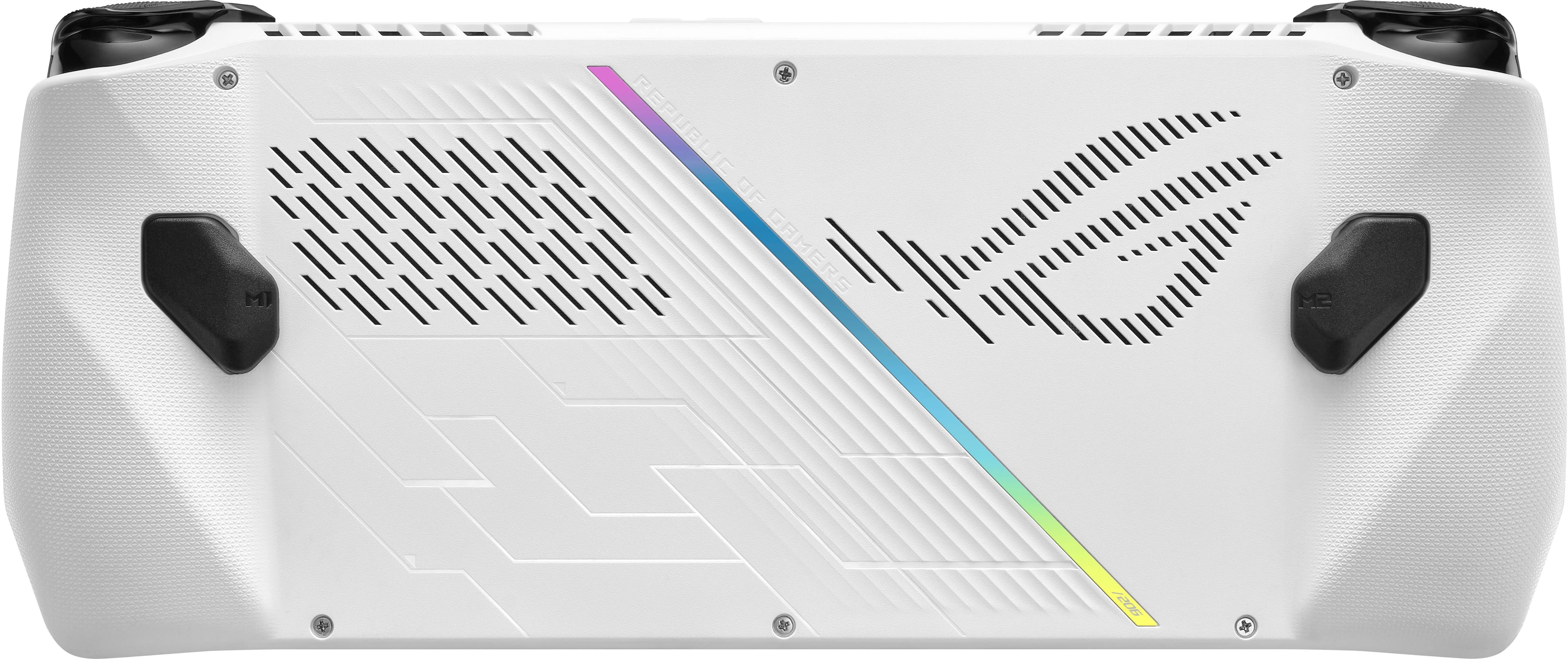
||Posted . Owned for 2 months when reviewed.This reviewer received promo considerations or sweepstakes entry for writing a review.I have owned this since it got released on BestBuy. Before this, I have owned the Ayaneo 2, Ayaneo Air Pro, Playstation portable, Steam deck, and the nintendo switch as far as the handheld gaming consoles goes. This met my expectations for a gaming device and one with top tier hardware. Fantastic display quality with high refresh rate, excellent surround dolby enabled sound speakers, speedy APU performance, decent cooling dual fan cooling system, and good ram and storage of 512GB to start off with. It can handle just about anything you throw at it. I have used Steam primarily for games like Dying Light 2, Destiny 2, Forza 5, Apex Legends, Final Fantasy etc. All can run 30FPS easily. Or 60 if you want to. I played other games like Overwatch 2, Valorant, Genshin Impact, simulator games without any issues. Besides what it can do, I want to talk about some things I found that is an issue or bothers me. 1. EVERYONE SHOULD BE AWARE OF THIS!! The SD card is prone to overheating and can damage it permanently if you play on high performance mode. I heard its a build design flaw where the heatsink vent is too close to the SD card slot. The harder you play, the more prone it is. I use a 1TB SD slot and I was lucky that I only play games at 30fps with fan curve adjustments. To mitigate this, we are told to customize a higher fan curve setting to cool the device down. Which is kind of a waste that it has the potential to run 60FPS easy, but I would have to play with care not to over heat the device or get an external fan to cool it down for hard sessions. Its more cost effective to get a MicroSD card to store your games and it does run fine with it, than to upgrade the SSD. Knowing this SD card issue, its kind of bothersome how I may end up reducing my SD card with it. So if you have a game you play alot, its probably better to move those games to the SSD and remove the Micro SD card to prevent damage. 2. Software: The armory crate works but it is glitchy. It is the same with Ayaneos Ayaspace but more stable. It has gotten better overtime with updates with glitches here and there when you run the game, it doesnt run the proper resolution, or the controls is not mapping properly. 3. Battery: Dont expect this to run all day. Dont expect this to run like a steam deck. It is not efficient but it is powerful. My run time is around 2-3 hours with 30fps 720p res games like Death Standing. My settings is modded for power efficiently. Hz is set to 60, turned off turbo boost by enabling in registery, power plan adjustments, toning down some services, turrning off radio waves with airplane mode for example. When I am not playing games, I can get almost double of that and that is when I am transfering games to a external SSD. I can confirm this works well with the Anker 737 power bank. Charges it up with full speed and recognizes it as a 65w charge. If you want this to run longer, play at lower specs. You wouldnt really notice it the difference cos the screen is so small. 4. Performance: While it is powerful, I would not go too hard on this device. There is the SD card issue, battery life, and also cooling system can support cooling the head output it but I wouldnt recommend it for long term use. If you are the type who plays at 60FPS or even higher just cos, you are not going to be satisfied. Its not a gaming laptop. Its not even close to a desktop performance. There is only so much this can do. 5. Comfort and weight: It is comfortable to play if you rest the device on something. Its not like having a switch. It is bigger, clunky, and heavy. Its not something you can float and play for a long time. imo, the steam deck is more ergonomic to play because of a curve. its better if you have something to rest hand or device on something. I would get those adhesive kick stand in the back and itll stand up by itself. 6. Accessories: The official accessories is kind of expensive. Case and screen protector. And it is not all that great. There is more third party accessories coming out so I would wait on that. 7. Playability: Since the screen is small and it is a windows computer, expect to see the words and other graphics to be so small to see or the scaling to be off. I would not play competive games on this due to that reason. Some RTA type of games can be difficult on this, especially when you have to zoom out. 8. Ports: Having only 1 USB-C port bothers me. The Ayaneo 2 having 3 USB-C made my life easier. Transfering files, charging at the same time, using a keyboard/mouse. I could always use a hub like device or a docking station but I dont want to fork out more for a dongle. Especially if the port fails somehow with all the tugging and you end up having no way charge your device. Its a nitpick for me but I wished that this had at least 2 ports for piece of mind. Conclusion: Its worth it. It is a high end device that can do everything but just has its limitations. I definitely do not like the SD card limitation as it is a hardware design issue.
I would recommend this to a friend Not a bad product after all
||Posted . Owned for 1 week when reviewed.This reviewer received promo considerations or sweepstakes entry for writing a review.Software issues, however gaming experience was not bad, most games worked fine, but when i press on the touch screen it takes some time to respond.
I would recommend this to a friendBrand response from ASUS Answers
Posted .Dear MaxAce
We are terrible sorry to hear of the issues that you are having with your device. We are always known to satisfy our customers with the best quality and features. We do value our customers and take negative customer service experiences very seriously. We recommend updating your Bios using the link below
If you should have any other concerns or feedback feel free to reach out to us at customerloyalty@asus.com. We'll be happy to provide a quick resolution to your case. Please refer to this case number (N2306022696-0015) for us to better assist you.
Thank you for choosing ASUS!
Best Regards,
Saskeia
ASUS Customer Loyalty US Support
https://dlcdnets.asus.com/pub/ASUS/IOTHMD/Image/BIOS/113079/ASUS_RC71L_319_BIOS_Update.exe?model=ROG%20Ally%20(2023)
- Pros mentioned:Portability, Screen qualityCons mentioned:Battery life
The Italian Sports Car of PC Gaming
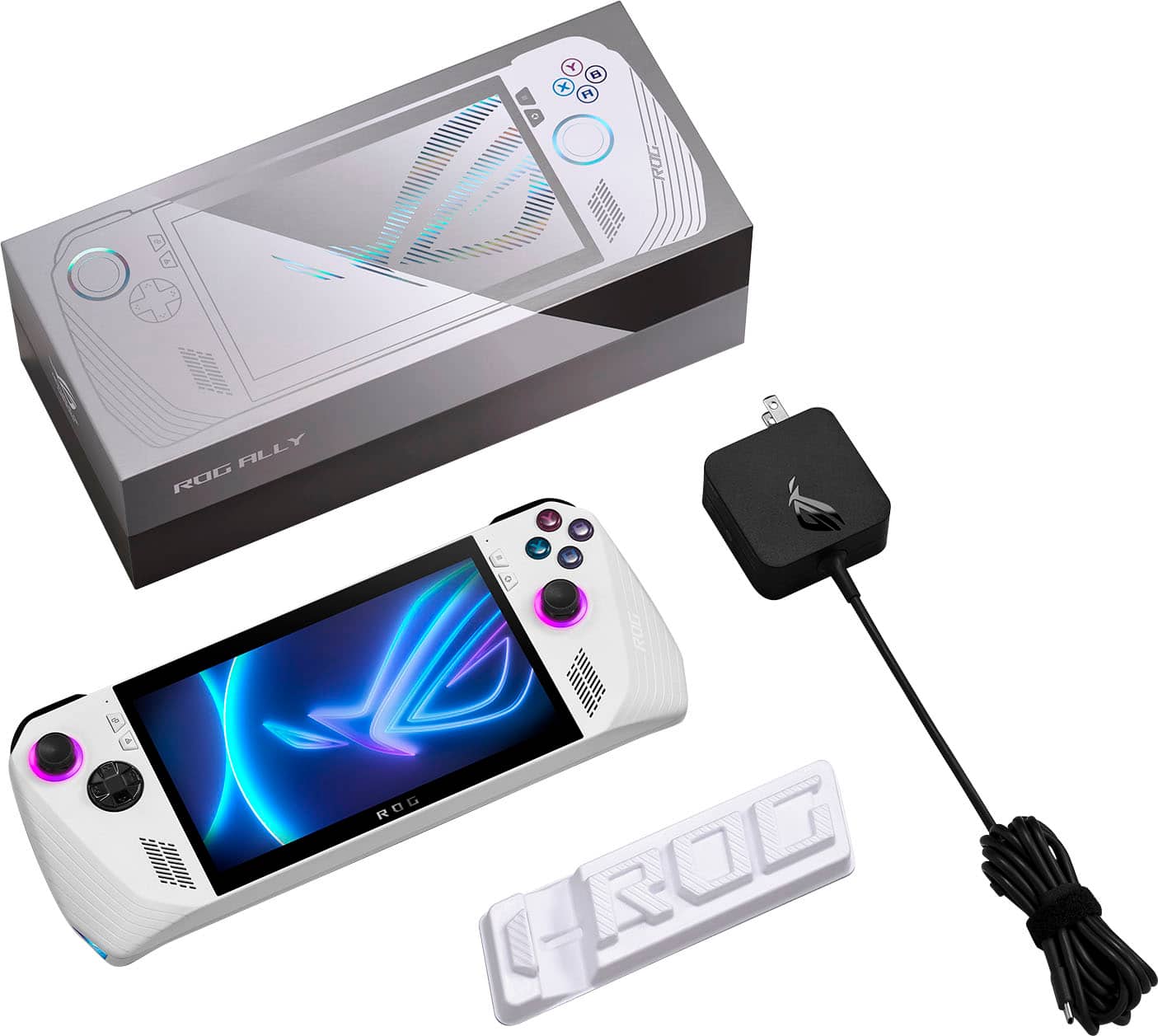
|Posted .This reviewer received promo considerations or sweepstakes entry for writing a review.ASUS’ new ROG Ally is one of the most hyped products of 2023. Following the lead of small, boutique PC manufacturers from around the world, and some large gaming brands’ in-house offerings, ASUS enters the market with what’s arguably the highest-spec’d handheld PC available today, and certainly the most powerful for the money. In contrast to other manufacturers, the Ally’s big advantage is a native Windows installation with full driver support, allowing virtually any Windows app to run that would falter on other operating systems from anti-cheat or DRM software. Unfortunately, its biggest strengths are also its biggest weaknesses. Just like Italian roadsters of old, you’ll spend more time under the hood tinkering, adjusting, testing, trying different solutions, perhaps uncovering quality control issues…and once everything’s running the tank drains much faster than you’d like. But when it all comes together, gaming on the ROG Ally is an experience like none other. - Unboxing and Setup The ROG Ally ships with just the essentials: a 65W power cable and a cleverly-packaged stand made out of its recyclable cardboard box. ASUS touts the lightness of the Ally and compared to its larger rivals, the difference in weight and size is quite noticeable. It uses good quality plastics and contours to feel much better in the hand than you might expect, even for those with large hands. All of the buttons and triggers activate with good feel and just the right amount of resistance, force, and clickiness - though I would say they’re more on-par with a $30, third-party console controller than an official one. The D-pad could have a better topper but it’s plenty precise otherwise. Plug in the Ally, power it on, and you’re greeted with the familiar Windows 11 setup sequence, which immediately highlights its biggest shortcoming. Windows’ support for touchscreen-driven devices has always been lackluster, and here the problem is compounded by the small screen. Entering text with the on-screen keyboard is cumbersome and slow; I ended up connecting a keyboard and mouse through a USB hub to speed setup along. Once complete, expect quite a few updates to run as ASUS is rapidly pushing new drivers, software, and even BIOSes to the Ally. Keep the latter up to date as they deliver higher system performance and longer battery life; ASUS and AMD are still tuning the system’s power efficiency. Since it’s running Windows 11 natively, the Ally supports nearly every game and software application made for Windows PCs since the 90s. However, this does not mean that they work out of the box, nor that the ones that do will be preconfigured for the system and ready to play. This is still a gaming PC at its core, and you’ll need to take some time to configure most titles to run well and look their best, especially when running below max power. - Gaming Performance & Power Modes The AMD Z1 Extreme APU at the heart of the ROG Ally is an incredible chip. At full power (typically 25 watts), CPU performance is right in-line with AMD’s flagship desktop processors sharing the same Zen4 architecture, and the integrated RDNA3 GPU is so strong it rivals dedicated desktop GPUs in the $150-200 range - regardless of which DirectX version or Vulkan core is used. I had no trouble running every one of the PC games I tested at 1080p, high details, averaging as near to 60FPS as makes no difference. When they couldn’t quite hold that number, the AMD FreeSync panel took care of those imperfections to keep the action consistent. Forza Horizon 5, Wreckfest, Yakuza: Like a Dragon, Mortal Kombat 11, and more all held to their 1080p60 High target through long gaming sessions at 25W. ASUS has opted for user-switchable performance modes on the ROG Ally that change the power target of the Z1 Extreme. User-configurable as low as 7 watts, default modes are Turbo (25W battery, 30W on AC), Performance (15W), and Silent (10W). Performance mainly pulls back GPU performance, while Silent pulls both CPU and GPU power down to maximize battery life. I found Performance to be the best balance of power consumption to graphics muscle; even though synthetic benchmarks show graphics performance down 30% against Turbo, the difference in games felt much smaller - almost unnoticeable. Perhaps FreeSync working some magic? While you can go past 25W on AC power, the razor-thin gains I saw running at the full 30W were statistically insignificant, and I noticed no difference in games. - Noise & Thermals More impressive than the APU performance, the cooling fans on the ROG Ally are excellent. The two top-venting fans move a surprising amount of air even in their lower speed modes, efficiently venting heat at any of the Ally’s power modes. I haven’t modified fan curves from stock, but even at full 25W power with the fans ramped up after half an hour of nonstop gameplay, they produce so little noise to the point of being inaudible under any gameplay sounds. Unlike some thin and light gaming laptops, the noise they produce is not high-pitched or whistle-like, and shouldn’t bother people nearby. Thermal performance varies based on the power mode in use, but in all circumstances the Z1 Extreme is kept well within operating limits. I saw a peak of 84C at 25W power, which while warm is more than 15C below the chip’s throttle point. Since the APU is located centrally with heat pipes and fans located away from where your hands are when gaming, the Ally never feels hot to the touch outside the exhaust vents. - Screen & Battery The Ally’s 120Hz, IPS, 100% sRGB panel is gorgeous to behold, and though its FreeSync implementation is not the best I’ve used, it definitely helps keep the noticeable framerate dips to a minimum. The panel can be manually toggled to 60Hz mode for better battery life. Of course, battery life is the one thing that the ROG Ally lacks. At full 25W power with the screen at 120Hz and brightness at half, I saw less than 90 minutes of gaming; at some points I was noticing nearly 15% drain in 10 minutes. Configuring the power mode and screen for your purpose will be crucial, but even forcing the machine to run at 7W, 60Hz display, and low brightness I was only able to get about 5 hours of video streaming on a charge. Keep a power bank handy if you’re planning to game for long periods away from AC power. Note that these battery results are from the latest BIOS available as of June 15, 2023. Extra life may be gained through future BIOS updates. - ASUS Control Center & Armoury Crate SE These two programs ship built-in to the ROG Ally’s Windows installation, and both are immediately accessible via shortcut buttons next to the screen. Control Center is an overlay that allows quick toggles of the most common system settings, and can be configured to display any combination of them. The overlay worked reliably in my testing, letting me change power modes and control schemes on the fly - including the ability to toggle the controller buttons to a “Desktop” mode, where the right stick controls the mouse and shoulder buttons click. Each of the controller buttons can be configured to custom bindings or macros and saved to individual app profiles. Armoury Crate SE is a handy launcher and control profiler that consolidates game shortcuts automatically - unifying multiple storefronts and local installations into a single launcher that can be called at any time. Though not a flashy launcher, once games have been installed and configured for play it’s nearly seamless to boot the Ally, play games, and shut the system down without seeing the Windows desktop. Of course, you can configure the Ally to use any other launcher or overlay you prefer, though whether other apps can be called using the hardware buttons is another question entirely. - Quality Control, Serviceability Unfortunately, ASUS’ reputation for so-so quality control has reared its head once more here with the Ally. I encountered both hardware and software issues in my time testing including a couple system hangs coming in and out of Sleep, the touchscreen not working at all on a boot, and Armoury Crate SE itself failing to launch when called, to name a few. But the biggest issue I ran into was that the right speaker sounded like it was blown from the factory - crackly, intermittent audio is all I could get out of it. This did give me an opportunity to open the Ally up, however, and inside the design of the system is compact but elegant. All major controls like the joysticks are on daughterboards for easier repair and replacement, and components are installed with standard, easy-to-access screws. Within minutes I had the battery out (take note - this required removing a “warranty void if removed” sticker; at least the M.2 2230 SSD is openly accessible otherwise) and found the culprit of my speaker issue - the wiring was pulled so taut around some of the plastic and components it was breaking the connection. Giving the wiring a little more slack from elsewhere resolved the sound issue. - Bottom Line There’s a price to pay for power, and with the ASUS ROG Ally that price is being prepared to configure each and every game yourself. For tinkerers who want only the fastest thing like it, this device will be a dream to those willing to accept some QC teething issues, but if you’re looking for a pick up and play experience like traditional gaming consoles, you’ll get frustrated very quickly. Nevertheless, the ASUS ROG Ally represents the first major OEM to enter the handheld PC gaming space, further legitimizing a market once seen as a novelty and is now quickly approaching mainstream. I can’t recommend it to everybody, but those who want to be on the bleeding edge will be very satisfied with the Ally, and if ASUS learns its lessons from warranty claims and customer feedback, the next one could be a total stunner. Recommended!
I would recommend this to a friend Dust in the screen panel
||Posted . Owned for less than 1 week when reviewed.This reviewer received promo considerations or sweepstakes entry for writing a review.overall a nice console but I am very unlucky, there is a dust or something inside the screen panel :( Going to get a replacement See the attached photo
I would recommend this to a friendBrand response from ASUS Answers
Posted .Dear Tzuhsiao,
We sincerely apologize for then ROG Ally you received with this display issue. This is definitely not the norm and is not the kind of quality to expect from ASUS products. We recommend that you reach out to Best Buy for a replacement unit if possible. We do stand behind our product and we continuously strive to improve our products and processes in order to achieve customer service excellence. For more information send us an email at customerloyalty@asus.com and provide the case number "N2306018122-0018" for reference. We’ll do our best to provide a quick resolution to your case. Your feedback is important as it helps with improvements to ASUS Support channels. Thank you for choosing ASUS.
Best Regards,
Leonardo
ASUS Customer Loyalty US Support
- Pros mentioned:Screen qualityCons mentioned:Battery life, Sd card reader
LOVE, LOVE, LOVE the ASUS ROG Ally!
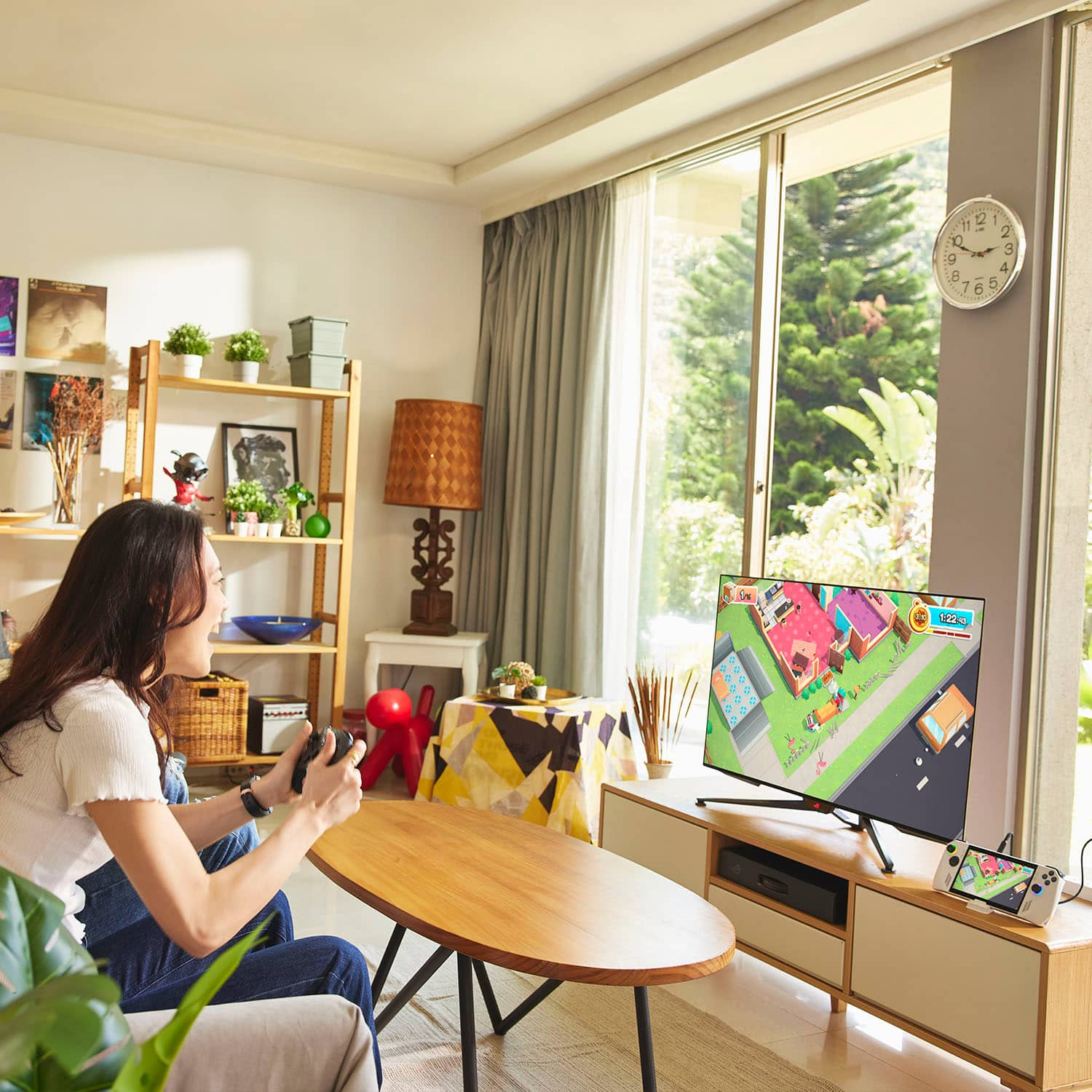
|Posted .This reviewer received promo considerations or sweepstakes entry for writing a review.I was watching the ASUS reveal of the ROG Ally about a month ago and immediately put in a pre-order through Best Buy. I have owned the 'Deck' and had actually sold it back at the turn of the year because it just wasn't living up to what I had hoped, mostly because of limitations with Steam and quite a few of my games that ran really wonky. Now, I'm an older gamer and quite a few of the games I like are of the older sort and were not high on the priority list, but with the ASUS ROG Ally being a handheld Windows PC, I knew things should run just fine. I was right and the Ally has been an absolute joy to play. What I Like: 1. Screen: Gorgeous screen! Even though it is 'only' 1080p, it is sharp and bright with nary a hiccup or motion blur. It is a far superior screen to the 'Deck'. 2. Horsepower: The processor/GPU combo on this thing is impressive! While I might not be trying to run AAA titles at uber resolution, all of the games I have run have run seamlessly. I have a lot more games to add to my library but I have no doubt the Ally will be able to handle it. 3. Keeps its Cool: Despite playing for several hours with the Ally, it has never been hot to the touch, nor has it been ridiculously loud with its fans. The thermals on this thing are top notch. 4. Comfort: Despite being bigger and more angular than the 'Deck', I think I like holding the Ally more. I don't know if it just hits a naturally comfortable posture for me, but it feels like I have an Xbox controller with a nice screen in the middle. The perfect mobile gaming set up. 5. Sound: The Ally can put out some seriously good audio and at a high volume. Now I am mostly using headphones just so I don't disturb my wife, but in my early testing when I was just sitting in my easy chair, it was nice to not have my headphones on and still get good audio. 6. Armory Crate: Still my favorite 'Gaming Management System', and ASUS did a nice job tailoring it for the ROG Ally. I struggled a bit at first with Star Trek Online when I first launched it but that is because I didn't set the game up under the Armory Crate and put it in 'controller mode', which my profile is set up as in the game. Neutral: 1. OS: It's Windows 11. I know lots of gaming purists have grumbles with 11 but having been old school and trying to get games to work on Windows since Windows 1.0, I can tell you that 11 is a relative breeze. 2. Lighting: I don't really care about having lights on my computers and that extends to the Ally. As soon as I got into the settings I turned the lights off. Saves a bit of juice. 3. Battery Life: It's good, but it IS relatively short. I knew that going in so it's a non-issue for me. The fact that it goes as long as it does, (I've gotten over three hours of play time with my relatively lightweight games) is impressive. 4. The 'Stand': In the box is what looks like a plastic bar with a notch that is for holding your Ally while using it hands-free. What it really is, is a compressed piece of cardboard that does its job but probably not for very long. Don't Like: 1. Power Brick: This is meant to be a mobile gaming system and yet the brick that the Ally comes with has fixed prongs on the block. That's inviting some damage to the prongs or whatever is holding the brick. The ROG Gaming Charger Dock is a much better brick and worth the upgrade. 2. SD Card Slot: While I appreciate having the Micro SD slot on the Ally, it doesn't do the 'normal' card insertion/removal with the clicky spring to indicate proper insertion and to help eject the card. I wasn't even sure it was set correctly until I got into the system settings. Trying to take it out again required tweezers. No bueno. 3. Touchscreen Edges: There are a lot of user interface buttons that either naturally reside on the sides of a screen or you will put them there to maximize your playable area, and unfortunately the Ally's screen is pretty 'dead' in those few millimeters around the edge. I'm going to try to find a small fine-point stylus to see if that helps at all. Extras: These don't come with the Ally, but I was able to get them prior to my Ally showing up and I thought I would include them in this review since they are must-haves in my opinion, and if you didn't want my opinion, why are you reading this? 1. ROG Ally Travel Case: The Ally isn't cheap, nor is it indestructible, so do yourself a favor and pick up the case for this beast. I hope another case comes out soon with room to hold the charger, but as it is, I'm just glad I have a case that properly fits the Ally. 2. ROG Gaming Charger Dock: Smaller, foldable prongs, removable cord, and an integrated HDMI/USB-A plugs. Worth it just for the first three benefits, the extra ports make it a must have. Great to be able to output the game to a TV/Monitor when you want. The USB-A port is for a keyboard or other peripheral though I was unable to get my corded controller to work using this port. I need more time to figure out why. Conclusion: I love this thing and it was exactly what I was hoping it would be. I travel a lot and already have a work computer, so I don't want to lug a gaming laptop as well, but I would like something to help pass the time in the airport, plane, or hotel room. Heck, I like just kicking back in my easy chair and playing my games rather than sitting at my desk. The ROG Ally is a blast and is helping to expand gamers options for PC gaming on the go!
I would recommend this to a friend