Customer Ratings & Reviews





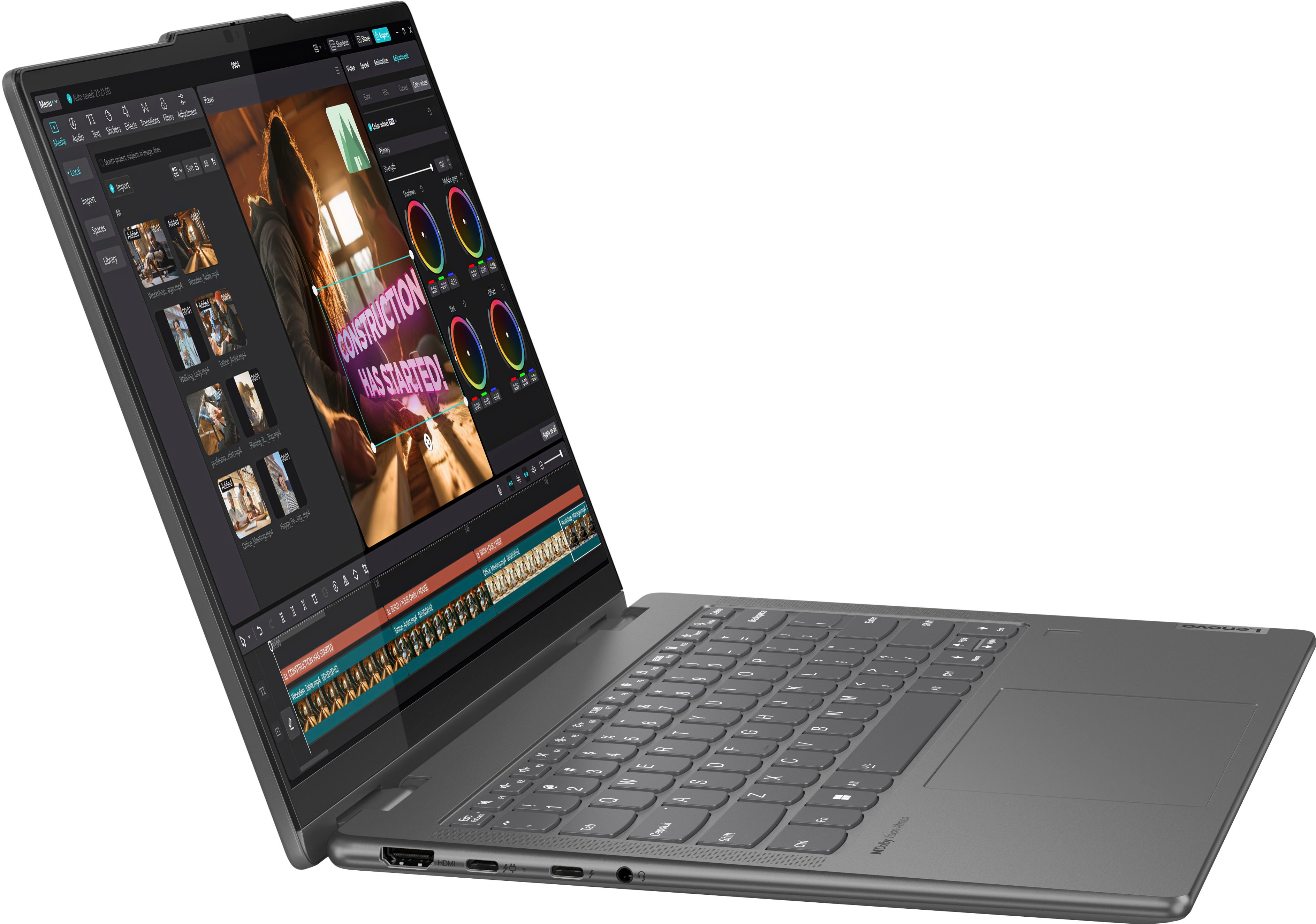
![Esc Fn + F1 K- F2 d+ F3 x F4 *- F5 + FE x F7 FB F10 SEE F11 F12 * iT Pte Delete ! 1 @ 2 # 3 $ 4 % 5 - 6 & 7 * 8 ( 9 ) 0 e I + = Backspace Tab Q W E R T Y U I O P [ 1 ] I CapsLk A S D F G H J K L : : " - Enter Shift Z X C V N M < ! > ? / Shift Ctrl Fn Alt Alt 1 Home PgUp PgDn End Dolby Atmos Lenovo](https://pisces.bbystatic.com/image2/BestBuy_US/images/products/e61b8df7-1436-4967-9b24-4ffc6c9622fa.jpg)


- Model:
- 83DJ0002US
- SKU:
- 6571368
Rating by feature
- Battery Life
Rating 4.7 out of 5 stars
- Speed
Rating 4.7 out of 5 stars
- Display
Rating 4.7 out of 5 stars
Customers are saying
Customers regard the Yoga 7i 2-in-1 laptop very favorably, particularly praising its excellent battery life, impressive performance, and responsive touchscreen. Many appreciate its portability and lightweight design, making it ideal for both work and travel. While some users noted a limited number of USB ports and slightly noticeable fan noise under heavy load, the positive feedback on other features significantly outweighs these minor drawbacks. The lack of a dedicated graphics card was also mentioned, but this was often acknowledged as a known limitation before purchase.
This summary was generated by AI based on customer reviews.
Dnt turn on
||Posted . Owned for 2 weeks when reviewed.This reviewer received promo considerations or sweepstakes entry for writing a review.Just bought it two weeks ago and it dnt turn on at all I just remember the person who helped me trying to convince me to buy the 2 year warranty. Know i know why
No, I would not recommend this to a friendBrand response from Lenovo Product Expert
Posted .Hey RubenT,
We are sorry to hear that you had trouble with your Yoga. If you still are experiencing an issue, please feel free to contact Lenovo Support at: 877-453-6686, for assistance in resolving your problem.
We appreciate you taking the time to share your perspective with us.
Don't waste your money
||Posted .This reviewer received promo considerations or sweepstakes entry for writing a review.Horrible product.... defective from the start...don't waste your money on this one...
No, I would not recommend this to a friendBrand response from Lenovo Product Expert
Posted .Hi mscs,
Thank you for sharing your feedback with us. We are sorry to hear that you are having trouble with your Yoga 7i. We apologize for the frustration and that has stemmed from this. We'd like to work with you to resolve this issue.
To start, we recommend ensuring you have the latest software by checking for updates, as this could correct the issue since outdated and buggy software can affect overall functionality. To do so, first, open the Settings app > Select the Windows update tab > Select the Check for updates button, applying all available updates. Next, open the Lenovo Vantage app > on the homepage, select the Check for updates button, ensuring all updates are installed successfully by following on screen instructions.
If after the available updates are applied and the system restarts, yet the issue persists, in-depth troubleshooting will be necessary to fix the problem. We recommend contacting Lenovo Support here: 877-453-6686, for further assistance. Please update us when you can regarding this.
Best regards,
Lenovo
Poor quality
||Posted . Owned for 3 months when reviewed.This reviewer received promo considerations or sweepstakes entry for writing a review.Do not buy this machine Piece of junk After 3 months laptop power ligt on side constantly blinks orqnge,even when unplugged but will not turn on.
No, I would not recommend this to a friendBrand response from Lenovo Product Expert
Posted .Hello, chuckm,
We are sorry to hear that you have encountered an issue with your Yoga. If you'd like to work with us, we wish to help you with this problem.
Should you want to discuss resolution options, we recommend contacting Lenovo Support at: 877-453-6686, to speak with someone.
Should you take action regarding your Yoga troubles, please update us when you can regarding this and we appreciate you sharing your feedback with us, as it does not go unnoted.
Cheap Material
||Posted . Owned for 3 weeks when reviewed.This reviewer received promo considerations or sweepstakes entry for writing a review.Screen is already cracked and this is not even a month old.
No, I would not recommend this to a friendBrand response from Lenovo Product Expert
Posted .Hey JustinS,
Thank you for sharing your feedback with us. We wish to provide the best experience possible for our users, prioritizing design and quality control along other items, and we're sorry to hear that this hasn't been the case for you. We apologize for the inconvenience that this may have caused you. We will investigate the situation you've shared, and in the meantime, we'd like to work with you to discuss a solution.
Please contact Lenovo Support here: 877-453-6686, to discuss the details of your case with someone for further assistance.
Please update us when you can regarding this.
Best Regards,
Lenovo
- Pros mentioned:Battery life, Performance, Touchscreen
Happy with my new laptop!
Posted .This reviewer received promo considerations or sweepstakes entry for writing a review.I love the size of it, and the battery life and display good as well! I really like the backlit keyboard, and the keyboard also feels really nice
I would recommend this to a friend - Pros mentioned:Touchscreen
Review
Posted .This reviewer received promo considerations or sweepstakes entry for writing a review.Good computer for work. Great touch screen technology.
I would recommend this to a friendBrand response from Lenovo Product Expert
Posted .Hey LorikF,
Thank you for choosing Lenovo and for sharing your feedback with us!
We are glad to hear that your Yoga 7i is a good fit for your use.
Please feel free to reach out to us should you have any questions.
Best,
Lenovo
- Pros mentioned:Portability
Friend
Posted .This reviewer received promo considerations or sweepstakes entry for writing a review.Good lap top computer and works as it should. Was easy to set up and easy to use.
I would recommend this to a friend Best Buy
Posted .This reviewer received promo considerations or sweepstakes entry for writing a review.Laptop is great customer service sucks they lost my first laptop and would not refund my money
I would recommend this to a friendRobust design, solid performance
Posted .This reviewer received promo considerations or sweepstakes entry for writing a review.Great build quality, solid performance. Recommend!
I would recommend this to a friendBrand response from Lenovo Product Expert
Posted .Hey AndreaS, thanks for choosing Lenovo! We are pleased to hear that your Yoga has been great for you, and we appreciate you taking the time to share this feedback with us.
Great purchase
Posted .This reviewer received promo considerations or sweepstakes entry for writing a review.Love it every aspect! Glad I choose the Yoga. The pen purchased separately is very nice to use with it too.
I would recommend this to a friendNot Buying a Laptop from Best Buy or Lenovo Again
Posted .This reviewer received promo considerations or sweepstakes entry for writing a review.I bought this laptop 3 months ago and it is extremely glitchy. The track pad is not calibrated and some of the function buttons do not always work as they are supposed to (for example, the brightness up button would turn the brightness down). This started only a few weeks after I purchased the laptop. When I visited Best Buy they refused to help me despite selling me a clearly defective laptop. They told me that I had to contact Lenovo. When I did that Lenovo refused to help and said I had to go through Best Buy. Basically, I am out $1,000 with a laptop that does not function as it is supposed to despite being brand new and two companies who refuse to help.
No, I would not recommend this to a friendBrand response from Lenovo Product Expert
Posted .Hi there, we're sorry to hear that you ran into this issue with your Yoga. To try to resolve this, first, we recommend ensuring you have the latest software by checking for updates, as this could correct the issue. To do so, first, open the Settings app > Select the Windows update tab > Select the Check for updates button. Next, open the Lenovo Vantage app > on the homepage, select the Check for updates button. If updates do not resolve the issue, the next step is to try resetting your computer. By resetting your Yoga back to original factory settings, this should correct the issue you are having. To do this, please follow this link to a Microsoft Windows 11 support page for instructions: https://support.microsoft.com/en-us/windows/recovery-options-in-windows-31ce2444-7de3-818c-d626-e3b5a3024da5#bkmk_win11_reset_pc. If after following these steps your issues persist, in-depth troubleshooting will be necessary to fix the problem. We recommend contacting Lenovo Support directly and informing them of the steps you've taken to fix the problem. We appreciate you sharing your experience so that we may use it to continue to better our products and services for yourself and others.
Just because it is new doesn't mean it works.
Posted .This reviewer received promo considerations or sweepstakes entry for writing a review.Waste of money for us. We purchased this lenovo laptop along with dual monitors, etc so we could use it for business. Geek squad set everything up however we had issues with random windows opening up. After going back to geek squad 4 or 5 times to address this issue we were told that they didn't know what was wrong with it. So now we have a lot of money wrapped up in laptop, monitors, etc that do not work. We had so many problems that we were never able to use the laptop other than trying to fix it.
No, I would not recommend this to a friendBrand response from Lenovo Product Expert
Posted .Hey CCCJC,
We're sorry to hear that you experience with your Yoga 7i has been so poor. If you still have your device, we'd like to work with you to address this problem.
To try to resolve this, first, we recommend ensuring you have the latest software by checking for updates, as this could correct the issue. To do so, first, open the Settings app > Select the Windows update tab > Select the Check for updates button. Next, open the Lenovo Vantage app > on the homepage, select the Check for updates button.
If after the available updates are applied and the system restarts, yet the issue persists, in-depth troubleshooting will be necessary to fix the problem. We recommend contacting Lenovo Support here: 877-453-6686, for further assistance.
Please update us when you can regarding this, and we appreciate you taking the time to share your feedback with us.
I will never buy another Lenovo Laptop again.
Posted .This reviewer received promo considerations or sweepstakes entry for writing a review.Lenovo used to be good, if platform is not too much of a need buy an apple MacBook. It just works. Lenovo however I had nothing but issues after a few weeks. And reinstalling Windows 11 is a real pain. What takes 30 minutes to an hour on a MacBook takes me about 3 hours on Lenovo laptops with a ridiculous amount of bloatware.
No, I would not recommend this to a friendBrand response from Lenovo Product Expert
Posted .Hi John,
Thank you for sharing your feedback with us. We are sorry to hear that you ran into issues with your Yoga 7i, and we apologize for any inconvenience that this has caused you. If you are willing, we'd like to work with you try to improve your experience.
Since we do not know what issues you're experiencing and why the operating system needed to be installed, we recommend creating a conversation to lead to resolution by contacting Lenovo Support at: 877-453-6686, to work with someone who may help you.
Please feel free to share any updates you may have and reach out to us with any questions.
Best,
Lenovo
Worst Laptop I Have Ever Had
Posted .This reviewer received promo considerations or sweepstakes entry for writing a review.I have had this laptop for less than a year. It is the worst I have ever had. It locks up almost everyday, especially when I'm in the middle of something and can't retrieve it. It is the worst investment I have ever made!
No, I would not recommend this to a friendBrand response from Lenovo Product Expert
Posted .Hey DebbieL,
We're sorry to hear that you're having this problem with your Yoga. To try to resolve this, first, we recommend ensuring you have the latest software by checking for updates, as this could correct the issue. To do so, first, open the Settings app > Select the Windows update tab > Select the Check for updates button. Next, open the Lenovo Vantage app > on the homepage, select the Check for updates button. If after the available updates are applied and the system restarts, yet the issue persists, in-depth troubleshooting will be necessary to fix the problem. We recommend contacting Lenovo Support here: 877-453-6686, for further assistance.
Please update us when you can regarding this, and we appreciate you taking the time to share your feedback with us.