Customer Ratings & Reviews





- Model:
- i3520-5124BLK-PUS
- SKU:
- 6573731
Rating by feature
- Battery Life
Rating 4.5 out of 5 stars
- Speed
Rating 4.6 out of 5 stars
- Display
Rating 4.6 out of 5 stars
Customers are saying
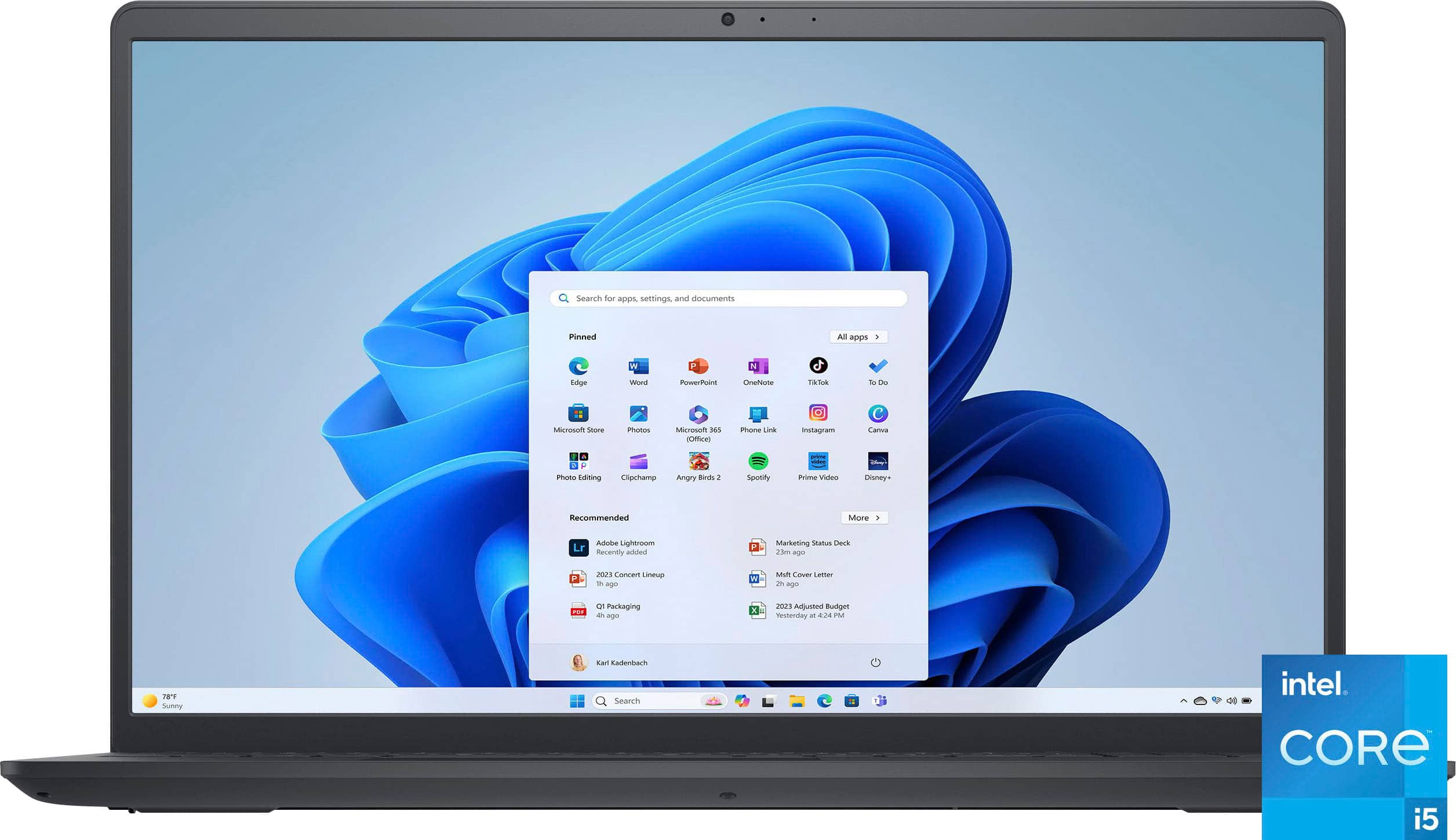
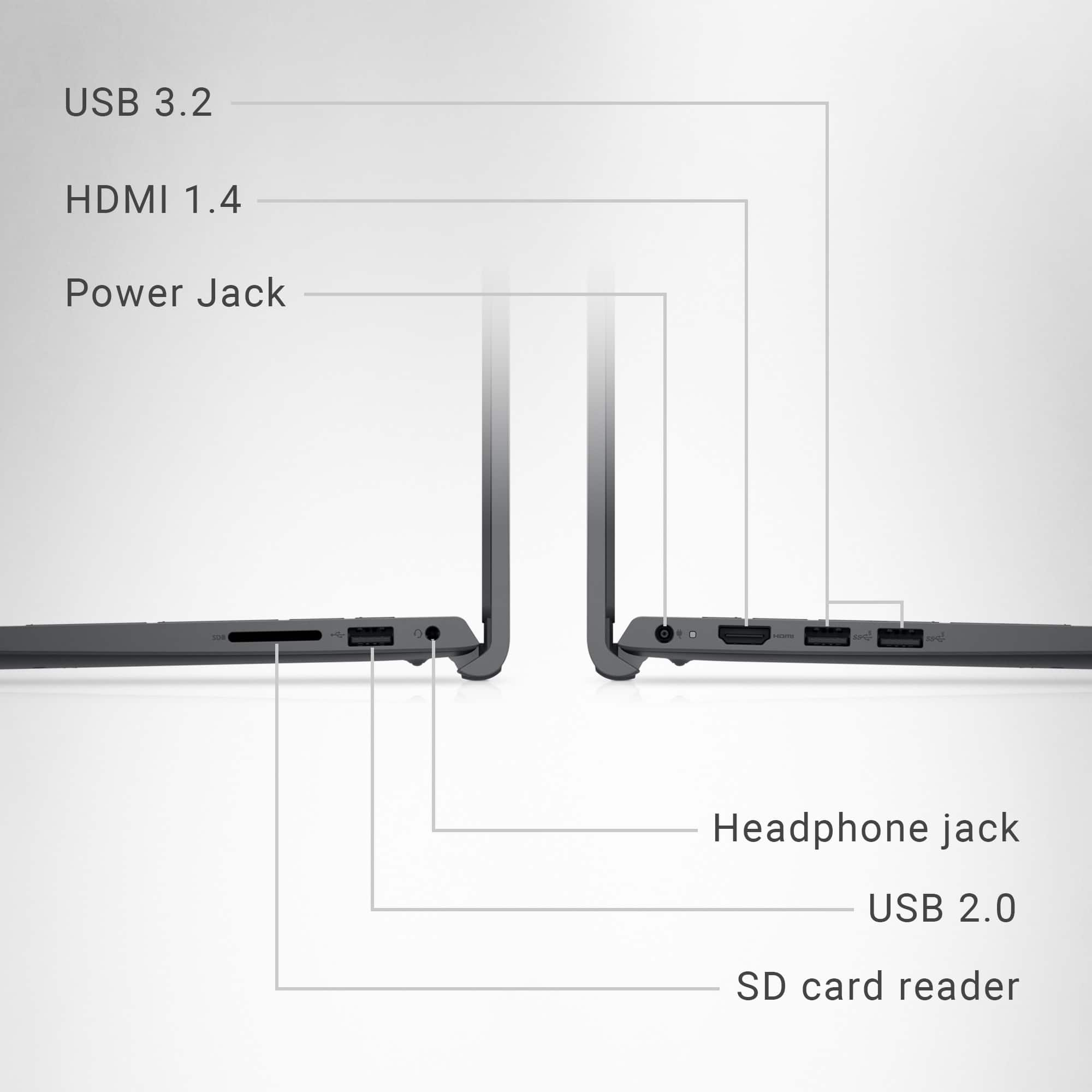
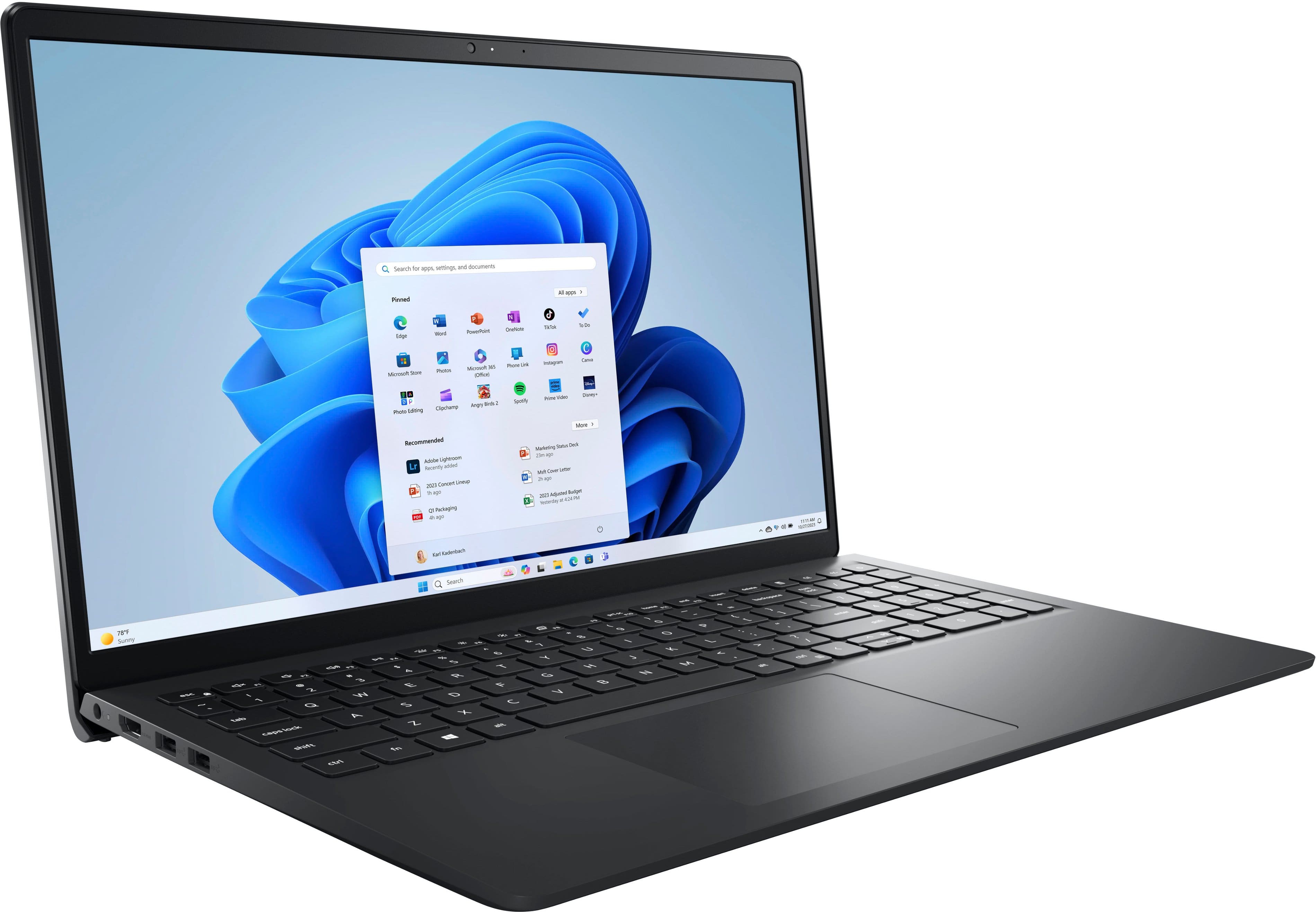
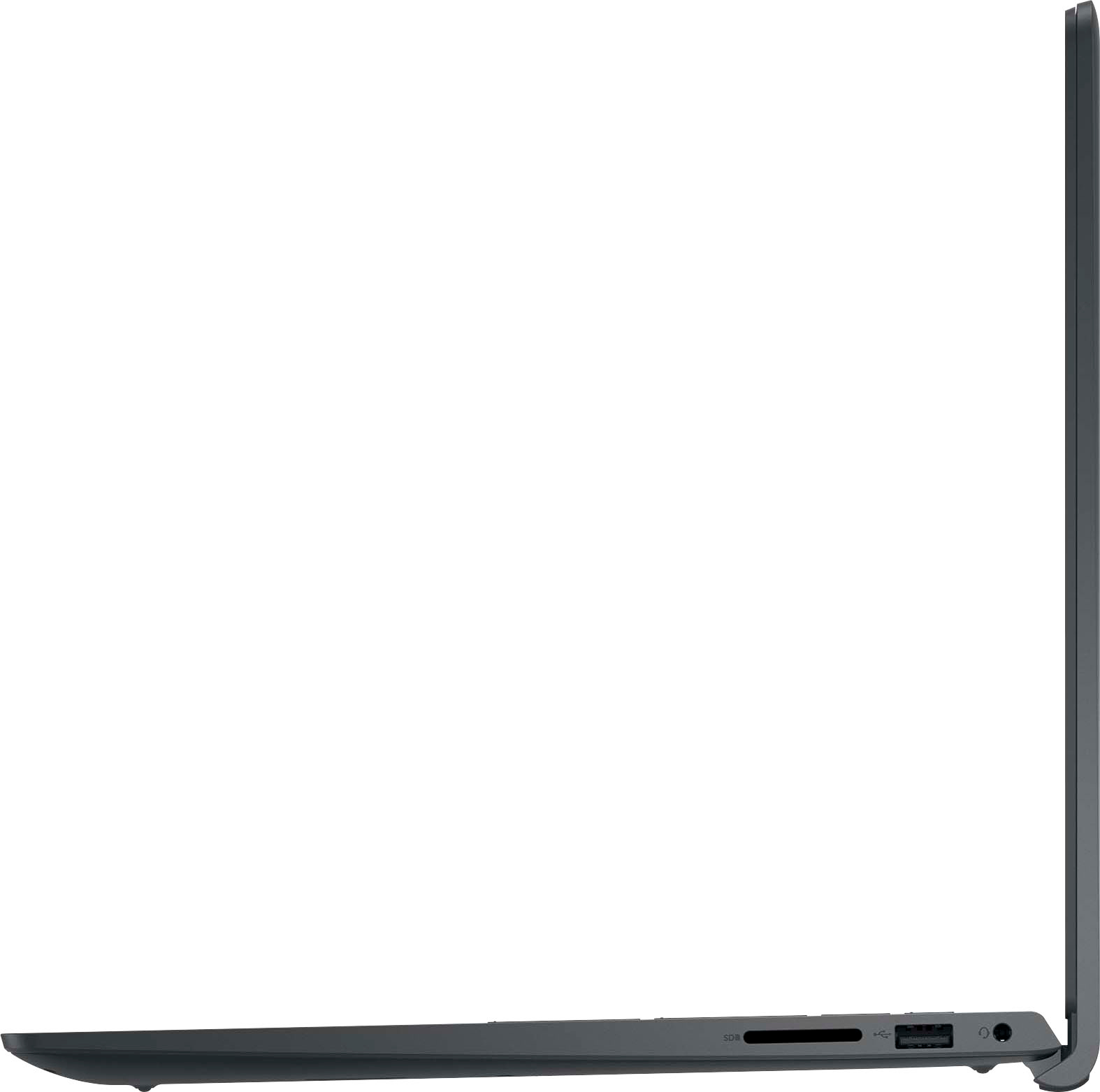
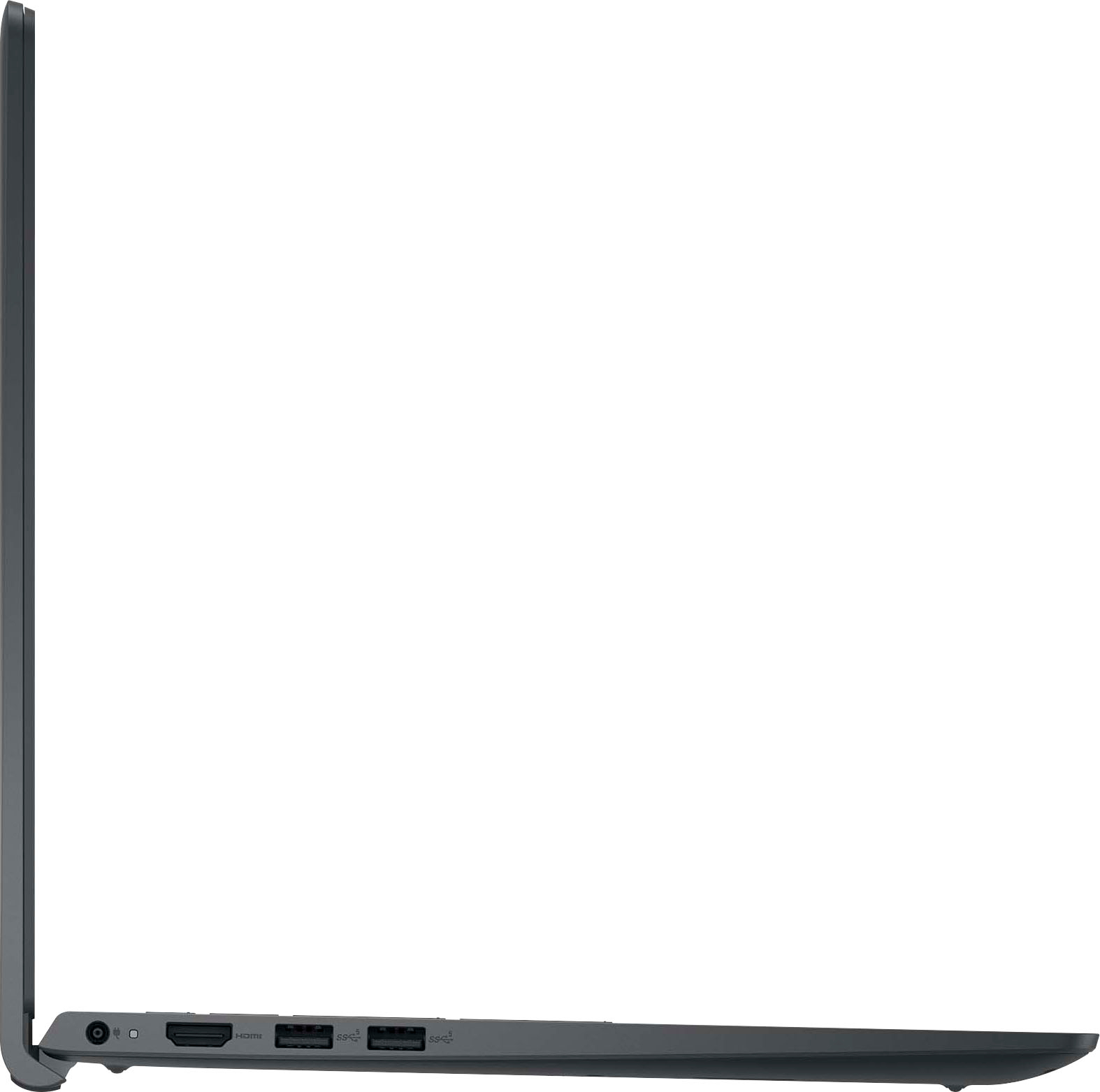
Customers frequently mention the responsive touchscreen, smooth performance, and ease of use as significant advantages. Many appreciate its affordability and lightweight design, making it suitable for portability. However, some users experienced challenges with the pre-installed operating system mode and the lack of a USB-C port. A few also noted that the laptop can get warm during use.
This summary was generated by AI based on customer reviews.
A little dissapointed
||Posted . Owned for 3 months when reviewed.This reviewer received promo considerations or sweepstakes entry for writing a review.The computer glitches out often. I have to shut it down and restart it
No, I would not recommend this to a friendTotal trash, avoid Dell
||Posted . Owned for 1 month when reviewed.This reviewer received promo considerations or sweepstakes entry for writing a review.I bought this on sale in spring of 2024 for basic document and internet use. MS Office 365 and Google Chrome constantly crash. It is beyond sluggish for the most basic tasks. Windows 11 is the biggest spam advertising platform to hit the market. I restart it a dozen times a day to no avail. Biggest waste of $300 ever. I wouldn't even recommend donating it to disadvantaged students.
No, I would not recommend this to a friendBrand response from YourDellTeam
Posted .Hello KRILLINATOR,
Thank you for taking the time to leave us your review. We sincerely apologize for the trouble you have encountered with your Dell Inspiron 15 Touch Screen Laptop. This is certainly not the type of feedback we like to hear from our valued customers.
Furthermore, we always strive to get better and reviews like yours help us develop products and services our customers love. Your feedback will be shared with our quality team for consideration in future enhancements in products and services.
If you are still experiencing issues, with a little more information from you, we would like to help you resolve issues you may be facing to your satisfaction. Please do not hesitate to get in touch with another Dell representative using the information provided below.
Chat or call: https://bit.ly/DellSupportTeam
Phone number to Dell: 1-800-624-9896
Best,
Minhaj@Dell
Lost all my software thanks to you!
||Posted . Owned for 2 weeks when reviewed.This reviewer received promo considerations or sweepstakes entry for writing a review.I GOT IT AND COULD NOT RETURN SO ORDERD ONE FROM dELL and found out my software from past didnt get removed from return so I lost my microsoft office PRO and Visio..I cannot replace it too Expancive Thanks so much
I would recommend this to a friendBrand response from YourDellTeam
Posted .Hello JosephE,
Thank you for taking the time to leave us your review. We sincerely apologize for the trouble you have encountered with your Dell Inspiron 15 Touch Screen Laptop order. This is certainly not the type of feedback we like to hear from our valued customers.
Furthermore, we always strive to get better and reviews like yours help us develop products and services our customers love. Your feedback will be shared with our quality team for consideration in future enhancements in products and services.
If you are still experiencing issues, with a little more information from you, we would like to help you resolve issues you may be facing to your satisfaction. Please do not hesitate to get in touch with a Dell representative using the information provided below.
Chat or call: https://bit.ly/DellSupportTeam
Phone number to Dell: 1-800-624-9896
Best,
Minhaj@Dell
cancelled sale
||Posted . Owned for 1 month when reviewed.This reviewer received promo considerations or sweepstakes entry for writing a review.are you not aware I cancelled the sale of this item. Once getting into he computer found microsoft would not let the geek squad download many of my programs, or my operating system. This is not a computer that works for my needs
No, I would not recommend this to a friendnice to go school
||Posted . Owned for 2 months when reviewed.This reviewer received promo considerations or sweepstakes entry for writing a review.i buy it for my young brother an he loves it so easy to school and some games
I would recommend this to a frienddon't buy this
||Posted . Owned for 6 months when reviewed.This reviewer received promo considerations or sweepstakes entry for writing a review.I bought two of these for my kids for college. BOTH laptops continuously disconnect from wifi and get stuck with too many tabs open. We've tried every fix possible, and we are ready to throw these in the garbage. very frustrating
No, I would not recommend this to a friendmight me a good product but not in my case
||Posted . Owned for 1 month when reviewed.This reviewer received promo considerations or sweepstakes entry for writing a review.When I given Duolingo exam with this product, the tests were not certified because of microphone issues.
No, I would not recommend this to a friendBrand response from YourDellTeam
Posted .Dear siva,
Thank you for taking the time to leave us your review. We sincerely apologize for the trouble you have encountered with the microphone of your Dell Inspiron 15 Touch Screen Laptop. This is not the type of feedback we like to hear from our customers, or the type of product Dell intends to deliver.
We have noted the details of your statement, and your feedback will be shared with our quality team for consideration in future improvements. We always strive to get better, and reviews like yours are helping develop products our customers love.
Below I have provided troubleshooting instructions with the full article that can help you troubleshoot and resolve this issue
1. Check the audio ports for damage and clean ports.
2. Restart your computer.
3. Check the microphone connection. (external microphone only)
4. Set default recording device and check the microphone volume.
5. Check the settings in voice communication apps.
6. Run Microsoft Sound Troubleshooter.
7. Troubleshoot Bluetooth devices. (Bluetooth speakers or headphones)
8. Reinstall or Update chipset driver, audio driver, and BIOS.
9. Run a hardware diagnostic test.
10. Download and install Microsoft Windows updates.
11. Perform Windows System Restore.
12. Restore your computer to factory defaults.
How to Troubleshoot Audio or Sound Recording Issues: https://dell.to/3p73Us3
If you continue to experience any issues or require further assistance, please take a moment to call or chat to speak with a representative at your earliest convenience using the information provided below so that we can help you to your satisfaction.
Chat or call: https://bit.ly/DellSupportTeam
Phone number to Dell: 1-800-624-9896
Best,
Minhaj@Dell
S mode won’t disable
||Posted .This reviewer received promo considerations or sweepstakes entry for writing a review.Didn’t understand this has a S mode and it won’t let me disable it by going to settings and Microsoft store. I can’t download google chrome, I tunes and other useful tools I am used to using.
No, I would not recommend this to a friendBrand response from YourDellTeam
Posted .Hello JK24,
Thank you for taking the time to leave us your review. We are sorry to hear that you are not completely satisfied with your Dell Inspiron 15 Touch Screen Laptop due to the issues you are experiencing with the limitations of the laptop’s operating system. This is certainly not the experience we like to hear from our valued customers.
Furthermore, we are constantly striving to make improvements, and reviews like yours help us develop products that our customers like. Your feedback will be shared with our quality team for consideration in future enhancements.
Windows 10/11 in S mode is designed for security and performance, exclusively running apps from the Microsoft Store. If you want to install an app that isn't available in the Microsoft Store, you'll need to switch out of S mode. Switching out of S mode is one-way. If you make the switch, you won't be able to go back to Windows 10/11 in S mode.
Below I have provided a few steps to help you :
1. On your PC running Windows 10/11 in S mode, open Settings > Update & Security > Activation.
2. In the Switch to Windows 10/11 Home or Switch to Windows 10/11 Pro section, select Go to the Store. (If you also see an "Upgrade your edition of Windows" section, be careful not to click the "Go to the Store" link that appears there.)
3. On the Switch out of S mode (or similar) page that appears in the Microsoft Store, select the Get button. After you see a confirmation message on the page, you'll be able to install apps from outside the Microsoft Store.
If you continue to have problems after troubleshooting your laptop following the procedures outlined above, we would be happy to assist you in resolving the difficulties you are experiencing to your satisfaction. Please do not hesitate to contact Dell using the details below.
Chat or call: https://bit.ly/DellSupportTeam
Phone number to Dell: 1-800-624-9896
Best,
Minhaj@Dell
Garbage
||Posted . Owned for 4 months when reviewed.This reviewer received promo considerations or sweepstakes entry for writing a review.This laptop is one of the biggest piles of trash I have ever used. From the moment I turned it on, the cursor constantly disappears. It’s at a point where I have to use the touch screen because will freeze or totally disappear
No, I would not recommend this to a friendOpen Box - NEVER AGAIN
||Posted . Owned for less than 1 week when reviewed.This reviewer received promo considerations or sweepstakes entry for writing a review.Ordered an Open Box (Excellent) and it arrived with no charger. Only option was to go into a store for a refund - which I wanted to avoid - hence ordering online. When I went into the store they offered a refund and told me I could purchase ANOTHER Open Box (Excellent) for 100 bucks more. Make it make sense!!! Urgh!
No, I would not recommend this to a friend- Cons mentioned:Connectivity
Poor connection
||Posted . Owned for 3 months when reviewed.This reviewer received promo considerations or sweepstakes entry for writing a review.Always use Dell and never had so many issues. But this Dell Inspiron Computer does not stay connected into the network, and it shuts down even when is fully charged.
No, I would not recommend this to a friend slow and not practical for what i meed
||Posted . Owned for 2 weeks when reviewed.This reviewer received promo considerations or sweepstakes entry for writing a review.good computer for windows but lacks processing power for what i felt was simple editing task. windows is not compatible with go pro quik software and all other software i dowloaded was very slow and worse than doing on my hone making this laptop useless to me
I would recommend this to a friendBrand response from YourDellTeam
Posted .Hello bigweeY28,
Thank you for taking the time to us your review. We sincerely apologize for the trouble you have encountered with your Dell Inspiron 15 Touch Screen Laptop. We can assure you that Dell takes pride in manufacturing quality products. This is certainly not the experience we like to hear from our valued customers.
We always strive to get better and reviews like yours help us develop products our customers love. Your feedback will be shared with our quality team for consideration in future enhancements in products.
There are a number of ways to help improve the performance of your computer if it is running slower than you expected it to. We'd recommend the following steps to help improve your computer's overall performance and speed:
1. Restart your computer regularly.
2. Run the automated tools provided in the SupportAssist Tool.
3. Run a complete hardware diagnostic test.
4. Scan your computer for malware.
5. Restore your Dell computer using Windows System Restore.
6. Reinstall Microsoft Windows.
You can read the full steps associated with each of these recommendations here: https://dell.to/3n29QjE.
If you are still experiencing issues, we will need more information to help you resolve these problems to your satisfaction. Please do not hesitate to get in touch with Dell using the information provided below.
Chat or call: https://bit.ly/DellSupportTeam
Phone number to Dell 1-800-624-9896
Best,
Minhaj@Dell
- Cons mentioned:Hinge durability
not great
||Posted . Owned for 3 weeks when reviewed.This reviewer received promo considerations or sweepstakes entry for writing a review.Had issues with the power button and the screen easily cracked lasted about 2 weeks by barely shutting the screen. staffed told me it was due to a flaw in the system. If purchase defiantly get protection plan just in case.
No, I would not recommend this to a friendBrand response from YourDellTeam
Posted .Hello LauraL,
Thank you for taking the time to leave us your review. We are sorry to hear that you are not completely satisfied with your Dell Inspiron 15 Touch Screen Laptop due to numerous issues. We can assure you that Dell takes pride in manufacturing quality products. This is certainly not the experience we like to hear from our valued customers. Feedback like yours helps us improve our current and future products.
If you are still experiencing any issues or have any concerns or questions, please do not hesitate to get in touch with Dell using the information provided below so that we can help you resolve the issue to your satisfaction.
Chat or call: https://bit.ly/DellSupportTeam
Phone number to Dell: 1-800-624-9896
Best,
Minhaj@Dell
Simple basic worthless
||Posted . Owned for 1 month when reviewed.This reviewer received promo considerations or sweepstakes entry for writing a review.Right out of the box it would not download biggish games. In fact it would not download anything. Took it back and Best Buy agent informed me that it was not good enough of a computer to do downloading. What are they good for? Why wouldn’t this information be available before purchase? I was told I had to buy a computer that costs more than $500.
No, I would not recommend this to a friendBrand response from YourDellTeam
Posted .Hello Valued Customer,
Thank you for taking the time to leave us your review. We are sorry to hear that you are not completely satisfied with your Dell Inspiron 15 Touch Screen Laptop. This is certainly not the experience we like to hear from our valued customers.
Furthermore, we are constantly striving to make improvements, and reviews like yours help us develop products that our customers like. Your feedback will be shared with our quality team for consideration in future enhancements.
With a little more information from you, we would like to help you resolve any issues you may be facing to your satisfaction. Please do not hesitate to get in touch with Dell using the information provided below.
Chat or call: https://bit.ly/DellSupportTeam
Phone number to Dell: 1-800-624-9896
Best,
Minhaj@Dell
- Cons mentioned:Hinge durability
DO NOT BUY
||Posted . Owned for 10 months when reviewed.This reviewer received promo considerations or sweepstakes entry for writing a review.Utter crap. A slightly heavy book shattered the screen, an official replacement was more than the laptop itself
No, I would not recommend this to a friend - Cons mentioned:Hinge durability
make sure to back up your data
||Posted .This reviewer received promo considerations or sweepstakes entry for writing a review.a little over a year since I bought it and its corrupted. I am not impressed
No, I would not recommend this to a friend Bad quality
||Posted . Owned for 9 months when reviewed.This reviewer received promo considerations or sweepstakes entry for writing a review.Used 4 months and have issues , the screen went blue
No, I would not recommend this to a friendIt’s ok not great.
||Posted . Owned for 1 week when reviewed.This reviewer received promo considerations or sweepstakes entry for writing a review.It’s an older model. It doesn’t support remote server access.
No, I would not recommend this to a friendBrand response from YourDellTeam
Posted .Hello PhyllisH,
Thank you for taking the time to leave us your review. We are sorry to hear that you are not 100% satisfied with your Dell Inspiron 15 Touch Screen Laptop. We can assure you that Dell takes pride in manufacturing quality products. This is certainly not the experience we like to hear from our valued customers.
Feedback like yours helps us improve our current and future products.
If you still need assistance or come across any other issues or concerns, please call, or chat with a Dell Support Representative at your earliest convenience.
Chat or call: https://bit.ly/DellSupportTeam
Phone number to Dell 1-800-624-9896
Best,
Minhaj@Dell
Dell Inspiron 15
||Posted . Owned for 3 weeks when reviewed.This reviewer received promo considerations or sweepstakes entry for writing a review.Bought to replace previous dell. Adequate for my needs.
I would recommend this to a friendBrand response from YourDellTeam
Posted .Hello Timahoe,
Thank you for taking the time to leave us your review. We would like to thank you for purchasing your Dell Inspiron 15 Touch Screen Laptop and we hope this product will serve you well. We always strive to get better and reviews like yours help us develop products our customers love.
If you are experiencing issues or have any concerns or questions, Please do not hesitate to get in touch with Dell using the information provided below so that we can help you resolve the issue to your satisfaction.
Chat or call: https://bit.ly/DellSupportTeam
Phone number to Dell: 1-800-624-9896
Best,
Minhaj@Dell
so so
||Posted . Owned for 3 weeks when reviewed.This reviewer received promo considerations or sweepstakes entry for writing a review.been brad new it freeze like two time. Shouldn’t happen.
No, I would not recommend this to a friendBrand response from YourDellTeam
Posted .Hello ChristianA,
Thank you for taking the time to leave a review and for your feedback. We are sorry to hear that you are experiencing freezing issues with your Dell Inspiron 15 Touch Screen Laptop. This is certainly not the experience we like to hear from our customers.
It's important for us to hear about inconsistencies in our products for consideration of future development.
Below I have provided troubleshooting instructions with the full article that can help resolve this issue.
1. Search for Windows Error Codes.
2. Run a Computer Diagnostic.
3. Run Routine System Maintenance.
4. Update Drivers and BIOS.
5. Check Air Vents.
6. Check Safe Mode Symptoms.
7. Update Windows.
8. Uninstall, Reinstall and Update Software.
9. Look for Multiple Anti-Virus Programs.
10. Check for Malware.
11. Use System Restore.
12. Factory Install or Reinstall Microsoft Windows.
You can read the full article on solving freezing issues here: https://dell.to/33Y2KFn
I have also added a video link for additional troubleshooting: https://bit.ly/3qzpXZg
If you still experience any issues after you have finished troubleshooting your laptop using the steps above, please take a moment to call or chat to speak with Dell at your earliest convenience using the information provided below so that we can help you resolve the issue to your satisfaction.
Chat or call: https://bit.ly/DellSupportTeam
Phone number to Dell 1-800-624-9896
We look forward to making this right for you!
Best,
Minhaj@Dell