Customer Ratings & Reviews



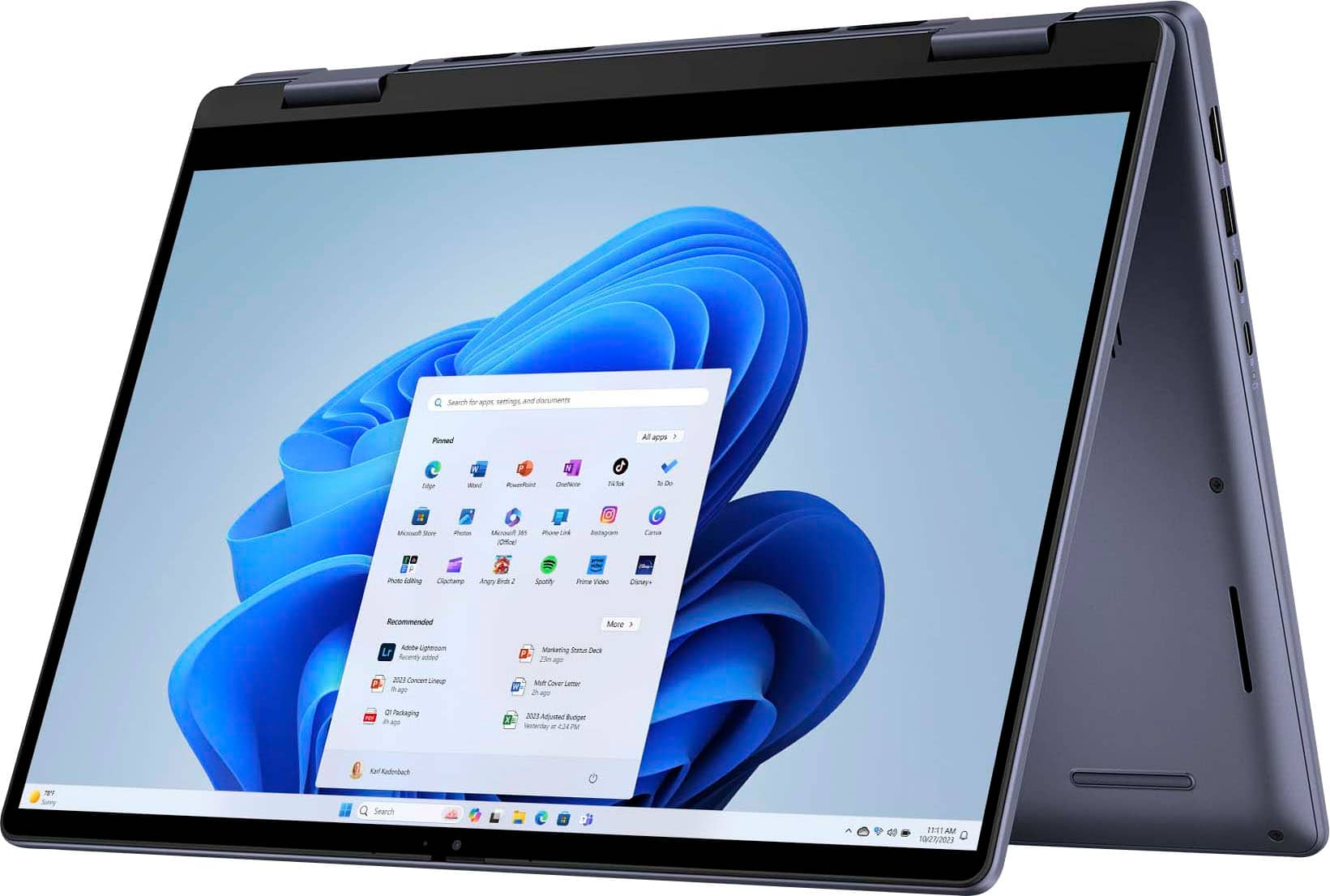




- Model:
- i7445-7326BLU-PUS
- SKU:
- 6576720
Rating by feature
- Battery Life
Rating 4.4 out of 5 stars
- Speed
Rating 4.6 out of 5 stars
- Display
Rating 4.7 out of 5 stars
Customers are saying
Customers are positive about the Inspiron 14's overall performance and processor speed, finding it responsive and suitable for various tasks. Many appreciate its portability, RAM, weight, and design. However, some customers have expressed concerns regarding the screen quality, fan noise, and the reliability of the fingerprint scanner.
This summary was generated by AI based on customer reviews.
A looser
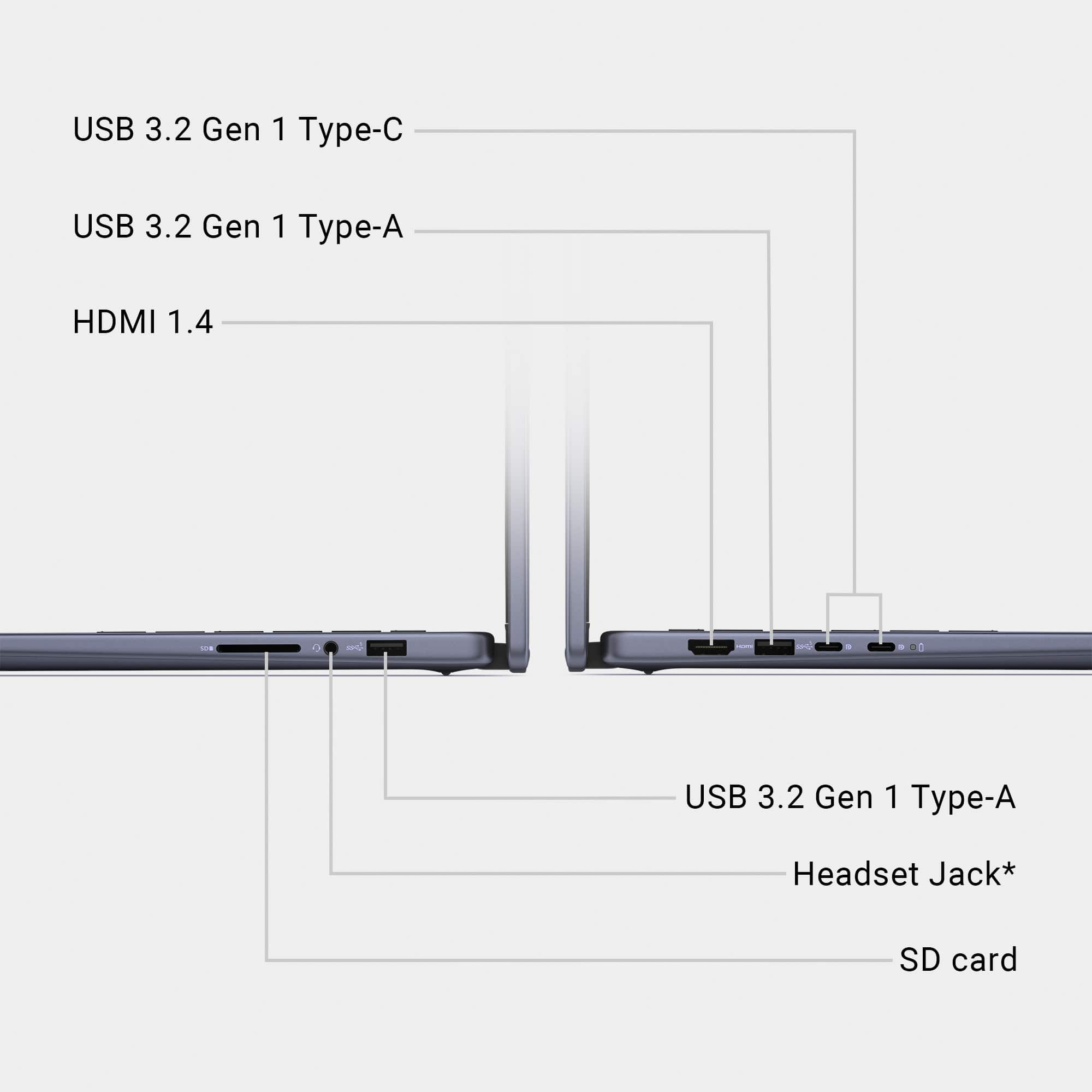
||Posted . Owned for 1 month when reviewed.This reviewer received promo considerations or sweepstakes entry for writing a review.Never got it to work. The computer looks nice but lacks a socket for the cord from the router. Right now ot serves as a expensive door stop,
No, I would not recommend this to a friendWifi issue
||Posted . Owned for less than 1 week when reviewed.This reviewer received promo considerations or sweepstakes entry for writing a review.Had wifi issue since the beginning, no connection then finally got connected because i have to move it to “better” spot, i got small house, all other digital devices they all have no issues with WiFi, finally got it on, updated drivers, it’s gets little bit better , but since i need to use it for home and work , had to return it , concerned about it might got issue again, no time to dealing with issues.
No, I would not recommend this to a friendBrand response from YourDellTeam
Posted .Hello JS123,
We value your feedback and want to thank you for taking the time to leave a review of your Dell Inspiron 14 2-in-1 Touch Laptop. We are sorry to hear that you were not completely satisfied with your product and made the decision to return it. This is not the type of feedback we like to hear from our customers. We have carefully taken note of the details in your statement and are committed to utilizing them to enhance our current and future products.
We really hope that you will give Dell an opportunity when making your next purchase.
If you are experiencing any issues or have any concerns or questions, please do not hesitate to get in touch with a Dell representative using the information provided below so that we can help you to your satisfaction.
Chat or call: https://bit.ly/DellSupportTeam
Phone number to Dell: 1-800-624-9896
Best,
Minhaj@Dell
Bad product
||Posted . Owned for 1 week when reviewed.This reviewer received promo considerations or sweepstakes entry for writing a review.It was a waste of my time .i brought it from the outlet and i think it should have ever been available for sale. Less then one star
No, I would not recommend this to a friendBad Dell
||Posted . Owned for 2 weeks when reviewed.This reviewer received promo considerations or sweepstakes entry for writing a review.Had to return it. I got it all set up and then the next day it glitched and kept asking for my passkey. It wouldn’t let me sign in. Had to take it back to the store and they couldn’t figure it out so I replaced it with an HP. Very disappointed.
No, I would not recommend this to a friendBrand response from YourDellTeam
Posted .Hello DonnaW,
Thank you for taking the time to leave us your review. We sincerely apologize for the trouble you have encountered with your Dell Inspiron 14 2-in-1 Touch Laptop due to which you opted to return it. This is certainly not the type of feedback we like to hear from our valued customers, or the type of product Dell intends to deliver.
We are constantly aiming to improve, and customer reviews like yours are invaluable in guiding our product development. Rest assured, your feedback will be forwarded to our quality team for potential incorporation into future product improvements. We sincerely hope you will consider Dell for your next purchase.
If you are experiencing any issues, we would like to help you resolve issues you may be facing to your satisfaction. Please do not hesitate to get in touch with a Dell representative using the information provided below.
Chat or call: https://bit.ly/DellSupportTeam
Phone number to Dell: 1-800-624-9896
Best,
Minhaj@Dell
Don't bother.
||Posted .This reviewer received promo considerations or sweepstakes entry for writing a review.Nothing but problems since I got it a 2 months ago. Best Buy wasn't much help either and wanted to charge me to have Geek Squad look at it. Will not be buying another Dell anytime soon
No, I would not recommend this to a friendDell laptop
||Posted . Owned for 1 month when reviewed.This reviewer received promo considerations or sweepstakes entry for writing a review.I hate it- it’s too heavy , not user friendly should have stuck to Lenovo
No, I would not recommend this to a friendTerrible customer service
||Posted .This reviewer received promo considerations or sweepstakes entry for writing a review.Terrible customer service. Would avoid Best Buy in general.
No, I would not recommend this to a friendDisappointed
||Posted .This reviewer received promo considerations or sweepstakes entry for writing a review.Having issues now with the device and I have only had it for 3 months. Very disappointing. I need this computer for college!
No, I would not recommend this to a friendNot good experience
||Posted .This reviewer received promo considerations or sweepstakes entry for writing a review.I bought a lemon. I needed to return it. The item was open box but excellent condition though.
No, I would not recommend this to a friendHorrible
||Posted . Owned for 2 months when reviewed.This reviewer received promo considerations or sweepstakes entry for writing a review.Don't buy it. It's horrible that doesn't stay charged
No, I would not recommend this to a friendlaptop
Posted .This reviewer received promo considerations or sweepstakes entry for writing a review.Amazing. ive never own a laptop and i was surprised on the size. works amazing and is touch screen
I would recommend this to a friend- Cons mentioned:Screen quality
Do not aste your money
Posted .This reviewer received promo considerations or sweepstakes entry for writing a review.I have had this laptop for approximately a year and a half, purchased March 2023. I have used it for online college classes only, no gaming. Currently the screen will not turn on rendering the laptop useless. I was expecting a little longer user life of the laptop for the price I paid.
No, I would not recommend this to a friend Laptop shuts down with movement
Posted .This reviewer received promo considerations or sweepstakes entry for writing a review.Beware buying a Dell computer.This shuts down every time it's picked up. Any movement will cause it to shut down. I was advised from Dell tech to not move it.Not sure how that would work for college classes. It's a laptop purchased in 2/24 and has had issues since 9/24. Dell support has run hours of software support over the phone with no help.Advised to bring it in to a local Dell support-That location advised we ask for a replacement. Dell had us ship it to them and after a week it returned with additional issues-top row keyboard no longer works.It was shipped off today for the next round. We asked about possible replacement and was told not going to happen. I would strongly advise to not purchase a Dell computer.We have a computer less than a year old that is not reliable.
No, I would not recommend this to a friendSave your money
Posted .This reviewer received promo considerations or sweepstakes entry for writing a review.I Watched this computer go from $399, to $449 and now $599. Don’t buy this! Lol
No, I would not recommend this to a friendNot Good
Posted .This reviewer received promo considerations or sweepstakes entry for writing a review.About ready to take this back after trying endlessly to connect to WiFi. I need to be able to use this computer right away not get shown multiple videos that show you steps you cannot get to. I cannot move past the WiFi screen and it is showing me how to troubleshoot once I can login.
No, I would not recommend this to a friendBrand response from YourDellTeam
Posted .Dear Valued Customer,
We value your feedback and want to thank you for taking the time to leave a review of your Dell Inspiron 14 2-in-1 Touch Laptop. We sincerely apologize for the wireless connectivity issues you have encountered with your laptop. This is not the type of feedback we like to hear from our customers, or the type of product Dell intends to deliver. Your feedback is instrumental in enhancing our existing and upcoming products.
Below, I have provided troubleshooting instructions with the full article that can help resolve this issue.
1. Download and install the latest Wireless Card driver. After updating the driver, re-establish the connection with the Wireless Access Point and check the wireless performance.
2. If the issue persists, proceed to the next step.
3. Power-cycle the local network. Shut down the Dell system, the Wireless Access Point/Router, and the Modem. Wait a minimum of 60 seconds before powering up the components in the following order:
4. Power ON the Modem, and wait for it to boot fully.
5. Power ON the Wireless Access Point/Router, and wait for it to boot fully.
6. Power ON the Dell system.
7. Open Network and Sharing Center
8. In the left-side navigation pane, click on Change Adapter Settings
9. Right-click on the wireless connection icon and select Properties, followed by the Configure button
10. Under Wireless Options, select the Wireless N mode.
11. For Windows 8 or later systems click the Advanced tab and look for 802.11n Mode on the right, you will be given the option to Enable or Disable. If the mode is not visible, you may need to update your drivers and firmware.
12. From the drop-down menu, choose Disable followed by Ok
13. This should restore the wireless download and upload speed. Internet speed can be tested at http://speedtest.net.
Wireless Networking Usage and Troubleshooting Guide: https://dell.to/2RefLVN
We also recommend that all system downloads and updates are up-to-date and installed.
Drivers and Downloads page: https://url.dell.com/f2334b
We would love the opportunity to help you but will need a little more information. Please take a moment to call or chat to speak with a Dell representative at your earliest convenience using the information provided below so that we can help you resolve the issue to your satisfaction.
Chat or call: https://bit.ly/DellSupportTeam
Phone number to Dell, 1-800-624-9896
We look forward to making this right for you!
Best,
Minhaj@Dell