Customer Ratings & Reviews
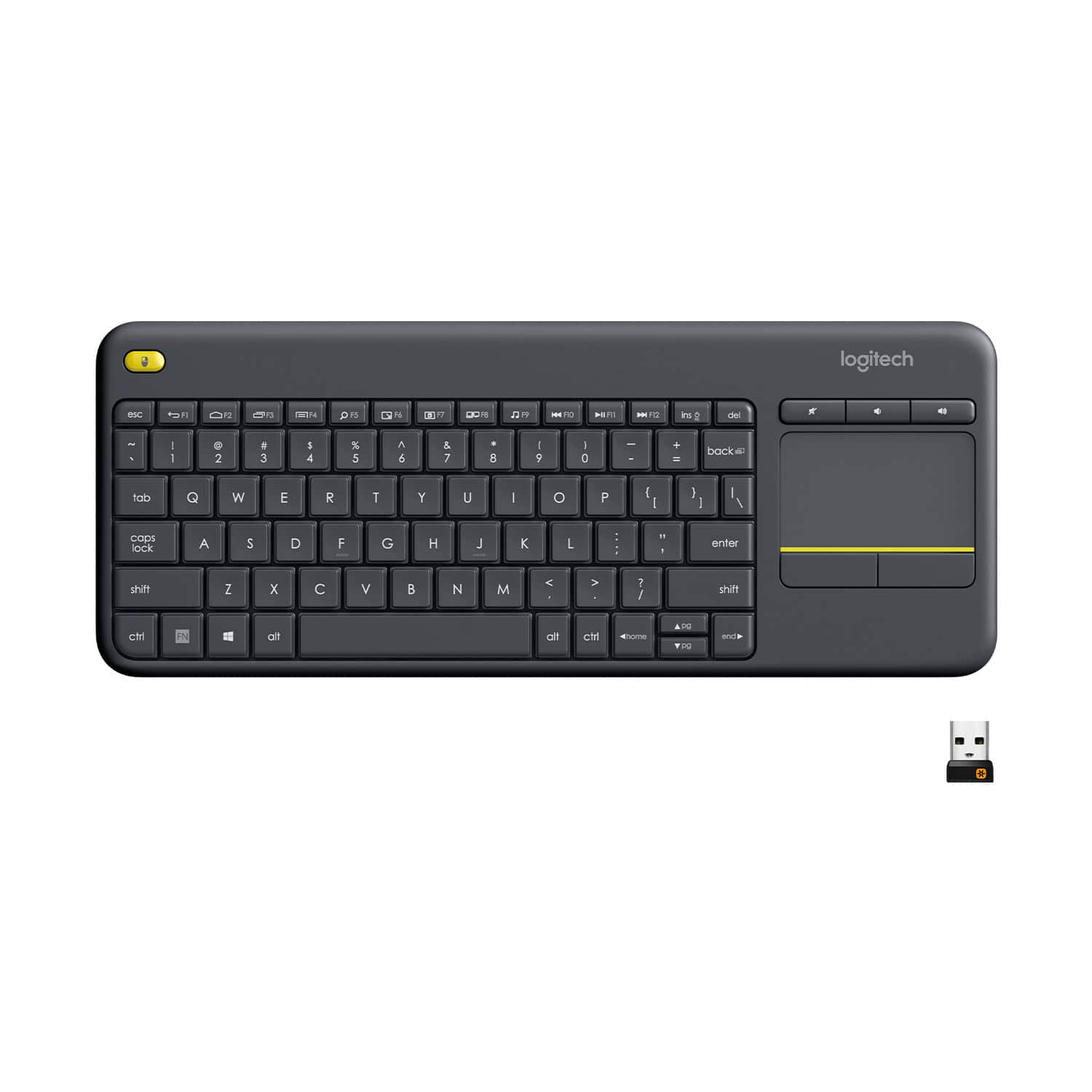
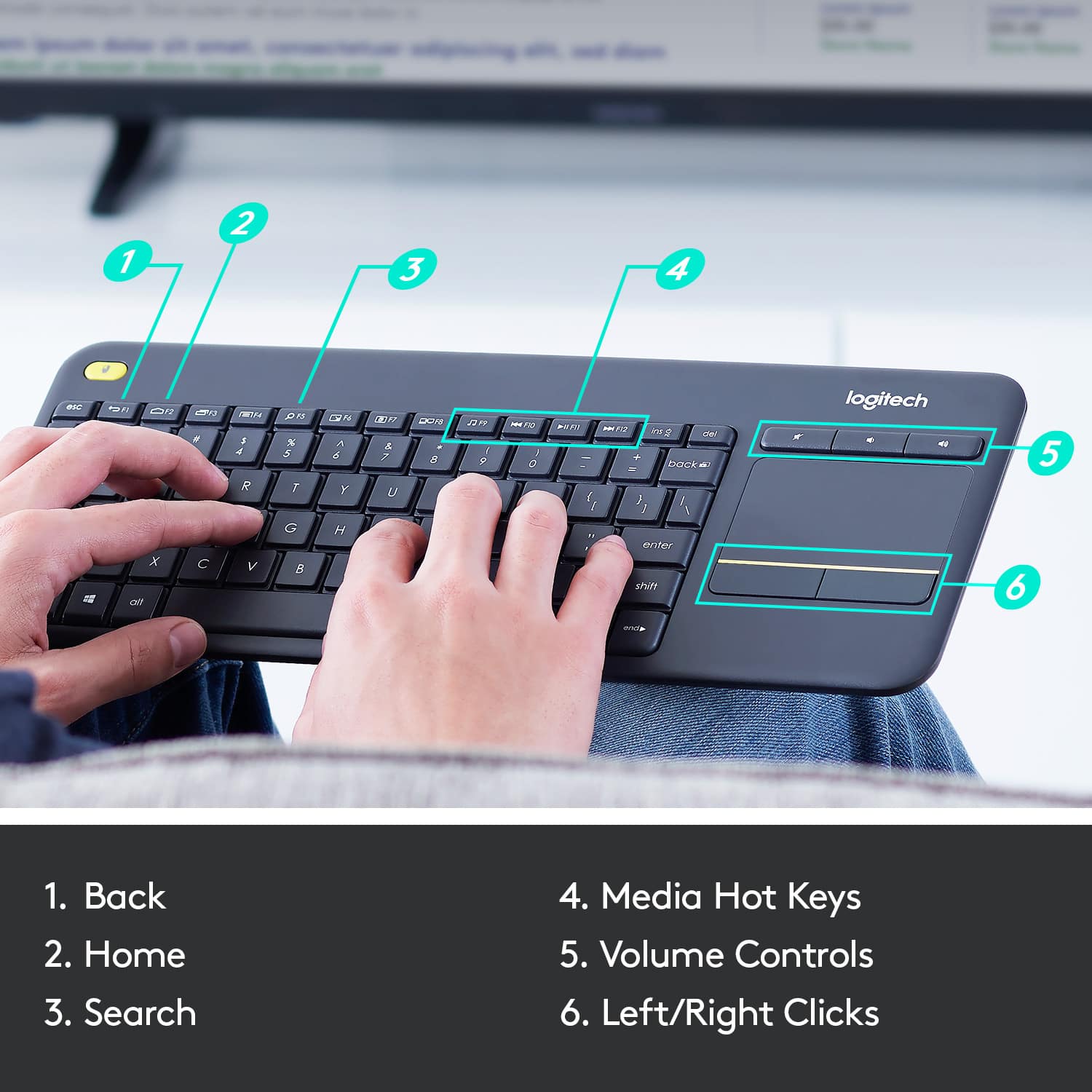
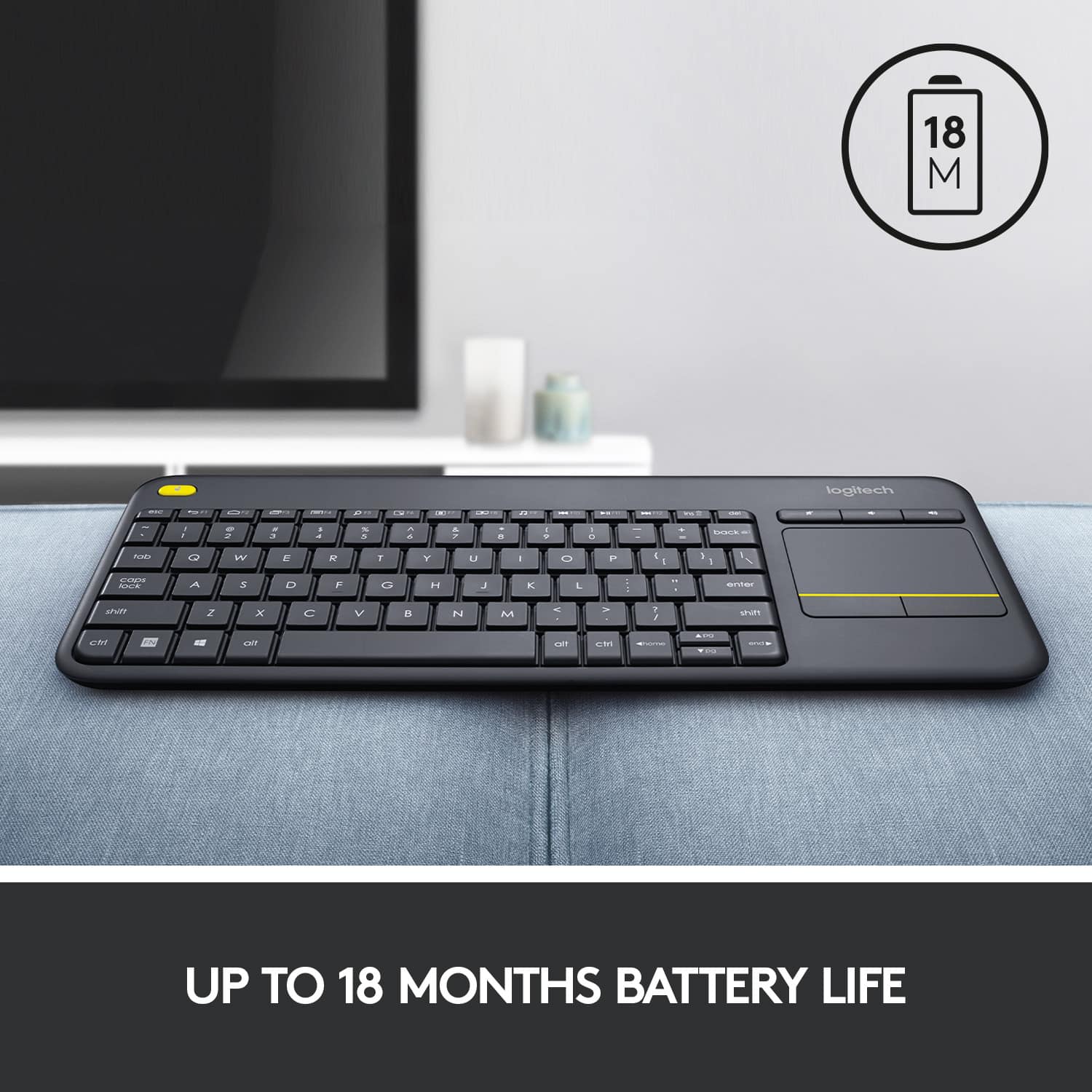
![Built-in touchpad logitech ins PC del + = back } ] I / POINT SCROLL enter shift](https://pisces.bbystatic.com/image2/BestBuy_US/images/products/9b5a0d6f-631a-4c6c-a7bf-e65b20135ee8.jpg)

- Model:
- 920-007119
- SKU:
- 7575039
Rating by feature
- Value
Rating 4.7 out of 5 stars
- Quality
Rating 4.5 out of 5 stars
- Ease of Use
Rating 4.6 out of 5 stars
Customers are saying
Customers appreciate the K400 Plus TKL Wireless Membrane Keyboard for its ease of use, convenient touchpad, and compact size. Many users also value its wireless connectivity, reliable range, long battery life, and affordable price. The keyboard's lightweight design and broad compatibility are additional benefits noted by customers. However, a small number of users have reported experiencing lag.
This summary was generated by AI based on customer reviews.
- Pros mentioned:Touchpad
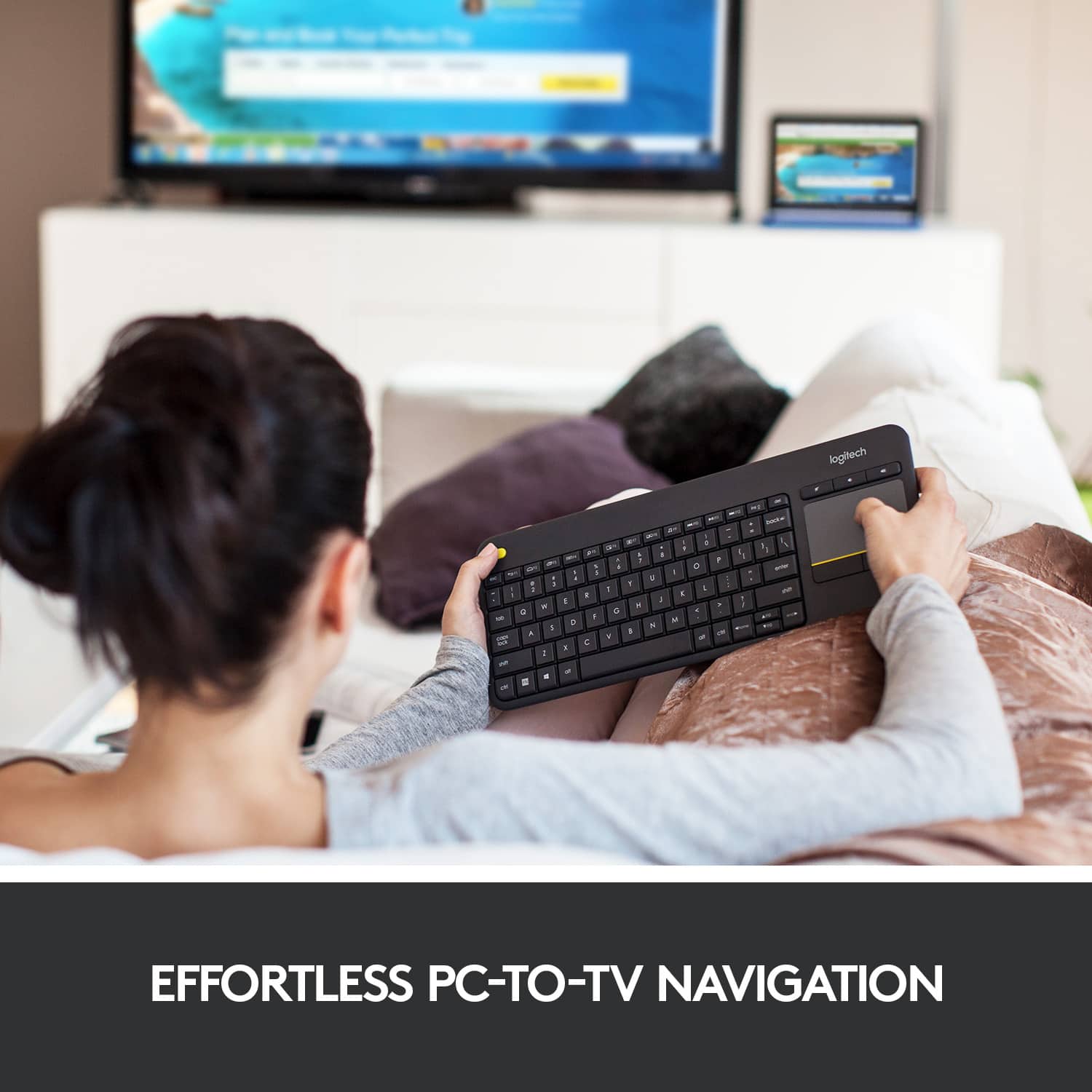
Just the ticket for your "Smart" TV
Posted .This reviewer received promo considerations or sweepstakes entry for writing a review.Recently bought a new LG 65" 4K TV, a "Smart" TV, but they sure seem very STUPID when trying to navigate around the online services and web browser with the dinky remote, trying to "type" using the arrow buttons. So, I started looking for a solution and came across wireless keyboards as the best solution, and this one with the touch pad integrated into it is THE SOLUTION! Plugged the tiny usb dongle into the port on the TV, and once I figured out that there was a pull tab on the batteries in the keyboard you had to pull out to allow them to make contact, the keyboard worked right away. So much easier to navigate the internet features and web browser now, almost like a giant PC now with a great TV in it. Every "Smart" TV should come with a keyboard like this as standard fare. And, I'm sure this keyboard would work great in many other applications as well, for your PC, or remote keyboard for a laptop or whatever you have that uses a keyboard and has a usb connection. Have only had this a few hours, but definitely recommend this device.
I would recommend this to a friend - Pros mentioned:Size, Touchpad
Great couch keyboard at a great price!
||Posted .This reviewer received promo considerations or sweepstakes entry for writing a review.This keyboard is perfect for couch use with good range and battery life. It's also small, thin, and light. The multitouch capability of the TouchPad is also a nice feature.
I would recommend this to a friend - Pros mentioned:Ease of use, Size, Wireless
Great for petite hands!
||Posted . Owned for 1.5 years when reviewed.This reviewer received promo considerations or sweepstakes entry for writing a review.This is the 2nd one I've owned - I love this!!! I'm only 5'2" and have smaller hands. It's so easy to use this, It's compact, so when reaching for the wireless mouse I use with it, I don't have to stretch over a numbers pad. Plus, with it being wireless, you can position it just how you want for comfort. I wouldn't be without it. It's well made, my last one lasted about 10 years or so, and I used it 8 hours a day. I'd definitely recommend this product
I would recommend this to a friend - Pros mentioned:Ease of use, Size, Touchpad
Easy to use keyboard with great touchpad
||Posted . Owned for 4 months when reviewed.This reviewer received promo considerations or sweepstakes entry for writing a review.This keyboard is exactly what it's advertised to be - compact, easy to use, and high quality. The touchpad sensitivity is great, and I love that I get both a keyboard and mouse at the same time. It works well with my home workstation, where I constantly dock and undock three different laptops for work, school, and home. Battery life is good and keyboard is high quality and lightweight. I would recommend this product.
I would recommend this to a friend - Pros mentioned:Touchpad
Wonderful Little Keyboard!
||Posted . Owned for 1 month when reviewed.This reviewer received promo considerations or sweepstakes entry for writing a review.The Logitech K400 Plus is a good wireless keyboard with an integrated trackpad. The all-plastic board make it lightweight and easy to carry, and its ABS keycaps feel nice to type on and are very quiet. It is my understanding that the plastic parts are made from recycled plastic, so that makes it a pretty green-conscious product, as well. It has dedicated volume control keys and a built-in trackpad, which is helpful for use with a TV or HTPC. I find it works very well for a raspberry pi setup. I've got another one of these that I use for field work - just insert the Logitech Unifying Receiver into a USB port, and we're off to the races. It uses two AA batteries, has an on/off switch, and the battery life really seems to last quite a while. I have one of these that has been running the same batteries for well over a year. All told, a fine little piece.
I would recommend this to a friendBrand response from Logitech
Posted .Hello, SBuy! I'm happy to hear that you're enjoying your K400 Plus keyboard! Feel free to reach out to our support team here https://support.logi.com/hc/en-us/requests/new?ticket_form_id=360000621393 if you ever need any assistance or if something happens in the 1-year limited hardware warranty. Thank you for the review and for shopping Logitech! - Maggie from Logitech
- Pros mentioned:Size, Touchpad
Perfect small form keyboard for HTPC or sim rig.
||Posted . Owned for 1 week when reviewed.This reviewer received promo considerations or sweepstakes entry for writing a review.Bought this to use with my racing sim rig so I wouldn't have to stand up to reach the keyboard at my desk since racing games have spotty UI controls on the wheel. Works great. Love that it has media control keys so I can control the music while I'm racing. The small form factor also makes it easy to store when not in use and will make it make it simpler to find/design a tray for it on my sim rig. The touchpad and keys are perfectly adequate for intermittent use. I don't know that I would recommend typing essays on it or doing trying to play games or anything like that, but if you just need a media center keyboard or something you'll use for literally seconds at a time, this is a solid bet, especially for the price. Also love that it has a nice big analog power switch. I'm sure the batteries would last quite a while even if you left it on all the time but I turn it off anyway when i store it and I expect months of life. The only weird thing is that the F keys are reversed by default. So you have to hold the fn key to press things like F5 (which is also the zoom button) , but this can be changed with the logitech software and I actually prefer this as I use the skip track key more than I use F9.
I would recommend this to a friend - Pros mentioned:Wireless
Solution for lost Bluetooth connectivity.
||Posted . Owned for 2 weeks when reviewed.This reviewer received promo considerations or sweepstakes entry for writing a review.I picked up the Logitech K400 Plus specifically to keep my Nvidia Shield usable after the Shield’s Bluetooth started acting up. What I liked The keys feel good for casual browsing, searches, and quick inputs, more comfortable than I expected for a compact, living-room-style keyboard, some exceptions. Plug-and-play was exactly what I needed. Connection was quick and stable with no fiddling. Touchpad is genuinely useful: The built-in trackpad makes navigation easy on a TV interface, and it’s also a real benefit at a desktop, especially if you’re trying to reduce strain from constant mouse use. What could be better Range is “fine,” not amazing. Not backlit: For couch use, and in a darker room, a smaller backlit keyboard would be easier to use without hunting for keys. The arrow keys are very small (up/down). If your main use is remote replacement, I’d personally consider switching to a smaller backlit keyboard for the Shield and keeping the K400 Plus for desktop use, because the trackpad is a legitimate ergonomic win when you want to give your mouse hand a break.
I would recommend this to a friendBrand response from Logitech
Posted .Thank you for such a thorough review, Anthony. Your breakdown of strengths and areas for improvement is incredibly helpful for others considering this keyboard.

- Pros mentioned:Size, Touchpad, Wireless
Great keyboard/touchpad combo
||Posted . Owned for 3 weeks when reviewed.This reviewer received promo considerations or sweepstakes entry for writing a review.Recently built a new gaming PC, so I took my old one and moved it to the living room and hooked it up to my TV. This way I can use it to stream Netflix, Crunchyroll, or whatever. That way I can use my VPN to get around region locked content. Anyway, I needed a wireless mouse and keyboard obviously in order to actually do anything on my PC and since I'm not planning to really game on it anymore (if I do I'll just use an Xbox controller) a touchpad works just fine. This allows me to use my PC from the comfort of my couch, and being an all in one device it keeps me from having to look for anything and it's the perfect size that it won't get lost or take up too much space.
I would recommend this to a friend - Pros mentioned:Size
Excellent Keyboard For Living Room (PS4)
||Posted .This reviewer received promo considerations or sweepstakes entry for writing a review.Picked up this compact keyboard for use in the living room with the PS4. The PS4 recognized it quickly (there are set up guides online; just do a Google search) and the keyboard is recognized each time the PS4 boots up. Something to keep in mind for PS4 use: the keyboard functionality is *app-dependent.* It works fine in PS4 native applications (web browser, store, etc.), but functionality varies in other applications like Netflix (works fine), Amazon (works okay), etc. Have not been able to get the glide pad to work at all; not sure if it is a hardware issue with the keyboard or a compatibility issue with the PS4. Still, it's better than using the controller to hunt and peck letters one at a time. Functionality likely will improve on a newer TV (mine is almost 10 years old). Claimed range is 33 feet; haven't had any issues with range or initialization. It's compact enough to hide away on a shelf under the coffee table, but big enough to type comfortably for limited/light use. You probably won't want to use it for writing your next book, though.
I would recommend this to a friend - Pros mentioned:Size, Wireless
Good combination wireless keyboard/trackpad
||Posted .This reviewer received promo considerations or sweepstakes entry for writing a review.Pros: Easy connectivity with windows and a raspberry pi3, lightweight, sturdy feel given budget price, small footprint for easy storage out of sight when not being used Cons: No scrolling for trackpad that I have figured out yet, kind of frustrating, but at this price ($20) not expected. Overall: Would certainly buy again for $20 for HTPC or secondary computer (raspberry pi3 - reason I bought it in the first place)
I would recommend this to a friend - Pros mentioned:Size, Touchpad
Excellent all in one keyboard
||Posted .This reviewer received promo considerations or sweepstakes entry for writing a review.I bought this keyboard couple of months back to replace my existing Logitech keyboard and mouse for living area PC. I am more than happy with my purchase. Keyboard has touch pad which works perfectly fine under Windows and Ubuntu. I would definitely recommend it as keyboard for your entertainment center PC. Perfect size, weight and range. Not good if you need to type more.
I would recommend this to a friend Great cheep wireless keyboard
||Posted .This reviewer received promo considerations or sweepstakes entry for writing a review.For what the products is as a cheap light weight wireless keyboard it gets the job done the battery life is good and i have no complaints of the product it may be slightly inconvenienced by the use of 2 AA batteries but excellent product for a living room pc or a pc handheld set up for probability
I would recommend this to a friendBrand response from Logitech
Posted .It’s fantastic to hear that you’re satisfied with your Logitech product. We strive to deliver quality and reliability, and your feedback reassures us that we’re on the right path. Thanks for your continued support—we’re lucky to have you with us.
- Pros mentioned:Size, Touchpad
Great for Raspberry Pi
||Posted . Owned for 1 month when reviewed.This reviewer received promo considerations or sweepstakes entry for writing a review.Does exactly what I needed it to do. It let's me control my Raspberry Pi 4 and do what I need to do in Raspbian from my couch. It also let me use the TV in my living room as another remote learning station for my kids, which freed up my computer for work purposes. I can't really say how well things work with it in Windows or Mac because I haven't used it worth those, but I would imagine it would be just fine with those as well. It's small and took me a few days to get used to, but it is a nice keyboard once you get used to it. The trackpad is responsive, It is very light and comfortable in your lap. It has been absolutely perfect for my two little ones to handle and use while they get their work for school done. I liked it so much for what I am using it for, that I intend to buy another one for my other Raspberry Pi.
I would recommend this to a friend - Pros mentioned:Overall performance
Great for casual couch computing!
||Posted .This reviewer received promo considerations or sweepstakes entry for writing a review.Lifesaver! I have my computer hooked up to my TV as well as a monitor, primarily so I can watch movies on it without having to sign on multiple devices and then load up whole other apps anytime I want to switch from Youtube to Netflix or whatever. I've tried lap desks, but they're meant for laptops, not a keyboard and a mouse, and just never felt comfortable in my lap. This has been so helpful! While the trackpad won't win you any games, it's serviceable enough. I find it really annoying to use sometimes, but I also don't like trackpads in general. Though an extra weird thing is the scroll works the opposite of a mouse scroll which can mess me up! But overall, it's been fantastic to use, especially for the price!
I would recommend this to a friendBrand response from Logitech
Posted .We appreciate your thoughtful review. It’s great to know our product is meeting your needs. Thanks for being a valued customer.
- Pros mentioned:Overall performance
Works great as a “remote”
||Posted . Owned for 1 month when reviewed.This reviewer received promo considerations or sweepstakes entry for writing a review.Bought it to control my pc while not sitting directly at my desk perfect application in my opinion batteries still lasting and i tend to leave it turned on works exactly as i was hoping it would
I would recommend this to a friendBrand response from Logitech
Posted .Thanks for sharing your experience! We’re thrilled the Logitech - K400 Plus TKL Wireless Keyboard is working as intended. Your feedback helps us grow.
- Pros mentioned:Ease of use, Size
Must Have
||Posted . Owned for 1 month when reviewed.This reviewer received promo considerations or sweepstakes entry for writing a review.Best Keyboard for using smart TVs. light and unable. easy to work with. full features and linked with my Sony TVs, and Hisense TV Plug & Play. If it was water/splash proof was perfect. Battery life pretty good.
I would recommend this to a friend - Pros mentioned:Size, Touchpad
Perfect for PC connected to your TV
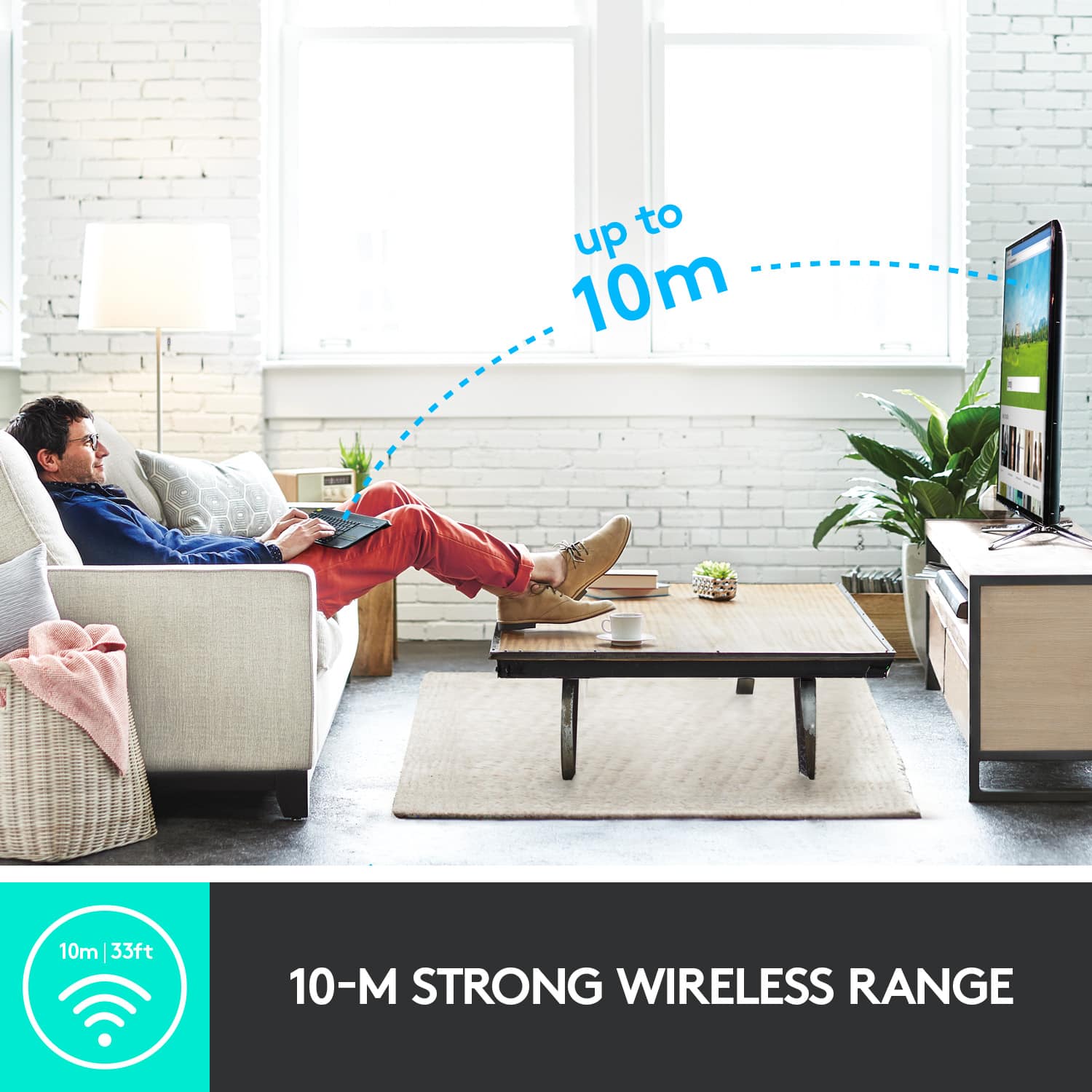
||Posted .This reviewer received promo considerations or sweepstakes entry for writing a review.If you have a PC connected to your big screen tv this is what you need. There are better products available for triple the price, but for the money the K400 Plus is unbeatable. Compact size, light weight, decent touchpad, batteries last forever.
I would recommend this to a friend - Pros mentioned:Size
Great Keyboard for media room
||Posted .This reviewer received promo considerations or sweepstakes entry for writing a review.I bought this keyboard to use with a PC stick plugged into my TV. Works great for this purpose. Big enough to be practical for typing and small enough to still sit on your knees so you don't need a supportive board underneath. Great range and mechanical feel on the keys. If I had to criticize something I would say that the track pad is a little too sensitive when sensing a 'tap'. I sometimes hold it like a tray and the heat from my thumb triggers a tap when the cursor on screen is above a button on screen that I don't necessarily want to press. This wouldn't stop me from buying this product I just have to be mindful of the sensitivity. Battery life so far has been excellent and seems to turn itself off when not in use which is awesome cause I almost always forget to turn it off.
I would recommend this to a friend - Pros mentioned:Size, Touchpad
Long range, long battery life.
||Posted .This reviewer received promo considerations or sweepstakes entry for writing a review.Very good keyboard. I have 3 of them. They are very compact, have long range - I use them to controlling computers, connected to TVs, and very long battery life. I do not remember, when I replaced battery in them.
I would recommend this to a friend - Pros mentioned:Overall performance, Size
Wonderful little keyboard
||Posted . Owned for 1 month when reviewed.This reviewer received promo considerations or sweepstakes entry for writing a review.I love it it works wonderful its compact and does what it needs to do
I would recommend this to a friendBrand response from Logitech
Posted .We appreciate you taking the time to share your experience. Knowing our product is working well for you makes all the difference. Thanks for being with Logitech.