Customer Ratings & Reviews
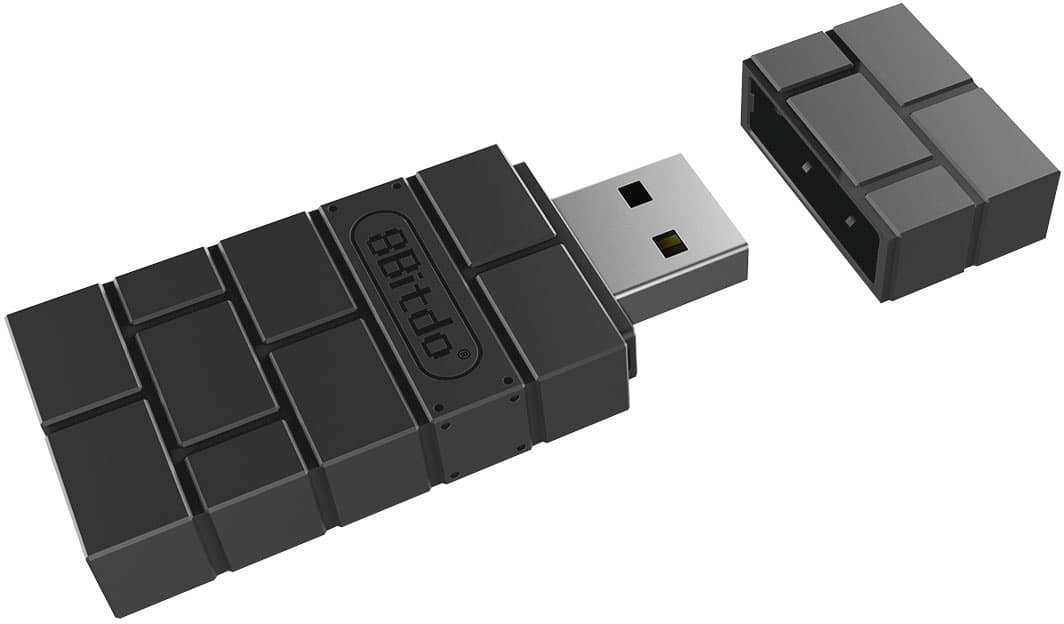
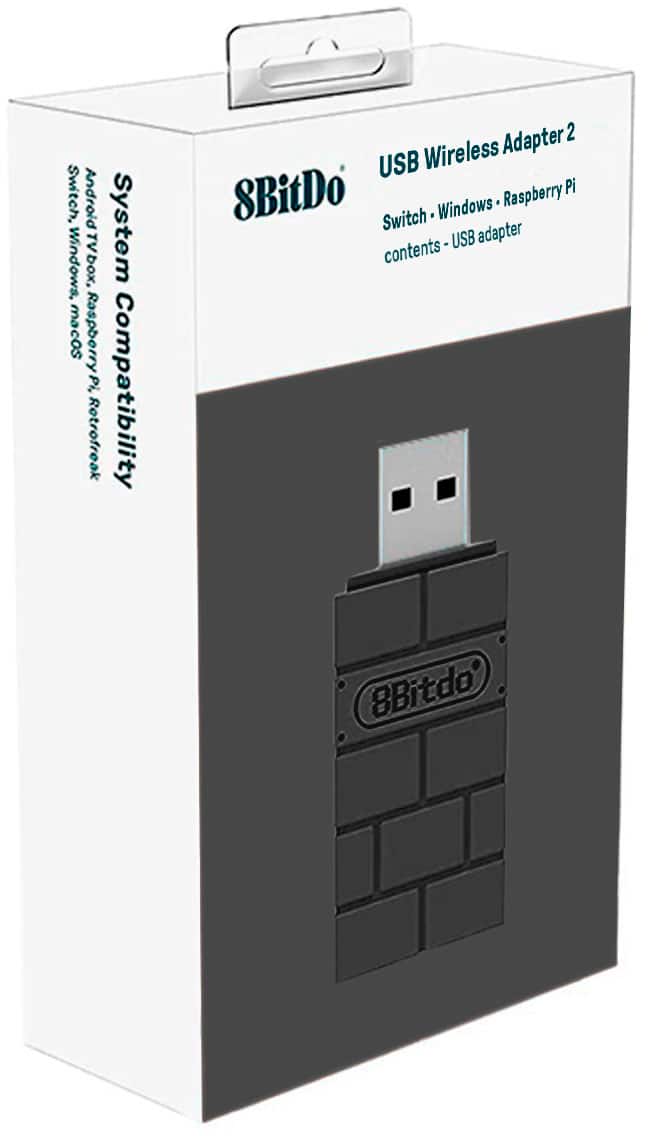
- Model:
- 83DA-B
- |
- SKU:
- 6492168
Customer reviews
Rating 4.6 out of 5 stars with 577 reviews
(577 customer reviews)Rating by feature
- Value4.6
Rating 4.6 out of 5 stars
- Quality4.6
Rating 4.6 out of 5 stars
- Ease of Use4.5
Rating 4.5 out of 5 stars
Customers are saying
Customers express satisfaction with the Wireless USB Adapter 2 for Most Gaming Controllers, particularly highlighting its broad compatibility, ease of use, and reliable connectivity. Many users have praised its overall performance, noting the absence of latency and the robust USB connection. While the adapter's size and software have received minor criticisms, the positive aspects, such as its decent price and good range, generally outweigh these concerns.
This summary was generated by AI based on customer reviews.
Rated 4 out of 5 stars
Great way to use xbox controller on switch 2
||Posted . Owned for 2 weeks when reviewed.This reviewer received promo considerations or sweepstakes entry for writing a review.Good product. It came with the firmware already upgraded, and if anyone has issues, that would be the first thing I would do to fix any issues. Pretty easy to get this working with an xbox controller on the switch 2. The only negative (and the reasons for the 1 star deduction) is that it only connects one controller per USB adapter, which seems antiquated because at least on the PC, there are plenty of USB bluetooth controller/adapter that can handle multiple devices.
I would recommend this to a friend- Cons mentioned:Lag
Rated 5 out of 5 stars
PERFECT for people with bigger hands
||Posted . Owned for 1.5 years when reviewed.This reviewer received promo considerations or sweepstakes entry for writing a review.I can’t say enough good things about the 8BitDo Wireless USB Adapter 2. I’ve always wanted a way to use my favorite controllers across multiple devices without constantly re-pairing or buying new ones. This adapter solved that perfectly! I primarily use it on my PC and Nintendo Switch, and syncing my DualSense and Xbox controllers was super easy—literally plug it in, follow the instructions, and it just works. What I love most is how reliable it’s been. There’s no noticeable lag, which is a huge deal for someone like me who enjoys action-heavy games. The compact size is great, too—I can just toss it in my bag and use it wherever I go. Honestly, this adapter has made gaming so much more enjoyable and less of a hassle. If you’re tired of juggling controllers and compatibility issues, this little device is an absolute lifesaver!
I would recommend this to a friend - Pros mentioned:Compatibility, Usb
Rated 5 out of 5 stars
Works like a charm cheaper than a pro controller
||Posted . Owned for 1 month when reviewed.This reviewer received promo considerations or sweepstakes entry for writing a review.Works for its intended purpose. Pairs using blue tooth, super easy with inclided instructions and intuitive. I use 2 of them to connect my PS4 dualshock controllers to my nintendo switch OLED and to my pc. It has a key mapping program you can customize on pc amd then use when connected to a console. Perfect for swapping d-pad and left joystick for movement when playing smash brothers ultimate.
I would recommend this to a friend - Pros mentioned:Connectivity
Rated 3 out of 5 stars
Good for DS4 on Switch - with a couple big caveats
||Posted . Owned for 2 weeks when reviewed.This reviewer received promo considerations or sweepstakes entry for writing a review.I've been using this to play on my Switch with my PS4 controller. Once you're properly set up and have the controller in-game, it works very well, with the Switch seeming to treat it as a Switch Pro controller with no added lag or problems. However, there are a few caveats: 1. Setup was a bit tricky. Before I got this to work, I had to first un-pair the Switch from all other controllers (including the Joy-Cons). Then I had to enable controller communication via USB in the menu (as this seems to be disabled by default) since the Switch just sees this as a USB-connected controller. Only then was I able to pair the PS4 controller to the adapter. 2. The PS4 controller cannot wake the Switch up on its own, so I have to take the Switch out of the dock, wake it up, and put it back into the dock before turning on the controller. This is not a huge deal but it's a small amount of extra work so I thought I would notice it. 3. The controller sometimes loses pairing when the Switch goes to sleep and needs the adapter re-inserted and the controller re-paired. 4. This is the big one: Occasionally, when you wake up the Switch and power up the controller, the controller will work in the Switch front end menu, but not in a game that you left running while the Switch was asleep. You have to exit and re-start the game for the controller to work. I play a lot of games like JRPGs that have very long cutscenes and/or long stretches between save points, so I frequently have to just pause the game and suspend the system without actually saving. If I wake the game up and the controller suddenly doesn't work without a hard reset of the game, I could lose a significant amount of progress if I had to pause at such a time. For me, this is a huge usability issue and forces me to knock off two stars. Other than that one major issue, this is a nice product that mostly works. FWIW I have only tried it with this one combination of hardware (PS4 controller + Switch) so I can't comment on how well it works with anything else.
I would recommend this to a friend - Pros mentioned:Connectivity
Rated 5 out of 5 stars
Amazing USB Adapter for contollers
||Posted . Owned for 1 month when reviewed.This reviewer received promo considerations or sweepstakes entry for writing a review.After a long time of using my controller wired from my pc I decided to give this adapter a chance as bluetooth always had a delay and disconnections that made the gaming experience not be good. After weeks of owning and using this adapter I have not had a single issue and have not noticed a delay that is visible. Would recommend and would buy again.
I would recommend this to a friend - Pros mentioned:CompatibilityCons mentioned:Lag
Rated 5 out of 5 stars
Exactly what I hoped for!
||Posted . Owned for 1 month when reviewed.This reviewer received promo considerations or sweepstakes entry for writing a review.To be honest I expected to notice lag on my Nintendo switch, but I haven’t noticed any at all! I’m using a ps5 dualsense controller, and I tested it with 4 players on mariokart. I will say I prefer using a Nintendo controller but I can’t afford to buy that many pro’s or joycons. This works great for the occasional gaming parties.
I would recommend this to a friend - Pros mentioned:CompatibilityCons mentioned:Size
Rated 4 out of 5 stars
Game Changer! I use it with an Xbox controller
||Posted . Owned for 1 week when reviewed.This reviewer received promo considerations or sweepstakes entry for writing a review.I can't find the official Xbox wireless adapter anywhere so I resorted to purchasing this. Thankfully it works great on both my PC and Switch. I've been playing my switch on the TV a lot more that I can use a real controller...I'm enjoying Mario Kart way more. I read that I can only pair one controller at a time so that's why I gave it 4 stars, also it's kinda chunky; otherwise it's awesome.
I would recommend this to a friend Rated 4 out of 5 stars
Working for My Specific Use Case
||Posted . Owned for 3 weeks when reviewed.This reviewer received promo considerations or sweepstakes entry for writing a review.I needed this for a very specific reason and it ended up working after some trial and error. I have an 8bitdo N30 Arcade Stick. Those have long since been discontinued and have not been updated to work directly with Switch 2. I read online that this adapter would allow you to use the arcade stick on a Switch 2. Rather than buy a brand new stick, I decided to give it a try. Updating and plugging it in was no issue. Connecting the old arcade stick to it was a challenge though. Hopefully you've kept your controller manuals handy because you might have to connect a specific way to get this to work. Not nearly as seamless and plugging in directly to the Switch 2, but it does work.
I would recommend this to a friend- Pros mentioned:Compatibility, Overall performance
Rated 5 out of 5 stars
8bitdo for use with nintendo switch
||Posted . Owned for 1 week when reviewed.This reviewer received promo considerations or sweepstakes entry for writing a review.Worked the way it was advertised. No issues. Set the pick up while we were on travel and didnt get a chance to grab it. Bestbuy made it convenient by providing options to ship to another location. Used their options menu to have the method of delivery changed from in store pickup to home delivery. No issues there. Good experience overall.
I would recommend this to a friend - Pros mentioned:Connectivity, Ease of use
Rated 5 out of 5 stars
Worked with no issues.
||Posted . Owned for 1 week when reviewed.This reviewer received promo considerations or sweepstakes entry for writing a review.Excellent. Was able to pair an older Xbox controller with PC to use via Steam with no issues. Hated having to plug it in.
I would recommend this to a friend - Pros mentioned:Compatibility, Ease of use
Rated 5 out of 5 stars
Just get this!
||Posted . Owned for 1 month when reviewed.This reviewer received promo considerations or sweepstakes entry for writing a review.This is a simple plug, pair and play dongle that allows you to use your favorite controller via any game system / PC that you want. Was easy to set up and use. I got it so I could specifically use my Xbox controller on my Switch. Love it and definitely worth the price.
I would recommend this to a friend - Pros mentioned:Usb
Rated 5 out of 5 stars
Works with great with everything.
||Posted . Owned for 1 year when reviewed.This reviewer received promo considerations or sweepstakes entry for writing a review.This is an excellent little Bluetooth device. This allows me to connect my XBOX wireless controller to my PC since the board does not have bluetooth on it. It connects to anything I connect to my PC (iPad, game controller, phone, wireless headset, etc.) and the price was pretty decent. I plan on buying another one here soon as well.
I would recommend this to a friend - Pros mentioned:CompatibilityCons mentioned:Lag
Rated 5 out of 5 stars
Exactly What I Needed
||Posted . Owned for 1 month when reviewed.This reviewer received promo considerations or sweepstakes entry for writing a review.Does exactly what I expected and needed. Works every time and has no delay. Would buy again if needed. Best Buy comes through as always. Ordered for store pick up and it was ready to go when I arrived. If you need to replace a controller adapter this one does the trick.
I would recommend this to a friend - Pros mentioned:Connectivity
Rated 5 out of 5 stars
8BitDo - Wireless USB Adapter 2 for Most Gaming Co
||Posted . Owned for 3 weeks when reviewed.This reviewer received promo considerations or sweepstakes entry for writing a review.The 8BitDo Wireless USB Adapter 2 is a versatile and affordable accessory that enhances the gaming experience by allowing various controllers to connect wirelessly to devices like the Nintendo Switch, Windows PCs, macOS, Android, SteamOS, and Raspberry Pi. Priced at approximately $20, it offers a cost-effective solution for gamers looking to use their preferred controllers across different platforms. Digital Trends
I would recommend this to a friend - Pros mentioned:Connectivity
Rated 5 out of 5 stars
Control
||Posted .This reviewer received promo considerations or sweepstakes entry for writing a review.Excelent for my control, connect faster and you can use it for a long distances
I would recommend this to a friend - Pros mentioned:Overall performance
Rated 5 out of 5 stars
Just didn’t work with the controller I purchase
||Posted . Owned for less than 1 week when reviewed.This reviewer received promo considerations or sweepstakes entry for writing a review.This product didn’t work for my controller but what I hear from friends it’s great
I would recommend this to a friend - Pros mentioned:Overall performance
Rated 5 out of 5 stars
Great help for gaming.
||Posted . Owned for 1 month when reviewed.This reviewer received promo considerations or sweepstakes entry for writing a review.Works for what I need to for all of my consoles. Flawless for all of my controllers.
I would recommend this to a friend - Pros mentioned:Overall performance
Rated 5 out of 5 stars
Best dongle
||Posted . Owned for 1 month when reviewed.This reviewer received promo considerations or sweepstakes entry for writing a review.I have many of these in the house. Every pc i have is utilizing this dongle. love it for the price
I would recommend this to a friend - Pros mentioned:Compatibility
Rated 5 out of 5 stars
Works better than advertised.
||Posted . Owned for 1.5 years when reviewed.This reviewer received promo considerations or sweepstakes entry for writing a review.Works with all controller as advertised, and even some controllers it doesn’t mention (I can finally have a use for my Google stadia controller!)
I would recommend this to a friend - Pros mentioned:Ease of use
Rated 5 out of 5 stars
worth it
||Posted . Owned for 3 months when reviewed.This reviewer received promo considerations or sweepstakes entry for writing a review.Very easy to use, nice design. Can connect only one controller at a time but that's all I needed. The price is worth it compared to Microsoft's official adapter which is more than double!
I would recommend this to a friend