Customer Ratings & Reviews
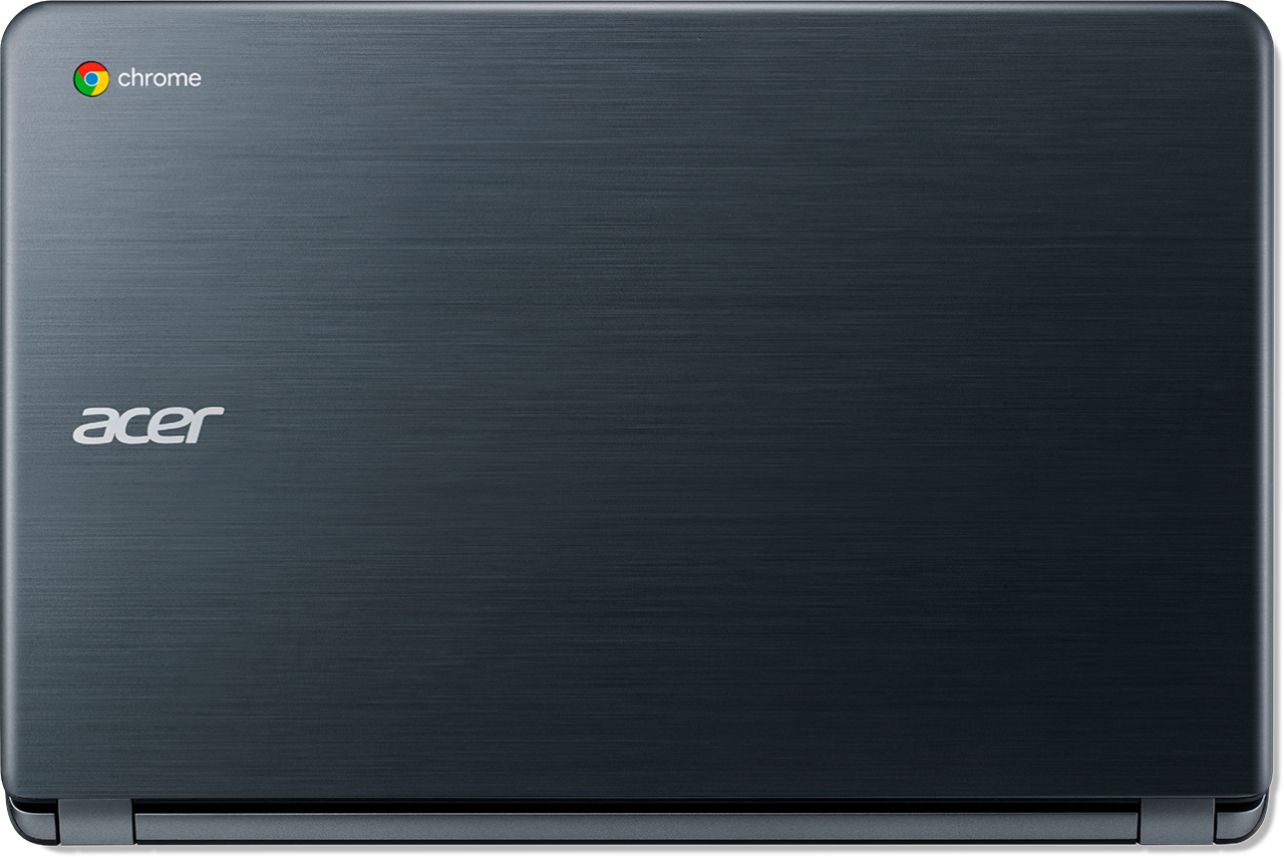




- Model:
- CB3-532-C8DF
- SKU:
- 6170703
Rating by feature
- Value
Rating 4.6 out of 5 stars
- Quality
Rating 4.4 out of 5 stars
- Ease of Use
Rating 4.5 out of 5 stars
Customers are saying
Customers recognize the 15.6" Chromebook as easy to use and having a desirable screen size. Positive feedback also highlights its affordability and acceptable battery life, while some users note limitations in storage capacity. A few customers mention compatibility issues with certain software and the operating system's limitations.
This summary was generated by AI based on customer reviews.
Good Chromebook for a starter
||Posted .This reviewer received promo considerations or sweepstakes entry for writing a review.I would recommend for a student and for just use for school.
I would recommend this to a friendDecent for the price
||Posted .This reviewer received promo considerations or sweepstakes entry for writing a review.You get what you pay for here could be a nice first laptop
I would recommend this to a friendIt's screen
||Posted . Owned for 3 weeks when reviewed.This reviewer received promo considerations or sweepstakes entry for writing a review.Bad screen, slow, heavy. wasn't for me so I returned
No, I would not recommend this to a friendit all right
||Posted .This reviewer received promo considerations or sweepstakes entry for writing a review.but i strggled to get it set upand get frusted and got mad
No, I would not recommend this to a friendmeh
||Posted .This reviewer received promo considerations or sweepstakes entry for writing a review.very basic might be good for young kids but not much else
No, I would not recommend this to a friendLooks nice
||Posted .This reviewer received promo considerations or sweepstakes entry for writing a review.Was a cool laptop but didn't run what I needed it to
No, I would not recommend this to a friendGreat buy
||Posted .This reviewer received promo considerations or sweepstakes entry for writing a review.Still trying to work the features but great purchase
I would recommend this to a friend- Cons mentioned:Compatibility
Acer Chrome
||Posted .This reviewer received promo considerations or sweepstakes entry for writing a review.You cant use windows on this computer. So Sad because other than that it seems to work ok. I am in college and this will not work for me. Part of it is I did not see where it is not compatible with word.
No, I would not recommend this to a friendBrand response from TeamAcer
Posted .Dear Stormy,
We are sorry to hear you are unhappy with your Acer Chromebook. This is correct, this is a Chromebook that does not run Windows operating system- this runs the Chrome operating system. Chromebooks are different from standard laptop products in that they are designed to be used primarily while connected to the Internet, with most applications and documents living in the cloud. Because of this they don’t have much for on board storage but they also are not expensive either. If you need to use third party software applications that must be installed on the computer, a Chromebook is likely not for you, where a Windows laptop would suit you better. However if the issue is with Microsoft Word, you can use this on a Chromebook. Here is a link that has information on this you might find helpful: https://support.office.com/en-us/article/how-to-install-and-run-microsoft-office-on-a-chromebook-32f14a23-2c1a-4579-b973-d4b1d78561ad
If you should need help with your Chromebook in the future, please feel free to contact support from the info posted at http://www.acer.com/ac/en/US/content/service-contact
Best regards,
Acer America
Problems register,setting up, no help from support
||Posted .This reviewer received promo considerations or sweepstakes entry for writing a review.Since I do not use computers much (online bill paying; some emails to print) and I do not subscribe to Facebook etc, I could not get this to work with my HP printer. Frustrating talking to ACER help with no solution and difficulty with the language.
No, I would not recommend this to a friendBrand response from TeamAcer
Posted .Hello,
We are sorry to hear you are unhappy with your Acer Chromebook. This is not the experience we want our customers to have and we want to work with you to see how we can help
improve this experience. If you are located in the US or Canada please fill out this form so that we can assist you:
http://csapps.acer.com/prompt/?key=4047a9cd3a66345109897513dfb5920a8a4d3343
We appreciate you taking the time to write this review.
Thank you
Acer America
Connectivity too slow
||Posted . Owned for 7 months when reviewed.This reviewer received promo considerations or sweepstakes entry for writing a review.After buying an Acer CB3-532 in December 2018, within 6 months it was unusable over WiFi. Tried several different networks with differing frequencies, and nothing changed. Did the Powerwash & full factory reset. Am now adding a partition with Ubuntu (via Crouton) & next step is to order a USB Ethernet connector and try over wired connection. Though I'm extremely skeptical at this point. Huge hassle. Can't load google.com & forget streaming anything. Inexpensive Chromebooks like this are exactly what you should expect ... you get what you pay for ... you'll wish you had Ethernet and a full on capable laptop that could support Linux out of the box.
No, I would not recommend this to a friendBrand response from TeamAcer
Posted .We are sorry to hear you are having problems with the wifi in your Acer Chromebook. This is not the experience we want our customers to have and we would like to help you get this resolved. If you are located in the US or Canada, please fill out this form so that we can assist you:
http://csapps.acer.com/prompt/?key=b057ca1928113d40fdeb368d59e13a47b86f4e3e
We appreciate you taking the time to write this review.
Regards,
Acer America
get what you pay for
||Posted . Owned for 1 year when reviewed.This reviewer received promo considerations or sweepstakes entry for writing a review.Got this for a child and it did what it was supposed to do- for awhile. They used it responsibly and it only lasted about three months past the warranty date. Bought a better one.
No, I would not recommend this to a friend
An incredible laptop value.
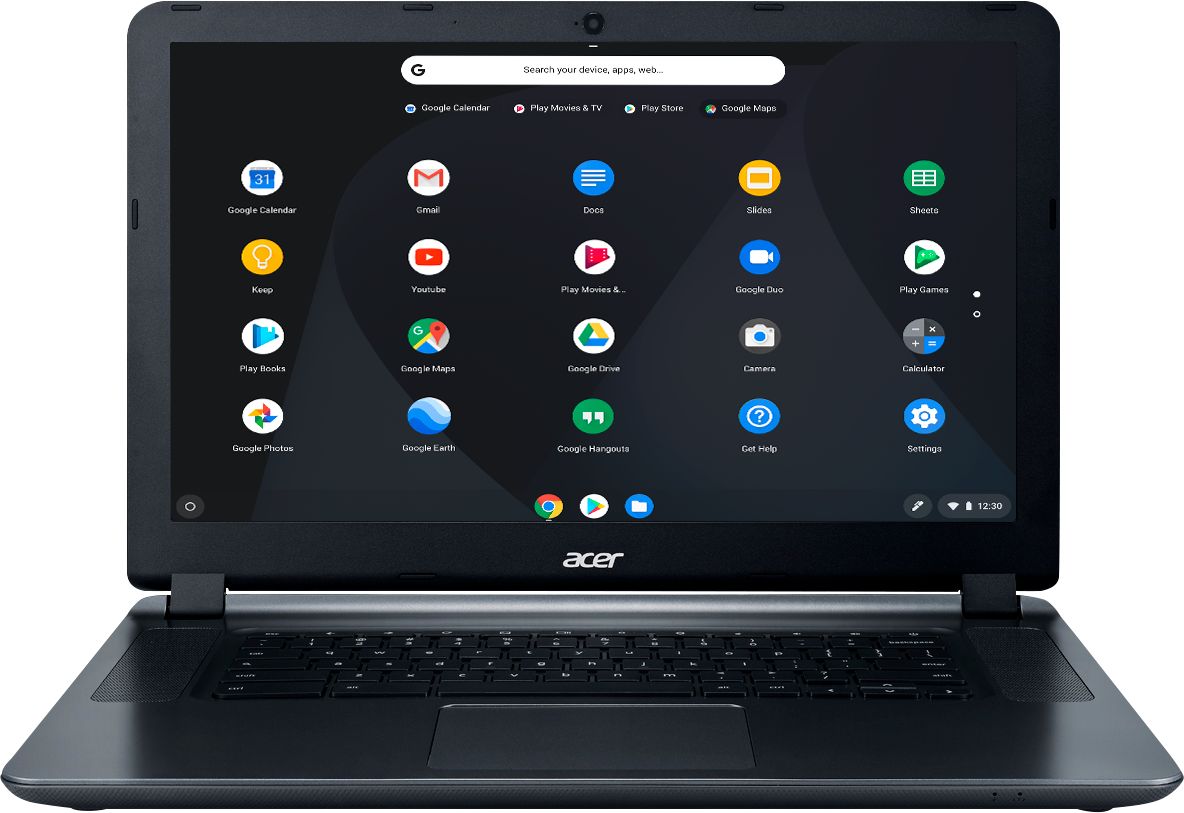
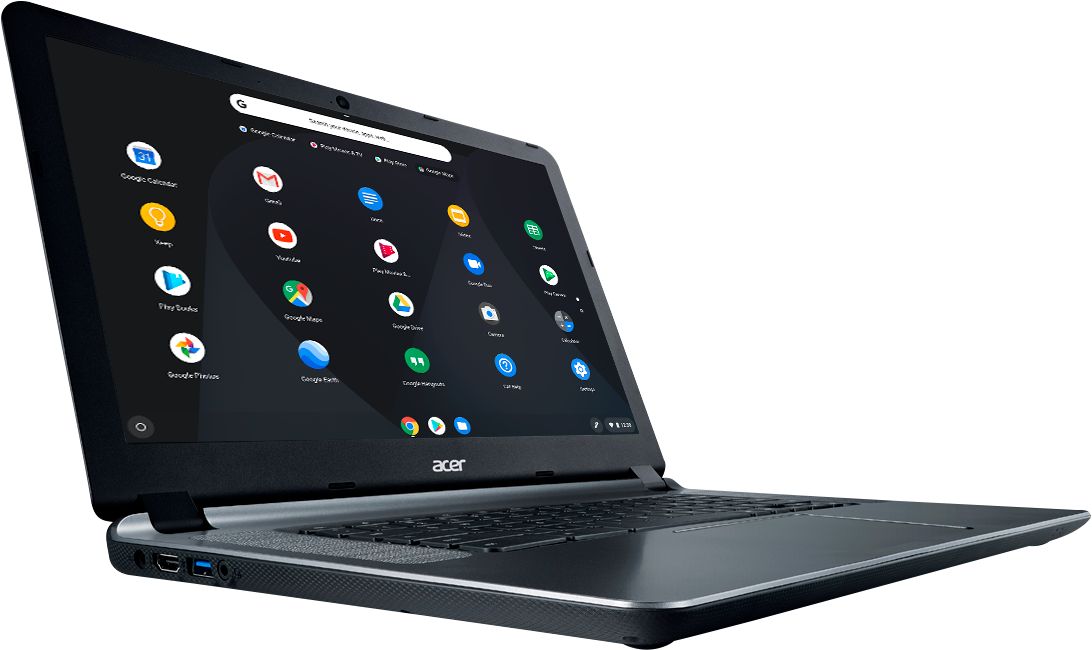
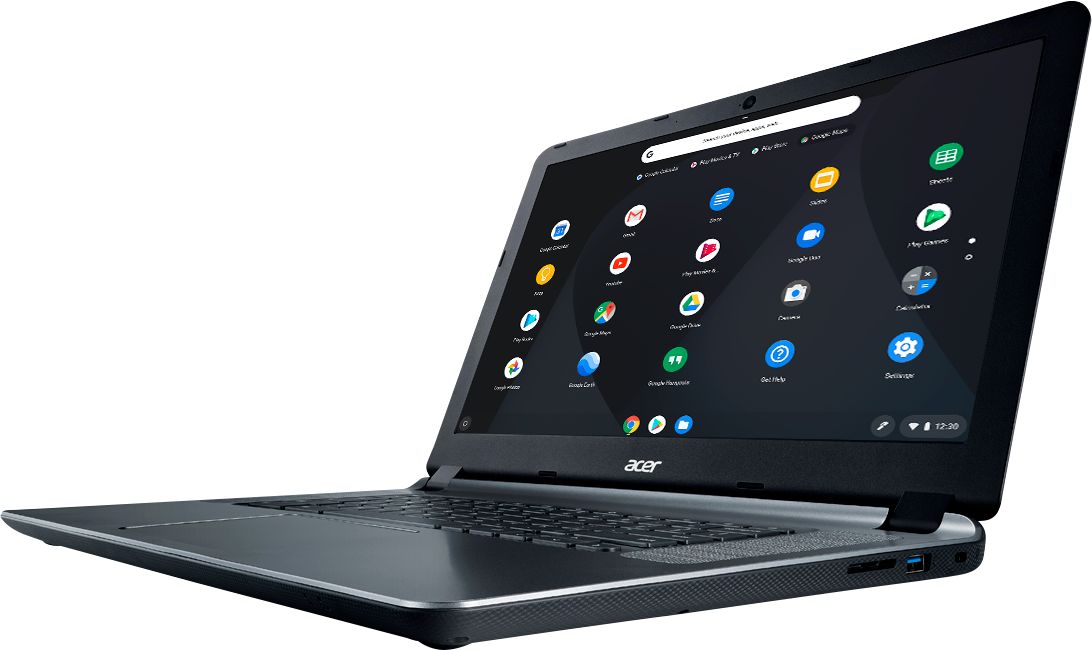
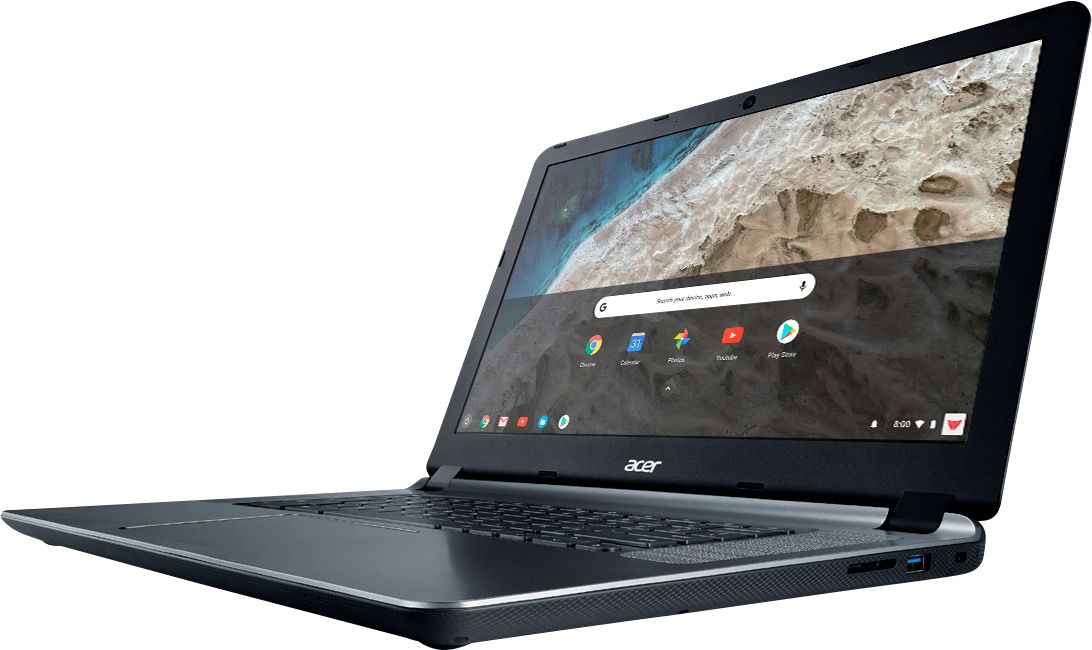
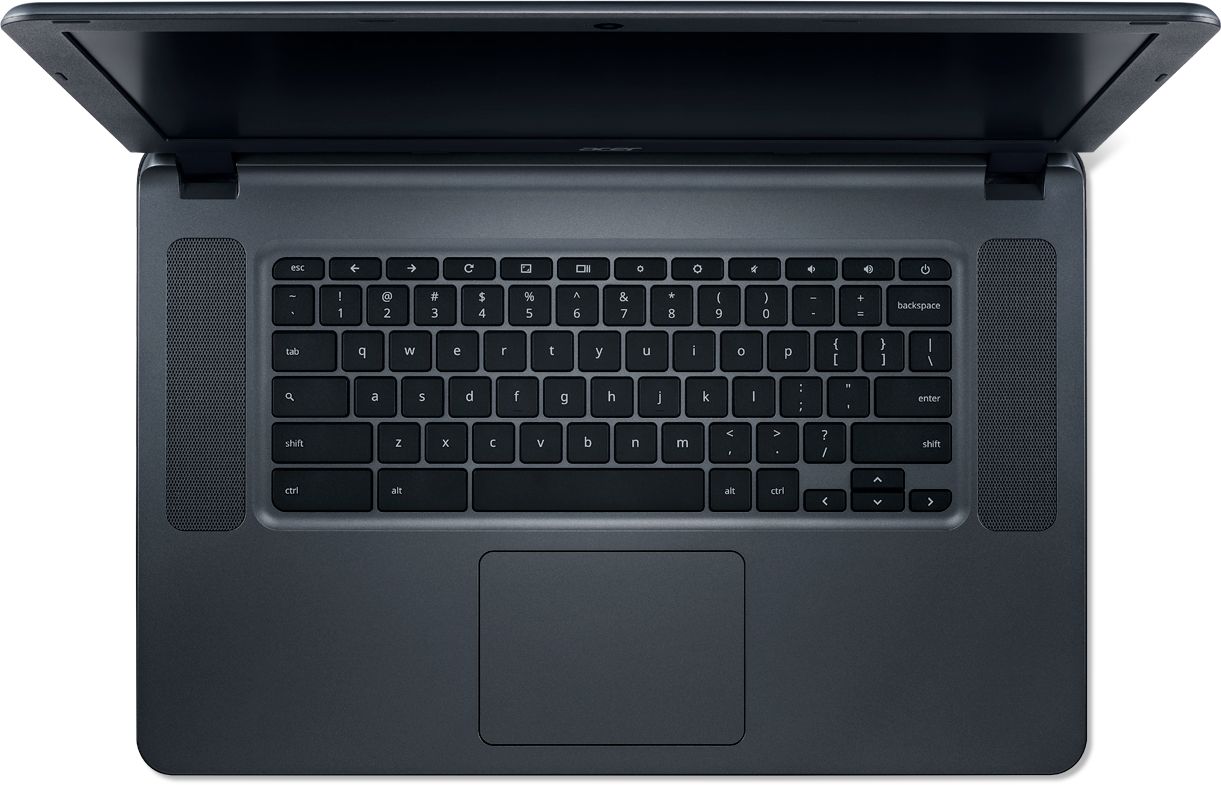
|Posted .This reviewer received promo considerations or sweepstakes entry for writing a review.Acer - 15.6" Chromebook - Intel Celeron - 4GB Ram Memory - 16GB eMMC Flash Memory Storage (CB3-532) I’m new to Chromebooks so I’m going to be cautious, separating opinions about the Acer computer from those about the Chrome computing environment. I currently operate in the world of Mac Powerbooks, so you already know I prefer uncomplicated, supportive, interconnected and fun. I don’t have legacy business applications to accommodate. This bargain laptop has me curious because it makes many of those same “simplicity” promises. SETUP: Stopwatch go! Yep, I put a stopwatch to this specimen of computing simplicity. Slipping it out of the box the Acer reveals a reasonable 4.5 lb heft and opens up to a 15.6” screen. Plugged in, it begins the setup routine. The screen is very easy to use, even if it lacks the crisp, deep color of more expensive laptops . . . . and it’s fully ready to go in UNDER 3 minutes!!! And that includes typing in my Google Account, my wireless password, taking the mini-tour. . . . and calling up Youtube to watch a music video. Yikes. Simplicity for sure. After about an hour of play, an “Update Available” message appeared. I guessed it was time for a lunch break if my typical experience with computers held true. Nope. 45 seconds. Updated. Gotta love the Chrome approach. INTEROPERABILITY: I’m not on an island, right? Exchanging data, pictures, videos, with other devices is important to me. So, I took the easy way out for this first test and sent my new Acer Chromebook a series of attachments: TEXT (RTF), WORD, EXCEL, PDF, .MP4 video, and JPG. The first one, oddly, offered to get me an application from the google store to open and edit the file. EVERY other file type was handled without pause. Yes. video of my grandson sent from my MacBook opened and played in the Chrome browser. PDFs and JPEGS opened without fuss. My Word document was opened without hiccup by a Google Doc, and my simple EXCEL file was opened by Google Sheet. Both were ready to edit.. . . on this Chromebook! This, of course, is not the suggested way to share files. You should be using Google Drive and setting up a share folder. Macs, PCs, phones can all access the shared Google Drive. I’m thinking this Chromebook stuff makes some sense. EVERYDAY USABILITY: Simple and fast is nice. Much about the Acer and the Chromebook experience is inviting. The keyboard has a solid feel, with keys and trackpad being sensitive and responsive. The speakers are face up, alongside of the keyboard, and can get loud for personal listening. That headphone port makes it easy to connect to an external (not included) system, which you’ll want to add for some better bass. The screen itself required more fussing than I’m used to show its best color and contrast. In your lap, it naturally leans back for a nice image. However, it’s a design that quickly loses its optimal readability and accuracy as you move off center. Great for working in public spaces, I suppose, ‘cause no one to your side can see what you’re doing. I don’t want to minimize the screen quality; please check it out for yourself. FEATURES: The Acer Chrome has 4Gb of memory and 16Gb of flash storage, but that ignores the Google Drive storage provided by Google. [I’m not sure how much is free.] An HDMI port is included, which I tried with a monitor I had on my desk. If my experience is an indication, you can achieve viewing perfection with an outboard monitor or TV. There are two USB 3.0 ports and a built-in media reader. With the built-in Wi-Fi, I achieved speeds of 160Mb/sec up and down on my Google Fiber connection, matching my MacBook Pro in the same location. Your speeds are determined by your Internet provider. There’s also thousands of Android Apps. SUMMARY: It’s tempting to get crazy over specifications because that’s been important with computers working with ever more complex software and larger and larger media files. The Chromebook approach, with simpler programs and almost total dependence on online storage challenges that notion. Transitioning between my newest MacBook pro with i7 and flash drive and this Acer Chromebook created no concerns. Speed is NOT an issue. In fact, those instances where I’m sitting and waiting often favored the Acer’s simpler demands. In other ways, the Acer showed its price point. If I was to look for a place for improvement, I’d spend more on a screen upgrade. Even with an improved screen, I would not suggest intensive graphics or photography work on this laptop. I liked this Acer Chromebook for its incredible value. For presentations, it’s very easy to connect to a projector or a modern TV. I can easily recommend this Acer.
I would recommend this to a friendBroke very easy
||Posted .This reviewer received promo considerations or sweepstakes entry for writing a review.It’s a good laptop but I dropped it once on a soft surface and no visual damage, but it wouldn’t charge or turn on after. I had to take back to the store and deal with geek squad for almost 2 weeks. I wouldn’t recommend
No, I would not recommend this to a friendBrand response from TeamAcer
Posted .Dear LP,
We are sorry you are unhappy with your Acer Chromebook. The manufacturer's warranty covers hardware defects. If you dropped the laptop and then it would not power on, likely the impact caused problems with the mainboard or the power connection on the mainboard. This type of damage is not covered under the warranty, but if Geek Squad is taking care of the issue, we are happy to know it is being handled. If in the future you need assistance with your Acer Chromebook, feel free to contact support from the info posted at http://www.acer.com/ac/en/US/content/service-contact
We appreciate you taking the time to write this review.
Best regards,
Acer America
- Pros mentioned:Ease of use
Laptop
||Posted .This reviewer received promo considerations or sweepstakes entry for writing a review.Acer computer good great picture , easy to use . But not very durable screen has broke already :( only had since christmas!
No, I would not recommend this to a friendBrand response from TeamAcer
Posted .Dear Tamie
We are very sorry for the inconvenience this has caused you; we can certainly understand you’re frustrated, but glass and LCD panels don't spontaneously crack. You can see examples of an internally cracked LCD here: https://us.answers.acer.com/app/answers/detail/a_id/2122
This type of damage does not occur due to age or normal usage of the device therefore this type of damage is not covered under the manufacturer’s warranty. With that said we do understand this is frustrating for you. If you encounter any issues in the future please feel free to reach out to us and we'll see if there is something we can do to help. Contact information is posted here for your convenience: https://www.acer.com/ac/en/US/content/service-contact We appreciate you taking the time to write this review. Acer America
Probably Defective
||Posted .This reviewer received promo considerations or sweepstakes entry for writing a review.Works OK most of the time but sometimes it freezes, or it spends an infinite time downloading so I have to reboot The scroll bar on the right is oversensitive and hard to use I should probably return it.
No, I would not recommend this to a friendBrand response from TeamAcer
Posted .Dear Louise,
We are sorry to hear you are unhappy with your Acer Chromebook. This is not the experience we want our customers to have and we would like to help you get this resolved. If you are located in the US or Canada please fill out this form so that we can assist you:
http://csapps.acer.com/prompt/?key=7ab2ad950c45e1ebcc6399aa2626052561145a91
We appreciate you taking the time to write this review.
Thank you
Acer America
- Pros mentioned:Battery life, Speed
Great for the light tasks
|Posted .This reviewer received promo considerations or sweepstakes entry for writing a review.This Acer Chromebook is great for everyday internet browsing, reading and general media consumption. While you won't be able to edit 4k video, you will be able to use this device for most other needs. I haven't had any issues with this chromebook. Sounds decent, lasts for a decent amount of time before recharging, and is fast enough for general use. Main downside of this computer is the screen resolution. It is tough to look at. Especially after staring at a 4k, retina or even 1080P display all day. The Acer takes some getting used to. Otherwise a great computer at this price point. I'd recommend this for a student that is part of the Google ecosystem or a kid looking to get his or her feet wet with a computer. Lets face it...Most people that buy this are going to spend most of their time watching youtube/Netflix or shopping on amazon. Thankfully, it can handle all of that.
I would recommend this to a friend Great little machine when used as it was intended
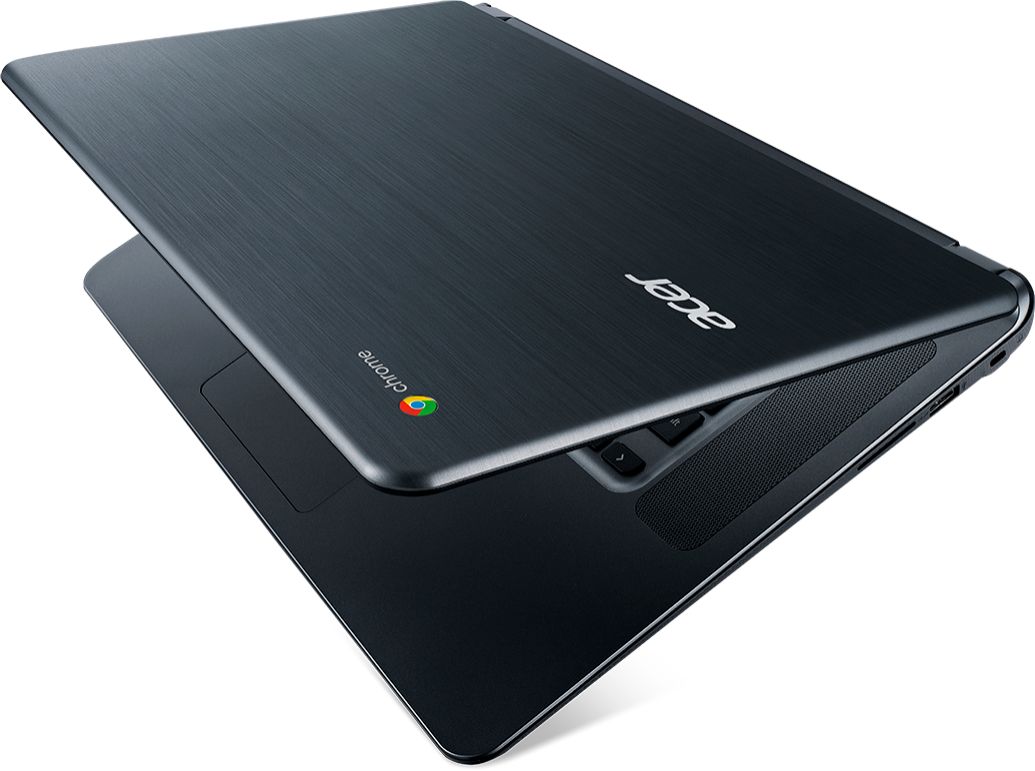
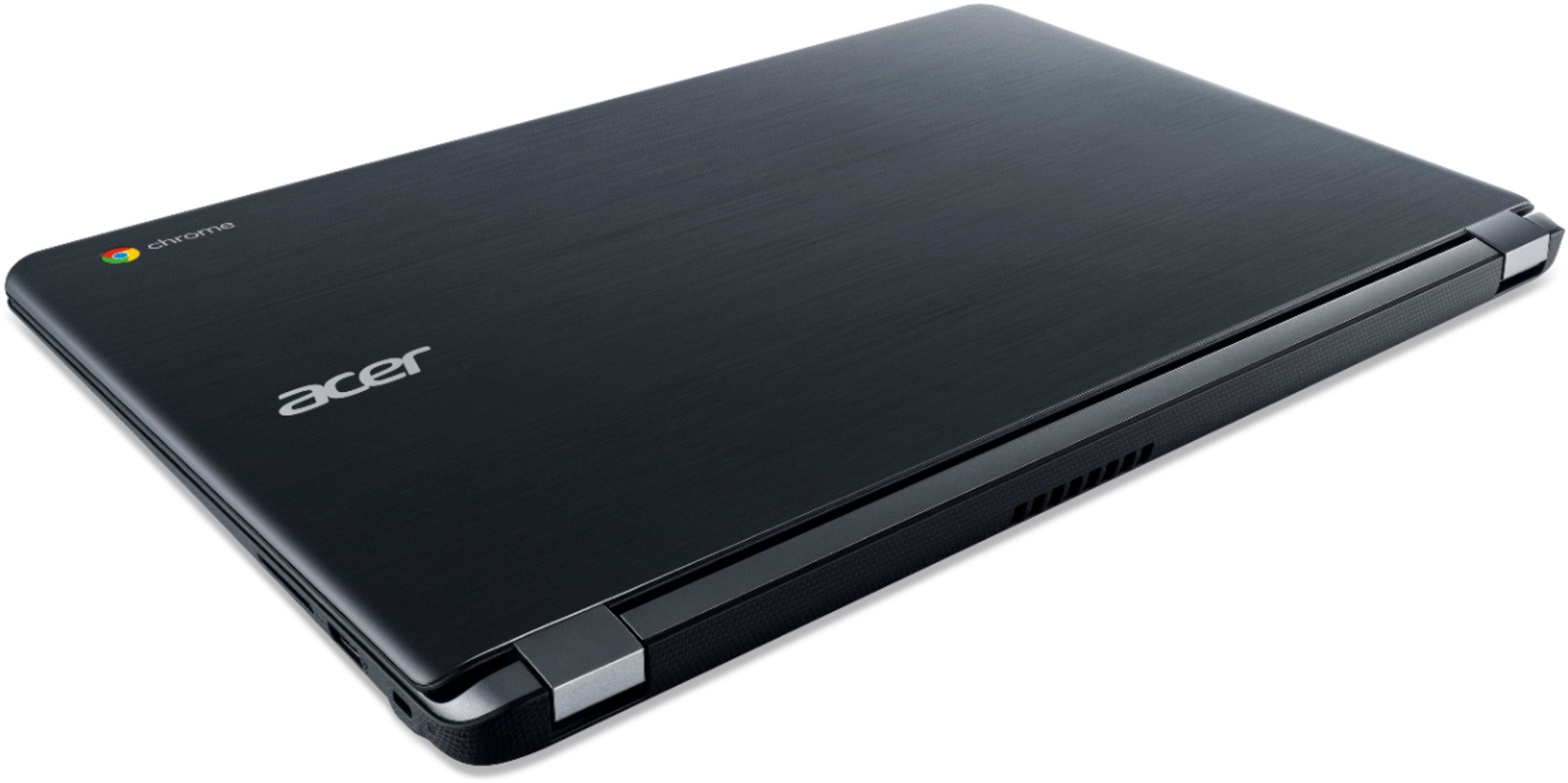
|Posted .This reviewer received promo considerations or sweepstakes entry for writing a review.I’ve worked in software development for most of my professional life. All those 30+ years were spent using computers running DOS, Windows, or a number of different flavors of Unix/Linux operating systems. This Acer Chromebook offering from Best Buy’s Tech Insider Network gave me my first opportunity to use Google’s Chrome OS, which is a Web-centric or cloud oriented operating system. Meaning its software apps and user data are normally run from and stored on web servers somewhere out there in Internetland. The first and most difficult thing I learned after a few frustrating sessions with this Chromebook is you cannot will the Chrome OS into acting like a drive-based operating system such as Windows. Once I stopped doing that I began to enjoy using it more. In fact, I actually came to like it. I guess it really doesn’t matter all that much where your apps and data live as long as they’re safe and secure. All the apps I installed and played with ran fast and none ever crashed. I haven’t done anything serious with the Chromebook yet. Mostly light duty stuff like trying different apps, Web surfing, email, streaming videos and music, word processing, and so on. Of course, that’s the very stuff Chromebooks were designed to excel at. My wife has already laid claim to this Chromebook 15 as a second device with a larger monitor to supplement her tablet when she’s doing genealogy research. My favorite use of this Chromebook 15 is reading my morning newspaper on it while all my paper newspapers pile up on a kitchen chair unopened. It’s the perfect size for that task and I only have to manipulate four arrow keys with my right hand to read it while my left hand hand runs my morning coffee cup. Now, let’s look at the Acer hardware. Overall, it looks and feels like a well-made notebook computer. The hinges are solid and will stiffly hold the monitor/lid in any position from about 5 degrees open through to its maximum of about 160 degrees open. That’s very wide by the way. The initial 802.11ac wi-fi setup and connection went flawlessly and has been fast and rock solid ever since no matter where I take the Chromebook in our 4,100 sq ft, two-floor home. Because there is no hard drive, there is no noise and no heat build-up. In an unscientific test, I ran the Chromebook for several hours sitting on a hard surface. Then I closed the Chromebook, flipped it over and began measuring its underside with a laser-style thermometer. The bottom of the Chromebook case measured about 73 degrees F everywhere except the air vents. I’m pleased to report that the case measured only 79 degrees F in and around the air vents. That’s only a 6 degree increase! Oh, and the entire underside of the case has a cross-hatch texture that helps keep the Chromebook from slipping off your lap or from your grip. Kudos to the Acer design team for that brilliant little idea. The speakers on this Acer Chromebook 15 are pretty decent to. Especially for a $199 laptop. At that low MSRP, I wasn’t expecting much in the way of sound quality, but I was pleasantly surprised. We’ve listened to a lot of streamed music through the built-in speakers and through a Bluetooth speaker and then a pair of Bluetooth headphones. All sounded good and the Bluetooth connections were solid with no Bluetooth stutter or skipping. Not much of anything to report on the negative side other than I wish it had an RJ-45 Ethernet port. But then I wish my iPad did to. Times change, I guess. Overall, I can recommend this Acer Chromebook 15 without any reservation.
I would recommend this to a friendKids
||Posted . Owned for 1 year when reviewed.This reviewer received promo considerations or sweepstakes entry for writing a review.Bought for my kids ages 9 to 12 They dont care for this computer Its not fast enough and doesnt have what they want Needless to say it sits on a shelf and they use my computer
No, I would not recommend this to a friend- Pros mentioned:Ease of useCons mentioned:Memory
Great for basic computing
|Posted .This reviewer received promo considerations or sweepstakes entry for writing a review.Did not expect a whole lot from this machine, but was very surprised! While it does have a very limited memory and hard drive it does seem to handle a limited number of programs running simultaneously. I could not get MS Office to run on it but it comes loaded with the Google programs online and includes 100 GB of online Google Drive storage for 2 years. (After 2 years it is 1.99 a month) If all you want to do is check email, play words with friends, and check Facebook this budget friendly laptop will be a great fit for you. If you are looking for something with heavy power this is not the machine for you. The sound from the speakers are surprisingly good and clear. There are 2 USB 3.0 ports and a HDMI port as well. Was very easy to get the computer set up and operate. The Google OS is very intuitive and easy to get used to.
I would recommend this to a friend - Pros mentioned:Battery life
Budget Workhorse
|Posted .This reviewer received promo considerations or sweepstakes entry for writing a review.When you get a machine at a certain price point, it's important to keep expectations in line with that price point. That being said, this is a budget Chromebook on pretty much every level. You get what you pay for. But that is not necessarily a bad thing. First, what do you get with a Chromebook in general? Frankly? The internet and all things Google. If you live in Google--Google Drive, Android, Gmail, Google Play, and Chrome... a Chromebook will do almost everything you'll need it to do, and even more functionality has been added since the last time I used one shortly after they first came out. You get automatic and almost unnoticeable updates, almost instant boots (if you ever even shut it down), and everything living in the cloud, accessible from any internet connected computer (or phone, tablet, whatever) that you ever use. What do you not get? Windows. (Or a MacOS). You don't get iTunes. You don't get Steam. And it's kind of hard to print stuff on actual paper. (There are ways... with the right printer... but honestly, it's still a hassle) With this particular Chromebook? You get the base model experience in hardware with all the cloud access of ChromeOS. You could pay a lot more for nicer hardware... but you'd still just basically be getting a nice box for Chrome to live in, so a "base model" hardware experience can really make sense here. Pros: It's fast, loads immediately, works well software-wise. I was able to log in with my google account, and it loaded up all of my preferences right away and I was off and browsing and working on a Google doc I'd started on my PC. It has TWO USB ports, which is handy if you need one for a mouse and one for a USB drive, for some extra file storage for those items which are NOT in the cloud (for instance, if you have some mp4 movies on a USB drive saved for a long airplane ride, you can actually play them from the drive). There is a full-size SD card slot and a full-size HDMI port. The keyboard is spacious and comfortable. My one gripe is the lack of a dedicated "delete" key. Other than that, the shortcuts are straightforward and all the keys are sized and spaced just as you would expect--much appreciated by this touch typist. The touchpad is also large, customize-able in the settings, and responsive. That being said, even for a 15 in. laptop, this machine is bulky. It's not especially heavy... but it's thick and if it was a PC, it's what I would almost term a "desktop replacement" size. What saves it from this designation for me is really three things: 1) It's not super heavy, even though it's big. You'll need a backpack to carry it instead of a nice svelte handbag, but it won't break your spine. 2) The battery life is PHENOMENAL. I got a good 10 hours of use and almost TWO DAYS of standby time out of it between charges. 3) It does NOT heat up on your lap. It's well ventilated, and because ChromeOS is not a power-hungry application, the bottom stays nice and cool. If you're a college student on a tight budget and need something to lug around campus all day that will last without a charge and not fry your thighs when the tiny desktops in the lecture hall won't cut it, this might work for you. Cons: The large, bulky size is a con for me. I was surprised by the bulk... given how light it is, I imagine it could have been made more compact. But again... budget machine must come with certain expectations. Also, the SD card slot will only be used when the computer is on a table. Unfortunately, this is not the kind of slot that allows you to put the card all the way in with a spring... the card only goes in halfway, so it isn't likely you'll be keeping the SD card in permanently as extra music or video storage. Finally... the screen is just awful. If you're expecting to be enjoying HD video, lower your expectations. There is a lot of screen real-estate and it is just fine for regular web-browsing and text consumption, but video is muddied and dark. Asus saved some coin on production, here. If a sharp, glossy, high-def screen is a priority for you, please pass this one up. Or plan on using an HDMI cable to connect it to a better screen...
I would recommend this to a friend