Customer Ratings & Reviews
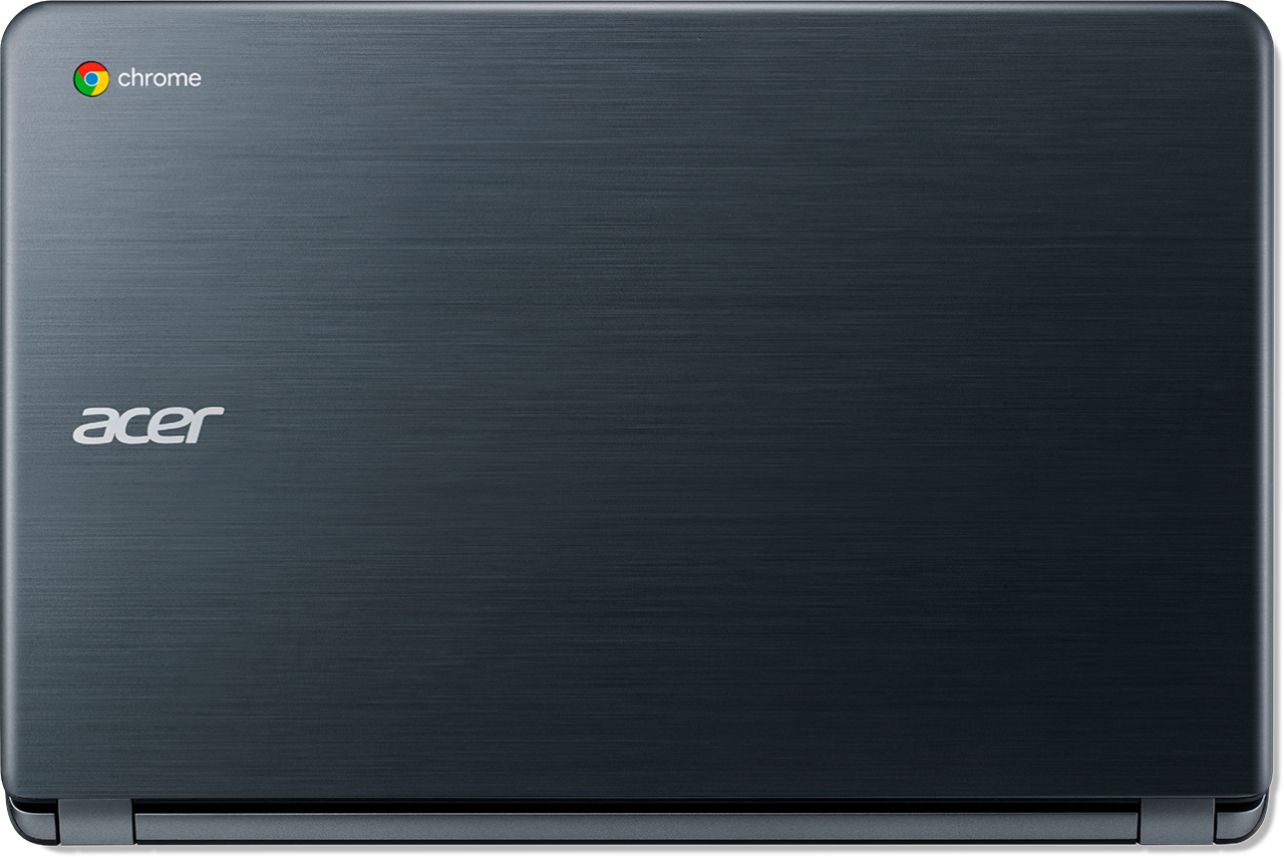




- Model:
- CB3-532-C8DF
- SKU:
- 6170703
Rating by feature
- Value
Rating 4.6 out of 5 stars
- Quality
Rating 4.4 out of 5 stars
- Ease of Use
Rating 4.5 out of 5 stars
Customers are saying
Customers recognize the 15.6" Chromebook as easy to use and having a desirable screen size. Positive feedback also highlights its affordability and acceptable battery life, while some users note limitations in storage capacity. A few customers mention compatibility issues with certain software and the operating system's limitations.
This summary was generated by AI based on customer reviews.
- Pros mentioned:Battery life, Speed

A nice alternative
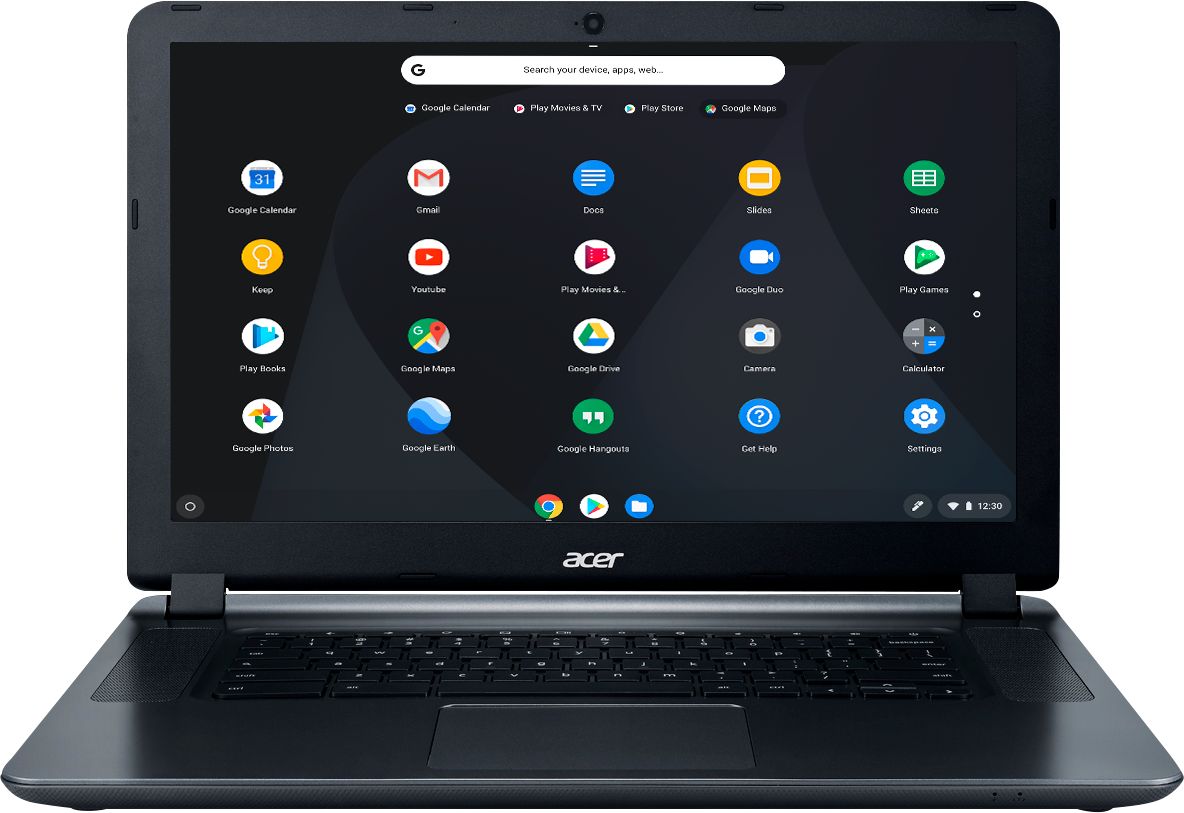
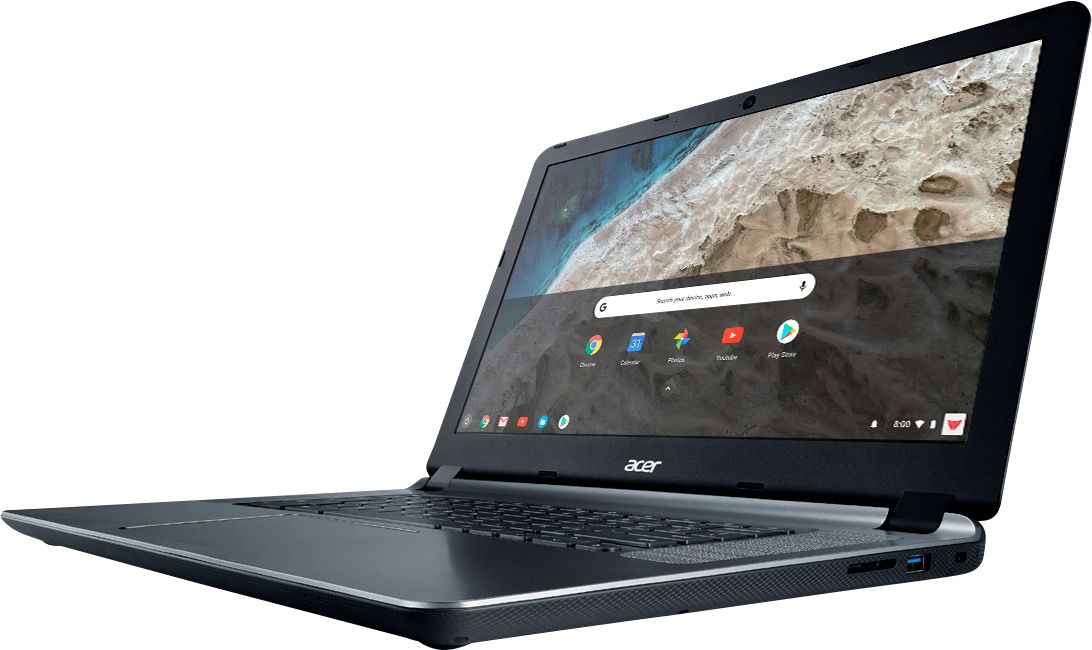
|Posted .This reviewer received promo considerations or sweepstakes entry for writing a review.While you're not going to be able to do any hardcore gaming on this machine, it offers great features, though some things could still use refinement. If you're unfamiliar, the Chromebook runs Google's Chrome OS. While it's very lightweight, and performs very well, you may find yourself lacking a few things. Though, many of the productivity software you use can be used through the web, including Microsoft Office (provided you have a subscription). Battery life and speed are both pretty great. The hardware itself looks nice as well. The biggest con is the screen. It can be tough to find the right angle, and it isn't the highest resolution either. I wouldn't expect a top-of-the-line display for a laptop this, but the one it does have is fairly low quality. Pros: speed, build quality, decent speakers, battery life Cons: the screen viewing angle/resolution, no backlit keys
I would recommend this to a friend - Cons mentioned:Compatibility
Review of Chromebook
||Posted . Owned for more than 2 years when reviewed.This reviewer received promo considerations or sweepstakes entry for writing a review.I was NOT happy with the Chromebook. It was not compatible with my software.
No, I would not recommend this to a friend does perform the way I need it to
||Posted . Owned for 3 weeks when reviewed.This reviewer received promo considerations or sweepstakes entry for writing a review.I wish I had brought a more stronger, computer for my line of work. It is good for a student to start in the computer world.
No, I would not recommend this to a friendBrand response from TeamAcer
Posted .We are sorry to hear you are unhappy with your Acer Chromebook. This is not the experience we want our customers to have and we want to work with you to see how we can help
improve this experience. If you are located in the US or Canada please fill out this form so that we can assist you:
http://csapps.acer.com/prompt/?key=ae374b26997e402a766d1c80314474d8f86dafcc
We appreciate you taking the time to write this review.
Thank you
Acer America
Good Value for the Price
|Posted .This reviewer received promo considerations or sweepstakes entry for writing a review.After a week with this new Chromebook, I have been impressed with the value. In all ways it looks the same as a laptop with the difference being that it runs on the Google / Android operating system instead of Windows or Mac. If you are already familiar with Chromebooks then you already know this, but if you are new and looking to buy then you should know that the only software you can install on a Chromebook are the apps from the Google Play store. As far as performance goes, the Chromebook is fast, easy to control, and can handle videos very easily. The display is bright and the quality of the book feels sturdy. The fact that it has a built in webcam and Bluetooth is also a nice addition. There is plenty of memory for everyday use. For our family, this was a great fit for my son, who already uses a Chromebook at school and can easily sync this device to his school device to work on homework and other projects. On the negative side, the only thing I have is that it is sometimes annoying when you want to do something simple but you can't find an app to do what you want. Also, some of the apps that we have installed on other Android devices had trouble installing onto this device (until we created a new account). I'm talking mostly about the Roblox app. We spent 2 hours trying to get it to work and when we finally did we realized that it is the toned down app that is used on tablets or phones instead of the app that is used on computers. The other downside to consider is that this isn't a touch screen, so that when you download apps that are meant for touchscreen you will be at a disadvantage with this machine. Overall, I think the book is a good value for the price and would recommend to those looking for a toned down laptop at a good price.
I would recommend this to a friendIs what it is.
||Posted . Owned for 1.5 years when reviewed.This reviewer received promo considerations or sweepstakes entry for writing a review.This is a computer for someone with out a lot of needs. Good for browsing the wed. That’s it.
No, I would not recommend this to a friendWouldn't waste my time
||Posted . Owned for 1.5 years when reviewed.This reviewer received promo considerations or sweepstakes entry for writing a review.Broke in 3 months having it. Tried contacting geek squad no one available to come out. Never called back forgot all about it in closet until today when we were moving. For the price I could of got a real computer at walmart. Keyboard more spaced out then normal laptop so if ure not use to it. Takes some time.
No, I would not recommend this to a friend- Pros mentioned:Ease of use, Speed
Not bad for a Chromebook
|Posted .This reviewer received promo considerations or sweepstakes entry for writing a review.I am very suprised at how well this chromebook performs. It is very simple to uase and has lots of speed. Definitely a great laptop to have. I will be replacing an older laptop I had. Good job Acer.
I would recommend this to a friend Worked for a while and then crashed.
||Posted . Owned for 1 year when reviewed.This reviewer received promo considerations or sweepstakes entry for writing a review.Crashed after my son downloaded a few games. I’m really disappointed in this product.
No, I would not recommend this to a friendFor many or even most, this is all you need!
|Posted .This reviewer received promo considerations or sweepstakes entry for writing a review.When I opened up the box, I was immediately impressed with the look of this Chromebook. I've had a couple of Chromebooks in the past, but they just were not quite what I needed. The touchpad might have been a bit of a disappointment, or maybe it was too small of a screen. The battery might have been too small to be useful, or even that it felt cheap. All of these things have been solved on this generation of Chromebook. This thing feels solid, it has a trackpad that seems too good to be true, it has enough RAM to run pages well, and the 15" screen is a great improvement from other versions. The machine boots really fast, and gets you online quickly. Sometimes the WIFi will pause, then connect a bit later than expected, but still not too long. Once on, pages load fast, and the system can handle multiple tabs/tasks at the same time with ease. If I had any criticism, it would be that the screen looks slightly washed out, and isn't as sharp as i would like. But for the price point, can I really expect it to compete with a high end Mac or Windows computer? No, that would not be fair. It does however, get the job done well. The settings allow you to reprogram certian buttons, like that search button where the caps lock should be, you can reprogram that to make it a caps lock or other things; thank you! And thanks for listening because I'm not alone in my desire to have a larger screen machine that is at an affordable price point. Most of us think we need more of a computer than a well priced Chromebook, but I'm seeing every day how it is more and more not the case. Many people simply browse the web, check mail, and even use some basic applications, all of which this Chromebook can do, and can do well. Why spend hundreds more and end up with a computer that is slow and frustrating, when you can use this instead. Internet pages load faster on this than on my Macbook Pro.....and I'm serious about that. Good job Acer! This is a home run and the only option I wish it had was a cellular radio so it could connect via a mobile plan. I could use the hotpot on my phone, but it is easier when it is built into the computer. Just a recommendation, and nothing on this computer would make me think I needed to keep looking for something affordable.
I would recommend this to a friendVery slow
||Posted . Owned for 3 weeks when reviewed.This reviewer received promo considerations or sweepstakes entry for writing a review.Ram is good but very very slow when opening new tab
No, I would not recommend this to a friendBrand response from TeamAcer
Posted .Dear Chrome,
Sorry to hear you are unhappy with the performance of your Acer Chromebook. This is not the experience we want our customers to have and we would like to help you get this resolved. If you are located in the US or Canada, please fill out this form so that we can assist you:
http://csapps.acer.com/prompt/?key=37cad8f7ad122cfd1c99c093925221017d67d5bd
We appreciate you taking the time to write this review.
Regards,
Acer America
Too fragile
||Posted .This reviewer received promo considerations or sweepstakes entry for writing a review.This was a Christmas gift. A wire from an earbud was accidentally left in when the screen was closed. That tiny wire broke the screen in the entire lower right hand corner. The computer had not been dropped and had only been used about 20 hours at the time. Far too fragile! I have a very disappointed young man on my hands.
No, I would not recommend this to a friendBrand response from TeamAcer
Posted .Dear Justme,
We are sorry to hear you are unhappy with your Chromebook. While the LCD will withstand some pressure, if something is left on the keyboard area and you close the Chromebook, it can and will cause damage due to the impact. With that said we would like to see if we can assist in getting this repaired. If you are located in the US or Canada please fill out this form so that we can assist you:
http://csapps.acer.com/prompt/?key=d2599af20fc655ab967ad6a5699b2d17aa504349
We appreciate you taking the time to write this review.
Thank you
Acer America
Awful
||Posted . Owned for more than 2 years when reviewed.This reviewer received promo considerations or sweepstakes entry for writing a review.This labtop wasn’t the best. Hard to restart and not as friendly
No, I would not recommend this to a friendLaptop worked one day
||Posted .This reviewer received promo considerations or sweepstakes entry for writing a review.Bought this for our grandson for Christmas it worked for a few hours. Took it back to Best Buy geek squad and they said need to replace mother board. Still don’t have it back. Total waste of time and money and not to say our grandsons disappointed
No, I would not recommend this to a friendBrand response from TeamAcer
Posted .Dear GDunn,
We are sorry to hear you are having problems with your Acer Chromebook and we understand how disappointing this is for you and your grandsons. This is not the experience we want our customers to have and we would like to help you get this resolved. If you are located in the US or Canada please fill out this form so that we can assist you:
http://csapps.acer.com/prompt/?key=1cd10a0edc9a499b2c0e960b4f98ac0c0c44379e
We appreciate you taking the time to write this review.
Thank you
Acer America
Just okay.
||Posted .This reviewer received promo considerations or sweepstakes entry for writing a review.Had it less than a year and have already purchased a new laptop. Not impressed.
No, I would not recommend this to a friendBrand response from TeamAcer
Posted .Dear Erica,
We are sorry to hear this you are unhappy with your Acer Chromebook. You don't mention what problem you are having with your Chromebook, but we would like to work with you to see how we can help improve this experience. If you are located in the US or Canada please fill out this form so that we can assist you:
http://csapps.acer.com/prompt/?key=a7126f52a85a7e29e393c6767e2d1bc04bcbd888
We appreciate you taking the time to write this review.
Thank you
Acer America
Difficult to use
||Posted .This reviewer received promo considerations or sweepstakes entry for writing a review.Hard to get around. Zoom seemed uncontrollable. Went back to a Windows based laptop
No, I would not recommend this to a friendBrand response from TeamAcer
Posted .Dear Dmseml,
We are sorry to hear this; we understand you returned the Acer Chromebook but we would have been happy to provide support for you. Chromebooks are different from standard laptop products in that they are designed to be used primarily while connected to the Internet, with most applications and documents living in the cloud. Because of this they don’t have much for on board storage but they also are not expensive either. If you need to use third party software applications that must be installed on the computer, a Chromebook is likely not for you, where a Windows laptop would suit you better.
We appreciate you taking the time to write this review.
Regards,
Acer America
Not as easy as it looks
||Posted .This reviewer received promo considerations or sweepstakes entry for writing a review.Slow software made hard to do simple tasks, maybe one with better settings...
No, I would not recommend this to a friendBrand response from TeamAcer
Posted .Dear Hoffa1989,
We are sorry to hear you are having problems using your Acer Chromebook. This is not the experience we want our customers to have and we would like to help you get this resolved. If you are located in the US or Canada please fill out this form so that we can assist you:
http://csapps.acer.com/prompt/?key=747d82d44520030bc0828c5af6dbb8780f80c96b
We appreciate you taking the time to write this review.
Thank you
Acer America
Nice for the price
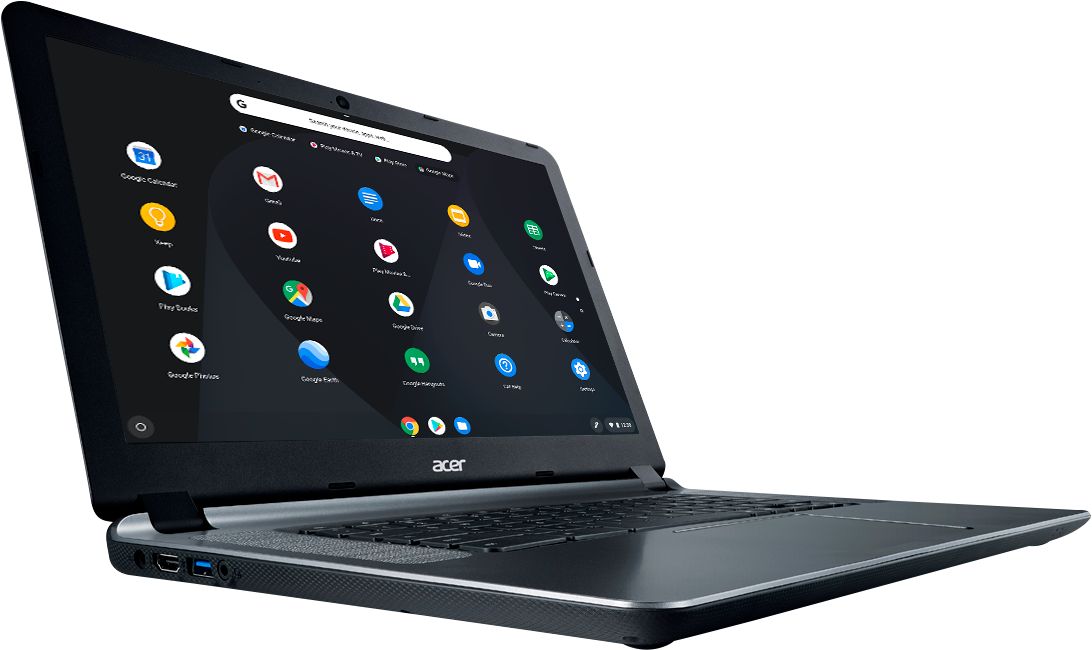
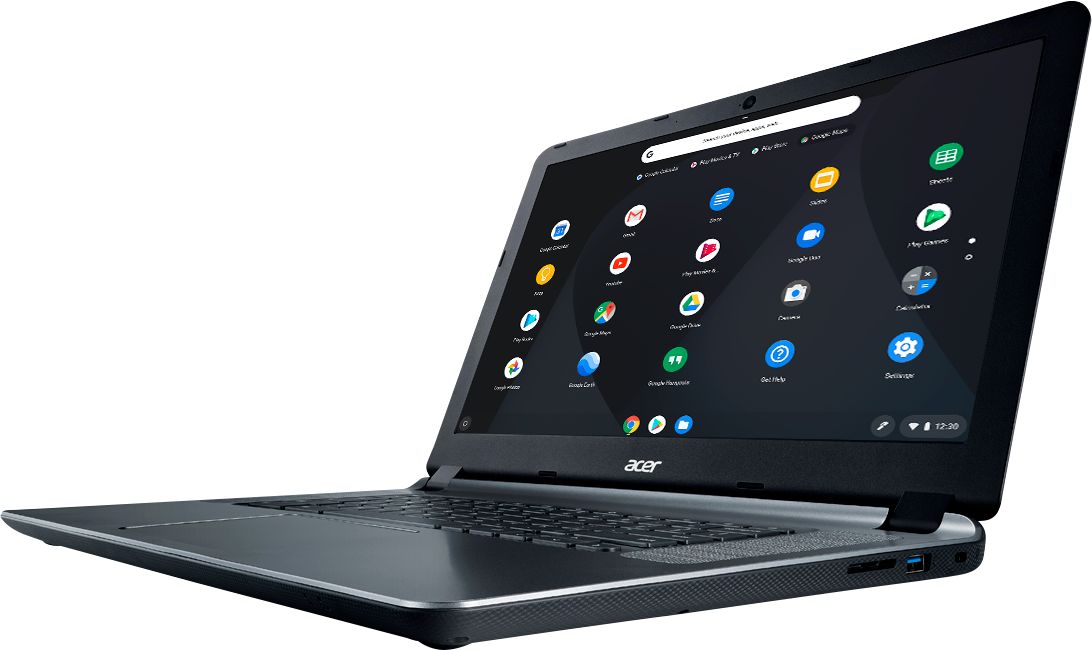
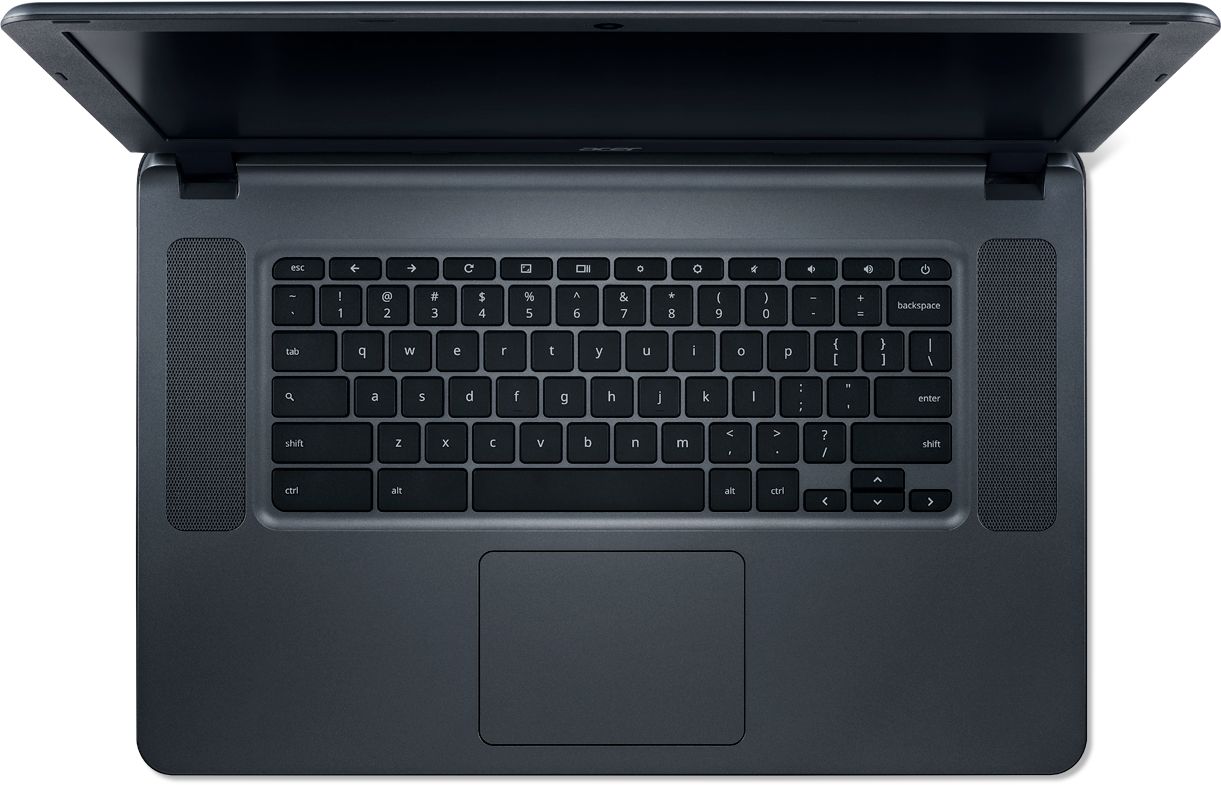
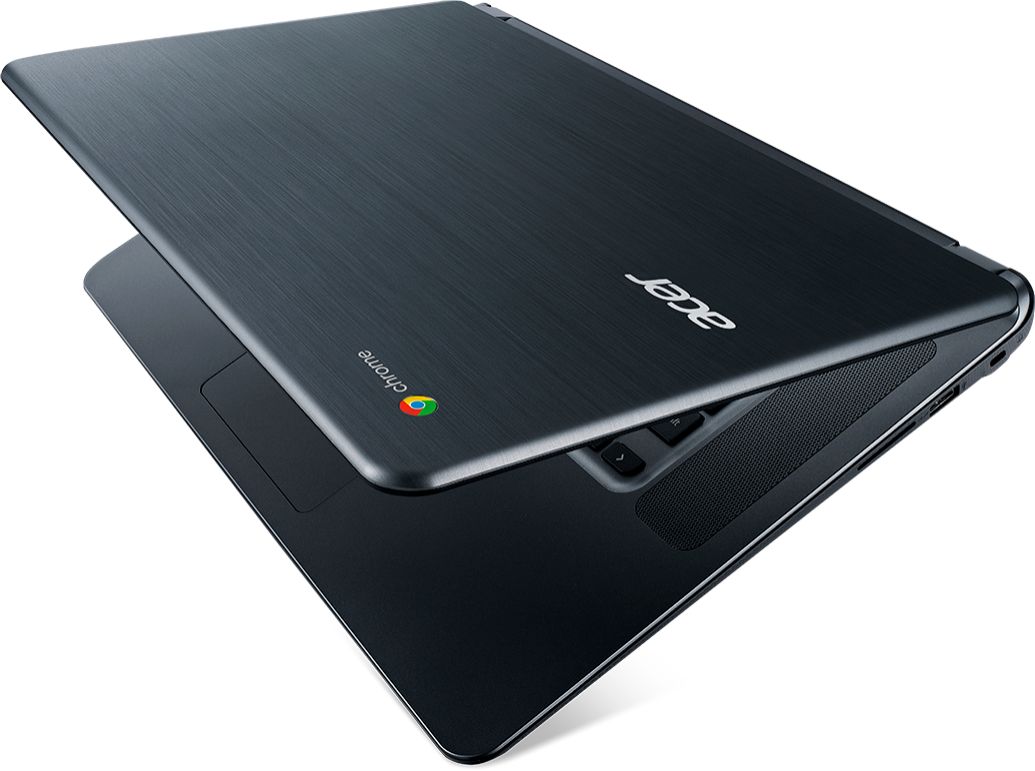
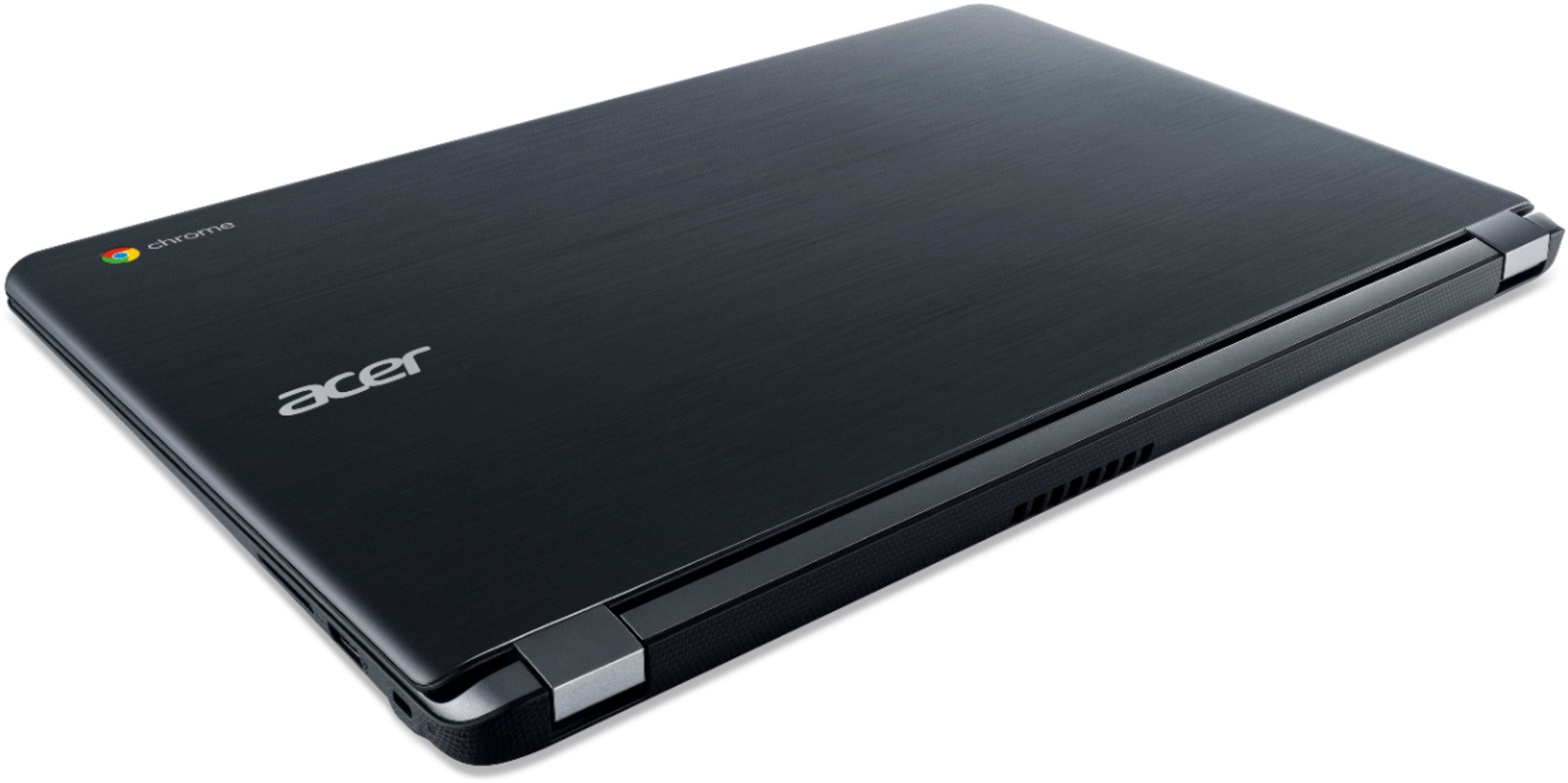
|Posted .This reviewer received promo considerations or sweepstakes entry for writing a review.Pros: - Good construction - Comfortable keyboard, good for typing - Speakers are clear at volume - Big screen - Shortcut keys at top of the keyboard - Minimal pre-installed software - Long battery life Cons: - No backlit keyboard - No touchscreen - Google Docs unresponsive sometimes - LCD poor viewing angles - No Caps lock or Delete key I purchased this laptop for the student in my family. Her school is standardized on Chromebook and the Google application ecosystem. Currently, she uses a seven-year old Asus laptop that I upgraded with an SSD and Windows 10 late in 2016. The computer still performs well but lacks a lot of the modern technology that this Chromebook does support. For instance, the Chromebook has an integrated HD camera for video conferencing or making recordings. The AC class wireless is much faster than her older laptops wireless G connection. The battery is newer and does last all day. It has an HDMI output, two USB 3 ports, sports a stereo jack for headphones, and it is super easy to get started with all Google apps. Unlike Windows, setup takes about 5 minutes. This makes sense since you are almost exclusively plugging into Google’s online services. There is nothing special about the physical characteristics of this Chromebook. You get a basic laptop at this price point. The unit feels well-built and doesn’t have that cheap look or feel to it. The top cover is attractive with the brushed aluminum look and Acer’s and Chrome’s logos. The keyboard keys have a textured surface, the keys have good travel when depressed, the spacing is good for someone who touch types, and the keyboard is also quiet to type on. I could comfortably type a paper in a public library without worry of disturbing anyone around me. The LCD screen is good. It will be easy to share documents and black and white content between multiple viewers through multiple angles. However, images and video are a different matter. The best angle for this content is straight on. The colors and images do not survive well at any other angle than straight at the screen. I discovered this with images, video, and while I was working with my daughter on a paper in Google Docs. The issue with Google Docs presented itself when we tried to highlight text in her document. She could see the highlight around her text. I, a few degrees off center, could not see the highlight. There is no backlighting for the keyboard. If you are using the laptop in a well-lit environment, then backlit keys are not an issue. The keyboard is different from your standard Windows keyboard layout. The traditional F-function keys at the top of the keyboard are replaced with specific Chromebook keys. They keys are: forward, back, reload, full screen toggle, open app toggle, screen darker, screen brighter, mute, volume controls, and a soft power off button. There are also a few other differences from a standard keyboard. The caps lock key does not exist. In its place is a google search button. There is also no delete key. I do find this annoying because I do use both keys regularly as I work on my documents. Probably the most defining feature of this laptop are the overly large speaker grills to either side of the keyboard. I did play a few YouTube videos and music from Spotify as a test. The speakers were able to maintain a clear sound at all volume levels. However, there was very little base. I did not find anything on this system that gave me access to equalize the sound for my source material. However, connecting an external speaker system or high-quality headphones will most likely solve any issues you have with frequency range. Next, the software experience. As I mentioned earlier, Chrome is a lightweight interface that relies heavily on its own cloud infrastructure to supply the computing muscle. I decided to use Google Docs to write this review as my first official foray into Google’s world. My first impression is that Google Docs is good as a free platform, but Office 365 has nothing to worry about in terms of functionality and ease of use. During the writing of this review, the web page hosting my document froze, then crashed, and forced me to restart my browser and re-enter Google Docs. The good news is that Google Docs does commit the document to memory as I type. The downside is that I had to wait five minutes after reloading the document before the page would register any of my keystrokes. Second, highlighting content using the touch pad was challenging. My intent was to move a sentence from one location to another in my document. What I got was five failed attempts that included highlighting the wrong text and moving it, moving partial text, move a whole paragraph other than my chosen text, and so on and so forth. Free is good but I’ll pay for Office 365 any day of the week! And to drive the point home further, I got so frustrated with Google Docs, that I copied the whole document into MS Word to finish and edit this review. For the most part, I will not be ditching my Windows 10 laptop for this Chromebook. The Chromebook is a nice device to have if you basic needs are education and you are on a tight budget. From that perspective, I think the features, the build quality, and how my daughter will interact with her school’s educational infrastructure is well worth the cost of this entry level laptop. I would hand this system off to a high school or college student. I would not recommend this system for business or for an enterprise environment. It is a nice system, but not a daily workhorse that requires integration into a business network. Also, I found the shortcomings of leveraging web-based office applications, such as Google Docs, disruptive. This may be ok for a use case such as education on a slim budget. But Google has some work ahead of them if they want this type of ecosystem to integrate with an enterprise environment. At this time I can only recommend this budget device as an educational tool.
I would recommend this to a friendBasic Laptop, incredibly slow
||Posted . Owned for 3 weeks when reviewed.This reviewer received promo considerations or sweepstakes entry for writing a review.This is ridiculously slow and I don't recommend this to anyone
No, I would not recommend this to a friendBrand response from TeamAcer
Posted .We are sorry to hear you are unhappy with the performance of your Acer Chromebook. This is not the experience we want our customers to have and we want to work with you to see how we can help improve this experience. If you are located in the US or Canada, please fill out this form so that we can assist you:
http://csapps.acer.com/prompt/?key=e8cd18f48d035f2fbdd90988e2ccf5d988e2c43e
We appreciate you taking the time to write this review.
Regards,
Acer America
Not enough Windows apps
||Posted .This reviewer received promo considerations or sweepstakes entry for writing a review.Returned it because several of my Windows apps wouldn't run on Chrome.
No, I would not recommend this to a friendBrand response from TeamAcer
Posted .Dear BobN,
We are sorry to hear this; we understand you returned the Acer Chromebook but we would have been happy to provide support for you. If in the future you need assistance with an Acer product, feel free to contact support from the info posted at http://www.acer.com/ac/en/US/content/service-contact
Best regards,
Acer America
meh
||Posted .This reviewer received promo considerations or sweepstakes entry for writing a review.not a very good chromebook mouse pad is real buggy and doesn't scroll
No, I would not recommend this to a friendBrand response from TeamAcer
Posted .Thank you for taking the time to write this review. We’re sorry that you are unhappy with your
Acer laptop. This is not the experience we want our customers to have with our products.
Please visit this personalized URL and fill out the form so we can look into this issue and assist you:
http://csapps.acer.com/prompt/?key=ff0888265e2a8919b78ce7c54f24bb5522164888
Thank you,
Acer America