Customer Ratings & Reviews





- Model:
- CB515-1HT-P39B
- SKU:
- 6103300
Rating by feature
- Value
Rating 4.5 out of 5 stars
- Quality
Rating 4.4 out of 5 stars
- Ease of Use
Rating 4.6 out of 5 stars
Customers are saying
Customers appreciate the large screen size and responsive touchscreen of this 15.6" Chromebook. Positive feedback also highlights its long battery life, ease of use, and lightweight design. Many users find the speakers to be surprisingly good. A common concern, however, is the limited internal storage.
This summary was generated by AI based on customer reviews.
- Pros mentioned:Screen size, Touchscreen

great laptop
|Posted .This reviewer received promo considerations or sweepstakes entry for writing a review.if you are a google products lover you will definitely love this Chromebook. I just started it up, typed in my google user name and password and everything that is associated with my google acct was at my fingertips. my contacts,my favorites, and all saved passwords and usernames were right there. I have a google phone too so I love that every google device you have are all linked up to your google account. As far as a laptop it does everything that a windows or IOS laptop does. surf the web, email, play games all at the touch of your fingers. It also has a touchscreen so you can scroll and click on links right on the good sized screen. this Chromebook is awesome
I would recommend this to a friend Not what I was expecting
||Posted .This reviewer received promo considerations or sweepstakes entry for writing a review.This buy was my first Chromebook so I was already not used to the organization of the home screen or anything. It was slow to start up but I was excited to try out the touch screen. But nothing worked. I tapped on the screen trying out apps with no response. Needless to say I took it back to the store.
No, I would not recommend this to a friendBrand response from TeamAcer
Posted .Dear Dani,
We are sorry to hear this; we understand you returned the Acer Chromebook but we would have been happy to provide support for you for the touch feature. If in the future you need assistance with an Acer product, feel free to contact support from the info posted at http://www.acer.com/ac/en/US/content/service-contact
We appreciate you taking the time to write this review.
Best regards,
Acer America
Beautiful, Fast, Slim, Great Battery-Just Amazing!
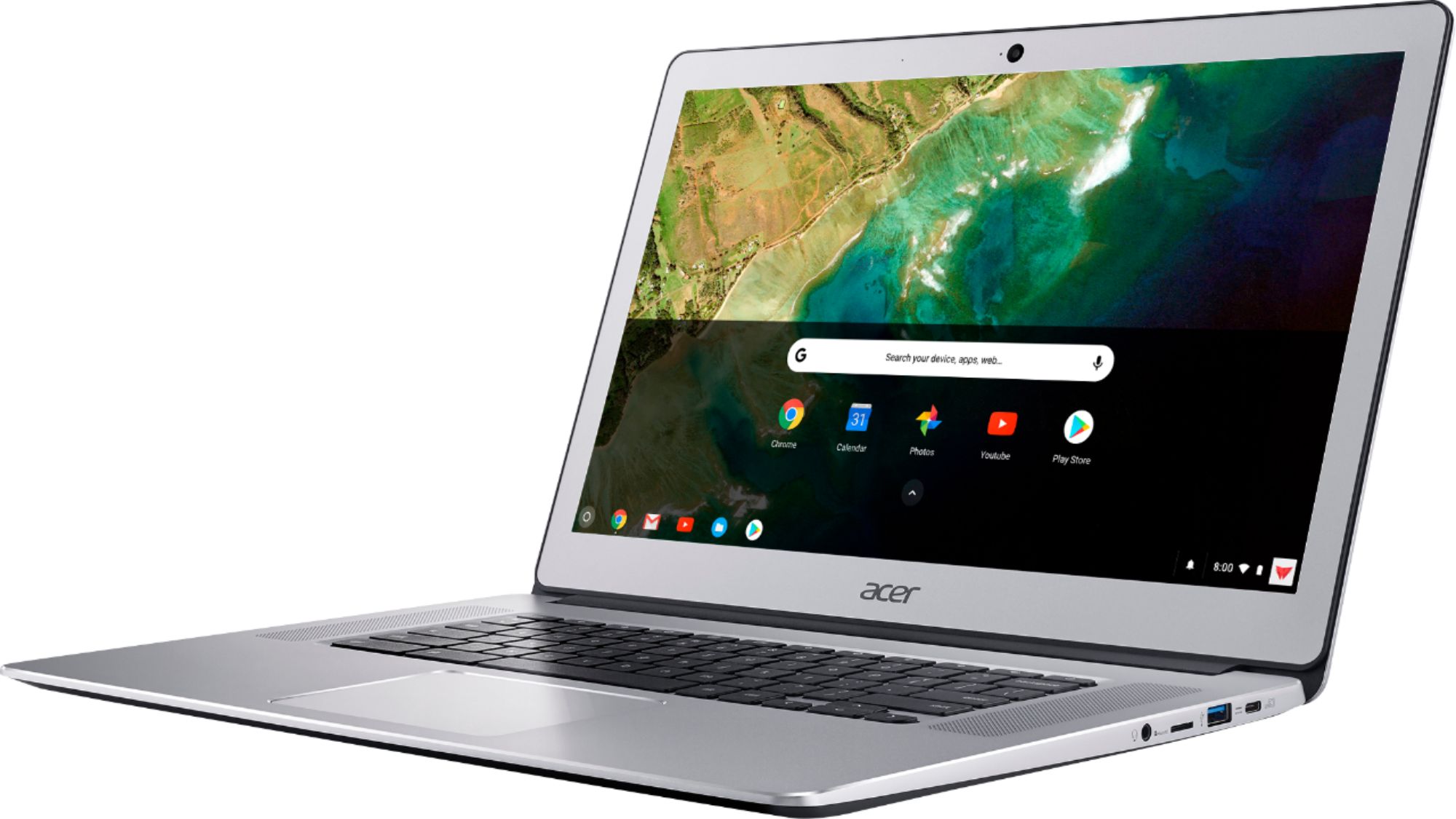
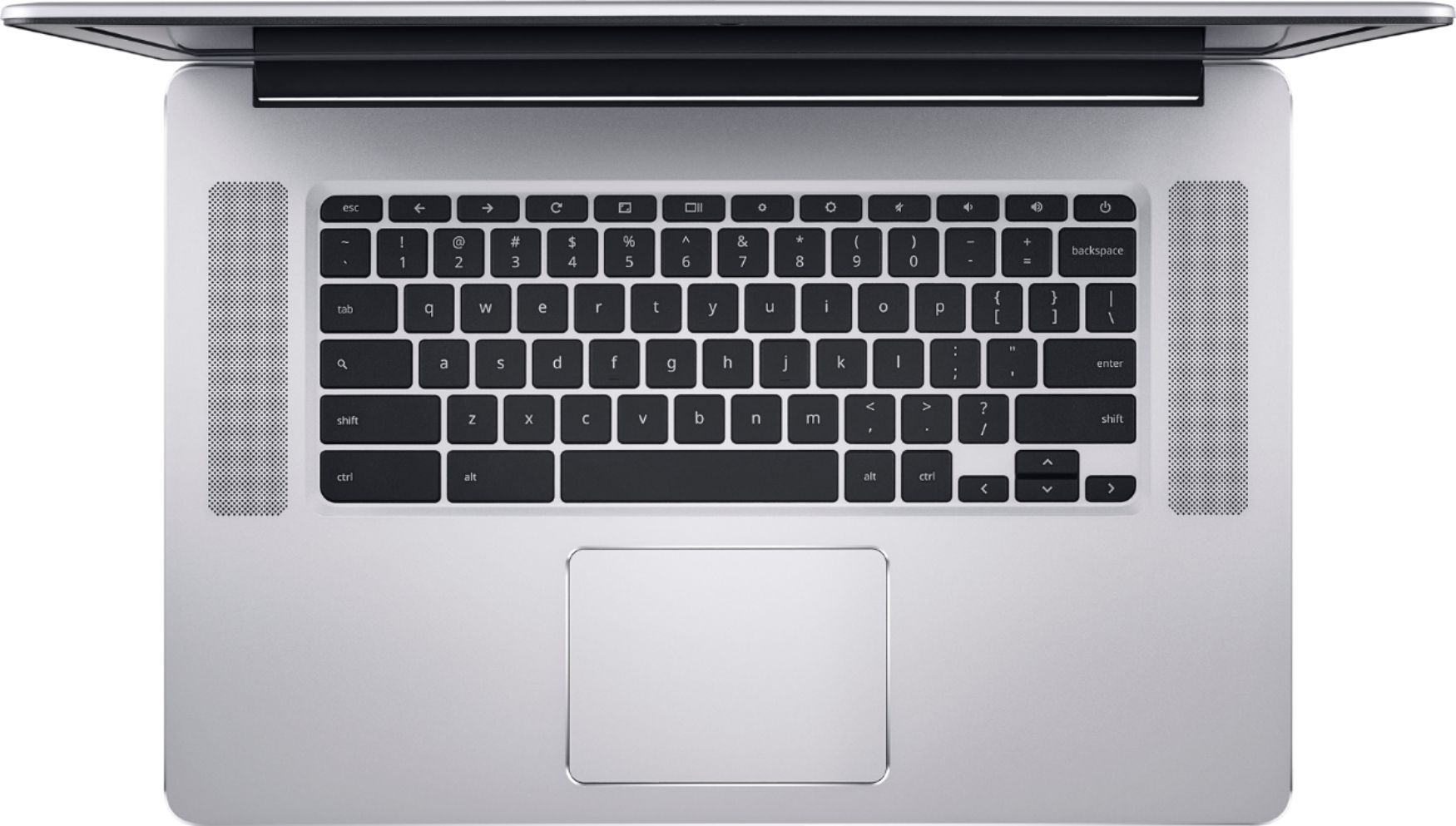
|Posted .This reviewer received promo considerations or sweepstakes entry for writing a review.This Acer Chromebook may have the same effect upon you that it did for me. It is simply, an awesome package of technology and functionality, wrapped in a beautiful and sturdy silver aluminum body. If looks could kill this would be on the FBI Most Wanted list, but instead, it should be on every tech-geek’s Most Needed list. I have been a devoted Microsoft user going all the way back to MS-DOS in the computer stone ages. I have used every Windows version from 3.1 to 10 when each arrived. So when I say that I resisted the concept of a non-Windows laptop you can understand my perspective. When Chromebooks were introduced about six years ago (June 2011), my reaction was that it seemed like a regression to the old days of dumb terminals, networked and dependent upon a central computer. How could you trust that your data was safe unless it was in your own, local hard drive? How could you use a device that needed internet connection constantly? Well, since that time the ubiquity of wireless networks has eliminated one of my objections. Essentially all public spaces and most homes have fast internet access. And ten years of experience with smart phones has quelled my concern about using cloud storage. And in that time Chromebooks have evolved from cheap, stripped-down devices to become viable competitors to Windows laptops. This Acer Chromebook (CB515-1HT) has nearly every feature that you would want. The screen is a gorgeous HD (normally 1920x1080 but also supports 2160x1215) 15.6” LED with excellent touch control. It has two large speakers facing up on either side of the lighted keyboard, a nice 1MP camera with a wide view for video chats and a sensitive microphone for voice control. Processing power is supplied by an Intel Pentium Apollo Lake 2.5 GHz quad-core processor, 4 GB RAM and 32 GB SS hard drive. Connections include802.11AC/MIMO WiFi. two USB Type C (which are also the external display and power adapter connection points), two USB 3.0, BlueTooth, headphone, Micro SD and GoogleCast. The battery is outstanding, giving a full 12 hours of use between recharges. There is no fan so the laptop is elegantly silent in use. It is very thin – when closed it is 0.74 inches – not much thicker than an iPhone in a case! How well does it work? Just as beautiful as it looks! It powers up instantly, connects to your WiFi network effortlessly and holds that connection regardless of how far you are from the access point thanks to the AC/MIMO technology. Coming from a Windows background I had to learn the Chrome approach to launching programs. No desktop icons – just links to installed apps on the start page, but you can set those small mini-icons into the “shelf” (equivalent to the Windows taskbar.) It is very light – less than 4 pounds, nicely balanced with a great lighted keyboard and big touchpad. Chromebooks do not need anti-virus software because you are not really running a full operating system locally, just accessing Google’s Linux-based OS. This eliminates most problems that plague Windows laptops. Hundreds of useful applications, entertainment options and games are available for free from the Google Store. Besides Google Docs, the Microsoft Office suite is available for free as an online application. With its massive battery life, great connectivity, incredible screen and speakers this Chromebook makes watching Netflix or Amazon Prime away from your TV a real joy! Think of this laptop as the ultimate tablet since you can run almost any Android app, easily browse the web, run Office applications, listen to music, watch videos, shop and do it all with the benefit of a real keyboard rather than trying to tap away at a screen. If you have a Google Cast TV you can easily connect it wirelessly and enjoy everything on your big video display. When you consider all of its functionality you will agree that the price is a bargain. I enthusiastically recommend this Acer Chromebook!
I would recommend this to a friend- Pros mentioned:Battery life, Touchscreen
Outstanding Battery Life! Back-lit Keyboard.
Posted .This reviewer received promo considerations or sweepstakes entry for writing a review.The New Chromebook Has Outstanding Battery Life! Back-lit Keyboard, a great look and a wonderful bright screen. The speakers are no where near as loud as the previous Acer Chromebook 15. I guess they had to compromise the sound quality in order to make this Chromebook thinner. Google Octane scores about 11,000. I would definitely recommend this Acer 15 Chromebook.
I would recommend this to a friend - Pros mentioned:Touchscreen
Good computer for range
|Posted .This reviewer received promo considerations or sweepstakes entry for writing a review.I bought an Acer Chromebook when they first came out 5 or 6 years ago. While it was good for surfing the internet, it wasn't something I could do work with. I was interested to see how much had changed in the intervening years. First, it was a breeze to set up as it just took my Chrome info. It brings you to a quick tour and then to a help page so you can customize things. Easy peasy, no time at all to get going. Each help page points you to a forum in case you have questions and the search function of that forum is pretty spot on. Additionally, with the Chromebook comes a flyer with a number you can call in case you cannot find what you need on the forum. I have a wireless mouse which this Acer accepted a lot easier than my other laptop. So, top marks for set-up. A big problem with my first Chromebook was not being able to use it when I wanted to work from home as I use Office there. That is no longer the case. Google now has its own software but you can access Office as well. The downside is that the keyboard is not designed for secretarial-type document typing, the kind where someone can type 80+ words a minute for 10 pages and not blink an eye. They will blink now. Chromebook cuts down on keys by having shortcuts instead. I don't have a wireless keyboard at home but I think I will get one for those times I'm writing papers. Some features I like are the backlit keyboard which you can make as bright or dim as you like. Those people who like to take selfies will have fun with the camera feature. It's touchscreen feature is nice without the problems I find with the 2-in-1s. What I do not like about the Acer is that there is no HDMI outlet and only 2 USB ports but that can be overcome with an adapter and a plug for extra ports. The touchpad is a bit too sensitive but then most people probably don't lie in bed, propping their laptop up while typing. What I don't care for with the Chromebook part is the rigidity of it. For example, the taskbar is static and while that may work for those who keep it at the bottom, it is much too narrow when on the side and it cannot be widened. Overall, it is a good computer for its range. I would recommend this for a school/college laptop, one where you won't faint when the kids put it on the floor and someone steps on it (what happened to my first Acer Chromebook). The addition of a couple of inexpensive items can turn it ideal for all but the most hardened typists.
I would recommend this to a friend - Pros mentioned:Battery life, Touchscreen
great little chromebook
|Posted .This reviewer received promo considerations or sweepstakes entry for writing a review.This is a great Chromebook. fantastic battery life great responsive touchscreen and overall a pretty fast machine.
I would recommend this to a friend - Pros mentioned:Ease of use, Screen size
Way beyond
|Posted .This reviewer received promo considerations or sweepstakes entry for writing a review.This laptop is amazing I don't know why I didn't buy one of these years ago when they first came out. I have no reason for the laptop I have now except to contract viruses and slow me down. The Chromebook is greatest invention in the last 50 years hands down I love this thing and from now on this is the only thing I'm buying. When thinking of buying Chromebook ask only one question what really do I need a laptop for? Everything I do is online.
I would recommend this to a friend - Pros mentioned:Screen size
LIVE LIFE ON THIS THING
|Posted .This reviewer received promo considerations or sweepstakes entry for writing a review.Set up is a breeze. The Chromebook design is sleek, aesthetically pleasing and super lightweight, especially for the super large screen. The keys have a soft, round texture that I like. Also, the response level of the keys suited my touch without any adjustment. Making my online connection via wifi was a cinch. So, my Google mail and all explorations popped up across the top of the screen for easy toggling between pursuits. All Goggle related items are easily recognizable icons. I experimented with Accessibility Settings and found the voice settings unnecessary for my needs; but the service is an especially nice feature for those that need absolutely everything read aloud. I did need to enlarge the font a tad via the General Settings but found that the Magnifier option in Accessibility, in my case, would only be necessary for specific applications. Nonetheless, the feature is another special touch. Initially, I hit ‘High Contrast’; but it made all images solarized. Thankfully, I quickly figured out how to get images back to normal. The ‘General Settings’ are very easy to navigate to tailor the Display and a variety of other options to your taste. If you like SKYPE, you’ll like HANGOUTS for FREE online video chat for up to 100 folks. GOOGLE PLAY, YouTUBE are all at your fingertips. Right off the bat, Grammarly is an app to assist your writing skills, offered on page one of setup; but, still not certain that I need that support. The app claims to be able to teach me something about directing my writing toward particular audiences; so, decided to give it a whirl. Maybe before you sign up for Grammarly, see if you find a duplication of an auto correct already built into the system. Grammarly may be more than what you want peering over your shoulder. I really liked the templates offered in the Docs section for a variety of applications: resumes, invoices, etc I have that feature somewhere in Microsoft; but I can never find it when I need it then end up going online to locate something that fits the bill. Nice that I can click on Docs and find the options nearby. And, when you want to scroll down, don’t forget that with a Chromebook, you need to use two fingers on the pad. When I wanted to use the Help Section, I had to install my SNID# or the S/N you’ll find on the underside of the machine. I was a little irritated that the rotating blue circle indicated that my SNID# wasn’t recognized; so, this time, I never got the chance to take a shot at finding my answer through their on-board system. Next day, I called Customer Service. Really happy to find that access to Customer Service was not a long wait, slogging through a maze of directives. The CS rep took my S/N#, verified my purchase, heard my question and, in short order, expeditiously gave me my answer. This encounter was refreshing after years of tortuous, time-consuming experiences just trying to get a little tech support. The rep said, “To ease future warranty coverage, asap I should do the online registration”. Since my HP 3620 Printer was not in the compatible category for Chromebook, I was disappointed to learn that I will have to set aside time to link up the Chromebook via a cascade of instructions. The Bluetooth connected with my HTC Desire Eye smartphone easily; so, now I can easily stream content by Chrome Cast to the l5.6” screen. Bottom left of the screen are all your tabs for web access, mail, docs, YouTube and Google Play. You could live your life on this thing! There’s so much more for reasonable price point. Worth the investment.
I would recommend this to a friend After 6months the motherboard had to b replaced
||Posted .This reviewer received promo considerations or sweepstakes entry for writing a review.I had 2 replace the motherboard after 6months. The tech said that he had already replaced 2other motherboards on Acers that week. May be popular but cheaply made
No, I would not recommend this to a friendBrand response from TeamAcer
Posted .Dear Teensy,
We are sorry to hear you are having problems with your Acer Chromebook that required service. This is not the experience we want our customers to have and we would like to help you get this resolved. If you are located in the US or Canada please fill out this form so that we can assist you:
http://csapps.acer.com/prompt/?key=a2799e7561ad01d50397551b213a58040ffc8b83
We appreciate you taking the time to write this review.
Thank you
Acer America
- Pros mentioned:Screen size, Speed, Touchscreen
Very Impressed!
Posted .This reviewer received promo considerations or sweepstakes entry for writing a review.This is my first Chromebook. I bought it purely to see how can Chromebook replaces Windows PC. It looks very similar to my brother's old Macbook with nice layout and lighted keyboard. The screen is SHARP. However, for some reasons, it is a bit dark when watching Amazon movies. It does not have a fan so generates no noise at all. For all the day to day apps and browser use, it is almost instant. I found it slows down when I open PowerPoint on Google Slides. The rendition of slides on the preview panel hinted it is stressed. However, for what I normally do, I really enjoy it! I switched it to the Development channel so that I can check out new features earlier. I have not yet got any crashes or issues. The only thing that I am not sure is the connection of USB-C to HDMI. I need to buy a converter to do so. The converter is not cheap. Is 15 inch too big for touch screen? Maybe. But the combination of touch pad, keyboard and touch screen offers different tools for different occasions. The big screen offers bigger view areas and I enjoyed it much. Is it portable? Not so much. It is better for sit-down reading on a desk than hold in hand for night reading. Every device has its fit. It is not the weight to make it not portable, but the form factor and design. Does the battery last 12 hours? It depends. Do not expect it to last 12 hours if you are a heavy user. For casual users, it should be fine. I read a lot of quality issues with this model on Amazon. I certainly hope this one can last a few years before the Chrome OS out grows its capability. But so far so good.
I would recommend this to a friend Perfect if you want to go full Chrome/Cloud
|Posted .This reviewer received promo considerations or sweepstakes entry for writing a review.Disclosure: I am a Best Buy Tech Insider Network member. I received the Acer Chromebook 15 for review purposes. The following is my honest, unbiased review. I have not been compensated in any way. This is for the Acer Chromebook CB515-HT. The T is for Touchscreen. Starting with the specs. Model: Acer Chromebook CB515-HT OS: Chrome Processor: Intel Pentium Quad Core N4200 LCD: 15.6" FHD IPS Multi-Touch Memory: 4Gb Storage: eMMC 32Gb USB-C: 2, 1 required for power USB 3.0: 2 Expandable: Yes, Micro SD. Headphone Jack Don't be put off by these specs, read the full review. These are GREAT specs for a Chromebook. I am going to focus on reviewing the Acer CB515-HT and not Chrome OS. But if you're not aware, Chrome OS is Google's operating system. It's all browser based and is typically used in schools and on small sub-notebooks. More recent Chrome OS devices, including the Acer CB515-HT also support the Google Play store, which gives you access to 10,000s of apps in Google Play (including games). The first thing I noticed about the Acer CB515-HT is that its size. At 15" this Chromebook could be a replacement for your everyday home laptop. So that's what we decided to do. I am actually typing this review on the Chromebook - and it does not disappoint. The Acer CB515-HT is a premium looking device. It's a silver aluminum, has forward mounted speakers on the keyboard (no numeric pad though), and looks like a certain laptop from a fruit company. That should tell you how premium looking it is. The Acer and Chrome branding is subtle. There are stickers on the front and keyboard area promoting the 1080HD screen, the Intel chipset, 12 hour battery life and MIMO wireless. The keyboard has a enough movement to be easy to type on and is backlit for ease of use during night. The screen also features a webcam. In my tests, webcam quality was great in both low and good light and there was no issue with a Google Hangout video call. Using the Acer CB515-HT is blistering fast. Chrome OS makes a big difference here. In fact, the size (full keyboard, 15" HD Screen) means I do not feel a need to go back to a "regular" PC. This does everything I need and is faster, quieter (no fan) and the family sharing ability (everyone has a login, with settings saved, restores from where you last were) is just a dream. The only thing that is missing for me is a numeric keypad. That's more a personal need than everyday requirement for most people. My family had no complaints at all and I did get comments like "this is way better than the one I use at school" and "gosh our old (Windows) laptop was so slow". Seriously, if you don't need a Windows PC then the Acer CB515-HT is the way to go. I had no problem using the Acer CB515-HT with an external mouse. No driver installs, just plug in and use. I used a mouse with a receiver, but the Acer CB515-HT has Bluetooth, so you can use a bluetooth mouse or keyboard if you wanted. Also worth knowing that the Acer CB515-HT charges using USB C. It has 2 USB C ports and can charge via either - which is cool if your desk is setup and it's easier to have power on one side or the other. If you're ready to take the plunge, some extra tips for you: 1. Backup your old laptop photos and video to Google Photos 2. Switch from Dropbox to Google Drive 3. Relax - everything will be backed up, software auto updated, and virus protected! If you want to go full cloud, but don't want to compromise on screen size (15"), quality (1080HD) and want a Chromebook that looks professional, then the Acer CB515-HT is for you. Recommended!
I would recommend this to a friend- Pros mentioned:Screen size
PROS & CONS: Middle Ground
|Posted .This reviewer received promo considerations or sweepstakes entry for writing a review.PROS: Turns on fast. Nice bright graphics. Very responsive Touch Screen. Touchpad is very responsive as well. Heavy feeling but not too thin, so it gives the sense of being well made product that will last. Quick painless initial startup/setup: just entered my email and away we went, in moments my new Acer had everything on it that my other computers do in regard to Chrome. CONS: Tinny sounding speakers. Touch screen doesn't detach from the keyboard unit, or turn around. No left or right click buttons on either the keyboard or touch pad, instead you use two fingers on the touch pad, problem is that the pad doesn't always recognize this action and thus it can become tiresome and frustrating in that regard. SUMMARY: Good laptop for work or school on the go, not so good for playing games or watching movies and videos because of tinny sounding speakers. Easy initial setup and subsequent use. Excellent value for the money. All in all we would recommend this Acer Chromebook 15 laptop computer for a cost efficient mobile work platform or a scholastic laptop.
I would recommend this to a friend Defective -Screen didn’t come on.
||Posted .This reviewer received promo considerations or sweepstakes entry for writing a review.Picked up this notebook from Best Buy and charged it for 4 hours and the screen never would come on or the computer boot up. Had to send it back to manufacturer,Acer, who had to order parts for it. It’s been three weeks and still waiting for it to ship. Called this morning to complain to Acer and received an email 7 hours later saying it is being shipped today. I wish I hadn’t bought it!
No, I would not recommend this to a friendBrand response from TeamAcer
Posted .Hello Alfred,
We are sorry you were having problems with your Acer Chromebook that required it be serviced. Since you took advantage of the warranty on your product we will get your Chromebook repaired and back to you as quickly as possible. If you should need further assistance with your Chromebook or the repair, please feel free to contact support for assistance; contact information is posted here for your convenience: https://www.acer.com/ac/en/US/content/service-contact
Thank you,
Acer America
- Pros mentioned:Battery life, Speed
Fast and user friendly
|Posted .This reviewer received promo considerations or sweepstakes entry for writing a review.I have to say, going into trying this laptop out, I wasn't expecting much. There are some small drawbacks to it (no MS Office programs, and I can't get Photoshop/Lightroom on here), but otherwise it's great for watching videos and browsing the web. The screen clarity is great, sound is good, and like I said, it's super fast. It's not lightweight, but if you were carrying this in a backpack of messenger bag, it's not a brick weighing you down either. If you're looking for something that will let you binge Netflix all day and still have half a battery left, I would definitely recommend this model.
I would recommend this to a friend - Pros mentioned:Battery life, Touchscreen
no more windows for me!
Posted .This reviewer received promo considerations or sweepstakes entry for writing a review.my old hp laptop (purchased in 2013) was getting slow, and I had been looking into Chromebooks for sometime. i had to have a coolermaster cooling pad for my old laptop, to keep it cool so it wouldn't slow down and freeze. windows 10 was a nightmare so i took the plunge and ordered this. Pros- Beautiful touchscreen long lasting battery (can get between 8-10 hours of steady use between charges) great chrome interface. i use google for everything, calendar email etc. loud speakers. comfortable keyboard chrome os is more secure than windows (no antivirus software needed) cons- no disc drive when saving things online,it can be a challenge to find them sometimes (example: posting a pitcure to facebook) -interface is different than windows but manageable. overall, this is a great replacement for windows laptop. just be mindful that it will take time to get used to the interface, i have downloaded several apps (sirius xm) etc and all seem to work as they should. not used the bluetooth/casting abilites quite yet. my logitech wireless mouse works flawlessly. never been a fan of the track pad. take the plunge from windows. this baby will do all you need for 1/4 of the price!! it has took me about 2 months to get used to this chromebook. but i love it!
I would recommend this to a friend Weak hinges
||Posted .This reviewer received promo considerations or sweepstakes entry for writing a review.The chromebook worked fine, but the hinges on the screen broke after 6 months. Plastic didn't last long.
No, I would not recommend this to a friendBrand response from TeamAcer
Posted .Hello ObeyingTheLaw,
We are sorry to hear you are having problems with the hinges on your Acer Chromebook and understand this is frustrating for you. This is not the experience we want our customers to have and we would like to help you get this resolved. If you are located in the US or Canada please fill out this form so that we can assist you:
http://csapps.acer.com/prompt/?key=0349e72228c89d4dbc0ef33771b94ad7116ed378
We appreciate you taking the time to write this review.
Thank you
Acer America
- Pros mentioned:Ease of use, Speed
Great price point
|Posted .This reviewer received promo considerations or sweepstakes entry for writing a review.This is a great "starter" laptop for school kids or anyone not needing a lot of computing power It has the look and feel of a much more expensive model. Enough power and speed to take care of most everyday tasks, at a price that will not be too upsetting if it gets damaged It appears to not be upgradable, but that really is not the purpose of this model. It may also not be serviceable, so you may want to consider this for light indoor tasks, and as disposable
I would recommend this to a friend Life Without Windows Is Pretty Good
|Posted .This reviewer received promo considerations or sweepstakes entry for writing a review.I always wondered what a laptop running something other than windows would be like and the Acer Chromebook 15 was a pleasant surprise. The sleek metallic and thin notebook seems stylish and lightweight. The IPS LED screen and image are sharp and clear, with lifelike colors and full HD resolution of 1920 by 1080. This model has a touch-screen, 4GB of RAM and appears to have 32GB solid-state storage (about 23GB is available after the OS and supporting apps are installed.) There isn't room for storing a lot of videos or MP3s on here, but you can add a microSD card and have room for more. I love the backlit keyboard. It's whisper quiet and gives off an interesting blue-white glow around the keys, making it fun to use in the dark. I streamed some recorded TV from the mini-dish DVR and the video quality and sound were great. The stereo speakers are built-in to the keyboard base, and seem rather big for a device like this, and the sound is really good. I instantly paired the Acer to one of my bluetooth headsets and was enjoying even nicer audio. I had no problem installing an app to play my MP3s streamed from my PC. It connected to my home wireless network easily as most Google powered devices do. In reality--the video quality from the DVR stream was just as good with this machine as an I7 Dell PC with a 25" HP HD IPS monitor. I was able to access files on a USB thumb drive instantly, connect a USB mouse and use it instantly, and remotely access PCs through the Chrome Remote Desktop app and Teamviewer (the latter didn't work nearly as well.) It boots up in about 30 seconds, and seems fast opening and closing apps and browser windows. I installed Dropbox on it and it easily opens images and PDFs. The camera/webcam was slightly less than wow, with a grainy same-old web cam look to the saved images. The touchpad is huge and responsive. The AC power adapter connects with a USB-C connector. The battery life is the biggest plus to this Chromebook--the claim is that it can last 12 hours. I tend to think that claim is true--I put this thing through hours of installing apps, watching TV video, playing Amazon music, web surfing--and it sill shows 70% charge left with more than 8 hrs estimated use left. That is the biggest advantage over even my smallest Windows touch-screen notebook, which barely lasts 3 hours of heavy use on a charge. So--to sum it all up--the Acer Chromebook 15 with touch screen is a sleek, lightweight laptop with a beautiful high quality screen, nice backlit keyboard, great audio and a very long-lasting battery. I found very little to complain about. It would have gotten 5 stars with a better camera and more storage. Freedom from Windows!
I would recommend this to a friend- Pros mentioned:Battery life, Ease of use, Speed
Exceeded expectations
Posted .This reviewer received promo considerations or sweepstakes entry for writing a review.The display, speed, speakers, and battery life are better than my mac book air. Set up is a breeze on Chrome OS. It's so nice to open the box of a new computer and be able to use it in minutes instead of hours of set up and updates. The w-fi also seems to be faster than my chromebox, Mac Mini, and MacBook.
I would recommend this to a friend A more than capable Chromebook
|Posted .This reviewer received promo considerations or sweepstakes entry for writing a review.I must start my review by stating that this is first Chromebook I have used. I will try my best to review this product based on my technical background. Display: This model comes with a 15.6" Full HD IPS display. The native screen resolution is 1920x1080. I was pleasantly surprised, as I have used PC Laptops in the past that run at lower resolutions than this. The picture is sharp and the colors are vibrant thanks to using an IPS display. The touchscreen is an added bonus. Speed: Web browsing is snappy. Streaming video does not struggle whatsoever on this Chromebook. I have tried it with various streaming services such as Netflix, Hulu, Google Movies, and Youtube. I never noticed any stuttering or sluggishness with video playback. Sound Quality: The upward facing speakers work quite well and are extremely crisp and clear. I tried playing music from various sources and was treated to loud, clean, crisp sound. I did not notice any distortion across a variety of music genres. The sound quality to me was superior to any laptop I have ever used. Other things to note: The backlit keyboard makes this usable just about anywhere, regardless of your lighting situation. The Bluetooth capabilities are a bit picky, but you shouldn't have any problems connecting a Bluetooth Keyboard, Mouse, or Headset with ease. The battery life is incredibly long, as this has no moving parts. Under normal use, 11 hours is easily reachable. This is reduced some by heavy multimedia use, such as video streaming, music playback via bluetooth and graphics heavy Android games (Yeah, this totally supports the Google Play Store, another bonus!). The touchpad is very accurate and responsive, it uses a bit of real estate on the device, but I've had zero issues with it. This device has 2 USB 3.0 ports and 2 USB Type-C ports. It also has a MicroSD card slot for expanded storage (It has 32GB built in). The casing itself is aluminum, which makes this Chromebook fairly light, but also durable. It has a built in camera for video chat, but I wouldn't use it for more than that. Overall, for this not being a traditional laptop, I find it more than adequate for my everyday portable needs. In my own opinion, Acer did an excellent job in designing this and you would be hard pressed to find such a nice piece of hardware short of using a traditional laptop.
I would recommend this to a friend